Strange thing with transmit power on EAP653

Hi to all!
Band steering on. dtim and beacon by default. just few vlans and few ssids on each band with 10clients online.
The access point is mounted away from other routers and neighboring networks.
Everything works fine when the 5GHz transmitter power is set higher than 2.4GHz.
For example,if it's set to 15/17 dBm works perfect.
The connection is stable in all corners, and the speed test shows 300/300 in both directions.
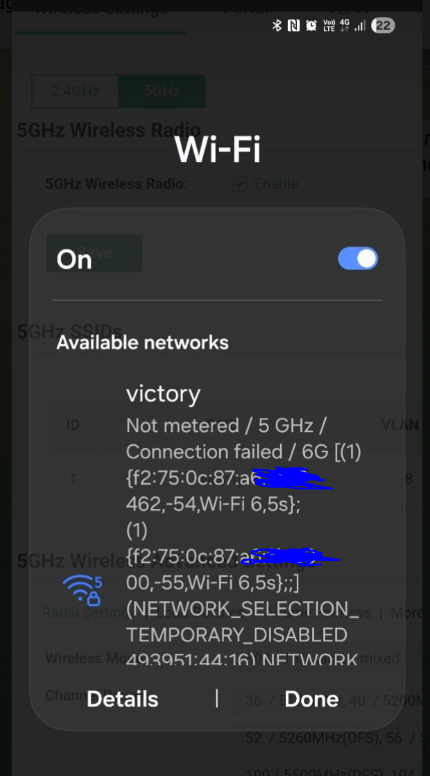
But if I set the SAME transmitter power of 17/17 dBm for both networks, 5GHz devices with a single antenna start losing packets and sometimes can't connect to the 5GHz network. Different channel widths (20/40/80) or 36-100 channels, and ap reboot after every change make no difference.
The speed test's download speed drops by half, and upload speed by several times, and devices can disconnect at any moment.
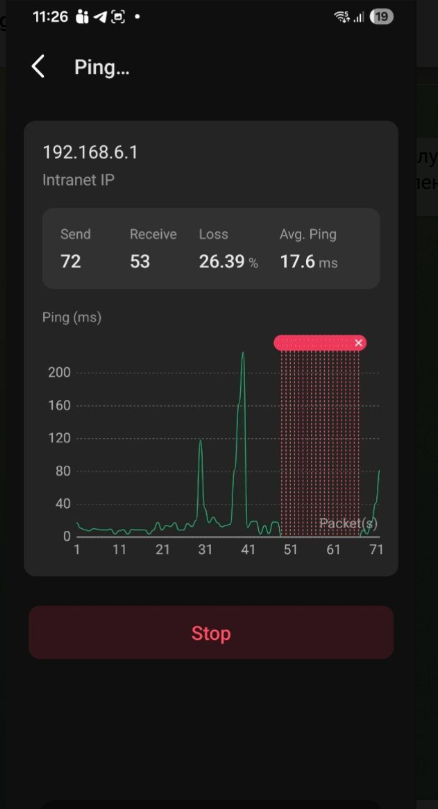
As soon as I set the same power level, my clients go crazy. This happens every time on my two Google Chromecast boxes and two Samsung Galaxy A16 and M34. I can only connect to them when standing directly in front of the access point. If I connect, after a couple of minutes the ping is stuttering with packet loss.
As soon as I set the 2.4 GHz power level lower than 5 GHz, everything works fine again and works as expected.
This strange problem only occurs with my iPhone 14 and a USB WiFi adapter with two antennas.
It doesn't bother me, so I decided to write about this strange issue here.
Last night, out of curiosity, I changed the power level from 15/17 to 17/17, and my phone started freezing while watching YouTube, then disconnected and switched to the 2.4 GHz network.