
How to STOP 2 ethernet wired EAPs always connecting via uplink?

Well Ive had two EAP225 v3 for years and they worked fine. Both ethernet wired back to the main switch wiht cat 6 cable via POE injectors. Until that is I upgraded the Omada controller to be 6.0.0.24.
Now one ALWAYS ALWAYS ALWAYS has an UPLINK connection via the other one. I have:
1 turned off mesh in Omada controller. Why that is buried somewhere obscure I don't know
2 Re-provisioned the APs
3 Rebooted the APs
4 Reset the APs
5 Hardware reset the APs
And yet they always re-establish an UPLINK connection.
I don't get it. The ethernet must be working as its providing POE?
What else can I do? Other than buy ubiqiti.
- Copy Link
- Subscribe
- Bookmark
- Report Inappropriate Content


Hi @kyoku
Thanks for posting here.
Do you mean that the EAP shows the wrong topology on the controller's map page? If yes, could you please share a screenshot of the topology page?
Is the POE switch or the gateway router not TP-Link?
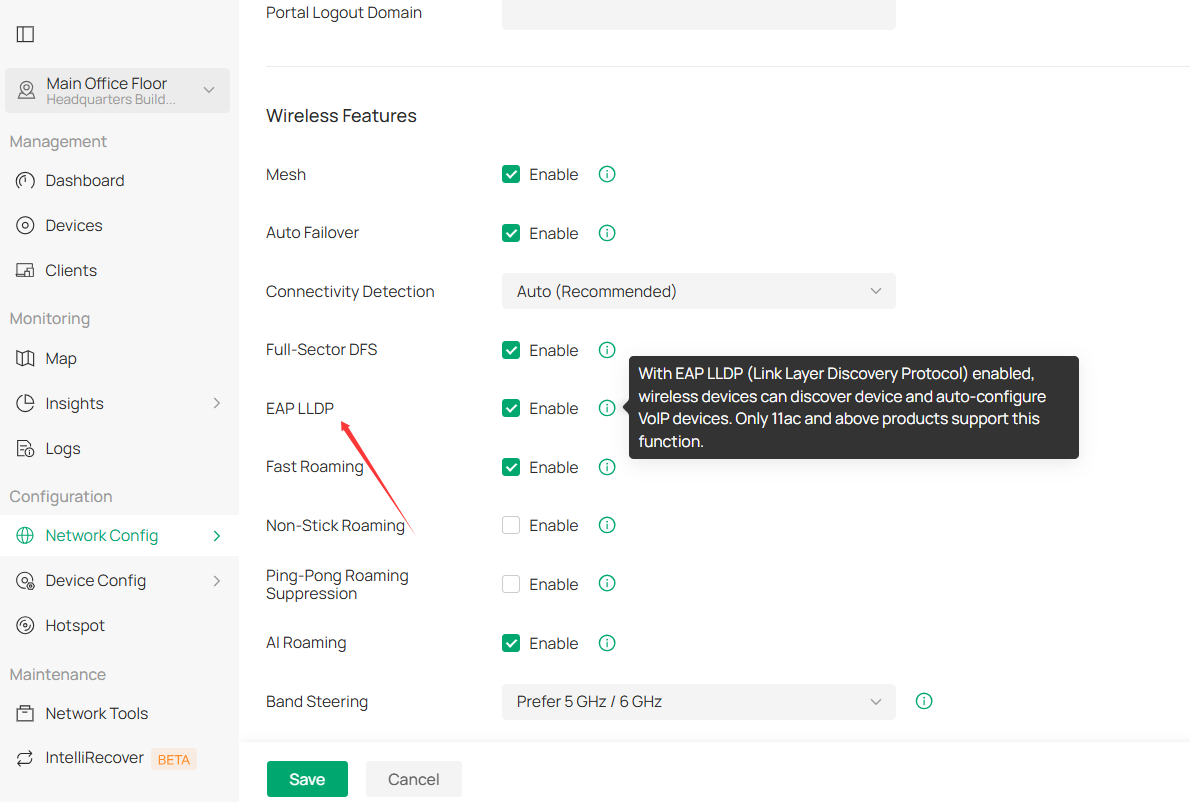
Correct topology identification requires that the device support/enable LLDP. Please check this on the router and the gateway, and make sure they are enabled for LLDP.
Here is the page to enable LLDP for EAP:
- Copy Link
- Report Inappropriate Content

@paul-c Thanks for including the troubleshooting steps taken so far. It still may be a cable or PoE adapter issue; just because power is being provided does not mean data is being passed as well. Is it possible to swap the cable and then the PoE adapter as a test?
Also, is it possible to upgrade the controller further to V6.1.0.19 (or the latest for your controller model)?
- Copy Link
- Report Inappropriate Content

turns out it's a fault within the Omada controller. I don't have a to link switch and so the topology drawing logic gets all confused. I turned off LLDP and now I've got two independent APs
- Copy Link
- Report Inappropriate Content
@paul427 Ah, I see, yeah that would do it. Can't really guarantee the performance with other vendors' products. Glad you got it resolved!
- Copy Link
- Report Inappropriate Content

@paul-c It hasn't been resolved; the issue persists in Omada-Controller 6.1.0.19
- Copy Link
- Report Inappropriate Content
Hi @kyoku
Thanks for posting here.
Do you mean that the EAP shows the wrong topology on the controller's map page? If yes, could you please share a screenshot of the topology page?
Is the POE switch or the gateway router not TP-Link?
Correct topology identification requires that the device support/enable LLDP. Please check this on the router and the gateway, and make sure they are enabled for LLDP.
Here is the page to enable LLDP for EAP:
- Copy Link
- Report Inappropriate Content
@Vincent-TP Hi,
I have an Aruba switch and the Omada interface is different.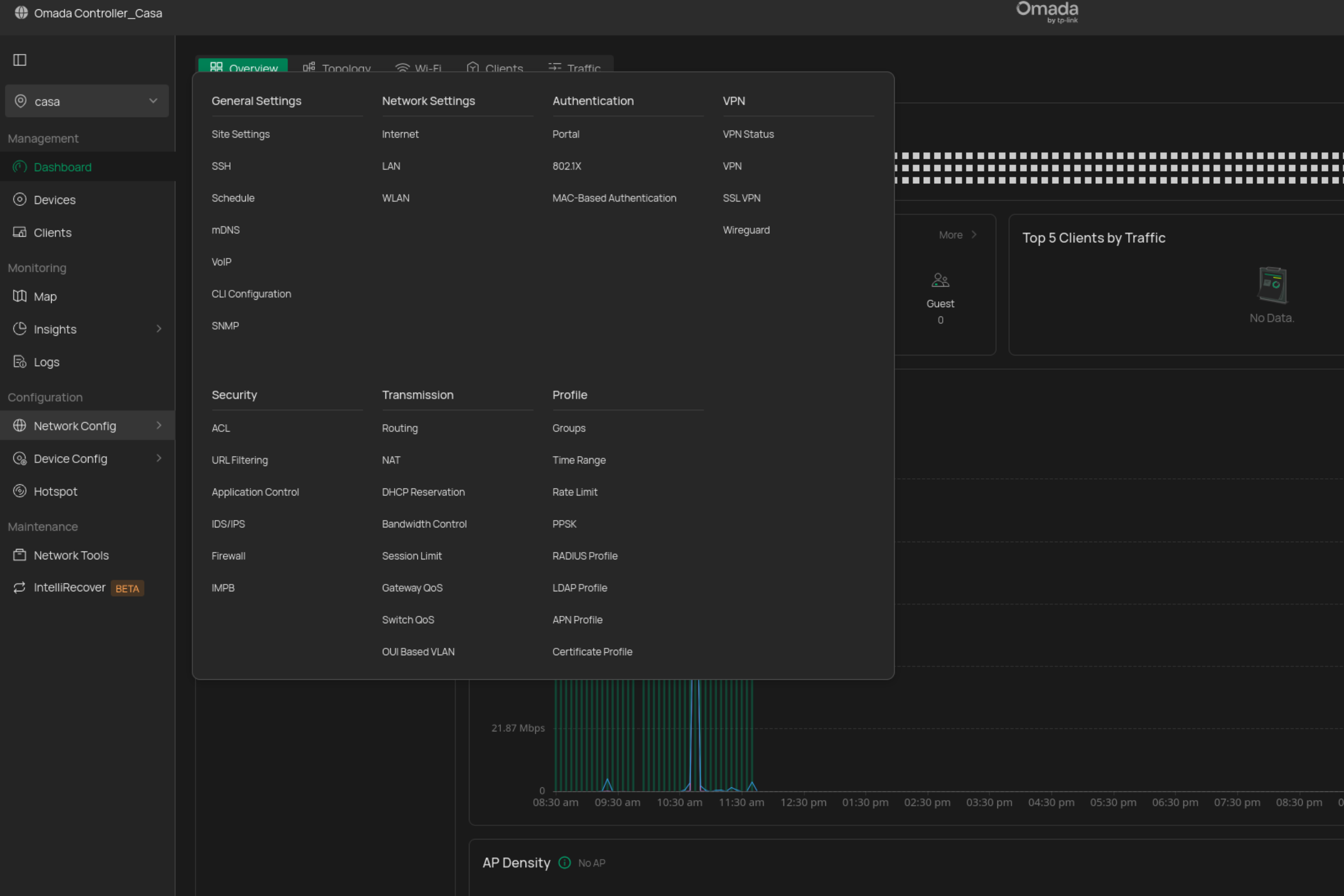
- Copy Link
- Report Inappropriate Content
Hi @kyoku
Sorry for the late reply.
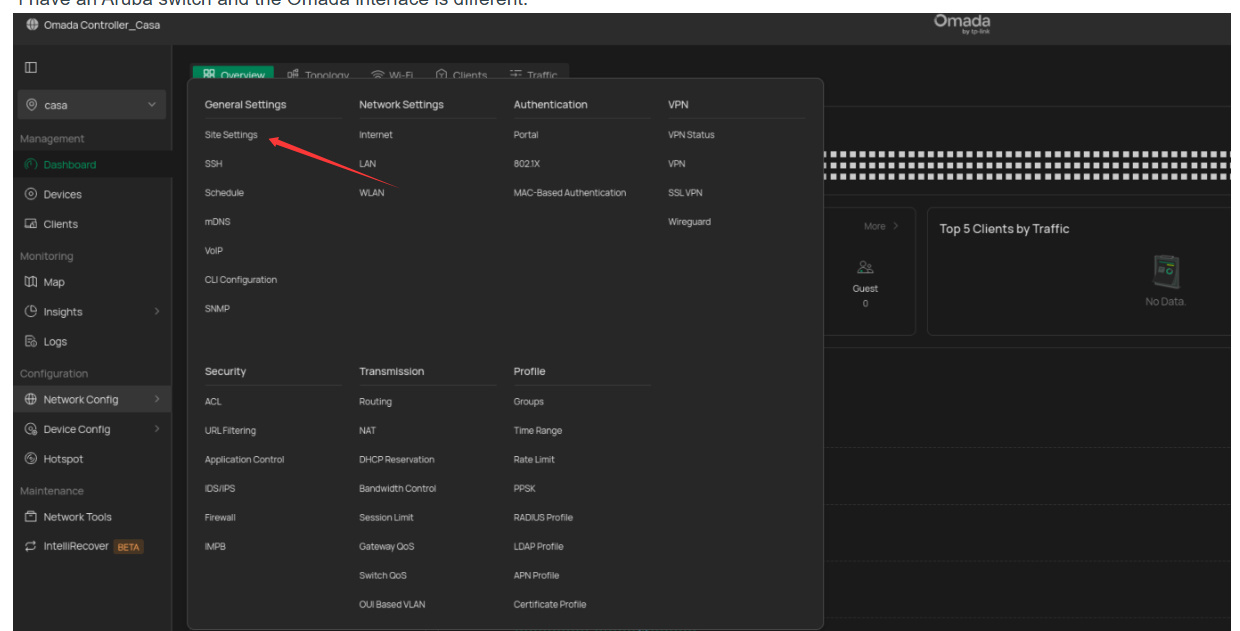
Click Site settings, and scroll down, you will see the LLDP option:
- Copy Link
- Report Inappropriate Content
Information
Helpful: 0
Views: 493
Replies: 7
Voters 0
No one has voted for it yet.