incorrect Topology

incorrect Topology

incorrect Topology
incorrect Topology
Monday
Model: OC400  
Hardware Version: V1
Firmware Version: 1.10.10 Build 20260117 Rel.82617
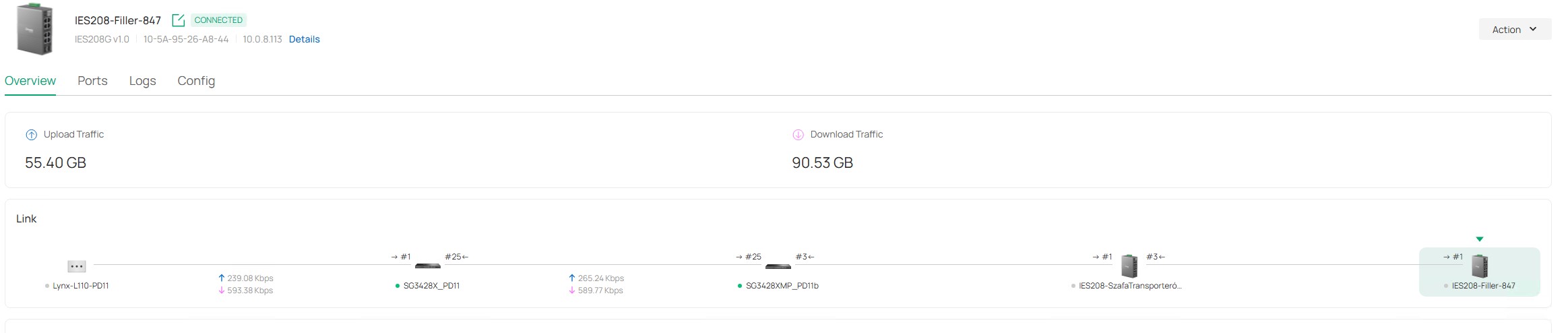
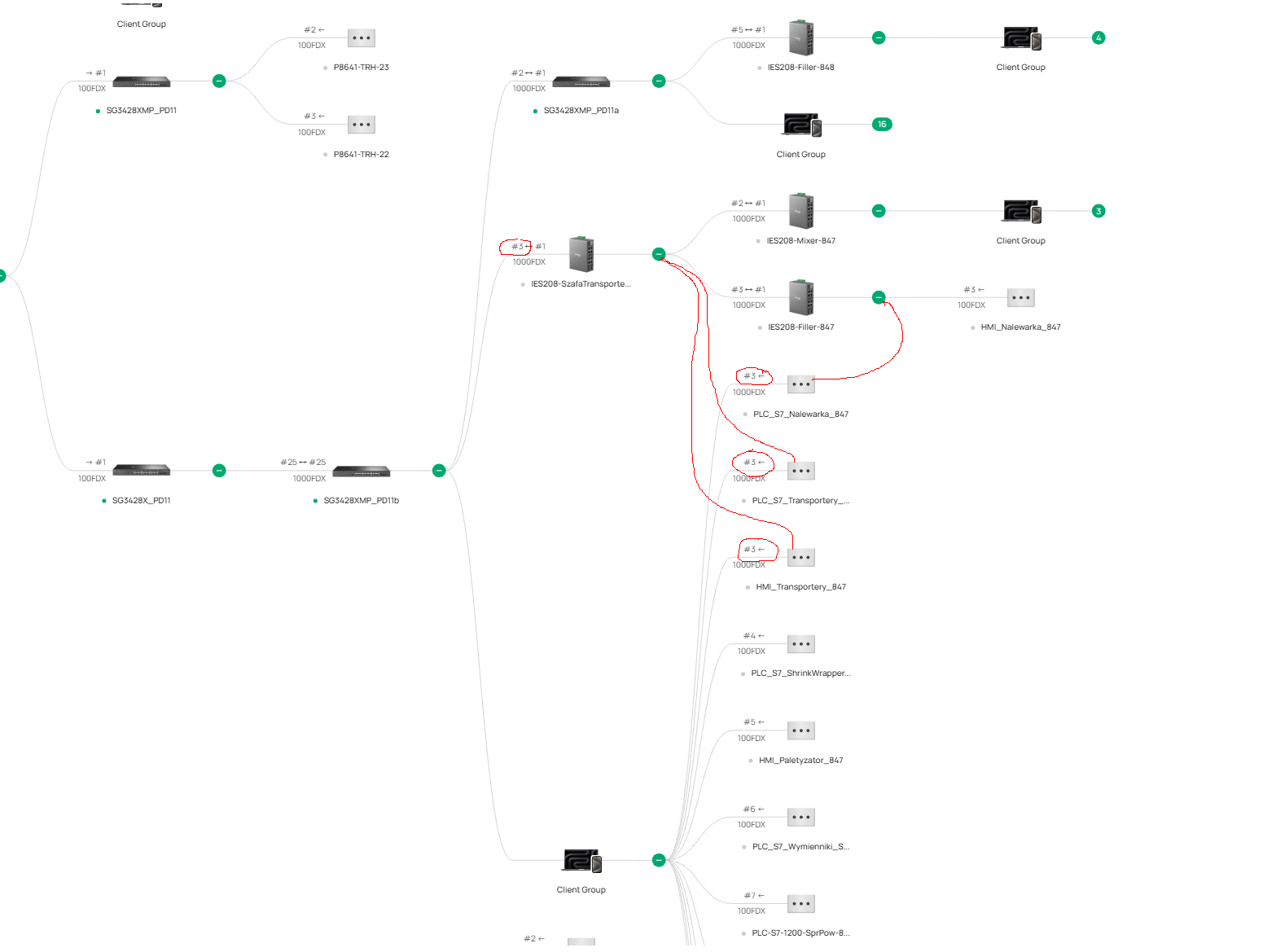
we have a problem with incorrect placement of clients in the network topology, the switches are placed correctly but the clients are placed in different places,
below is one example, 3 clients are assigned to one of the master switches, but they should be assigned to the switches shown in the figure,
as you can see these clients are assigned to the same port as the switch,
we have the latest firmware on all devices,
what could be the problem and how can we diagnose it?


  0      
  0      
#1
Options
4 Reply
Re:incorrect Topology
Monday

  @pcsh Is LLDP enabled across all your devices? In your Site > Network Config > Site Settings > General Config

I recommend enabling it across all your devices if it is not already.

  0  
  0  
#2
Options
Re:incorrect Topology
Tuesday

  @NeilR_M yes, I have LLDP enabled on all devices,


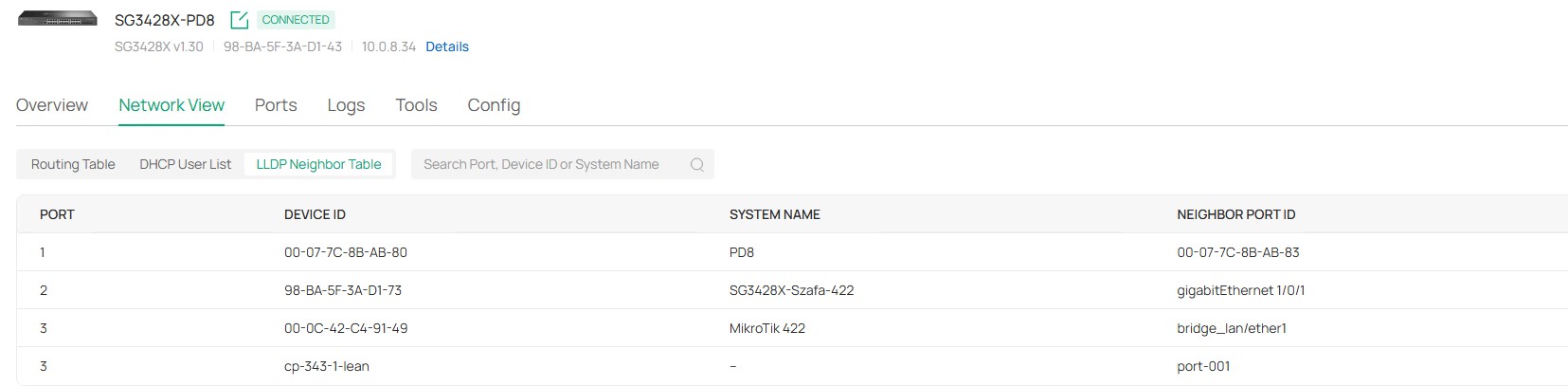
but I cannot check the LLDP neighbors on IES208 or IES210 because there is no Network View tab and LLDP, as in the SG3428 switch

the Tools tab is also missing and the Terminal tool

  0  
  0  
#3
Options
Re:incorrect Topology
Tuesday

  @pcsh Some features because they are Easy-Managed Switches; while they can be adopted and managed by the Omada Controller they will not have the same management features as an L2+ or higher switch. 


How to View the Topology of Complex Switch Configurations in Omada Controller | Omada Network Support

The FAQ here also lists the requirements for Topology display:

"Requirements:
Spanning tree topology display requires Omada L2 switches/ Omada L3 switches/Omada Pro switches; VRRP topology display requires Omada L3 switches/Omada Pro switches; M-LAG topology display requires Omada Pro switches
Omada Controller V6.1 and above (some features, such as M-LAG, require Omada Pro Controller)"


  0  
  0  
#4
Options
Re:incorrect Topology
Tuesday

  @NeilR_M thanks for your help,


we do not use STP, VRRP or M-LAG, this is a simple network in an industrial plant, that's why we use industrial models IES 208 and IES210, the connections between the omada switches are displayed correctly in the topology, we want the clients to be displayed correctly as well,


we do not need advanced L2+ or L3 management functions, we just want to see which client is connected to which switch and on which port
  0  
  0  
#5
Options