
Omada Linux Controller Configuration Timeout

I am running 62 APs with Omada software controller version 6.1.0.19 (latest i think) on the following hardware:
Intel Atom D2500 2C2T 1.86Ghz CPU
4G DDR3 RAM
32 GB SATA SSD
1GbE network interface
The RAM usage is at 2GB, Disk has 11 Gb free space and so nothing maxed out normally AND during configuration. System is fast for our use, and is able to happily run additional apps like External Hotspot Portal Server, PiHole, etc. This hardware is low power industrial type (Giada MI-NAS25), but looking at system resource usage data, it DOES NOT appear to be a bottleneck for Omada in any way.
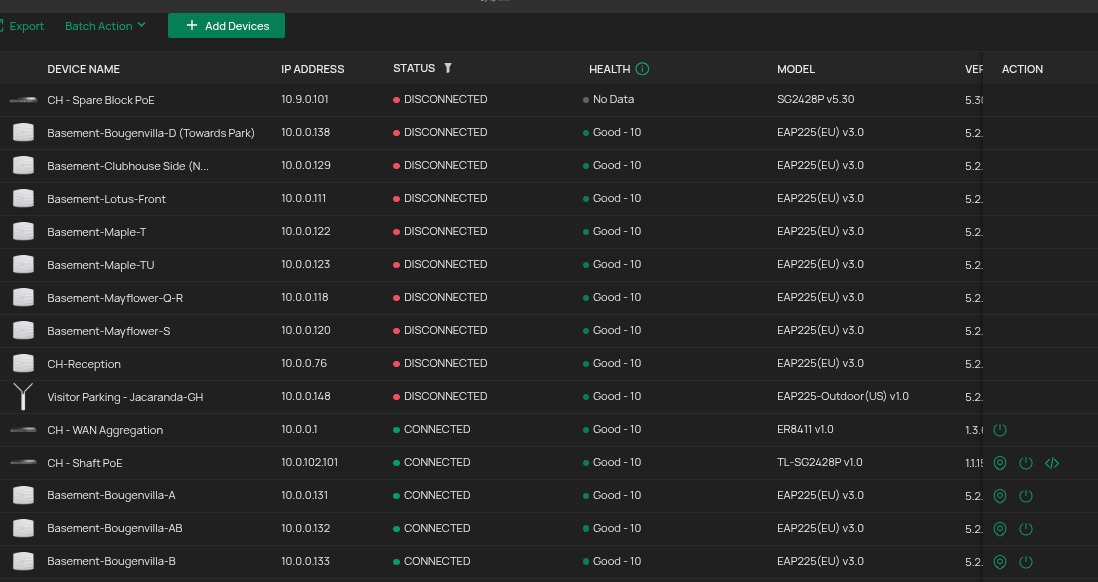
Today morning, I changed the WLAN Config from North Bound Interface (Cloud Portal) and specifically only the client rate profile parameter which impacts all APs in the Southbound interface. The configuration worked for 53/62 APs but failed for 9 APs. The 9 failed APs all ended up in "DISCONNECTED" state.
The Checked the config result and it shows Timeout Error Code AP -6
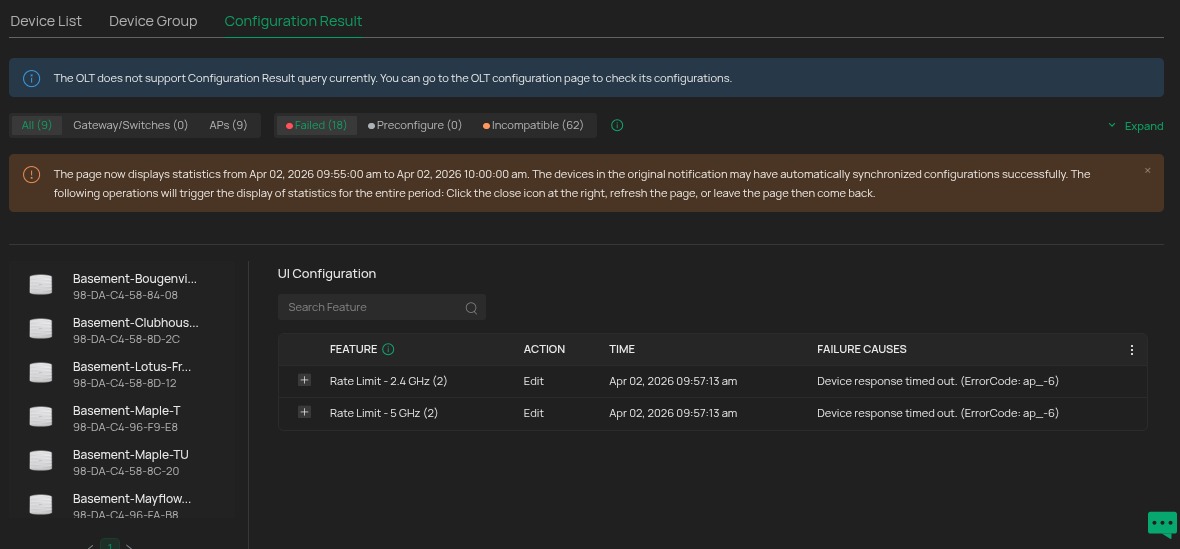
Any pointers to why this could have happened and why its not recovering the APs automatically or I need to wait for some configured time where this AP will retry its registration with controller, get adopted and synced.
I also observed that if I leave the failed APs alone like this (Right now I will not disturb) it will keep flapping states like ADOPTING, ADOPT FAILED, PROVISIONING and DISCONNECTED. Anything except "CONNECTED". I have had this problem since last 3-4 years on this system but unable to shake it off. It only stop once I stop reconfiguring (you get to a stage like that) and then restart the APs using the switch PoE Off/On cycle.
I tried logging in directly to APs in Disconnected state, assuming that they had fallen back to some standby node or will at-least show that AP is being managed by controller. However the Http web page of teh AP does not itself show and it seems the AP is some type of dead loop state with CPU fully busy. So after half a day I restarted the down APs just to bring them back online. The root cause of the issue is still not identified and might repeat any day, if i try to do the config operations again ...

