
Block websites using a text list.

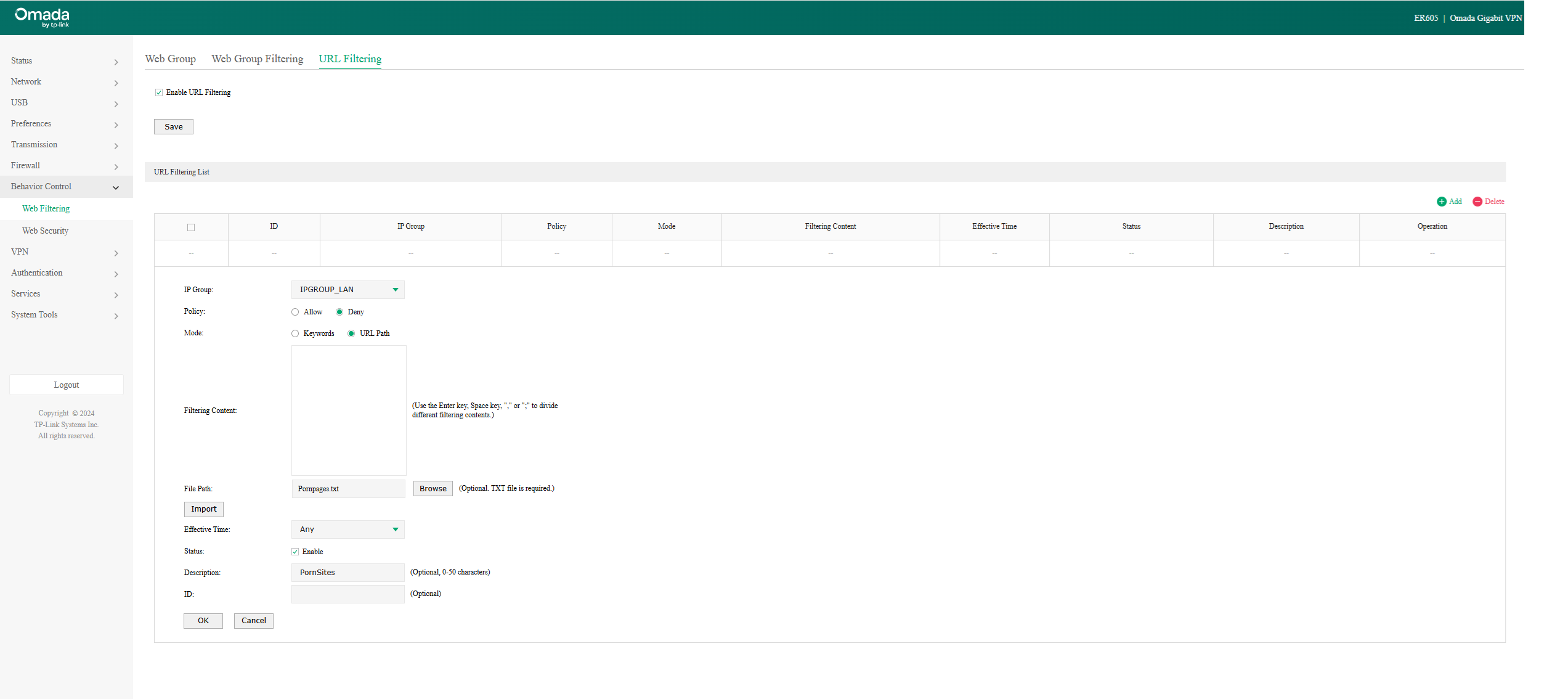
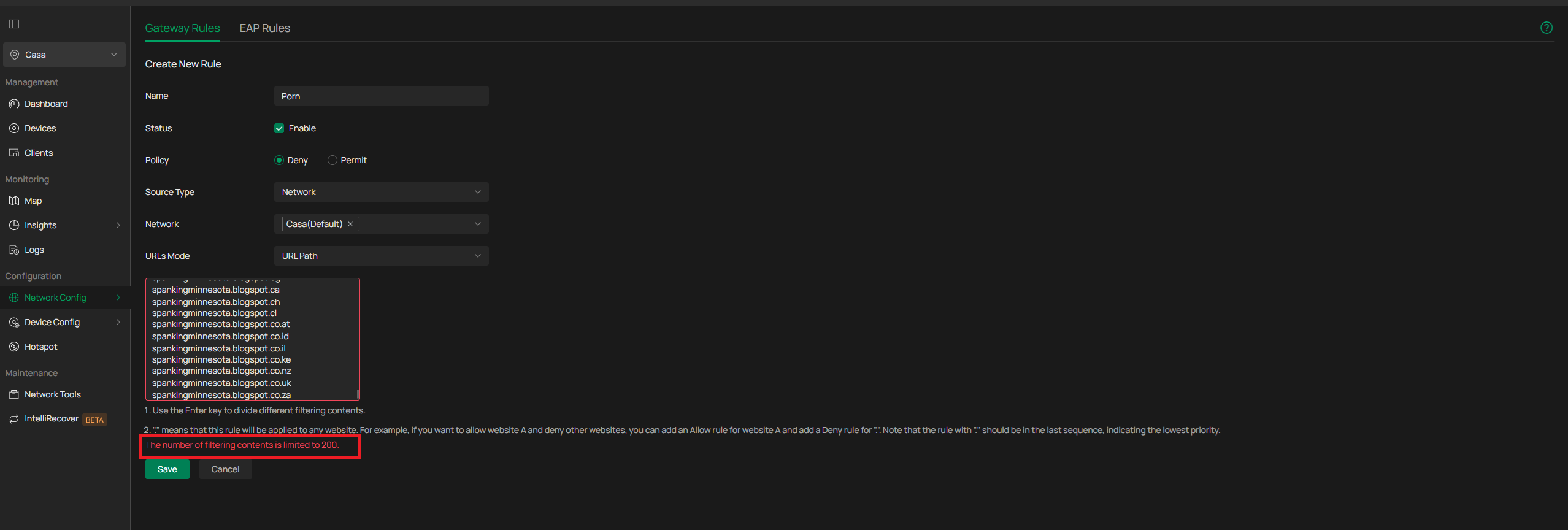
As we know, the list of adult websites is very large, so I tried to do it with a TXT list downloaded from the internet, but unfortunately Omada Controller doesn't have that option... and it even limits me to 200 sites. The TXT file has 2,072,801 adult websites.
How can I block them using lists?... The most interesting thing is that in Standalone mode there's the option to load the TXT file, but Omada doesn't.
- Copy Link
- Subscribe
- Bookmark
- Report Inappropriate Content
@jra11500 Thanks for the reply, I ended up discovering that the locks work by category, but only from the ER7206 model onwards, as per the link.
https://support.omadanetworks.com/uy/document/120027/
Unfortunately, the ER605, which was the model I tested, does not have the feature to block by category.
- Copy Link
- Report Inappropriate Content

At a local level, what you are trying to do is practically impossible. If you are concerned about or have a specific need to block adult websites, your best option is to use the services of a professional DNS filtering provider. A Google search will provide you several sites that may be able to suit your requirements.
- Copy Link
- Report Inappropriate Content
@jra11500 Thanks for the reply, I ended up discovering that the locks work by category, but only from the ER7206 model onwards, as per the link.
https://support.omadanetworks.com/uy/document/120027/
Unfortunately, the ER605, which was the model I tested, does not have the feature to block by category.
- Copy Link
- Report Inappropriate Content
Thank-you for providing the link. The article was just recently written and is very informative.
- Copy Link
- Report Inappropriate Content


Hi @Bug_do_Ti
Thanks for posting here.
There was a post requesting this feature. Below is the link:
https://community.tp-link.com/en/business/forum/topic/860816
You may cast your vote there and leave your comment about uploading TXT file.
- Copy Link
- Report Inappropriate Content
Information
Helpful: 0
Views: 362
Replies: 4
Voters 0
No one has voted for it yet.