Software Controller 6.x no longer shows uplink port speed

Hello,
I recently updated from version 5.x of the software controller to version 6.x Specifically I am now running 6.2.0.17 from package Omada_Network_Application_v6.2.0.17_linux_x64_20260331104746_1775035422825.deb
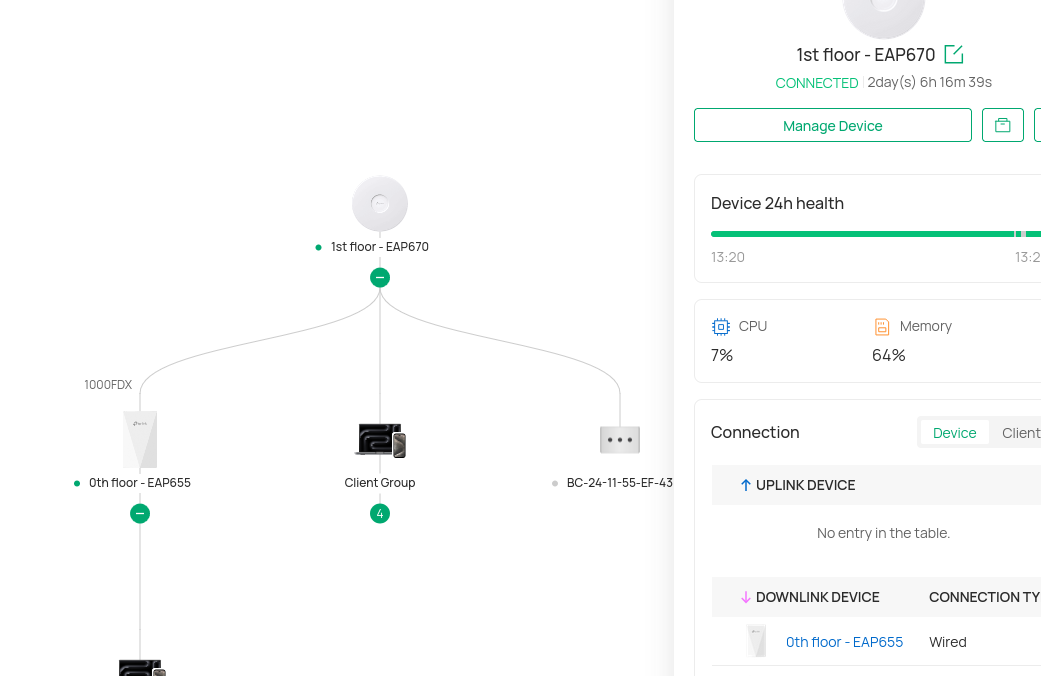
The problem I have is that I can no longer see the Wired Uplink speed of my EAP670. In 5.x versions (as well as in the mobile app) I used to be able to view the speed that the uplink port negotiated. With the 6.x web GUI I can no longer view that information and this is annoying because it sometimes negotiates a 1Gbps link instead of 2.5Gbps that it is capable of and that was the easiest way to verify it and fix (typically with a reboot).
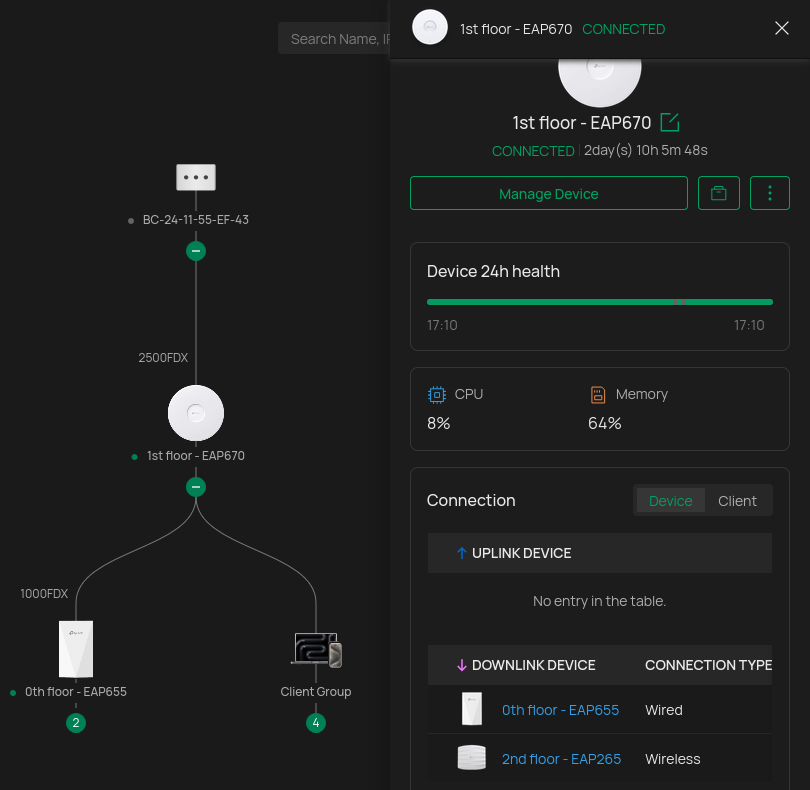
The problem is that when I click on "Manage Device" there is no longer an "Uplink" section where I used to be able to view the port speed. My switch is unmanaged, and my router is an OPNSense box, so the "uplink device" section is empty and reads "No entry in the table". Regardless, it used to at least display the port information (2500 Mbps, full-duplex). It no longer does.
Can you please restore this information? It should be visible either way (rather than require an Omada hardware controller/router).
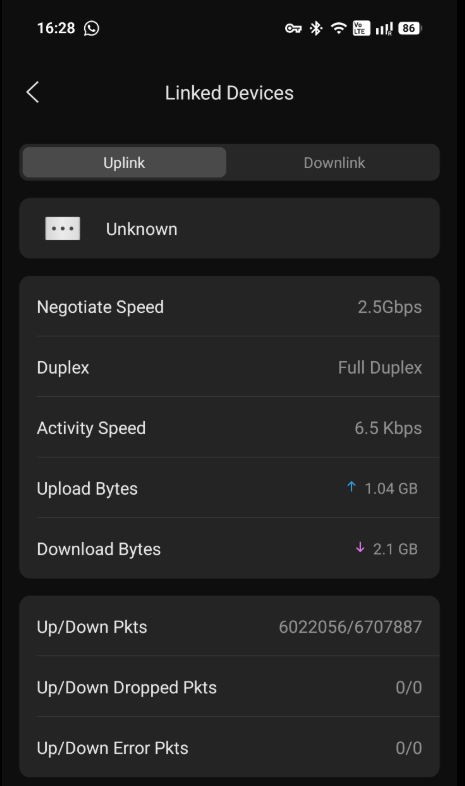
I can now only check the uplink port speed in the Omada mobile App. I can now only check the uplink port speed in the Omada mobile App as there I can still select the "unknown device" that is my OPNSense:
Thanks!
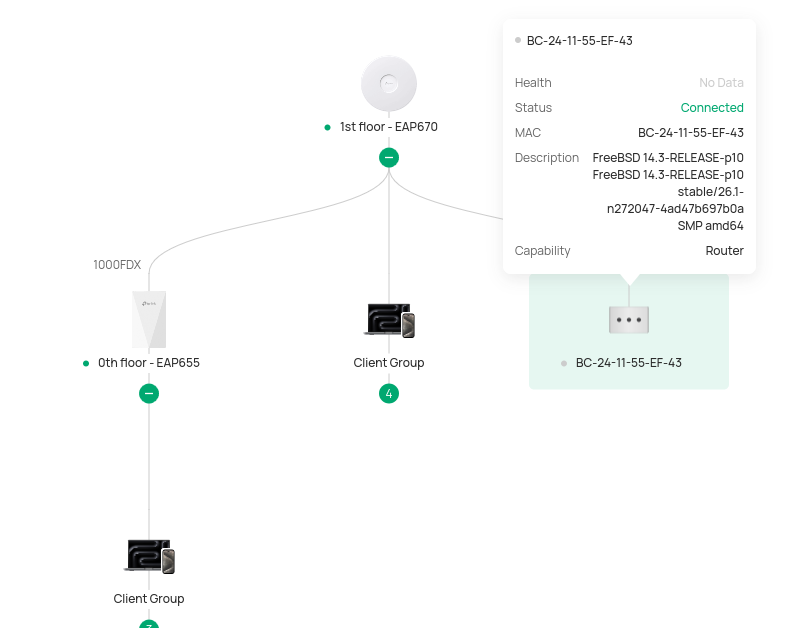
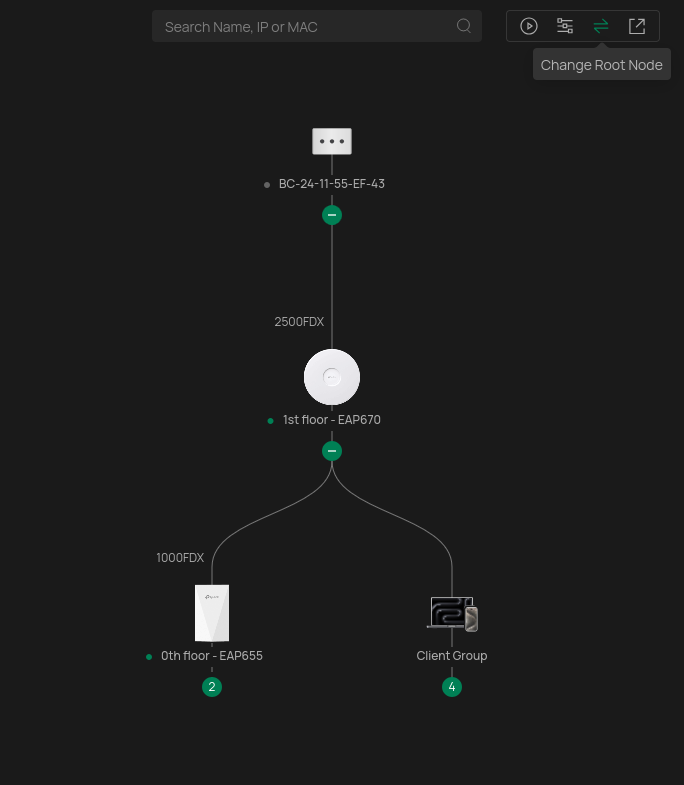
P.S. In an attempt to see if adding the router to the topology would fix this, I enabled LLDP in OPNSense which is now visible in Topology, but the link from the EAP670 to it is not marked with the speed (should be 2500FDX). I can only see the 1000FDX toward the EAP655.