Omada IoT Transport Stream Config Fails: Unclassified Device Class (ap_462856)

Omada IoT Transport Stream Config Fails: Unclassified Device Class (ap_462856)

Omada IoT Transport Stream Config Fails: Unclassified Device Class (ap_462856)
2 weeks ago - last edited Yesterday
Tags: #Network Connectivity #Bluetooth
Model: EAP772  
Hardware Version: V2
Firmware Version: 1.3.14

I would like to report a bug with the IoT Transport Stream configuration in the controller.


Issue:

When configuring an IoT Transport Stream under Device Config, the "Device Class" section includes four checkboxes: Minew, iBeacon, Eddystone, and Unclassified. If the "Unclassified" checkbox is ticked (either alone or together with others), clicking Apply causes the configuration to fail immediately.


Failure Details:

- Feature: Bluetooth

- Error: "Error parameters: invalid device class. (ErrorCode: ap_462856)"

- The failure appears in Configuration Result > Failed, affecting all APs pushed with this profile.


Steps to Reproduce:

1. Go to Device Config > IoT Transport Stream settings.

2. Under Transport Settings > Device Class, check "Unclassified".

3. Click Apply.

4. Navigate to Devices > Configuration Result — the config shows as Failed with ErrorCode ap_462856.


Expected Behavior:

"Unclassified" is a valid selectable option in the UI. Selecting it should not cause a configuration failure. Either the AP firmware should accept this class, or the UI should prevent selecting it with a clear explanation.


Observed Behavior:

The AP rejects the config with "invalid device class", even though "Unclassified" is presented as a valid option in the controller UI.


Environment:

- Omada Software Controller v6.2.0.17

- AP Model: EAP772 v2, Firmware: 1.3.14


Please investigate and fix the mismatch between the controller UI options and what the AP firmware actually accepts.


Thank you!

0
0
#1
1 Accepted Solution
Re:Omada IoT Transport Stream Config Fails: Unclassified Device Class (ap_462856)-Solution
Yesterday - last edited Yesterday

Hi @Vincent-TP


I just realized that the firmware is not pushed automatically from the controller.


I manually updated to v1.5.1 and it worked perfectly!


Hopefully more and more people will start using this feature so it can continue to improve over time.

Thank you for releasing this great feature!

Recommended Solution
0
0
#3
3 Reply
Re:Omada IoT Transport Stream Config Fails: Unclassified Device Class (ap_462856)
2 weeks ago

Hi  @yliu 


Thanks for the feedback.

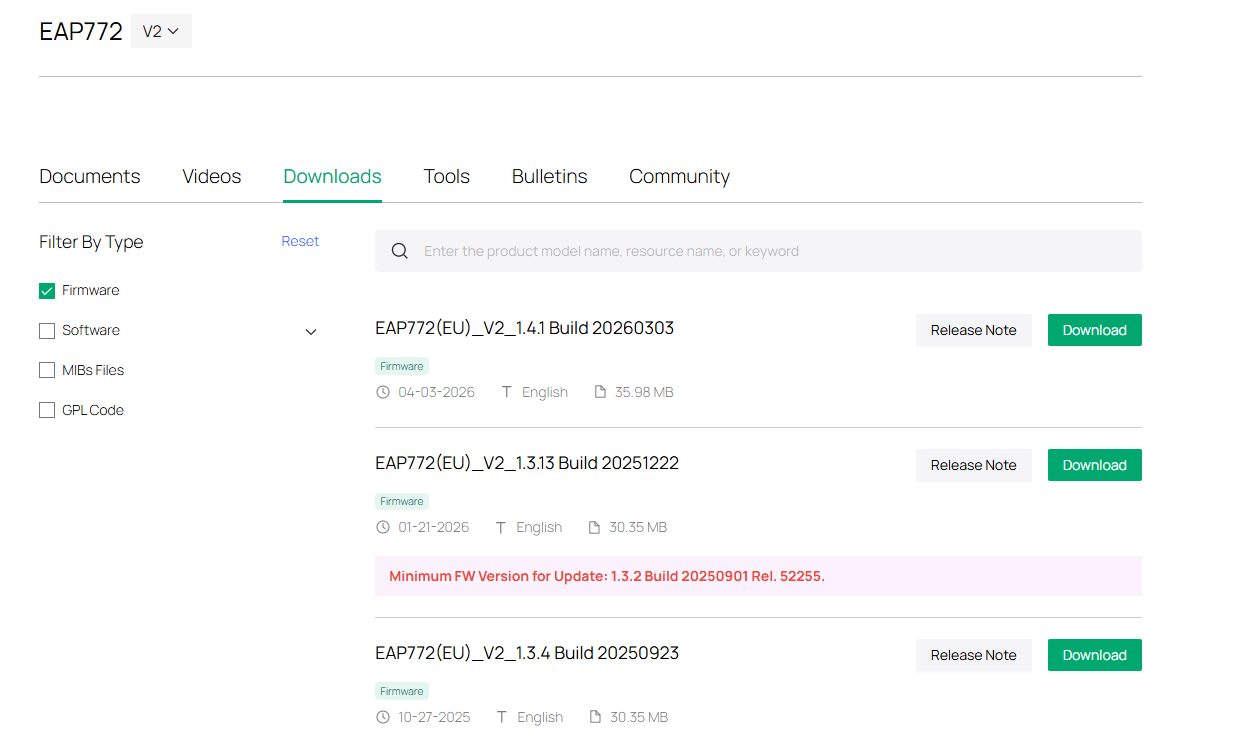
Bluetooth is a relatively new feature, and the firmware for your EAP772 V2 is not the latest.

Please first update it to version 1.4.1 and see if the issue persists.

https://support.omadanetworks.com/en/product/eap772/v2/?resourceType=download


If it's still the same, please share some screenshots, including the error message page, the config page, etc.

0
0
#2
Re:Omada IoT Transport Stream Config Fails: Unclassified Device Class (ap_462856)-Solution
Yesterday - last edited Yesterday

Hi @Vincent-TP


I just realized that the firmware is not pushed automatically from the controller.


I manually updated to v1.5.1 and it worked perfectly!


Hopefully more and more people will start using this feature so it can continue to improve over time.

Thank you for releasing this great feature!

Recommended Solution
0
0
#3
Re:Omada IoT Transport Stream Config Fails: Unclassified Device Class (ap_462856)
Yesterday

Hi  @yliu 


Great to hear that! If you encounter any further problems or have additional questions, feel free to reach out. We're here to help! 😊

0
0
#4