
5G ODU Failed to be adopted

Hi Guys
Hope some one can help get this ER701-5G-Outdoor v1.0 adoped into an onprem controller V6.2.10.15. It is connected to a WAN port on the
ER7412-M2 v1.20 gateway directly (using the supplied POE injector).
The gateway sees the 5G Unit and gets an IP address in passthrough mode straight from the mobile network. I can also access the internet using the 5G unit on the WAN port with no issues (from the internal LAN).

The 5G unit appears in the site device list::
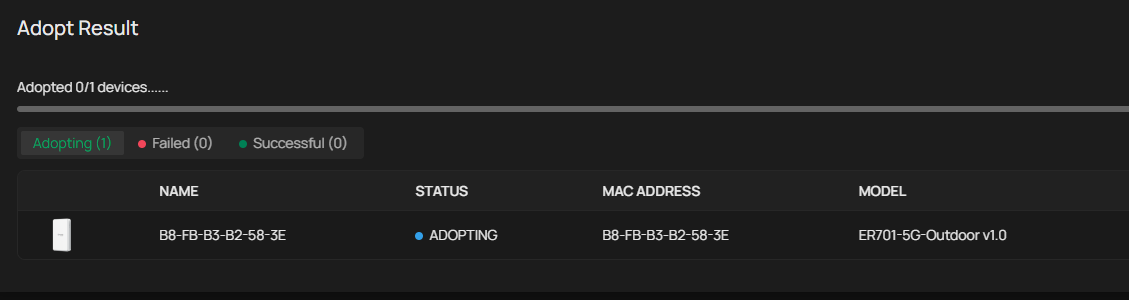
However - I cannot get the 5G to be adopted within the controller - I always get the error below:
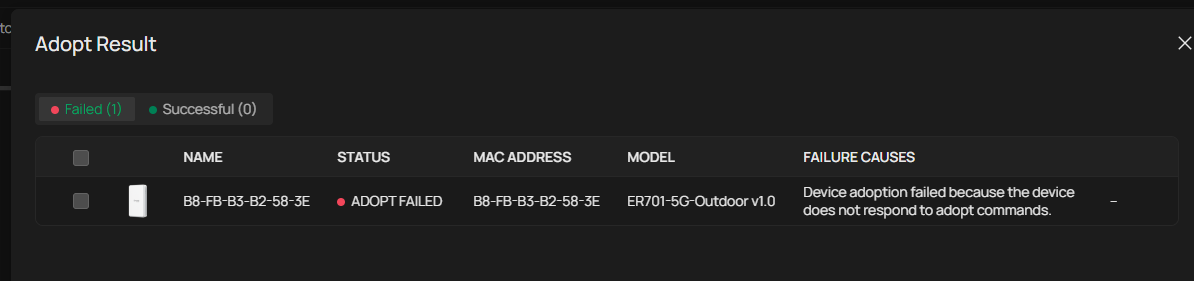
I have factory reset and walked forward three times now. The local SSID appears and I can use my phone to do the initial config, and assigned the username and password.
I followed the setup guide and added two port forwarding rules:

In the controller - I can see the device listed, it goes through the motions - pending, adopting and ends with adopt failed:

I have confirmed the device user account name and password are correct.
Last thing - I can ping the 5G device from the Gateway Tools...
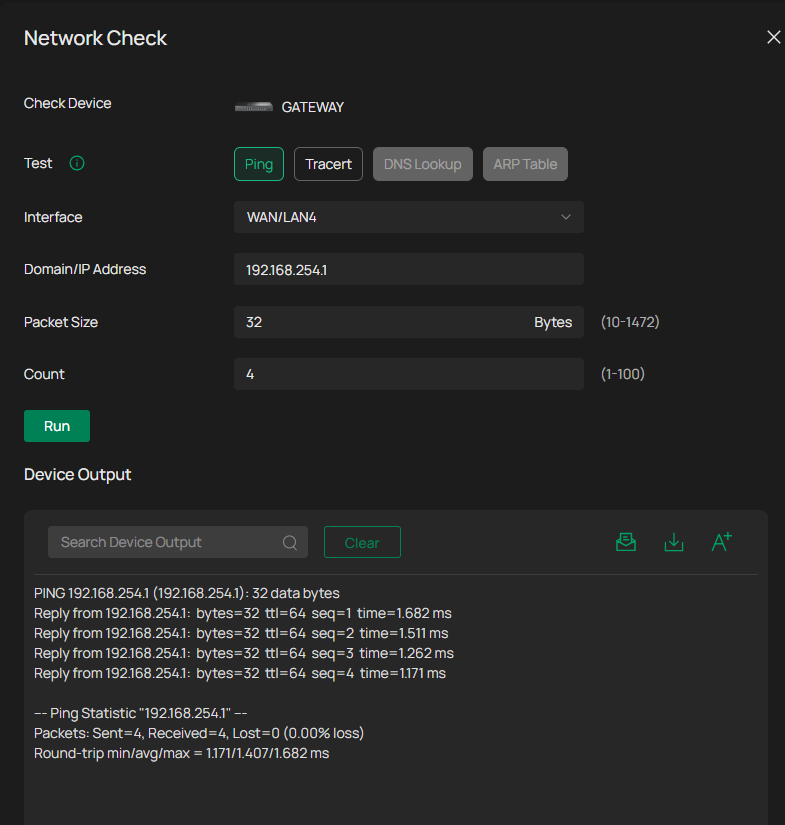
Any ideas?!?! It does work as a device but just wont adopt.... all thoughts most welcome.
D
- Copy Link
- Subscribe
- Bookmark
- Report Inappropriate Content
Ok... success!
The controller runs in a hyperv vm...and was dual homed - one nic to main LAN and the other to the MGT VLAN.
I removed the main LAN and it adopted straight away.....who would have thought!!?!

My only issue now to investigate is an occasional heartbeat missed from the gateway....but it works!
Thanks for the morale support!
- Copy Link
- Report Inappropriate Content

My suspicion here is that your WAN IP on your gateway is getting DHCP from the mobile networks via the 5g unit in some kind of bridge mode, and its not in the 192.168.254.X range that the 5g unit is set to on its LAN port, which means the WAN port cannot accept data from it because its outside the scope of its subnet mask (or possible your WAN port can see the 5g unit, as evidenced by your ping, but the 5g unit cant respond due to scope mismatch)
WAN IP (from 5g service) = random public ip
LAN IP of 5g unit = 192.168.254.1
scopes wont match, therefore adoption fails.
You may have more success if you can set up the 5g unit in router mode, have it do the ISP<>Private IP natting, add your gateway to it as a DMZ to reduce double NAT issues, and then your wan port will be in the same scope as the 5g unit and adoption should work.
edit: this is just my guess, i havent experimented with the 5g units
One workaround would be to set the controller ip / url setting on the 5g unit (in standalone gui) and point it to the WAN IP you get from the ISP, but this will only work if you have a static IP, or set up a DDNS resolver.
A couple experimental ideas:
Set up a WAN IP Alias on your gateway "internet" connection matching the subnet of the 5g device with some other ip like 192.168.254.222
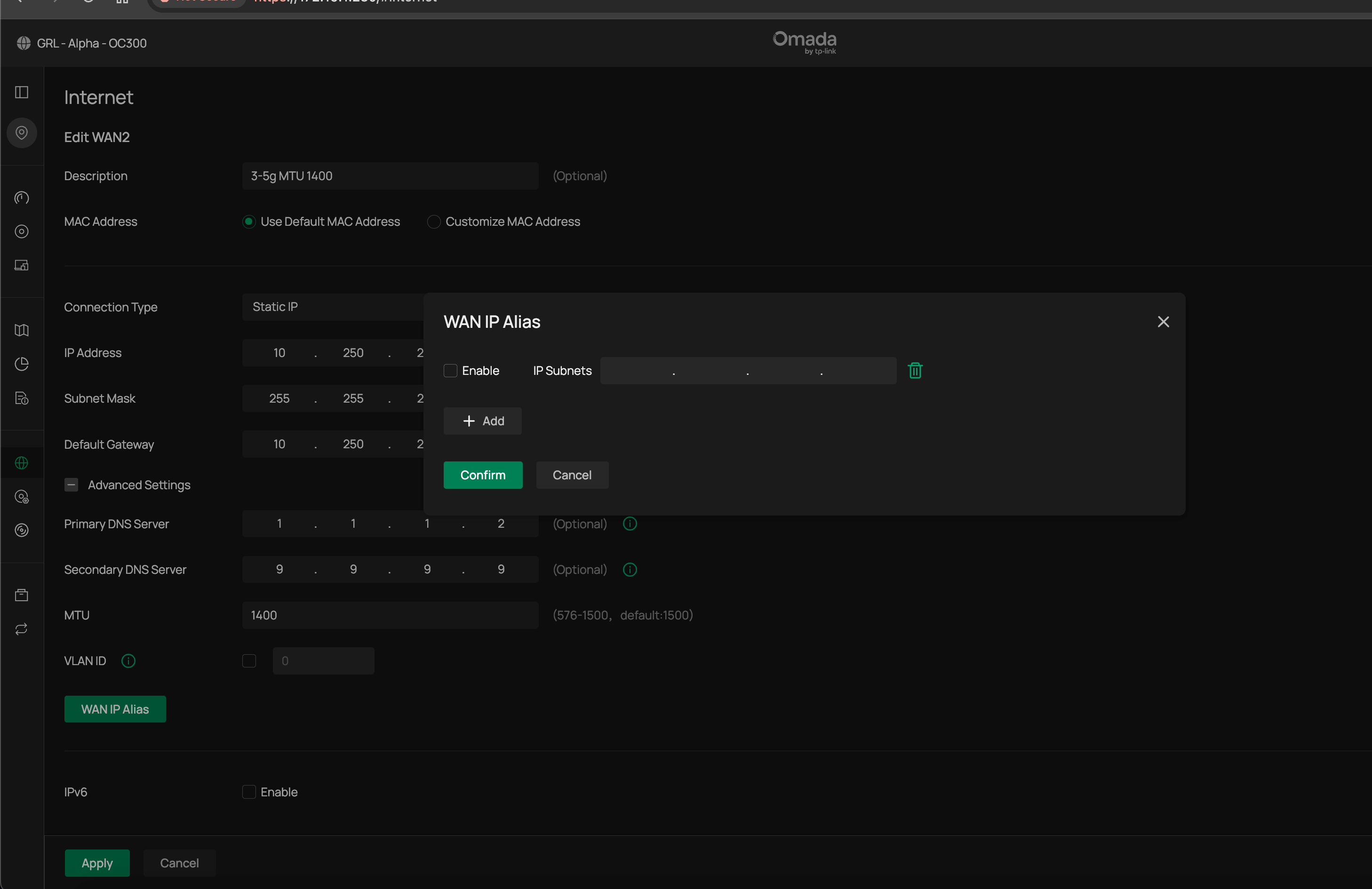
you could then, maybe, do a One-to-One NAT of your controller IP to the WAN aliased subnet to another IP - this effectively put your controller on an IP upstream of WAN, and if the subnets match, it might be able to adopt properly. This wont expose your controller to the internet as its on a private IP outside the scope of your ISP connection
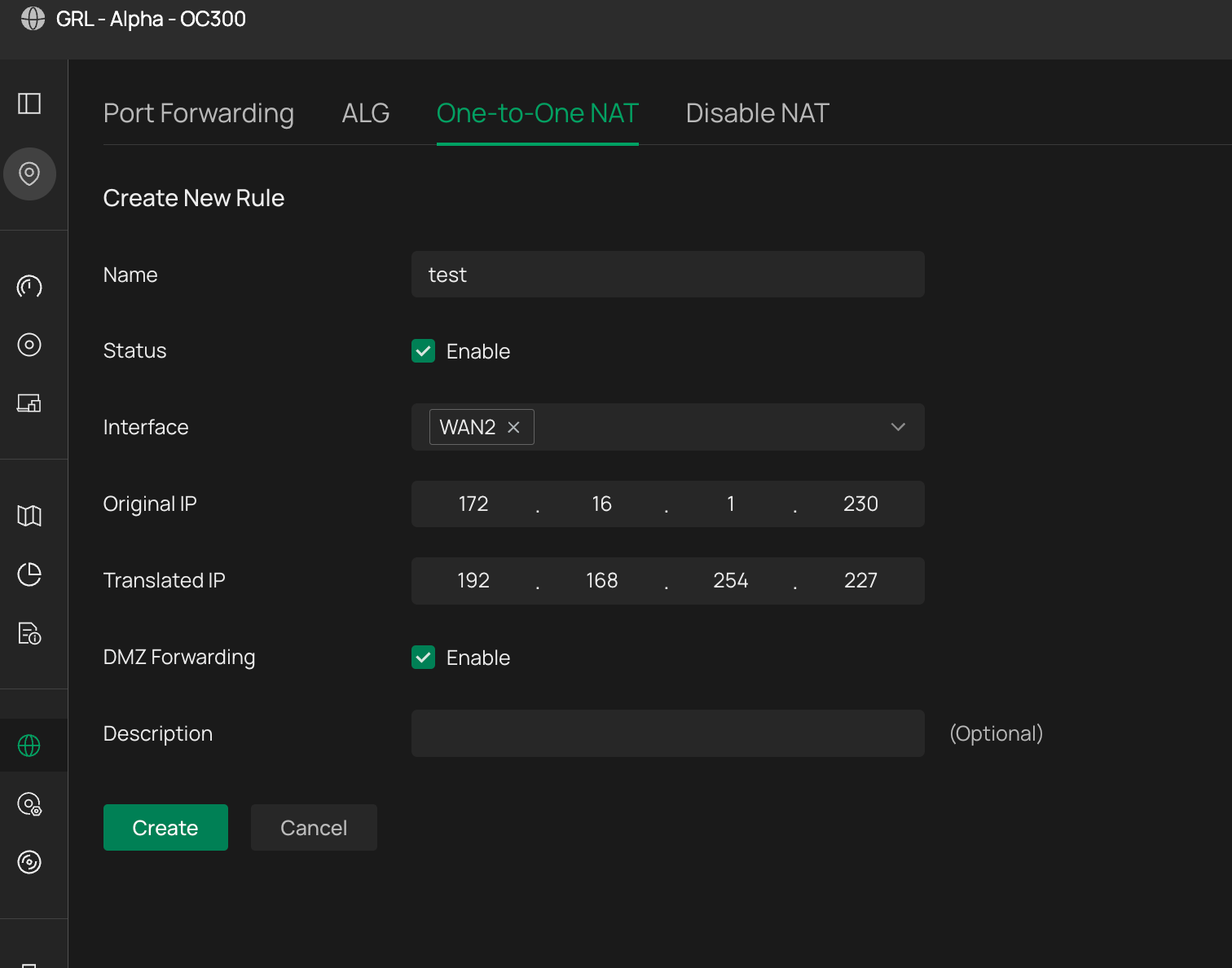
- Copy Link
- Report Inappropriate Content
Thank you for taking the time to write the detailed reply,
I just tried to point a browser at 192.168.254.1 from the internal LAN and it did not bring up the 5G GUI..,which I am SURE it previously did.....not sure how this worked, as you say, the gateway gets an ISP provided IP address,... so how does it know (with no tweeks) how to route to 192.168.254.1....?
Another thing I had not considered, potentially foolishly....is the controller is on a vlan - on 10.250.1.4....however I have had a play with acl's to ensure the device can route to that network....just ran out of time to test that theory further.
The TP-link guidance here makes it all sound simple... https://support.omadanetworks.com/uk/document/115428/
Will play further and report back.
- Copy Link
- Report Inappropriate Content
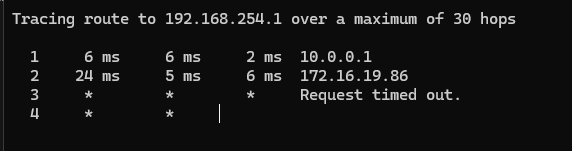
Just tried to tracert from a LAN PC to 192.168.254.1 and got this... the gateway is sending to a rivate destination...
- Copy Link
- Report Inappropriate Content
Hope 2 looks interesting, 172.x - is that the ISP IP you get> if so you are behind some sort of NAT as that is a private not public address.
The failures after that are because the traffic is just going nowehere as no route to that destination IP
Have a try with the two suggestions i added
- Copy Link
- Report Inappropriate Content

I'm using the ER701 adopted into an OC200 controller and it works, I haven't had to change the IP on the ER701 (it's still using the default 192.168.254.1).
One thing I've noticed is the ports you've used for the port forwarding are slightly different, i'm using 29810-29817, but I don't think that would cause the issue.
Has the ER701 been previosuly adpoted into the controller you're using? If it has, then retsart everything and it should then connect.
- Copy Link
- Report Inappropriate Content


- Copy Link
- Report Inappropriate Content
Ok... success!
The controller runs in a hyperv vm...and was dual homed - one nic to main LAN and the other to the MGT VLAN.
I removed the main LAN and it adopted straight away.....who would have thought!!?!
My only issue now to investigate is an occasional heartbeat missed from the gateway....but it works!
Thanks for the morale support!
- Copy Link
- Report Inappropriate Content


Hi @URL
Thanks for reaching out to TP-Link Business Forums.
If you want to adopt the ODU into your on-premise controller and set it up in IPPT mode, you may refer to this article: How to discover and manage 5G ODU device via on-premise controller | TP-Link
You need to adopt ER7412-M2 first and then configure a Port Forwarding rule so that the controller can find the ODU.
Regarding the heart-beat miss issue, may I know how often does the issue occur? Does it recover itself automatically? Or does it need a manual reboot?
What's the LED status on the ODU when the issue happens?
- Copy Link
- Report Inappropriate Content
Information
Helpful: 0
Views: 382
Replies: 8
Voters 0
No one has voted for it yet.