
Wifi on 6ghz

Hi
I have just added 2 EAP 775 wall to my network. I just want to know if an SSID is created only using 6Ghz. Should that work ? As I tired doing that but the SSID created with only 6ghz doesnt even show up in search when I am near 775 Eap. Thanks
- Copy Link
- Subscribe
- Bookmark
- Report Inappropriate Content

I have 4x of these EAP775-Wall. I will try this.
- Copy Link
- Report Inappropriate Content
Works for me, took a minute or two to show up. 6 Ghz only, all on Auto. Oc300 + iphone 17 pro + intel be200 on windows 11 10-13 years old pc. Eap firmware 1.5.2
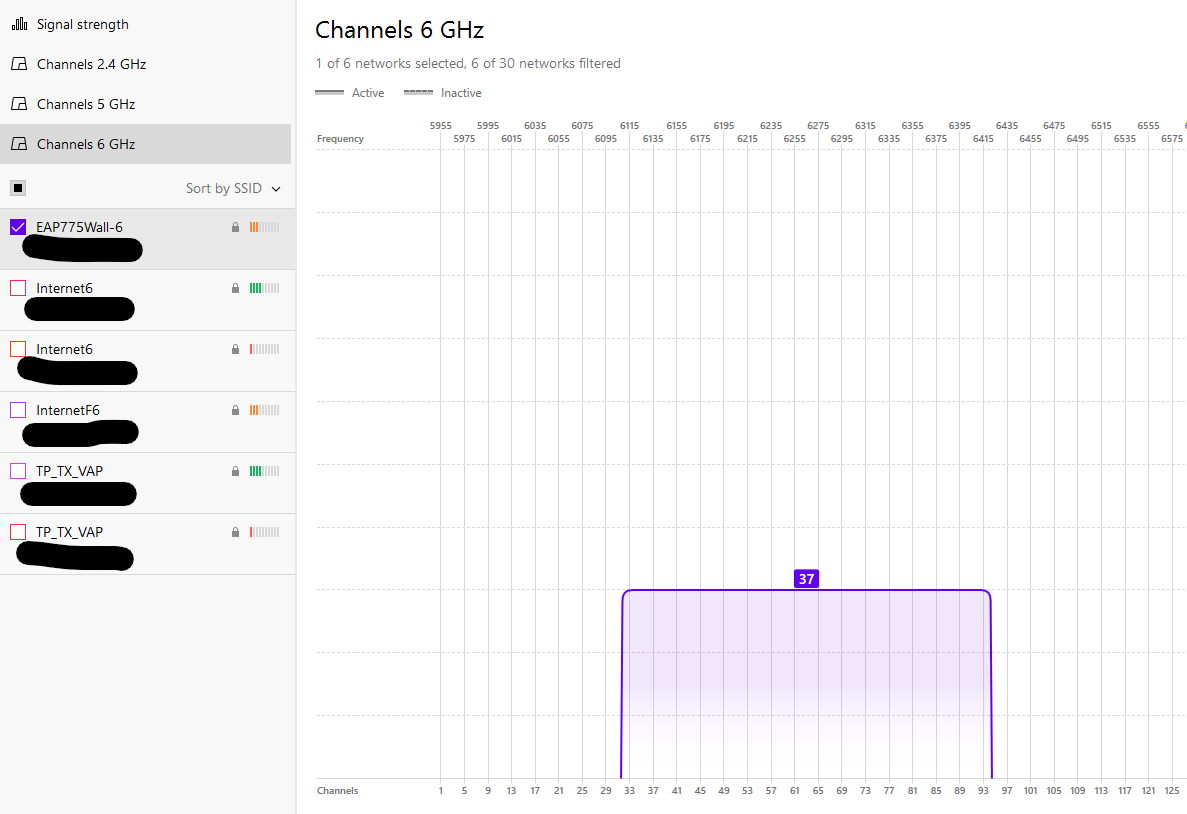 Caption
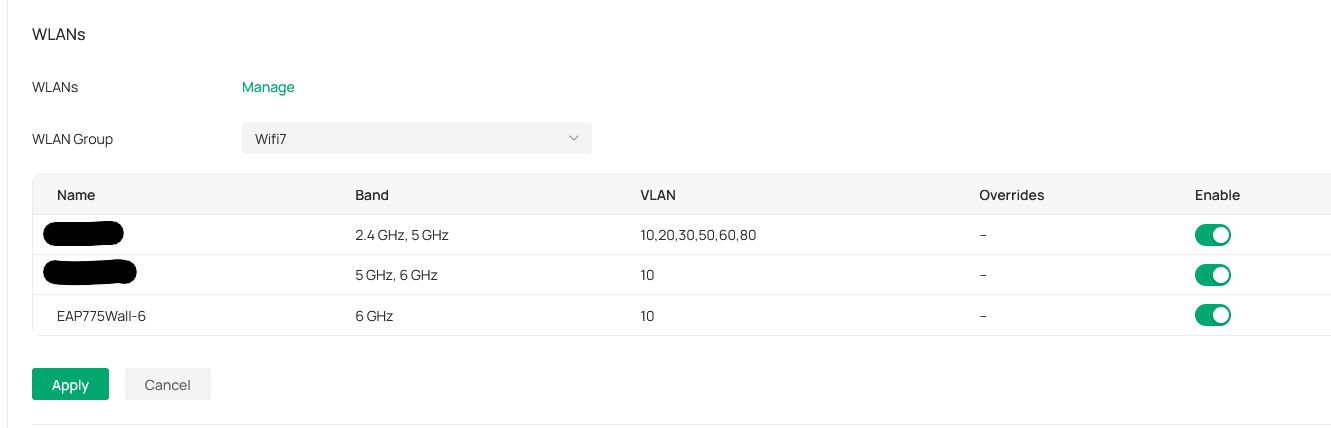
- Copy Link
- Report Inappropriate Content
@liviu2004 Hi
Thanks for this data, It seems I am on 1.5.1 and a new version was release 1.5.2, I am going to update to that and check again. not sure if thats going to make any difference.
But I dont know why I didnt get any notification that a newer version was relased 05/01/26. Very strange. I even check firmware upgrade on UI regularly. This is something Tplink needs to look into.
Thanks again.
- Copy Link
- Report Inappropriate Content


Hi,@Vishlamba
The SG2428P comes with a total PoE power budget of 250W, while the maximum power consumption of the EAP775-Wall (including the power for its 25W PoE output) is 43.35W. This confirms that the SG2428P is capable of delivering sufficient power to the EAP775-Wall.
Should you have any additional questions or concerns, please do not hesitate to contact us via email or leave your post here.
- Copy Link
- Report Inappropriate Content
Hi,@liviu2004
Thank you for sharing your information with us.
It appears that your 6GHz network is now connected and functioning properly. Should you also encounter any similar issues, please do not hesitate to leave a message here at any time.
- Copy Link
- Report Inappropriate Content
I was just trying to help you and the topic starter. Since one of you did not had an AP to test.
- Copy Link
- Report Inappropriate Content
Hi, @liviu2004 Thank you so much for your help.
- Copy Link
- Report Inappropriate Content
Hi,
I am reporting a potential issue with the Omada app on iPhone.
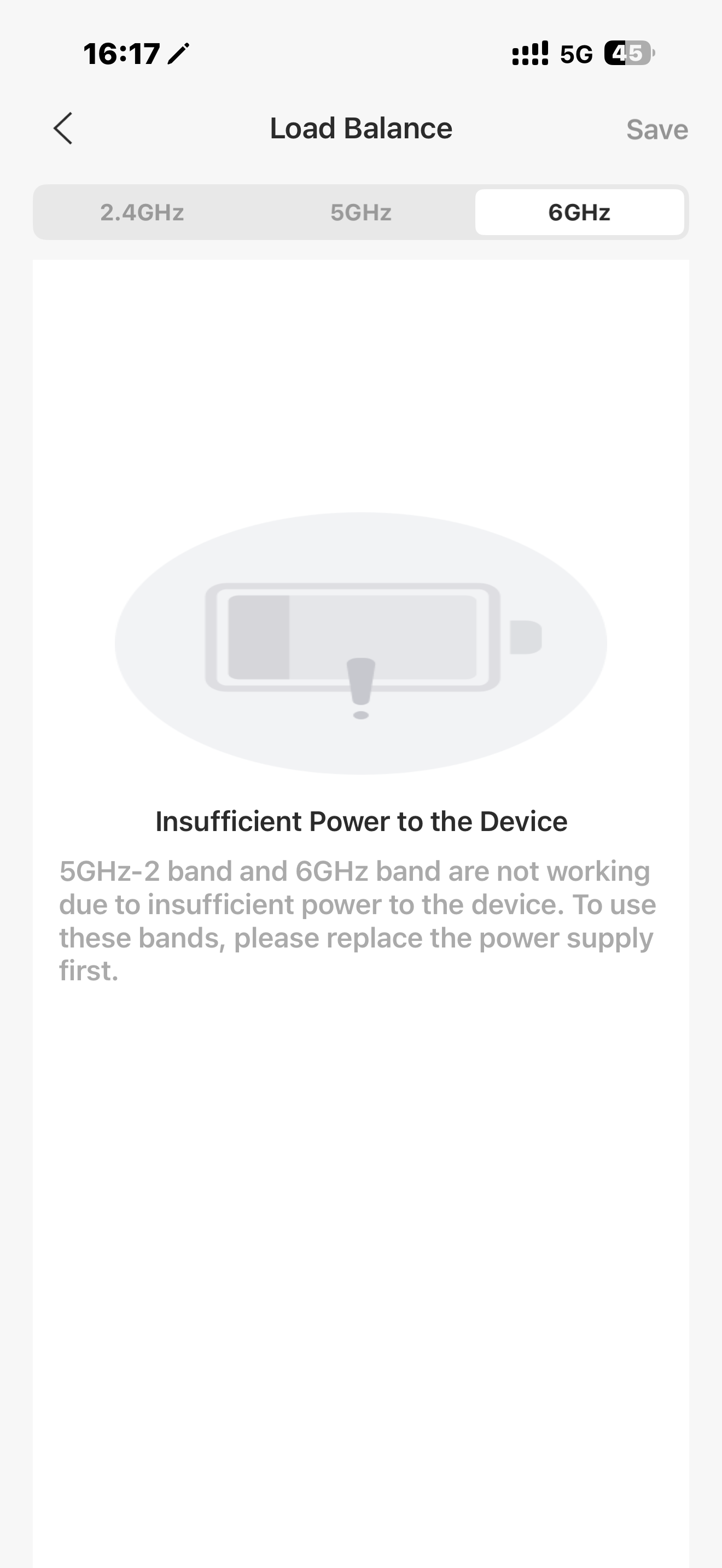
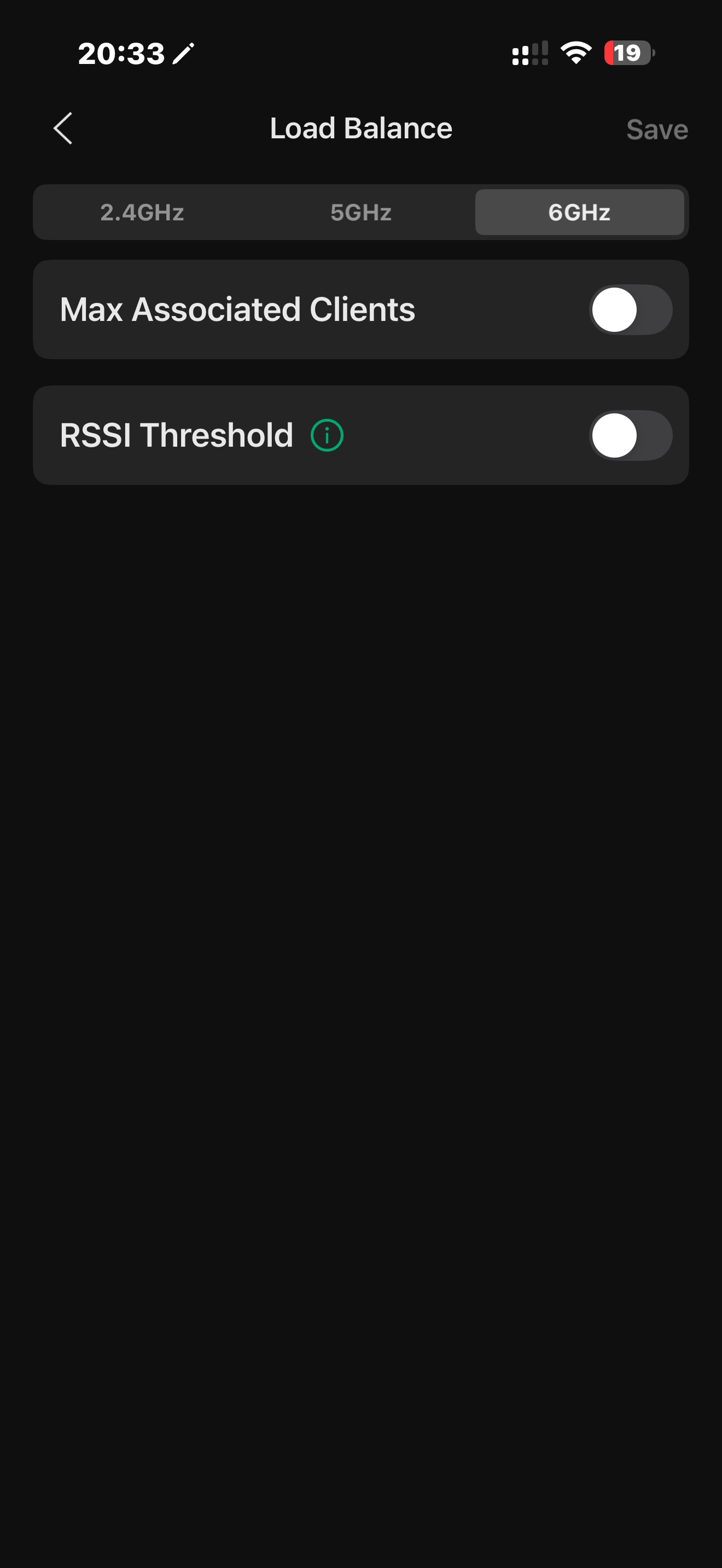
When accessing the load balancing option via the web UI, no issues are displayed. However, the app shows an "insufficient power" error for a EAP775 unit that is connected directly to an SG2428P PoE switch. For comparison, the EAP772 outdoor units connected to the same switch do not show this error.
Please note that this is separate from the 6GHz functionality issue. I have another EAP775 connected to a 60W PoE injector.
Please see the attached screenshots for reference. I would appreciate it if the team could look into why the app is reporting insufficient power for this specific unit. Thanks
This is the EAP connected to SG2428 via SG2005P-PD
Thisi is what I see on 775 wall when connected to 60W injector or my 772 outdoor connected diretly to SG2428.
- Copy Link
- Report Inappropriate Content
@Vishlamba what is PD2005P, can't find it. For insufficient power, eap775-wall led shows orange/yellow.
- Copy Link
- Report Inappropriate Content
@liviu2004 Hi
Sorry I meant to say SG2005P-PD, and no there is not ornage/yellow light its white light only. Thanks
- Copy Link
- Report Inappropriate Content
Information
Helpful: 0
Views: 880
Replies: 23
Voters 0
No one has voted for it yet.