2.4Ghz wireless channels

2.4Ghz wireless channels

2.4Ghz wireless channels
2 weeks ago
Model: OC200  
Hardware Version: V1
Firmware Version: latest

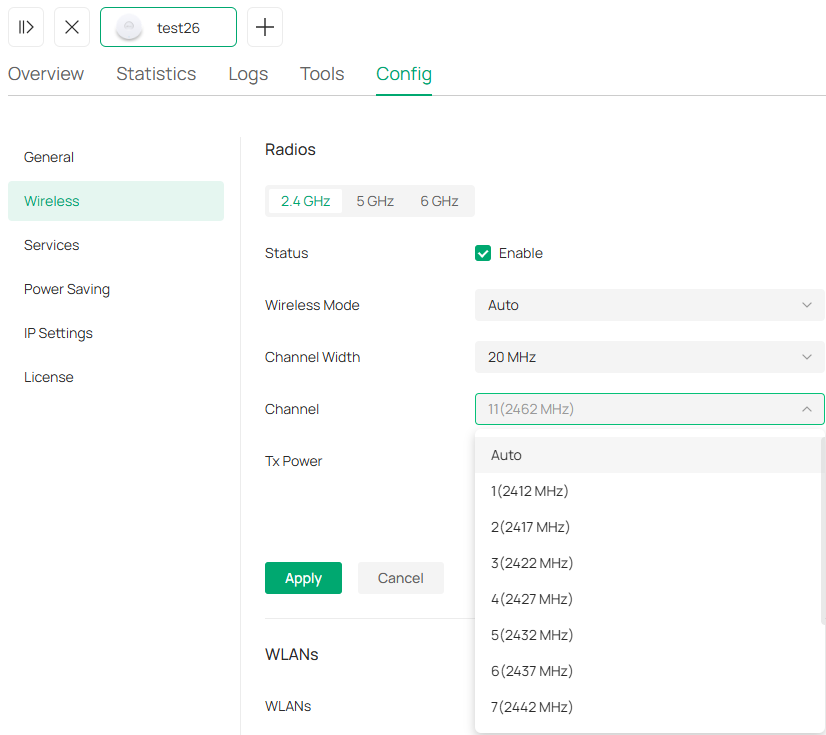
If I want to set my wireless access points to automatic channel choice I am surprised there is not a setting to let me choose what channels they can pick from, usually 1, 6 and 11 in the UK. I am used to having a channel plan setup in most systems I have dealt with, "here are the channels that you can use, off you go and sort it it out between you"

0
0
#1
1 Reply
Re:2.4Ghz wireless channels
2 weeks ago - last edited 2 weeks ago

Hi @biomed32uk 

Thanks for reaching out to TP-Link Business Forums.


Thanks for your feedback and suggestion. We really appreciate it.

Currently, our Omada controller can only allow to change the 2.4GHz channel in either Auto (completely depended on the Omada system) or manual.

If you want to configure a fixed channel to that indoor access point, you may need to manually change the setting.

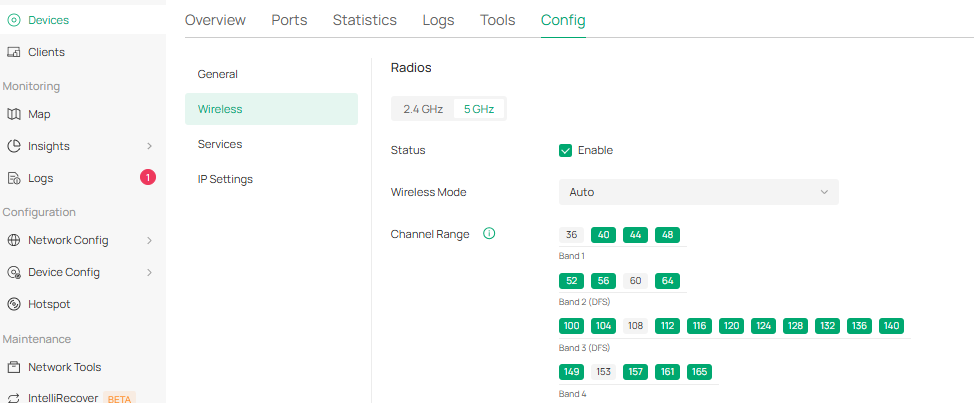
Alternatively, if you want to select certain channels for 5GHz, you can navigate to Site View > Devices > EAP > Manage Device > Config > Wireless.

0
0
#2