
NVR1008H-8P - Session expire after update FW to 1.5.1

Hello,
I get a "Login timed out. Please log in again" message after a few minutes of inactivity, when I interact again with the Live View.
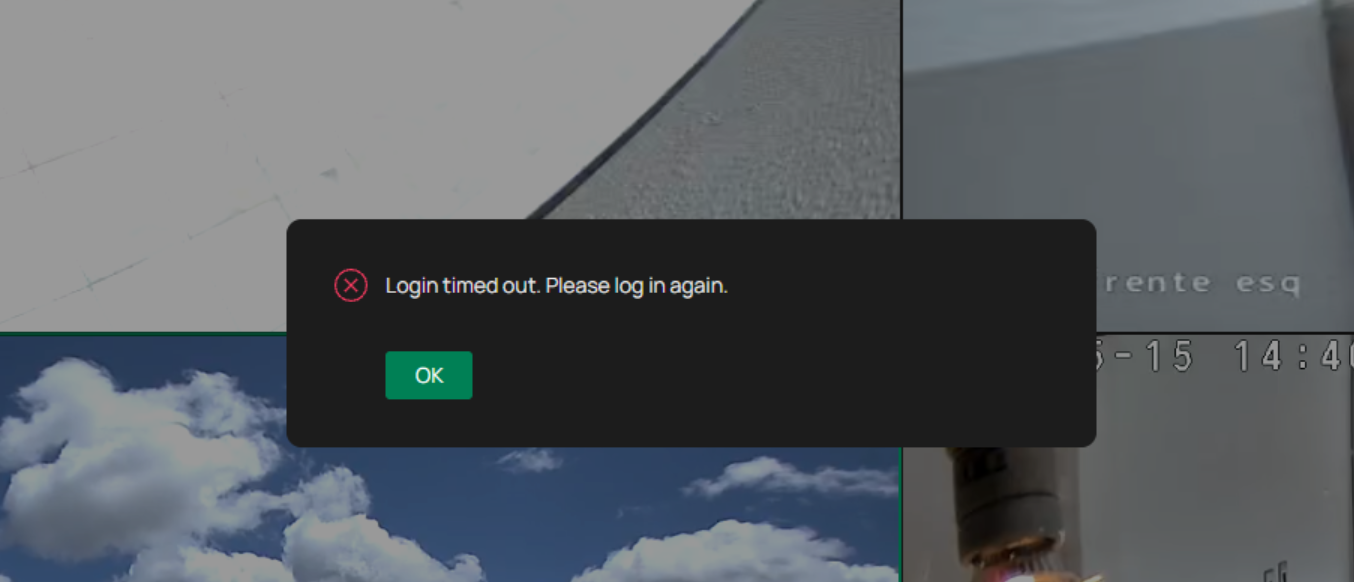
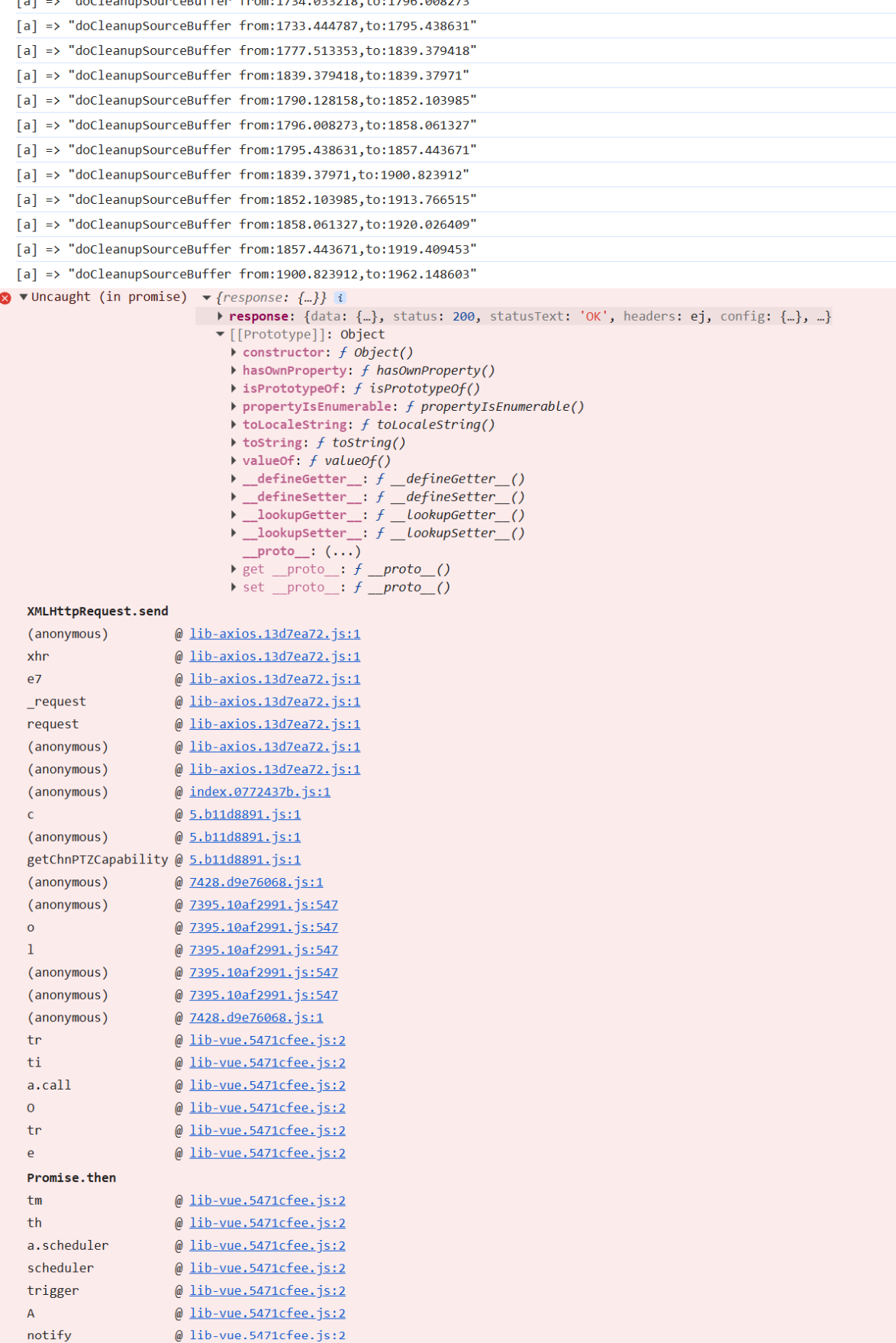
The browser console does show up a message which seems relevant. Seems that the message is "client side", not server side, as the "server component" seems to never return a 403 or similar from session expiration.
- Copy Link
- Subscribe
- Bookmark
- Report Inappropriate Content


Hi @LMAPT
Thanks for the reply.
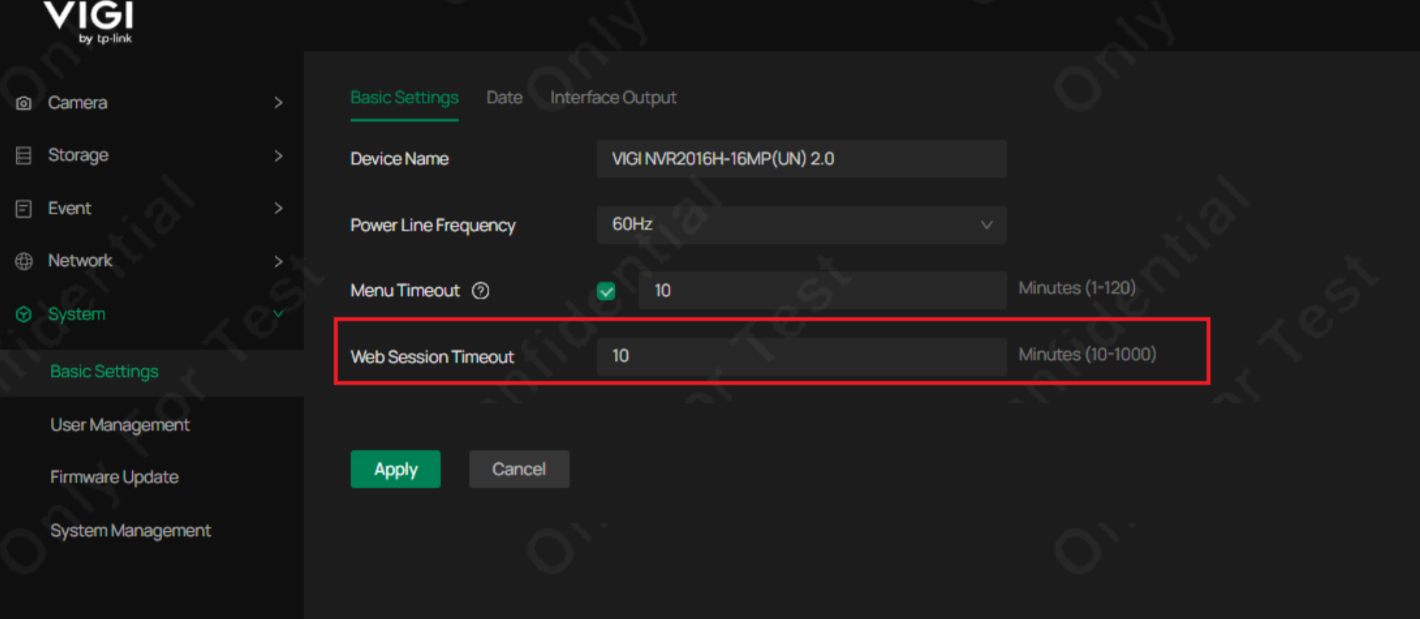
One more info, what's the configuration of the Web Session Timeout?
Will the error message show up every time you try to access the live view page after inactivity? Or sometimes not?
When will the error message show up? After you click the Live View page, or after you have browsed the live view page for some time? If latter, around how long?
For better understanding, it would be very helpful if you could record a video showing this process. Thanks.
LMAPT wrote
When I click on "OK" I get a redirect to https://192.168.1.30/#/auth?redirect=/main/live-view
I've just tested with Firefox, I get same behaviour. Chrome in Incognito mode also shows same behaviour.
When I am in the "playback", I left it playing for 15 minutes and when clicked around had no issue.
I tried going into the information page, waited a few minutes, and when clicked in "live view" tab, it threw the error again.
Let me know if you need any more information
- Copy Link
- Report Inappropriate Content
Hi @LMAPT
Thanks for posting here.
After a few minutes of inactivity, does this error message only appear when you try to check the live view, or does it show up regardless of which page you try to access?
What kind of web browser are you using? Please also tell us the version number, we may test it locally.
What's the firmware version of the NVR1008H-8P before this update?
- Copy Link
- Report Inappropriate Content
@Vincent-TP Hello,
I'm using Chrome on Windows (currently 148.0.7778.97 ). Not sure in what was previous firmware version, but I strongly guess 1.4.3 Build 251121 (ie: Should have been in latest version too).
And I will need to test accessing some non live view page, will let you know when tested it.
Thank you
- Copy Link
- Report Inappropriate Content
Hi @LMAPT
Thanks for your reply.
One more question, if click OK on the error page, and click the live view page again, will the live view show up? Or does the same error message keep popping up?
Please also test with different web browsers, such as Edge. And also see what happens when using private mode.
Looking forward to your update.
LMAPT wrote
@Vincent-TP Hello,
I'm using Chrome on Windows (currently 148.0.7778.97 ). Not sure in what was previous firmware version, but I strongly guess 1.4.3 Build 251121 (ie: Should have been in latest version too).
And I will need to test accessing some non live view page, will let you know when tested it.
Thank you
- Copy Link
- Report Inappropriate Content
When I click on "OK" I get a redirect to https://192.168.1.30/#/auth?redirect=/main/live-view
I've just tested with Firefox, I get same behaviour. Chrome in Incognito mode also shows same behaviour.
When I am in the "playback", I left it playing for 15 minutes and when clicked around had no issue.
I tried going into the information page, waited a few minutes, and when clicked in "live view" tab, it threw the error again.
Let me know if you need any more information
- Copy Link
- Report Inappropriate Content
Hi @LMAPT
Thanks for the reply.
One more info, what's the configuration of the Web Session Timeout?
Will the error message show up every time you try to access the live view page after inactivity? Or sometimes not?
When will the error message show up? After you click the Live View page, or after you have browsed the live view page for some time? If latter, around how long?
For better understanding, it would be very helpful if you could record a video showing this process. Thanks.
LMAPT wrote
When I click on "OK" I get a redirect to https://192.168.1.30/#/auth?redirect=/main/live-view
I've just tested with Firefox, I get same behaviour. Chrome in Incognito mode also shows same behaviour.
When I am in the "playback", I left it playing for 15 minutes and when clicked around had no issue.
I tried going into the information page, waited a few minutes, and when clicked in "live view" tab, it threw the error again.
Let me know if you need any more information
- Copy Link
- Report Inappropriate Content
@Vincent-TP Sometimes the simplest explanations are the best
I confess that I did look for some setting such as this, but couldn't see it.
Setting up an high value seems to have fixed it.
I suspect I had originally setup an higher value, and with the update somehow value got reset (or it is a new setting, no idea). This was a layer 8 issue, clearly.
Thank you for your quick reply
- Copy Link
- Report Inappropriate Content
Information
Helpful: 0
Views: 84
Replies: 6
Voters 0
No one has voted for it yet.