SG2005P-PD Not powering up depending on connected devices

I am having the same issue as https://community.tp-link.com/en/business/forum/topic/742456 with this PoE switch not powering up, but it goes beyond slave PoE devices.
The problems is after a reboot, either because of FW update, PoE providing switch reboot or un- and re-plugging of the PoE providing cabe, the SG2005P-PD won't power up, its PoE Status LED just won't light up.
This is aggravated by the fact that most of my devices are mounted high on light poles, so getting these SG2005P-PD to power up again means sometimes borrowing the neighbours lift (they are too high for my telescopic ladder).
At first I thought it was a failed SG2005P after a power failure that lasted longer than the UPS powering the PoE+ switch TL-SG2428P that was powering the SG2005 battery depleted.
Since the problem went away after I replaced it with another SG2005P I tought the first one had failed, but then that one failed too a few minutes later after I unplugged and replugged the IES210GPP end that was powering the SG2005P. So I switched it back to the original one and that worked, untill another reboot. I replaced them with a 3rd one and the problem persisted.
I tested the 2 remaining SG2005P devices at my desk, and found the behaviour repeated. At first I thought it may be overheating even though it's autum down here, but the devices never powered up even after more than an hour, no matter if I left them plugged into the PoE providing switch or not. I could only get them to power up by removing all cables and only plugging in the PoE in. After the Power LED lit up, I plugged the rest of the cables.
I have several of these SG2005P, powered by 90W POE++, either an IES210GPP with a 12V or 24V UPS or an SG452XMPP. I've PoEd them with a PoE+ TL-SG2428P and even daisy-chanined two SG2005P, but the problem is not the PoE provider, but with the downstream devices.
I've currently updated them all to FW 1.0.21 and the problem persists.
After reviewing https://community.tp-link.com/en/business/forum/topic/742456 and knowing the SG2005P on my desk suffers the same problems, I set out to test this out.
The one sitting right next to my desk:
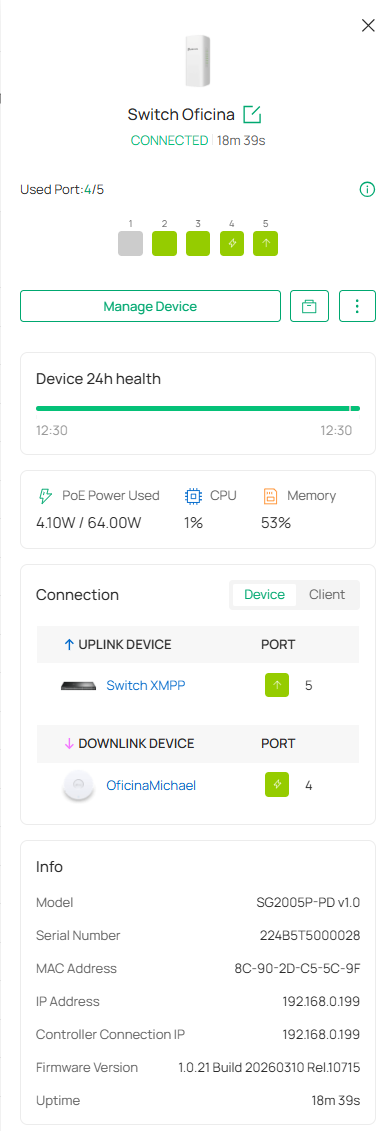
Uplink and POE is:
Port 5 = SG3452XMPP v1.0 with its most recent 1.0.17 FW.
Downlinks are:
Port 4 = EAP613(US) v1.0 (PoE powered from this SG2005P-PD)
Port 3 = LIONWEI USB C Hub connected to a 100W USB-C external power source and Thunderbird port on Asus Vivobook Notebook
Port 2 = Synology NAS DS1618+
The only way to get this SG-2005P to power up is by unplugging the USB-C Hub. It makes no difference if I leave the EAP613 plugged in or not, but I didn't disconnect the NAS.
On the contraty, this other SG-2005P which powers 3 devices and is itself powered by the same POE++ switch has no problem rebooting.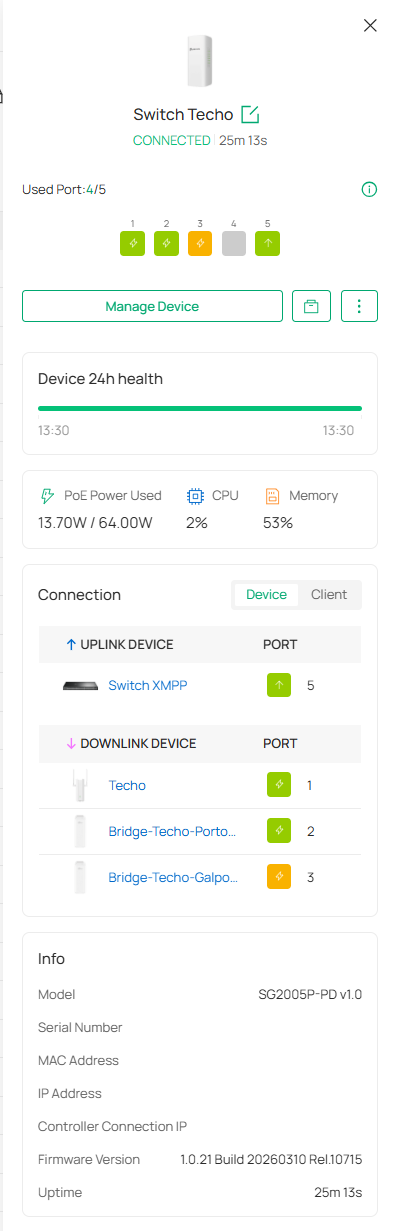
The third device is an EAP211Bridge-Kit V2 powered by an Ubiquity outdoor 48V active to 24V passive power converter.
Finally, there is this SG2005P-PD on this site whose only job is to interconnect 3 PoE switches. It used to fail to power up unless I removed all cables except for the PoE in, no matter which of the 3 PoE switches I plugged into the PoE in port and which to the other ports. I hadn't had luck updating many of the devices FW untill today as I realized Omada's current massive FW is terribly flawed: having 15+ devices with pending FW updates, using the global -> Firmware -> One-Time Upgrade either "Now" or "Scheduled" causes most devices to fail FW upgrade, but every now and then one device does update, whose only tell is its UPTIME.
Today I have been upgrading FW device by devise and managed to update this last SG2005P-Pd to version 1.0.21 too, and now it does reboot.
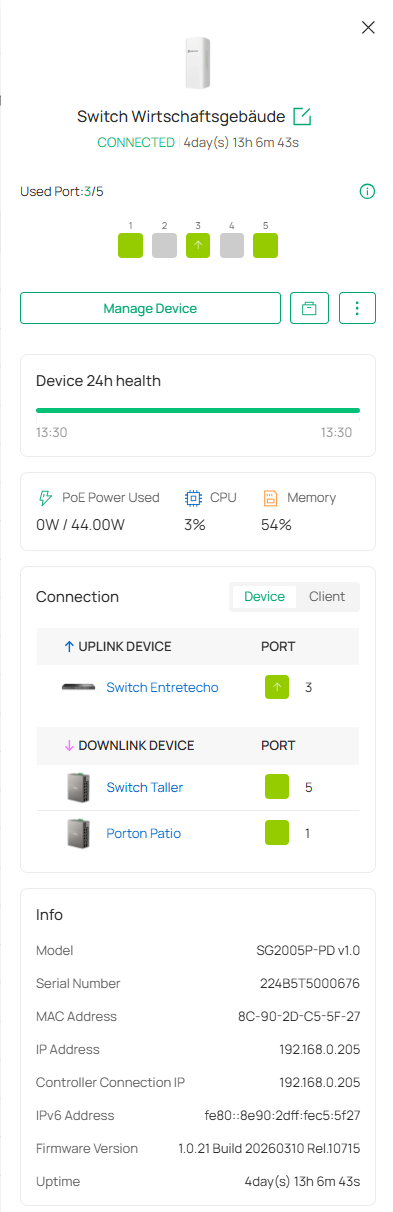
So, while FW upgrades have dealt with some of the issues for SG2005P-PD not powering up with connected downstream devices, there are still scenarios in which it doesn't.
I have the same issue with other SG2005P-PD on remote sites, which I currently can't risk uprgading nor losing power because a failure to power up means a 1000km long journey to the site.
@tp-link if you have already identified and firmware-fixed the not powering-up once, it's not totally fixed as of v1.0.21.