Early Access ER8411 V1 1.4.0 Build 20260603 Rel Pre-Release Firmware (Release on June 5th, 2026)


This Article Applies to
a) ER8411(UN) v1.0
b) ER8411(UN) v1.6
c) ER8411(UN) v1.20
d) ER8411(UN) v1.26
e) ER8411(UN) v1.28
Release Notes
Version Info:
This firmware is fully adapted to Omada Controller V6.2.10
Minimum FW Version for Update: 1.3.5 Build 20251028 Rel. 06811 and above.
New Features:
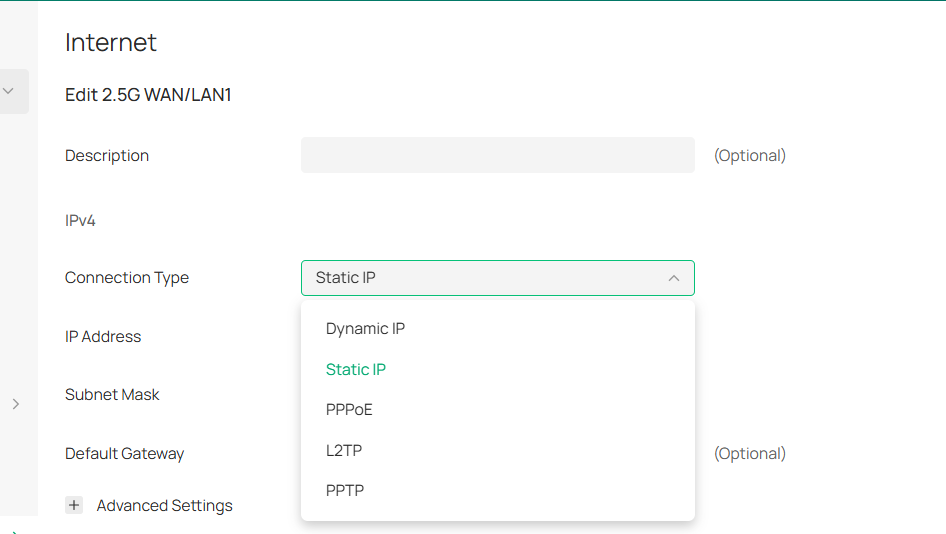
- Add support for V6plus/DS-Lite Dial-up.
- Add support for configuring multiple segments of the DHCP IP pool when acting as a DHCP server.
- Add support for showing a list of clients obtaining IP addresses via DHCP when adopted on the controller.
- Add support for multi-channel configuration, currently supports entering standalone UI to configure while disconnected from the controller.
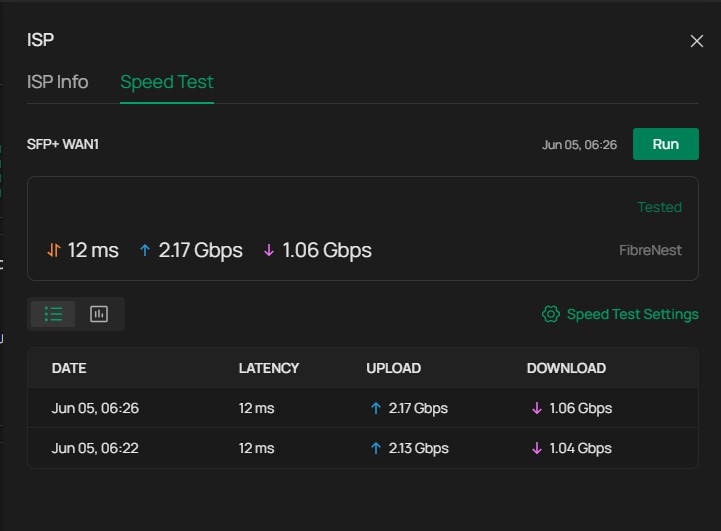
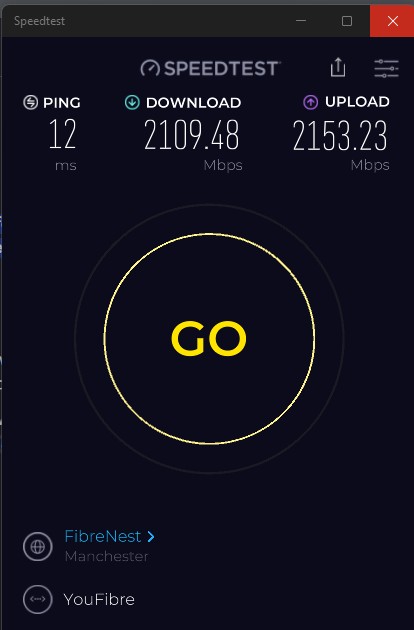
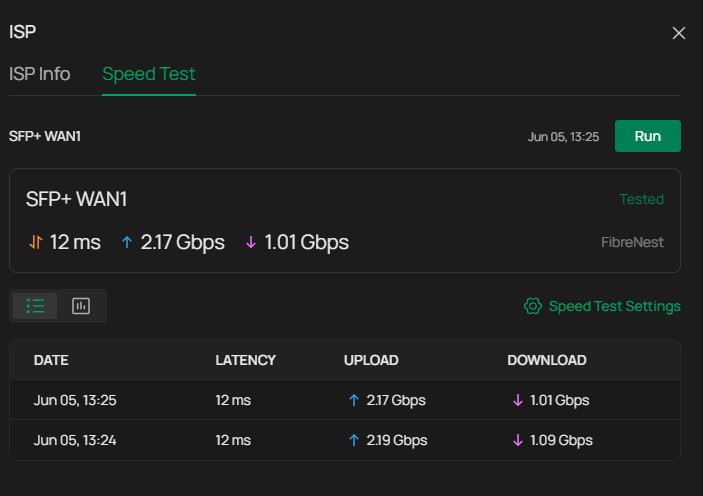
- Add support for SpeedTest.
- Add support for configuring ports of SIP ALG.
- Add support for NAT Traversal.
Enhancements:
- Optimized boot-up time
- Optimized system stability
- Optimized menu layout
- Optimized the efficiency of the network configuration deployment
- Optimized the resource consumption of the traffic statistic
- Optimized the configuration of Load Balance
- Optimized the configuration logic of the VPN
- SD-WAN capacity expanded.
Bug Fixed:
- Fixed the problem that DHCP Option 2 does not allow negative values to be entered.
- Fixed the problem that the gateway does not report the serial number (S/N) information to the controller.
- Fixed the problem that ACL rules do not take effect for VPN users.
- Fixed the problem that when the DHCP address pool still has available addresses, no log is generated when the DHCP server reaches the device specification limit.
- Fixed the problem that when an invalid LAN name is configured on the controller, the rules are lost during a full configuration push, and the associated LAN DNS configuration becomes ineffective.
- Fixed the problem that the mDNS Repeater feature cannot process mDNS packets containing the NSEC record type.
- Fixed the problem that the Manrope font is displayed incorrectly across the router web UI.
- Fixed the problem that traceroute traffic may go out via backup WAN while the primary WAN is online with link backup configured.
- Fixed the problem that IPv6 dial-up affects IPv4 Online Check detection.
- Fixed the problem that after a switch upgrade, the switch disconnects and cannot obtain an IP address from the gateway via DHCP.
- Fixed the problem that the built-in L2TP client on Windows PCs automatically disconnects one minute after connecting to the gateway’s L2TP server.
- Fixed the problem that the USB modem dial-up status is not displayed in the System Status page after reboot when the USB modem is in 3G dial-up mode.
- Fixed the problem that blocking a specific client does not take effect after rebooting the device when multiple clients are connected.
- Fixed the problem that PADI Timeout when customer configured PPPoE Profile on Cloud Based Controller.
- Fixed the problem of LLDP packet abnormalities.
- Fixed the problem of wired clients reporting an issue.
- Fixed the problem that some LAN IPs randomly cannot access HTTPS websites (TCP/443 unreachable) after multiple WAN failovers.
- Fixed the problem of SD-WAN disconnection caused by WAN Alias configuration.
- Fixed the problem of all configs being wiped on the gateway caused by incomplete configuration pushed from the controller.
- Fixed the problem that the device cannot access the server IP when the gateway acts as an OpenVPN server in full mode, causing the device to be unable to be adopted by the Controller on the server side.
- Fixed the problem of port forwarding rules not taking effect occasionally after device reboot.
- Fixed the problem that part of the logs were lost while link backup was enabled.
- Fixed the problem of the device being unable to forward IPTV traffic in some scenarios.
- Fixed the problem of device reporting neighbors with a similar MAC address to itself through LLDP.
- Fixed the problem of occasional high CPU utilization under the IPv6 Dial-up scenario.
- Fixed the problem of the device adding the virtual subnet of SSL VPN and OpenVPN to the device Remote Management.
- Fixed the problem of device Internet connectivity loss while multiple bandwidth control rules are configured.
- Fixed the problem of being unable to auto-reconnect occasionally after PPPoE Dial-Up failure.
- Fixed the problem of Internet access being abnormal when the WAN MTU is set smaller than 1500.
- Fixed the problem of Policy Routing rules not taking effect on part of the traffic.
- Fixed the problem when DPI is enabled on a certain VLAN; the other VLANs not configured were also affected.
- Fixed the problem of occasional IPsec tunnel establishment failure when the same Phase1 parameters are configured on both ends.
- Fixed the problem of ACLs unable to take effect on IPsec VPN traffic.
- Fixed the problem of reporting unknown clients occasionally.
- Fixed the problem of the device hanging and not recovering until rebooted while a large quantity of IPsec tunnels were configured.
Firmware Download
Before the Upgrade
(1) Please be sure you have read the Beta Test Agreement before upgrading the Beta firmware!
(2) You may follow the following guide to upgrade your Omada devices. How to Upgrade/Downgrade Omada Gateways
Firmware Download Link
Notes:
(1) The above firmware applies to the described models.
(2) Your device’s configuration won’t be lost after upgrading.
(3) If you have disabled the HTTPS port, please enable the HTTPS port before upgrading the firmware.
Additional Information
All feedback is welcome, including letting us know about successful device upgrades.
If somehow you encounter an issue during or after the router upgrade, it's suggested to contact us with the following info:
- Omada Controller version
- Device Firmware version with Build number (previous and current)
If your router gets bricked during the firmware upgrade, you may follow the guide below to recover the firmware.
How to use the Emergency Mode to recover the firmware for Omada Gateways
Update Log
Jun 5th, 2026:
Release of this post.
Recommended Threads
Omada_Network_Application_V6.2.10.x Pre-Release Firmware (Updated on 17th Apr, 2026)
Hardware Controllers Omada SDN Controller 6.2.10 Pre-Release Firmware (Update on 21st Apr, 2026)
Get the Latest Firmware Releases for Omada Routers Here - Subscribe for Updates
Get the Latest Omada SDN Controller Releases Here - Subscribe for Updates
Experience the Latest Omada EAP Firmware - Trial Available Here, Subscribe for Updates!