
Controller unreachable via Omada Cloud

When trying to reach the Controller in the ER7212PC over the internet via the Omada cloud: https://euw1-omada-cloud.tplinkcloud.com/#cloudAccessManager
Somehow I usually cannot reach the controller. In a few rare cases I did manage, but usually it doesn't work. I thought the latest upgrade would perhaps finally fix this issue, but to no avail. The gateway/controller does seem to be online according to the dashboard controller overview.
I have several sites I manage from that Omada cloud dashboard and all of the other sites do work. Including other ER7212PC Gateway/Controllers (with even older software/firmware versions) and several OC200s.
I am however, able to make a VPN connection witih the OpenVPN server I configured on that particular ER7212PC and make a local LAN connection through the OpenVPN tunnel. However, I would like to connect through the cloud server so I can monitor this site more easily. What can I do to deal with this cloud connection issue?
- Copy Link
- Subscribe
- Bookmark
- Report Inappropriate Content
@Nathan-TP I detected an offset of the DST in the controller. I've adjusted the time and now I can connect every time with the controller over the Omda Cloud platform. Could this be the reason for not being able to connect in the past? Or perhaps differnt settings for time in the various menus? There are at least 2 places where this can be set and because this is a 3-1 device, it can be a bit confusing where you setup what. Given the fact that one can have sites in different time zones, I would not think this a problem. Yet, now it seems like that...
- Copy Link
- Report Inappropriate Content

Hi, @MaartenMechanic
Thank you for posting on our business forum.
Please try the following troubleshooting stpes:
1. Please verify whether local access to your ER7212PC works normally, and confirm that the device is operating stably.
2. Please kindly ensure that your ER7212PC maintains stable network connectivity. If you access ER7212PC via the cloud platform, please note that the device must be connected to the cloud server to enable normal access.
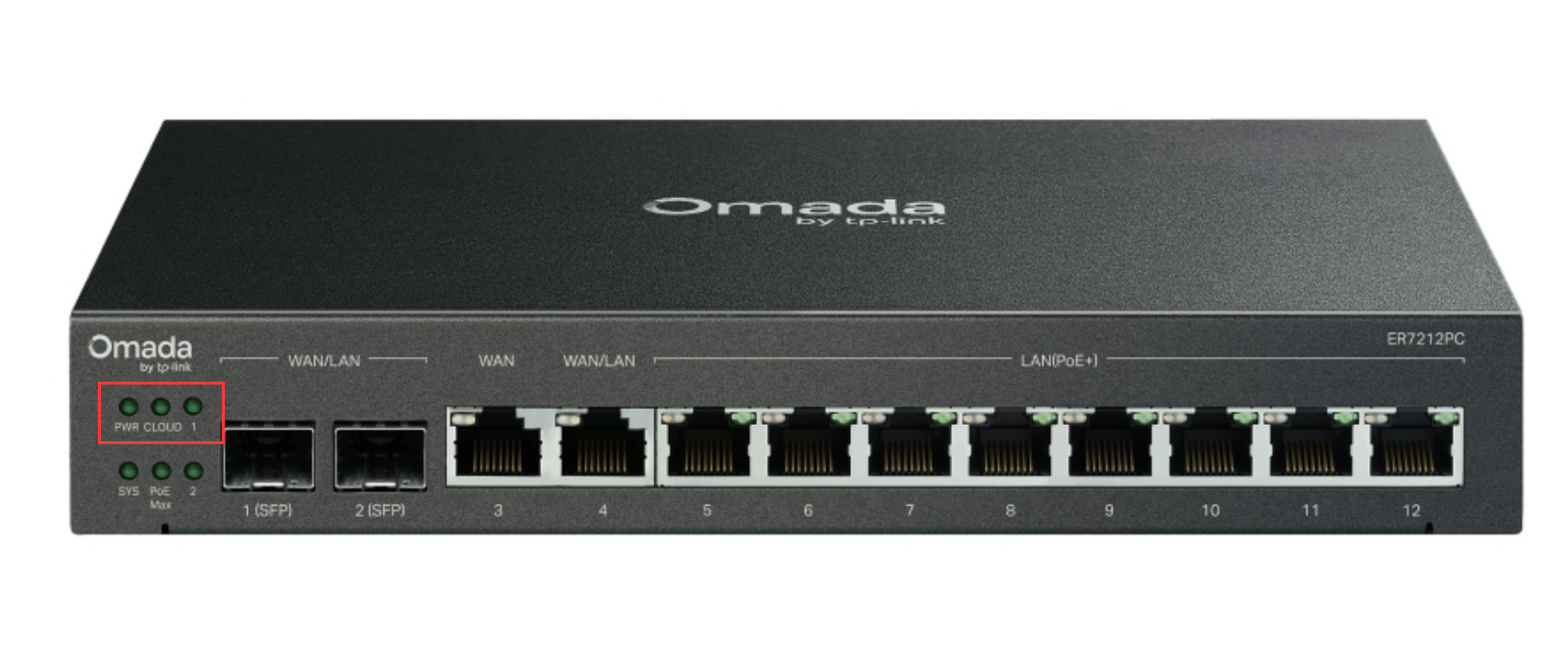
3. When you are unable to access ER7212PC via the cloud platform, could you please check whether the device's Cloud indicator light is illuminated properly?
- Copy Link
- Report Inappropriate Content
@Nathan-TP Thank you Nathan, I will give your suggestions a try.
Step 1 i guess we can tick off the list, because I CAN connect to the VPN server and then make the local (LAN) connection. This is afterall what the VPN connection is party for, make a local connection, but just to confirm: I have made this connection and succesfully logged in to the controller when I could not through the Omada cloud.
Step 2. So, this is the question. Why does it most of the time NOT connect to the cloud?
Step 3 Good thing to check. Will try to find out. Perhaps this will tell us more.
- Copy Link
- Report Inappropriate Content
You are welcome. If you make any progress, please feel free to share it with us. @MaartenMechanic
- Copy Link
- Report Inappropriate Content
After trying to connect to the controller again through the Omada Cloud platform, again I received an error message: "Failed to Connect"
Then I tried the VPN and locally I was able to logon to the controller. There I checked the cloud connection of the controller:
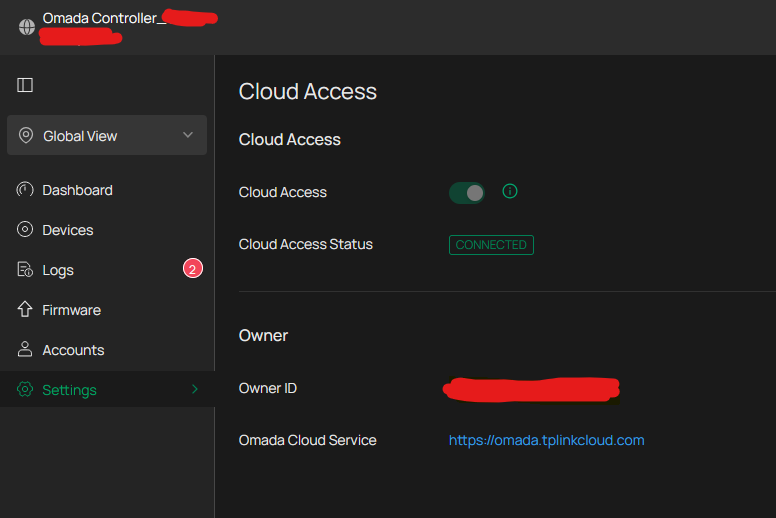
So, here the controller indicates there is a cloud connection.
- Copy Link
- Report Inappropriate Content

Hi,@MaartenMechanic
Thank you very much for your reply. Could you please follow the troubleshooting steps below:
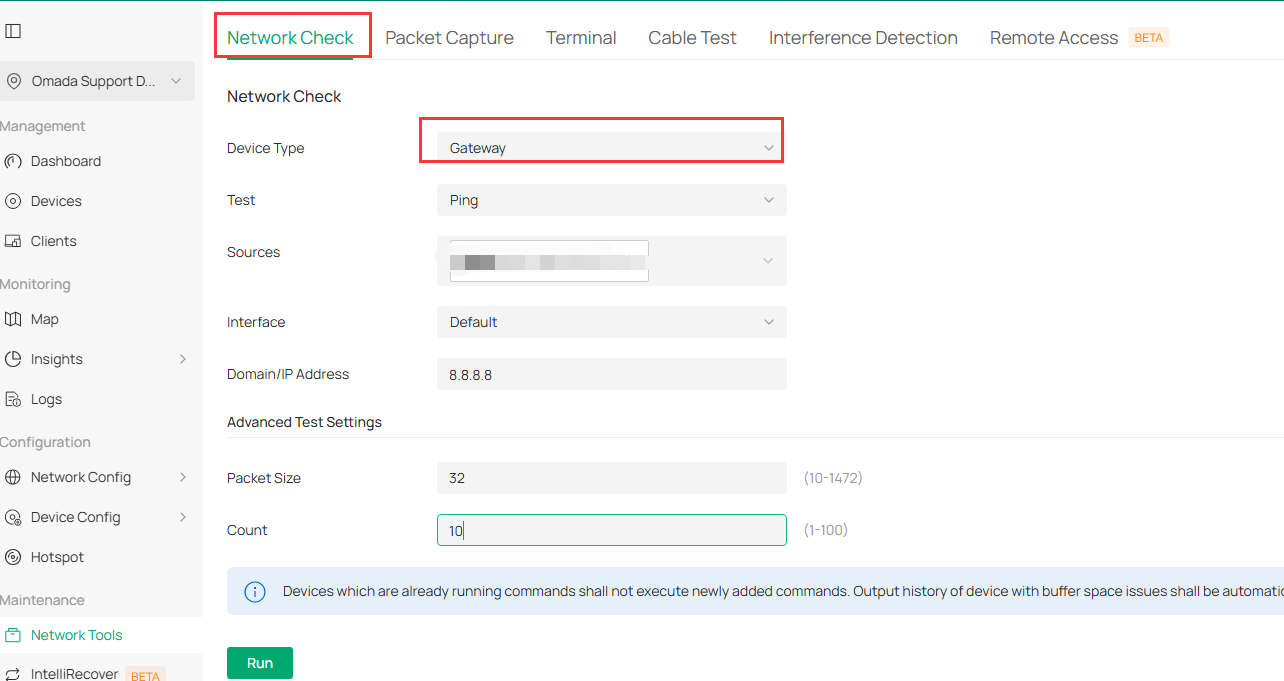
1.When you are unable to access the cloud platform, please connect to your ER7212PC via VPN. Then navigate to either Site View or Global View, locate Network Tool > Network Check, and run a ping test to 8.8.8.8 to verify if the address is reachable.
2.Please navigate to Site View > Logs > Settings > Content Settings, select the Device option, then enable the "WAN is Down" logging function. After completing the settings, please check whether any "WAN down" record appears in your logs when the cloud platform becomes unreachable.
- Copy Link
- Report Inappropriate Content
@Nathan-TP I detected an offset of the DST in the controller. I've adjusted the time and now I can connect every time with the controller over the Omda Cloud platform. Could this be the reason for not being able to connect in the past? Or perhaps differnt settings for time in the various menus? There are at least 2 places where this can be set and because this is a 3-1 device, it can be a bit confusing where you setup what. Given the fact that one can have sites in different time zones, I would not think this a problem. Yet, now it seems like that...
- Copy Link
- Report Inappropriate Content
Hi,@MaartenMechanic
Great to hear that your issue has been successfully resolved.
Generally speaking, the time zone configuration of the controller will not cause unstable connection to the Omada Cloud. However, since your issue was fixed after adjusting the time zone, the possible cause can be explained as follows: With different time zone settings, your controller will connect to the Omada Cloud node matching the configured time zone to complete time verification. Incorrect system time can easily lead to packet loss, and we also cannot rule out the possibility that your original connection abnormality was affected by replay attacks.
- Copy Link
- Report Inappropriate Content
Information
Helpful: 0
Views: 185
Replies: 7
Voters 0
No one has voted for it yet.