
Suspected same network - mismatching Wifi security causing wifi instability over area
Suspected same network - mismatching Wifi security causing wifi instability over area

I have 3 EAP225. an EAP225-Outdoor and an EAP615-Wall.
Since the last (I thnk two) updates (I update as and when they're released) my home wifi has become incredibly volatile.
Initially I assumed it was caused by standard settings so I deleted my home wifi and recreated it, turned off features like wifi 6 on the single access point that supported it, removed roaming features, adjusted power and channels (both automatically and then manually) but to no avail.
Upon investigation I found devices that authenticated with the EAP615-Wall would refuse to then authenticate with any other access point due to the differing security as pointed out by my phone (have to forget and re-add the network on my Pixel 10 to work around this). Also complaints from iphone users having similar issues etc.
Likewise if I authenticate with the non-EAP615-Wall access points first it'd try to connect to the wall when i was close and then ban the network for mismatching security then and not try again. Disabling wifi on this device entirely has fixed this problem. Don't know if anyone else gets this issue but thought i'd mention it.
- Copy Link
- Subscribe
- Bookmark
- Report Inappropriate Content
@Vincent-TP Hi Vincent, thanks for following up on this.
Right I worked out what causes the issue: In order to gather the information I created a new network called TEST and it worked flawlessly.
I just went back through to compare the settings with my broken network:
It's becuase my home network was on WPA2-PSK/WPA3-SAE/AES after I temporarily enabled and then disabled 6Ghz. I hadn't spotted it'd moved it on from WPA2-PSK/AES.
When the wifi network is centrally set to WPA2-PSK/WPA3-SAE/AES my devices that support WPA3-SAE (iphone / pixel 10) connect to the 615-Wall box with WPA3-SAE but all other access points with WPA2-PSK. Hence the network gets disabled because my phone says the same network has different credentials.
I've moved it back to WPA2-PSK/AES and all is fine again now. *kicks can down the road*
Thanks for your and the other person's time.
for info: I'm using 6.2.10.17 I updated all the firmware about a week ago, prior to that i was on the last version that was generally available because i log in to my wifi almost daily and apply patches pretty much immediately. I don't have any screenshots. affected devices were just hte newer ones like phones / tablets (that support WPA3 i guess). topology is a house with access points in garden, under stairs, lounge, loft, bedroom (to work around thick walls of extension)
- Copy Link
- Report Inappropriate Content


- Copy Link
- Report Inappropriate Content
@Vincent-TP OK I'm struggling to let this go.
So further testing confirms the issue with the EAP615-Wall.
1. I create a new Wifi Network
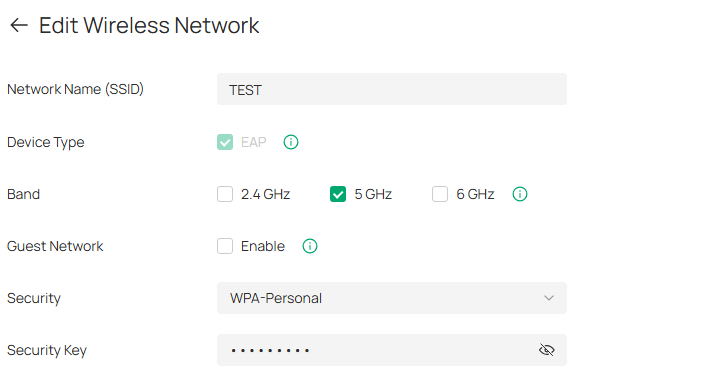
2. I set it to the latest encryption method
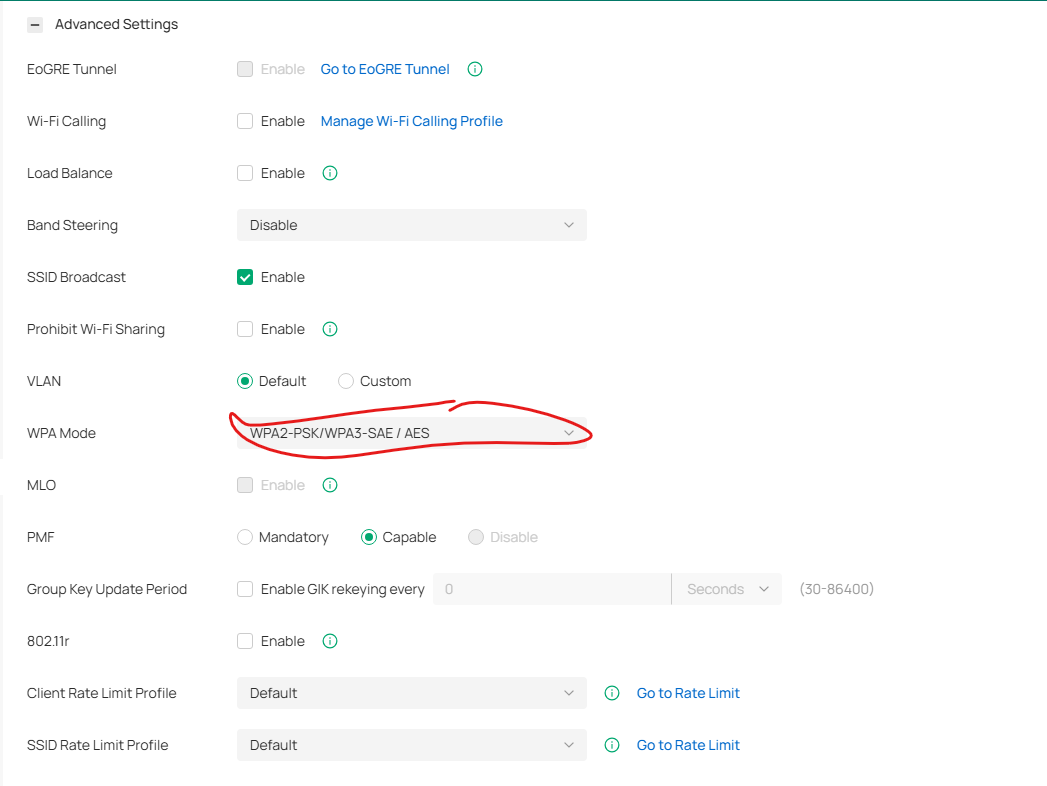
and 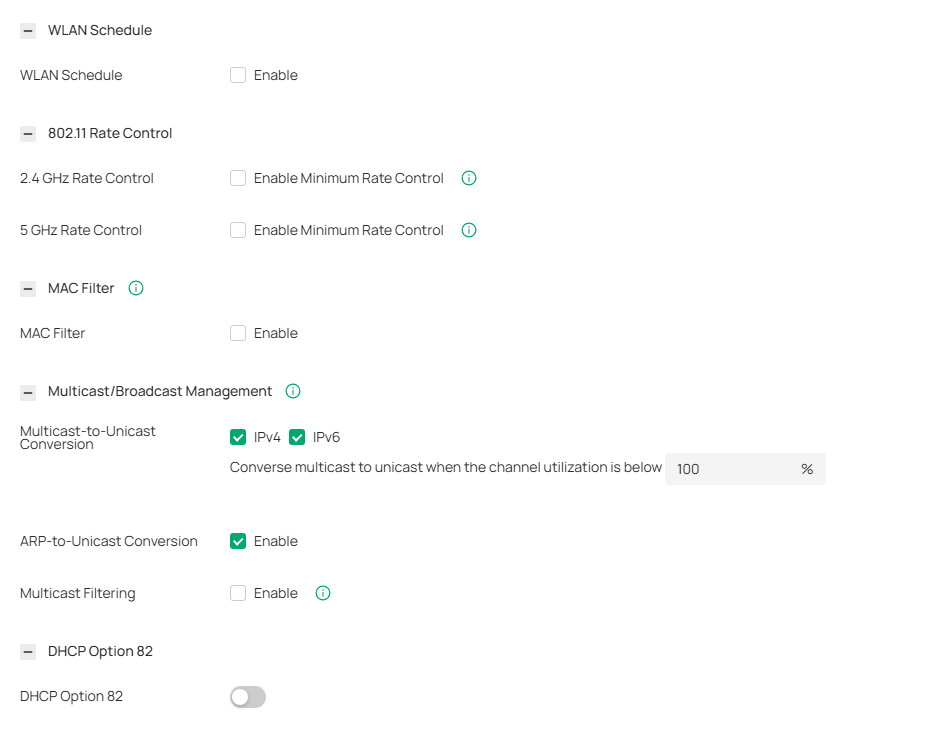
3. I connect as normal to Master Bedroom.
4. Overnight the hotspots reboot as per schedule
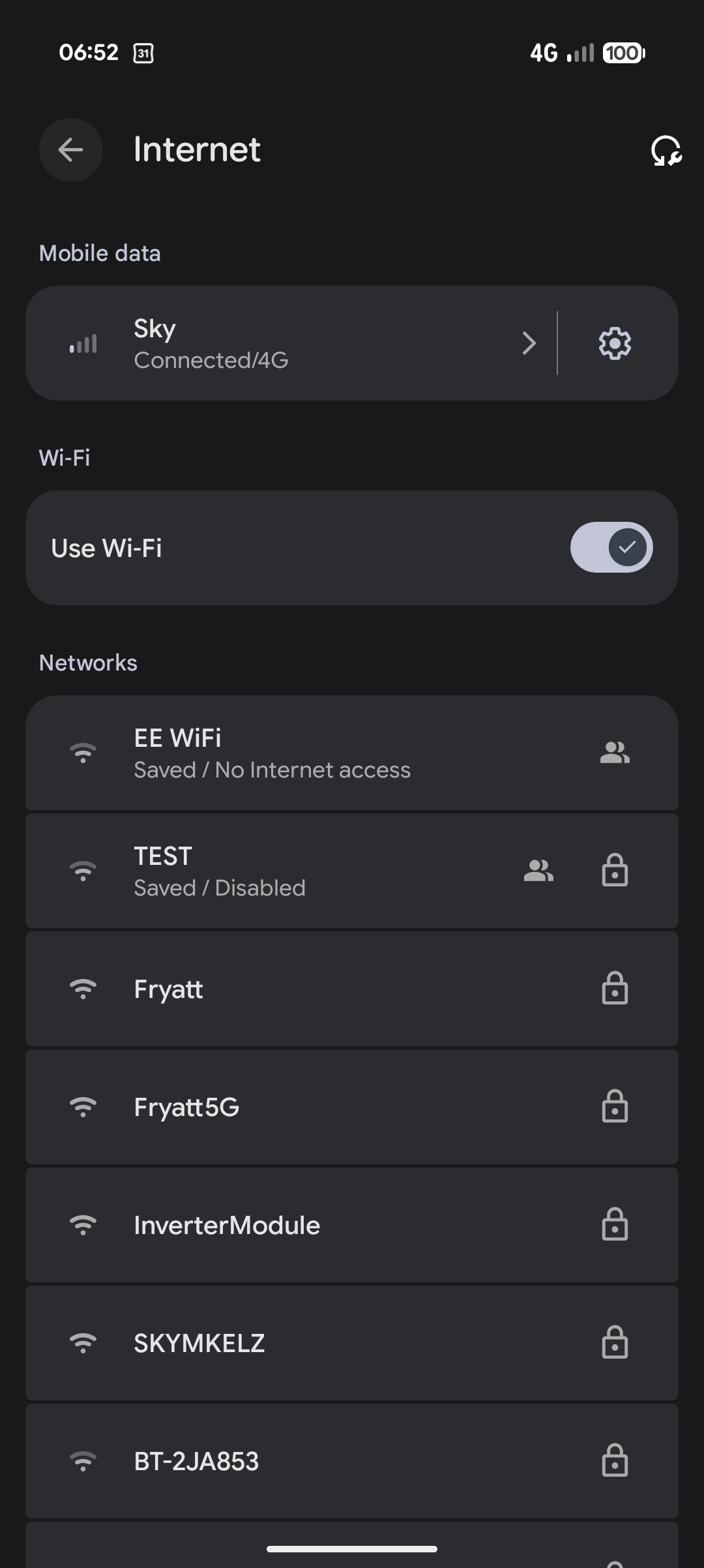
5. I wake up to a phone that refuses to connect to any access point due to security mismatch. EXCEPT it will connect to the Hall EAP615-Wall OK if i stand next to it and try to connect.
So things to note:
- I've been using this exact set up for about 3 years
- 6.2.10.17 on a docker container.
- I must have been on this encryption level since wifi 6 has always been enabled and my understanding is that htis mandates the higher encruption levels.
- I have only been having issues since updating firmware, no other changes have happened to my network.
- the issue happens on Ipads, iphones and android devices.
- It doesn't affect older devices since stay on WPA3
You can see how I wake up here. I've upgraded to android 17 yesterday so the error message has changed very slightly but it boils down to the same thing. the security on the EAP225s is perceived to be different to the EAP615-Wall.
I can replicate this issue at will by the way so let me know if you need logs
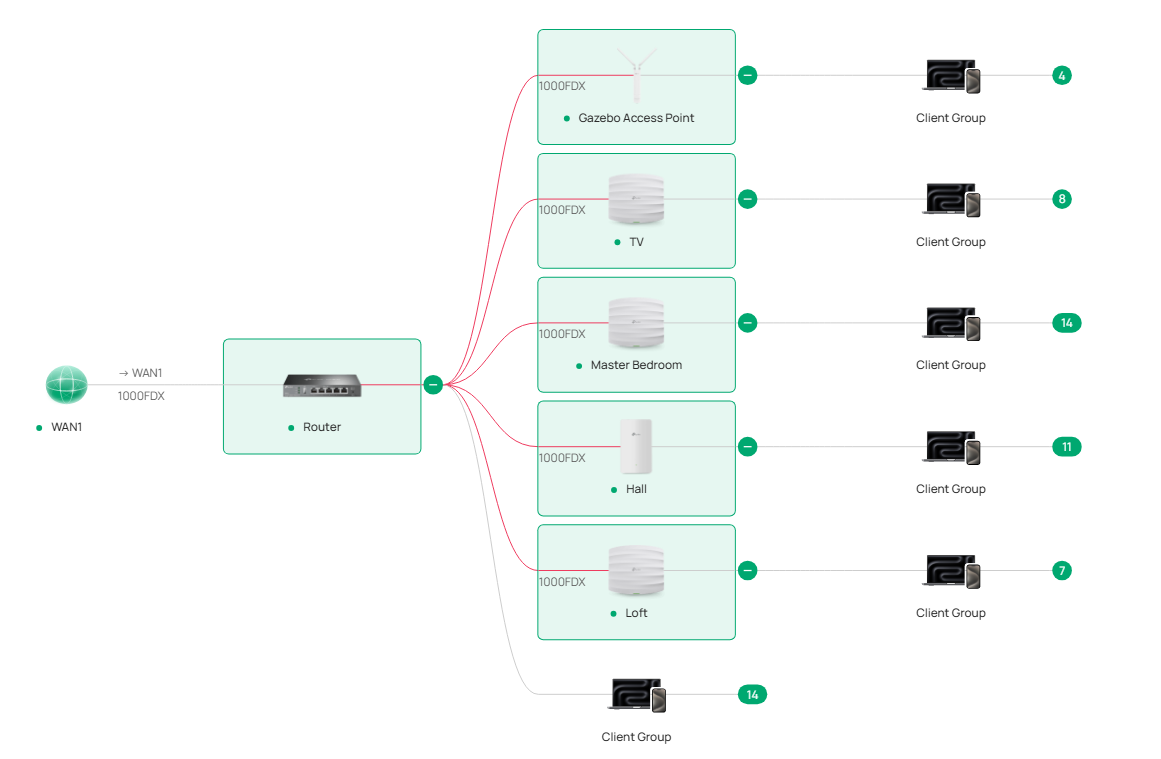
- Copy Link
- Report Inappropriate Content
Information
Helpful: 0
Views: 393
Replies: 13
Voters 0
No one has voted for it yet.