0
Votes

Discrepancy in date format across IPC and NVR

 
0
Votes

Discrepancy in date format across IPC and NVR

Discrepancy in date format across IPC and NVR
Monday - last edited Tuesday
Model: VIGI NVR1004H-4P  
Hardware Version: V1
Firmware Version: 2.1.0 Build 250701 Rel.46003n

Hello,


Using an NVR1004H-4P V.1.0 (1.2.3 Build 251119 Rel.70321n) NVR and a VIGI C340I (2.1.0 Build 250701 Rel.46003n) camera.

By default, date format is YYYY-MM-DD, which is not suitable for my country, so I went ahead and changed the date format in the NVR dashboard (web-based interface). As a side note, date format can be modified in the NVR dashboard, but not in the camera's.

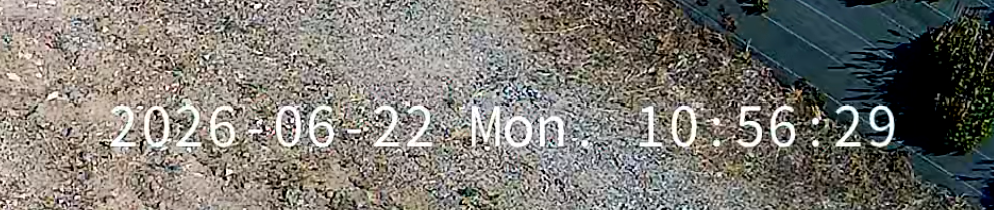
Problem is, the change in the date format doesn't apply to the camera, which displays the date the American way:


The parameters of the OSD section in the camera settings don't take the date format of the NVR into account. Regardless of the NVR settings, the camera still displays the date in the YYYY-MM-DD format:
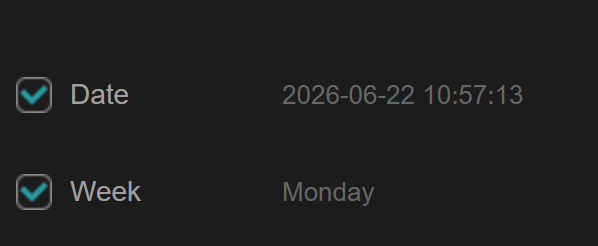


And this causes a discrepancy in the NVR settings, when I go to "Camera > Display > OSD". The date format is correct in the list of OSD settings (left), but the date format is wrong in the video (right):
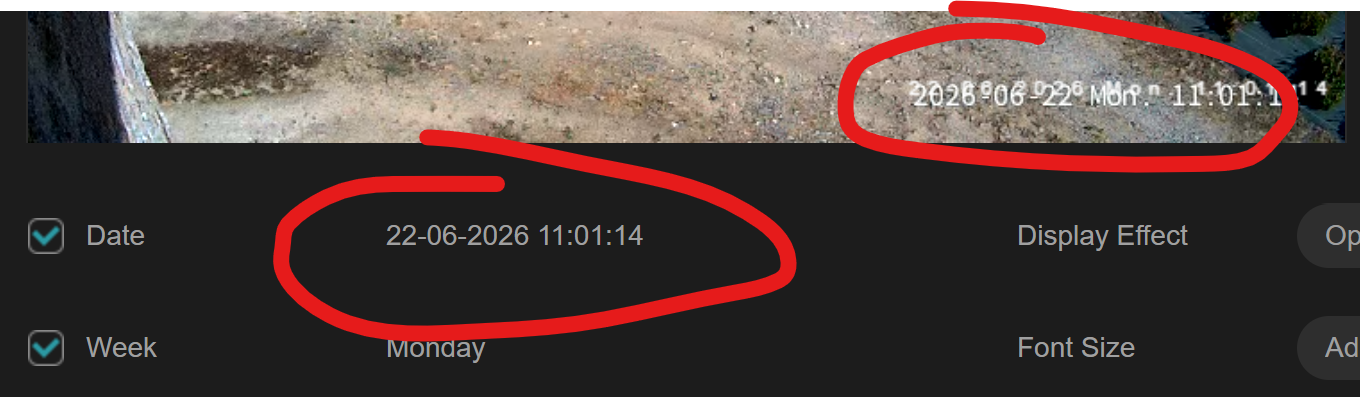

Could you submit my bug report to the camera and NVR software development teams, please?


Thank you! 🙏

#1
Options
1 Accepted Solution
Re:Discrepancy in date format across IPC and NVR-Solution
Tuesday - last edited Tuesday

Hi @calande 


Thanks for reaching out to TP-Link Business Forums.


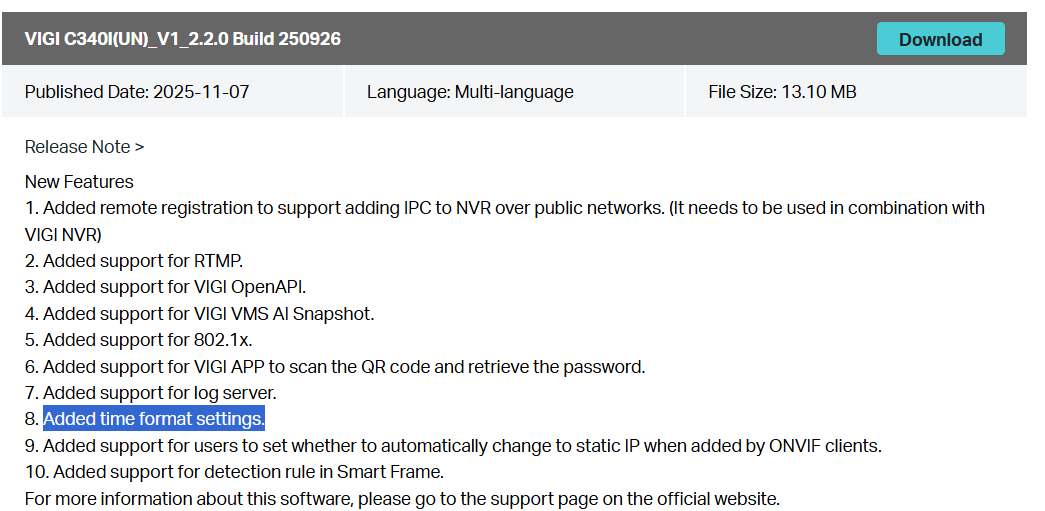
As your NVR and camera are not operating on the latest firmware, you may try to upgrade them to the latest one first.

Firmware link for NVR1004H-4P V1: Download for VIGI NVR1004H-4P | TP-Link

Firmware link for VIGI C340I V1: Download for VIGI C340I | TP-Link

We've tested it in our labs and found that it could display the time format as expected. You may give it a try after the firmware upgrade.

Recommended Solution
#2
Options
4 Reply
Re:Discrepancy in date format across IPC and NVR-Solution
Tuesday - last edited Tuesday

Hi @calande 


Thanks for reaching out to TP-Link Business Forums.


As your NVR and camera are not operating on the latest firmware, you may try to upgrade them to the latest one first.

Firmware link for NVR1004H-4P V1: Download for VIGI NVR1004H-4P | TP-Link

Firmware link for VIGI C340I V1: Download for VIGI C340I | TP-Link

We've tested it in our labs and found that it could display the time format as expected. You may give it a try after the firmware upgrade.

Recommended Solution
#2
Options
Re:Discrepancy in date format across IPC and NVR
Tuesday

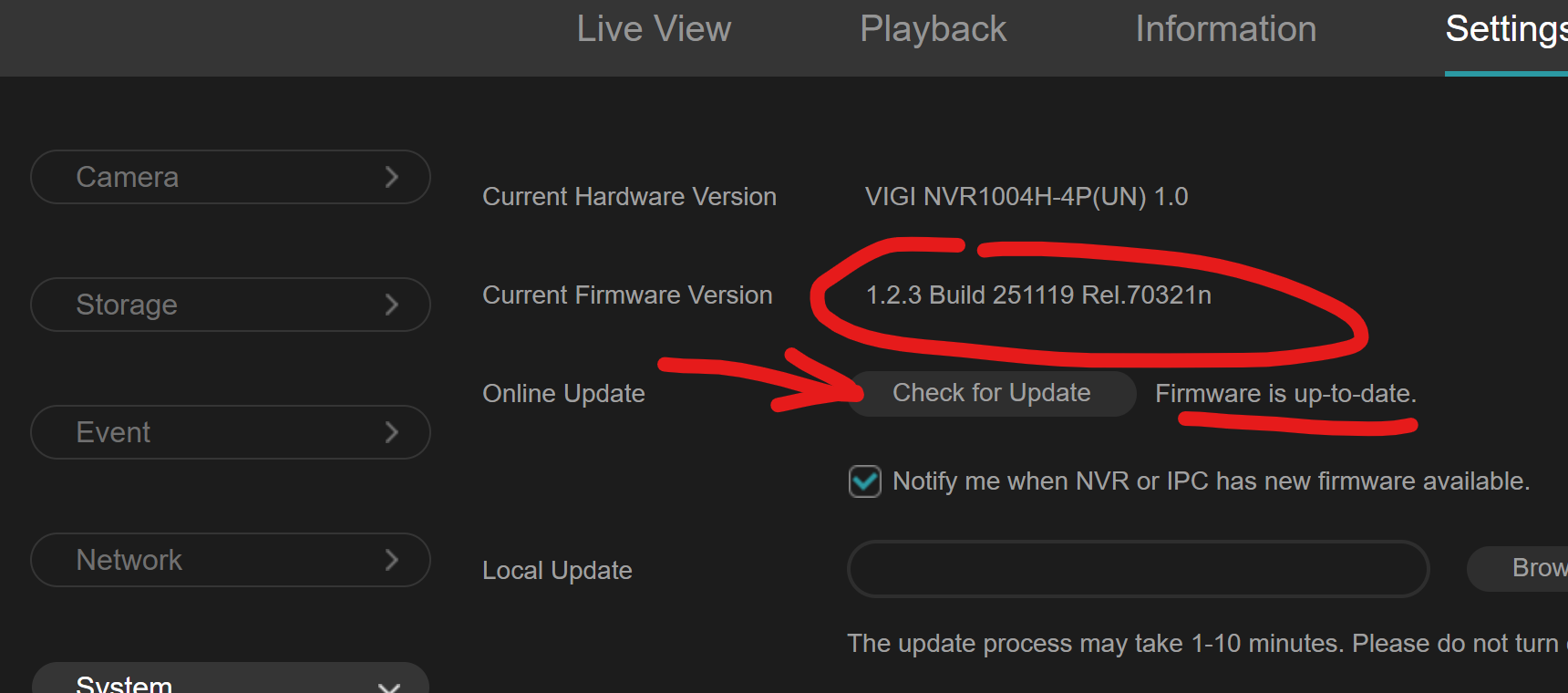
Thank you  @Gabriel-TP , upgrading the NVR firmware to the latest, that you posted, did the trick. As a side note, when I entered the NVR dashboard in my web browser, headed over to "System > Upgrade firmware > Online update", and clicked "Check for update", the dashboard reported the current firmware was up-to-date (while it actually wasn't, as it was using an older version):


You might wanna tell the TP-Link software developers about this firmware version check not working properly.

Thank you.

#3
Options
Re:Discrepancy in date format across IPC and NVR
Tuesday

Hi  @calande 


It's great to hear that you have now made it work.

For the firmware checking feature, this feature is used to detect the firmware pushed via the cloud. However, sometimes R&D hasn't had the chance to push the new firmware to the cloud, so it shows as the latest firmware, even though we have already updated it on our official website.

Next time, you can check our official website for the latest firmware.

Anyway, we're glad to hear that you've already resolved the issue.

#4
Options
Re:Discrepancy in date format across IPC and NVR
Tuesday
Thank you.
#5
Options