
[𝗨𝗥𝗚𝗘𝗡𝗧] 𝗖𝗮𝗻'𝘁 𝗰𝗹𝗼𝗻𝗲 𝗠𝗔𝗖 𝗮𝗱𝗱𝗿𝗲𝘀𝘀 𝗧𝗗-𝗪𝟴𝟵𝟲𝟭𝗡(𝗘𝗨)
 This thread has been locked for further replies. You can start a new thread to share your ideas or ask questions.
Hi everyone,
I spent the past day trying to clone the mac address on my router but didn't succeed :(
What do you need to know: I used a wired connection | No one was wirelessly connected to the router |
Here's are the steps I followed:
1) I went to the configuration page (Interface Setup > Internet). The encapsulation mode was automatically defined to "Bridge mode"
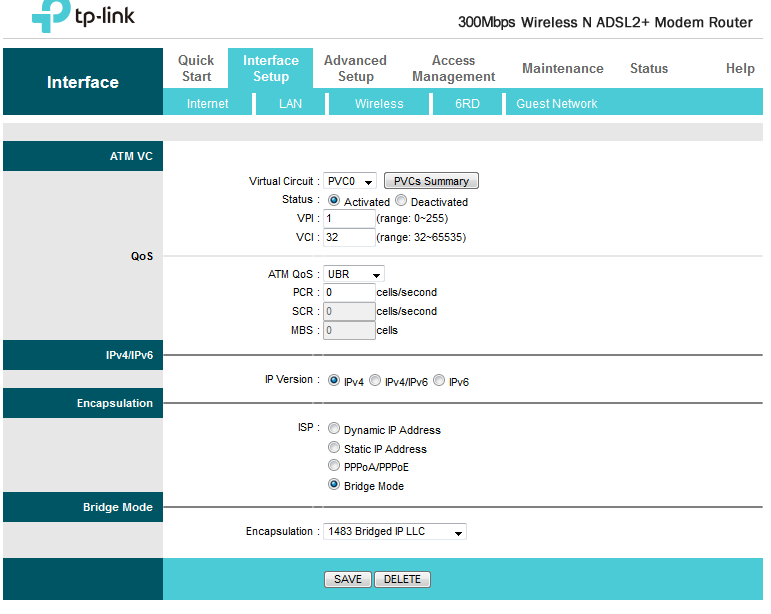
2) I switched it o PPPoA/PPPoE to be able to see the "MAC Clone" field.
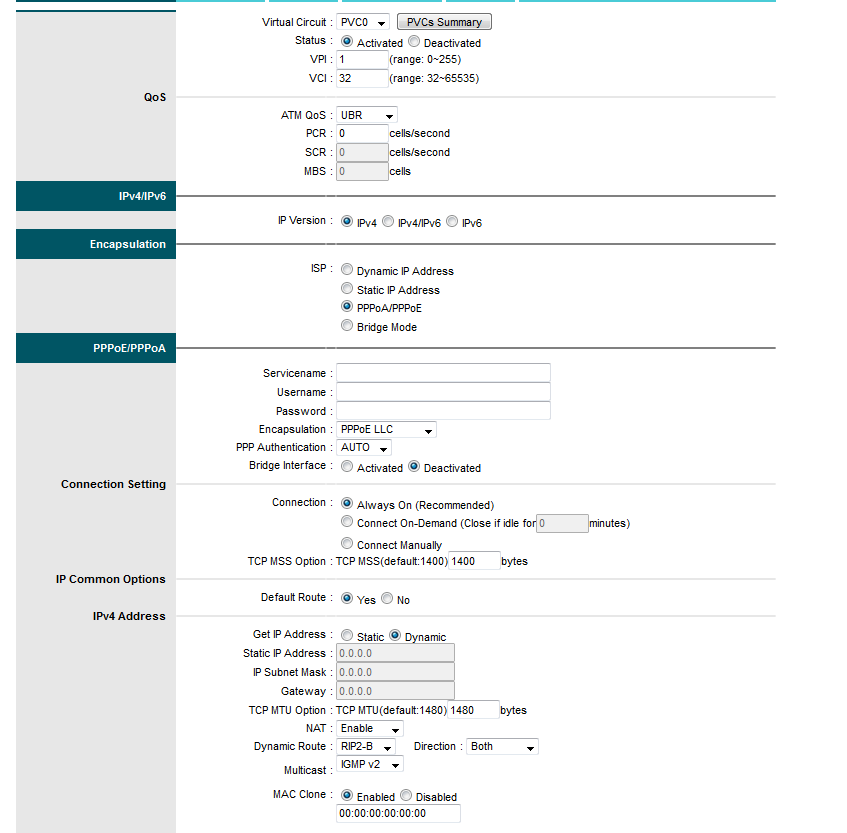
3) I typed my username and password that were given to me by my ISP in the appropriate fields.
4) I ticked the "Enable" box in order to enter the new mac address.
5) I pasted the original mac address and changed the before-last digit.
6) I clicked save.
Here's what happened after that:
1) I lost the connection to the internet.
2) The modem router's internet LED goes off.
What I did next:
1) I tried to play with so.me options and preferences to see if I can get the connection back => Fail
2) I reset the router and set it up again so I can know what is the exact encapsulation mode I'll find on the configuration page => PPPoA/PPPoE (Weird Uh!)
3) I rebooted the router to see if this configuration will be saved by the router or not => It switched to the "Bridge mode" 
4) Unplugged the RJ11 cable from the router and applied all these steps from the beginning => Same result
Here's the exact configuration I have:
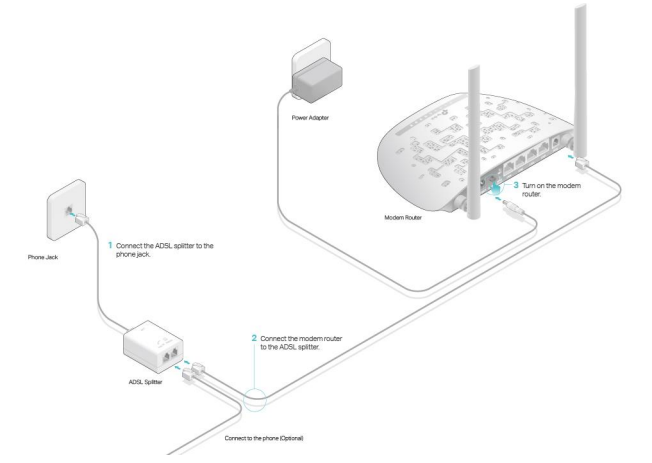
I'll be very thankful if someone could help me with this.
Thank you.