Archer t3u ac1300 - Setup "unable to find adapter please make sure you have inserted adapter"

This thread has been locked for further replies. You can start a new thread to share your ideas or ask questions.

Archer t3u ac1300 - Setup "unable to find adapter please make sure you have inserted adapter"

This thread has been locked for further replies. You can start a new thread to share your ideas or ask questions.

Archer t3u ac1300 - Setup "unable to find adapter please make sure you have inserted adapter"
2023-08-29 04:28:30
Model: Archer T3U  
Hardware Version: V1
Firmware Version:

Hello I just bought a Archer T3u Plus    .


I am running win 7 64.   


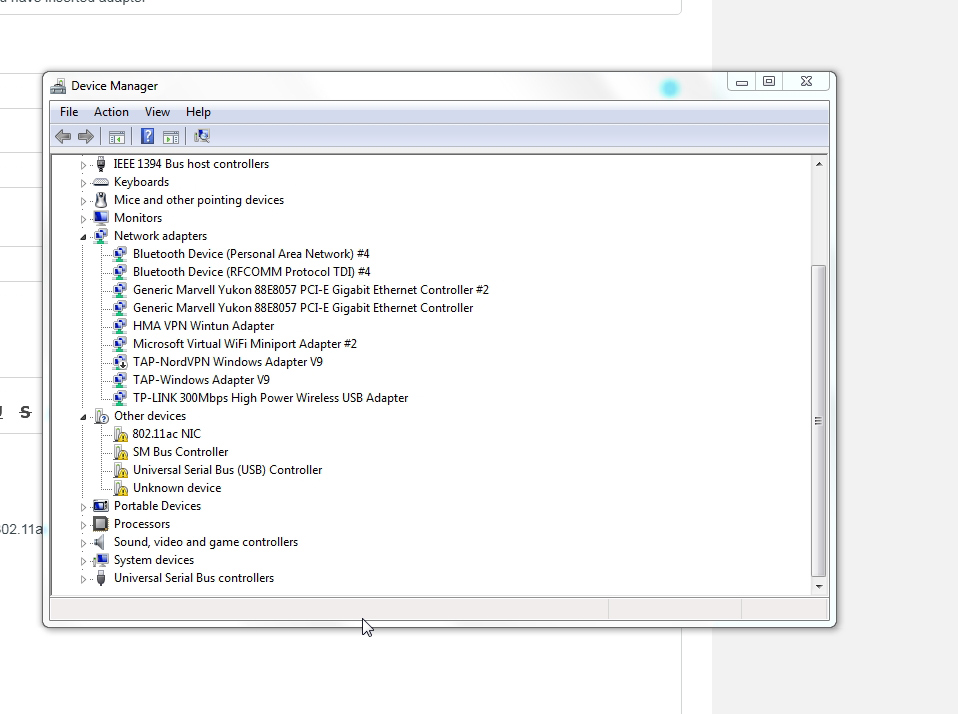
The adapter is showing in device manager under "other devices" as a "802.11ac NIC"


when I try to run setup I am getting this message  "unable to find adapter please make sure you have inserted adapter"


Not sure what else to do. I have tried scan for hardware changes, when i try to manually update driver from the tplink download folder it says cannot find a driver in that folder


Any help would be great thanks
  0      
  0      
#1
Options
1 Reply
Re:Archer t3u ac1300 - Setup "unable to find adapter please make sure you have inserted adapter"
2023-08-31 05:07:30 - last edited 2023-08-31 20:38:52

  @tree21 


You won't be able to install these drivers manually because you have to execute setup.exe (driver folder doesn't include any .inf files).

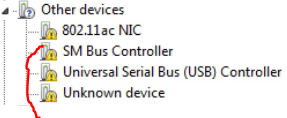
When you unplug the T3U are these still there ?


If they are, probably you haven't installed some MB USB drivers for your Windows and that could be the reason setup giving an error message.

Find the USB drivers from the MB manufacturer and install them first, then plug the T3U and try again to start setup.exe (from driver's folder).

If this was helpful click on the arrow pointing upward to make it blue. If this solves your issue, click the star to make it blue and mark the post as a "Recommended Solution".
  1  
  1  
#2
Options