AX10 pc problem

This thread has been locked for further replies. You can start a new thread to share your ideas or ask questions.

AX10 pc problem

This thread has been locked for further replies. You can start a new thread to share your ideas or ask questions.
AX10 pc problem
AX10 pc problem
2023-11-12 20:33:01
Model: Archer AX10  
Hardware Version: V1
Firmware Version:

Hi All, I have an ax10, and I connect to it 10+ devices, laptops, mobiles, AC without any problem, but one of my pc has very slow and instable connection. I already also tried with cable, but same. But If I connect directly to the modem's of the internet supplier, the connection become good. Do anybody idea what is wrong?

  0      
  0      
#1
Options
3 Reply
Re:AX10 pc problem
2023-11-12 23:45:41 - last edited 2023-11-12 23:48:34

  @Barbrady 


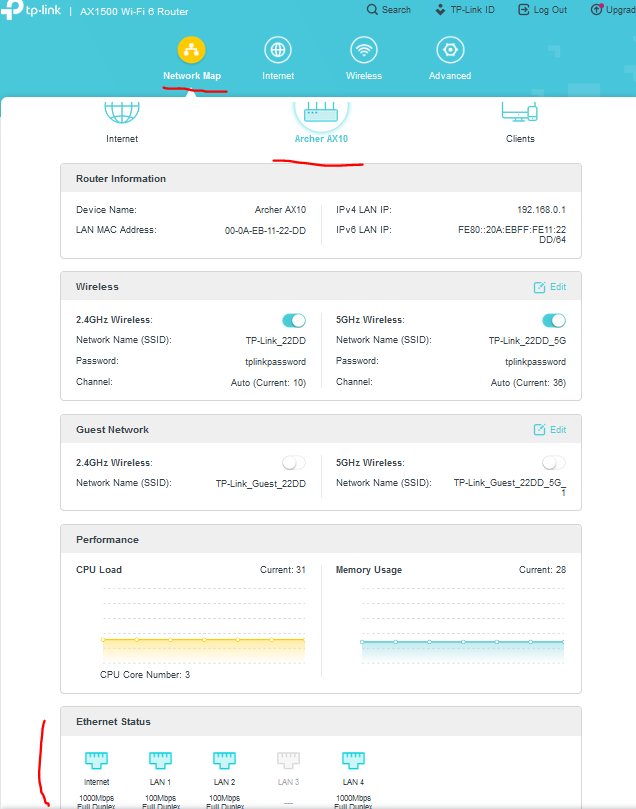
You can easily check the negotiated speed of your PC when connected by cable to your AX10 here:


From the PC rework adapter itself - details (wireless client).

From the PC rework adapter itself - details (wired client).

Here's more on the internet speed of a TP-Link router.

If this was helpful click on the arrow pointing upward to make it blue. If this solves your issue, click the star to make it blue and mark the post as a "Recommended Solution".
  0  
  0  
#2
Options
Re:AX10 pc problem
2023-11-13 08:52:00

  @terziyski I already checked it with Speedtest.net, and 1/0,1 Mbps instead of 500/22. The question is why only the pc? All other device (laptops, mobiles) can 300-400/22 Mbps.

  0  
  0  
#3
Options
Re:AX10 pc problem
2023-11-14 01:08:10 - last edited 2023-11-14 01:50:46

  @Barbrady 


OK, Speedtest reports very low bandwidth. What about the negotiated speed of the PC network adapters and the corresponding AX10 LAN port ? Are they correct ?

Some details about the PC brand, its OS version, network adapters brand/model would be helpful as well. Did you install their latest drivers ?

Here are some tips regarding slow internet connection speed .

If this was helpful click on the arrow pointing upward to make it blue. If this solves your issue, click the star to make it blue and mark the post as a "Recommended Solution".
  0  
  0  
#4
Options