
Slow transfer speed USB Share
Slow transfer speed USB Share

Similarly to the thread https://community.tp-link.com/en/home/forum/topic/165054
Hi,
I have tried with both HDD and SATA SSD with USB 3.0. I have tested on my local machine, given the copy speed is 120 MB/s and 500 MB/s locally, if connected directly to my computer.
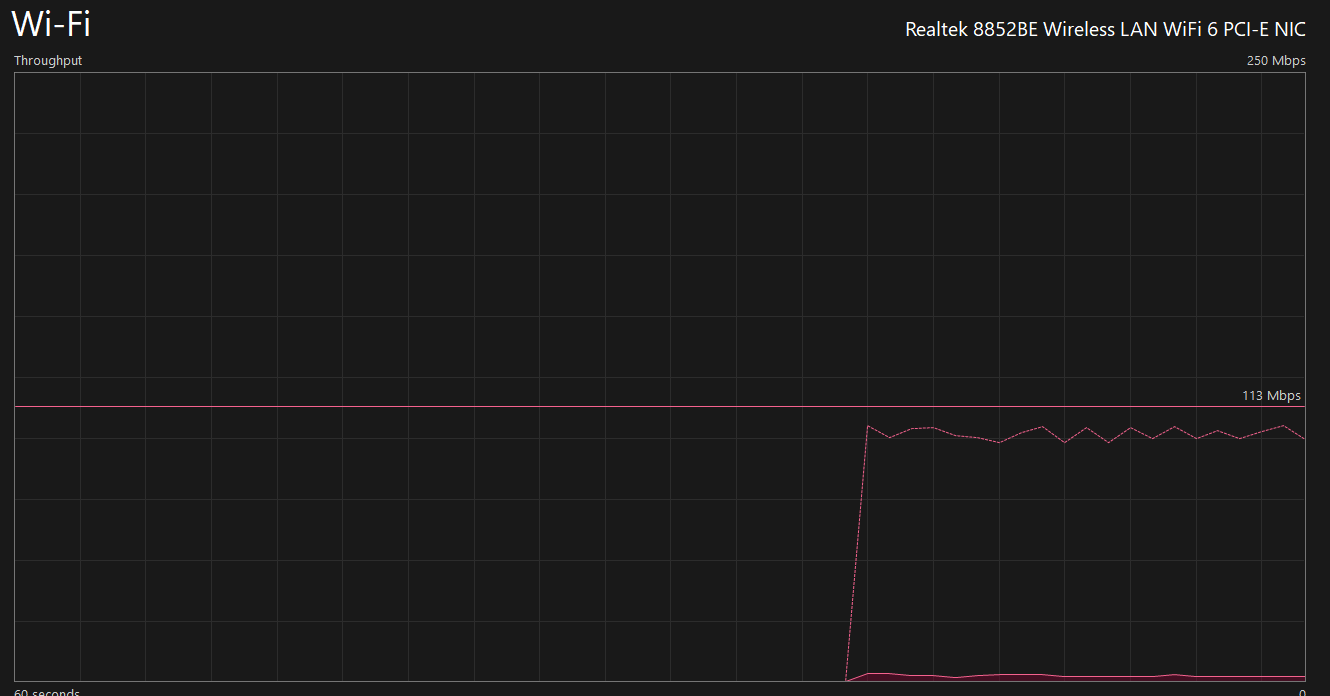
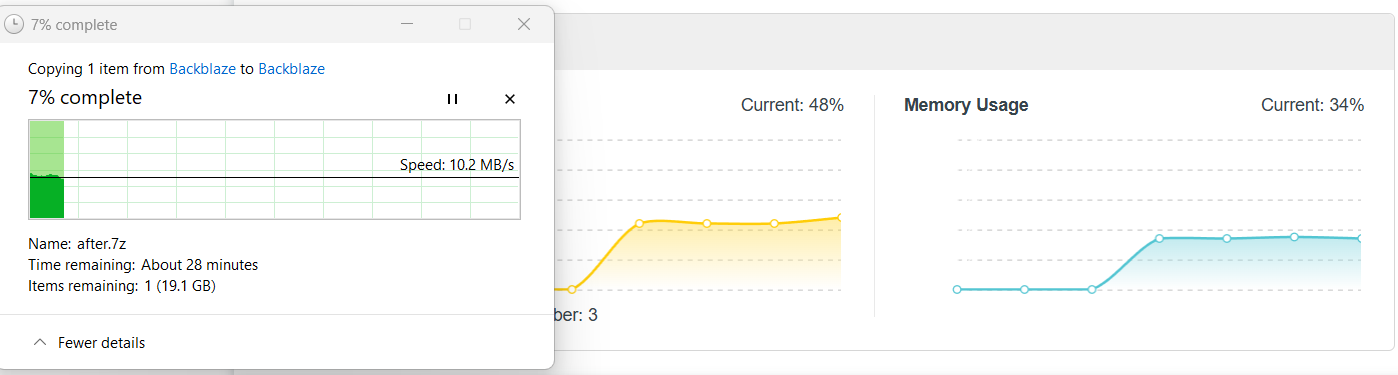
Unfortunately, the speed I get when using the USB Storage in TPLink is peaked at 10.2 MB/s with below utilization during copy despite the storage is HDD or SSD. I have tried both filesystem exFAT and NTFS, but the result is same. Issue exists when I connect with router both through WiFi (5G) and cable. As you could see, we are not throttle by any possible devices, suggesting the low optimized software of TPLink is the culprit.
Please advice on how could I troubleshoot and resolve the issue.
Best Regards,
Ichiru Pham
- Copy Link
- Subscribe
- Bookmark
- Report Inappropriate Content
Hello Kyiv, here is the report summary.
Whilst they claimed to have it runs at some decent speed of 20-40 MB/s on their internal test, that number is still nothing compared to the bandwidth of 5Gbps of USB 3.0, and my plugin drive at HDD at reach 100 MB/s on local test (plug directly to the host machine), or an SATA SSD peaks at 350-450 MB/s.
Note that at the time of this ticket and now, even with some up-to-date drivers, the speed is still the same. If you can reach 50MB/s read, that is great, mine is just 20 MB/s
Traverse across the community platform, this seems to happen on all models came with USB 3.0 who does not want to host a NAS but a simple USB for file transfer. So you might want to use a local plugin or have a NAS to gain better speed.
P/s: I have worked in the IT domain, from hardware like laptop, networking to DevOps long enough to conduct all the tests above to support my claims (different drives, single connections to multi connections to router (with one devices to the USB storage), ...)
Best Regards,
- Copy Link
- Report Inappropriate Content

I bought a DECO BE65 to also take advantage of the USB 3.0, and to my surprise, while the SSD read speed to my PC is good at 125MiB/s, the write speed doesn't exceed 45MiB/s. Hopefully, the engineers will soon address this problem, which apparently is present in several models.
- Copy Link
- Report Inappropriate Content

Hello, I have the same issue with my Ax73, the transfer speed no more than 10Mb/s via wire and via Wifi as well... no any improvment with CAt6 or Cat6e and new SSD as well, it is a shame...what is the solution Mr TP-Link?
- Copy Link
- Report Inappropriate Content
- Copy Link
- Report Inappropriate Content
Hello, I aplologize I dedicated my question to TP Link directly, sorry if I confused you when I replied to your post.
BTW the mentioned updated firmware is still not available on the auto-update page in Tether actually.
On the other hand, I have seen many test video on the net about very high speed transfer for our AX73 (50 -100 Mb/s)...I do not understand how it was possible..is it probably fake.
- Copy Link
- Report Inappropriate Content
Information
Helpful: 1
Views: 2554
Replies: 15
Voters 0
No one has voted for it yet.