Archer C80 Shows no Internet When There in Fact is

This thread has been locked for further replies. You can start a new thread to share your ideas or ask questions.

Archer C80 Shows no Internet When There in Fact is

This thread has been locked for further replies. You can start a new thread to share your ideas or ask questions.

Archer C80 Shows no Internet When There in Fact is
2025-07-01 12:09:20 - last edited 2025-07-02 03:34:31
Model: Archer C80  
Hardware Version: V2
Firmware Version: 1.13.15 Build 240812 Rel.53972n(4555)

Hi.


In my property, I have a wireless router and three Archer C80's around the house in Access Point mode.


They are connected via Ethernet.


These work fine but for some reason, they all show a red exclamation mark on the 'Internet' symbol:
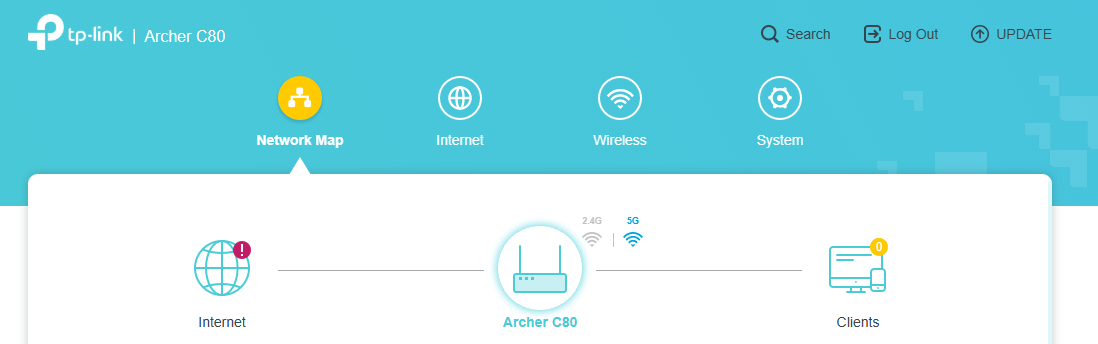


Here is the status:
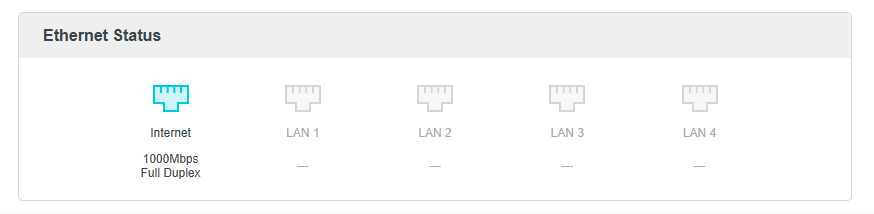


Any idea why this is and how I can 'solve' it?


Thanks.

  0      
  0      
#1
Options
1 Accepted Solution
Re:Archer C80 Shows no Internet When There in Fact is-Solution
2025-07-01 18:23:22 - last edited 2025-07-02 03:34:31
Just fixed it. I was using a static IP on the Archer. Now changed to dynamic on the Archer and changed to static on my router. Thanks.
Recommended Solution
  0  
  0  
#3
Options
2 Reply
Re:Archer C80 Shows no Internet When There in Fact is
2025-07-01 14:05:12

  @otronics 


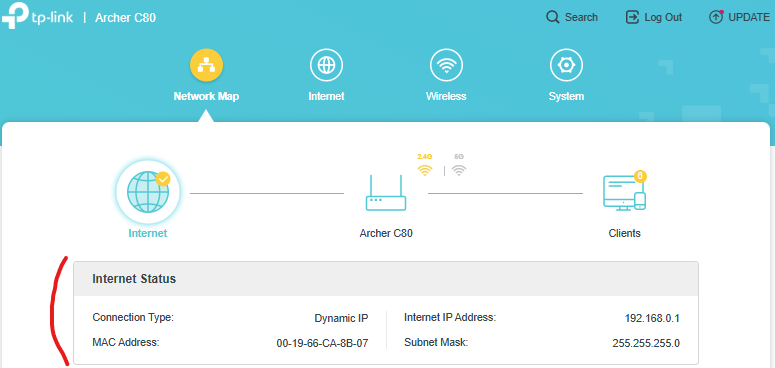
Post the whole Internet status page:


I don't see any clients connected to this AP at the screenshot moment.

What's your main router make and mdoel ? Are you blocking any websites on your main router ?


If this was helpful click on the arrow pointing upward to make it blue. If this solves your issue, click the star to make it blue and mark the post as a "Recommended Solution".
  1  
  1  
#2
Options
Re:Archer C80 Shows no Internet When There in Fact is-Solution
2025-07-01 18:23:22 - last edited 2025-07-02 03:34:31
Just fixed it. I was using a static IP on the Archer. Now changed to dynamic on the Archer and changed to static on my router. Thanks.
Recommended Solution
  0  
  0  
#3
Options