
Strange switch Behavior
 This thread has been locked for further replies. You can start a new thread to share your ideas or ask questions.
Strange switch Behavior
This thread has been locked for further replies. You can start a new thread to share your ideas or ask questions.
Hi,
We have made a brand new installation to our local network with a simple setup:
WAN -> Router -> Switch (TL-SG1016D) -> 16x Clients (some windows pcs, some eap225 access points)
Initially some of the connected pcs was not reaching internet, so I did following tests in all problematic pcs:
ping from PC to Router -> 11ms responses with no packet loss. At some moments the ping drops to <1ms (the expected latency for a LAN)
ping from PC to PC -> always <1ms
ping from PC to 8.8.8.8 -> almost no response, but it responds fine at the same moment that the ping to router shows <1ms
So I spent a whole morning testing all cables, replacing patch cords, doing a lot of tests.
At some moment I realized that it might be an IP conflict (my router uses 192.168.0.1), so I made the following test:
Connected to port 1 of switch my router, and one other ports my PC. (just two cables into the switch, no interference of any other equipment)
1. Did a ping test to 192.168.0.1 and the same issue, high latency, no ping to 8.8.8.8)
2. Disconnected the cable that links the switch to the router, and did the ping to 192.168.0.1.
3. The ping STILL RESPONDS.
So I'm assumming that for some reason the switch (although unmanaged) for some reason is responding to 192.168.0.1 address.
Did someone found any issue like this? I have exactly the same switch, router and access points in another site, and it just works fine.
This switch have port isolation and loop prevention, I tried enabling and disabling both, but the same result occurs.
- Copy Link
- Subscribe
- Bookmark
- Report Inappropriate Content
@D-C its exactly what's happening. Crazy issue!!!
See this picture: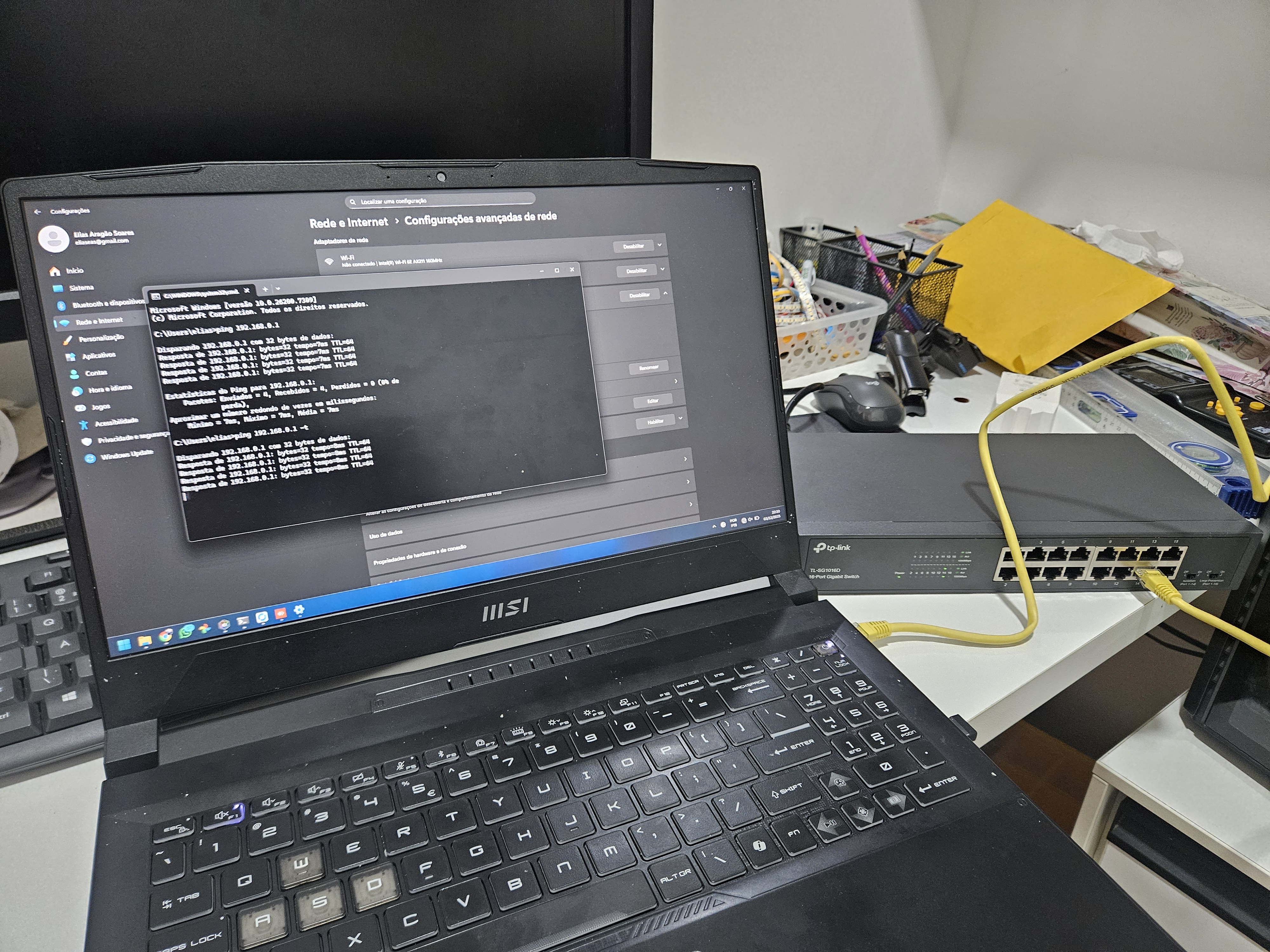
Some notes:
* Enabling/disabling Port Isolation or Loop Prevention don't change anything
* Restarting the switch also don't solve
* Theres no reset button (at least externally, i don't want to open it before try to RMA)
* The 192.168.0.1 don't respond to HTTP, Telnet or SSH ports (maybe it have some way to update or configure?)
* The laptop i'm testing is completly different from the pcs on the site (windows version, softwares, etc), but the behavior is the same
- Copy Link
- Report Inappropriate Content

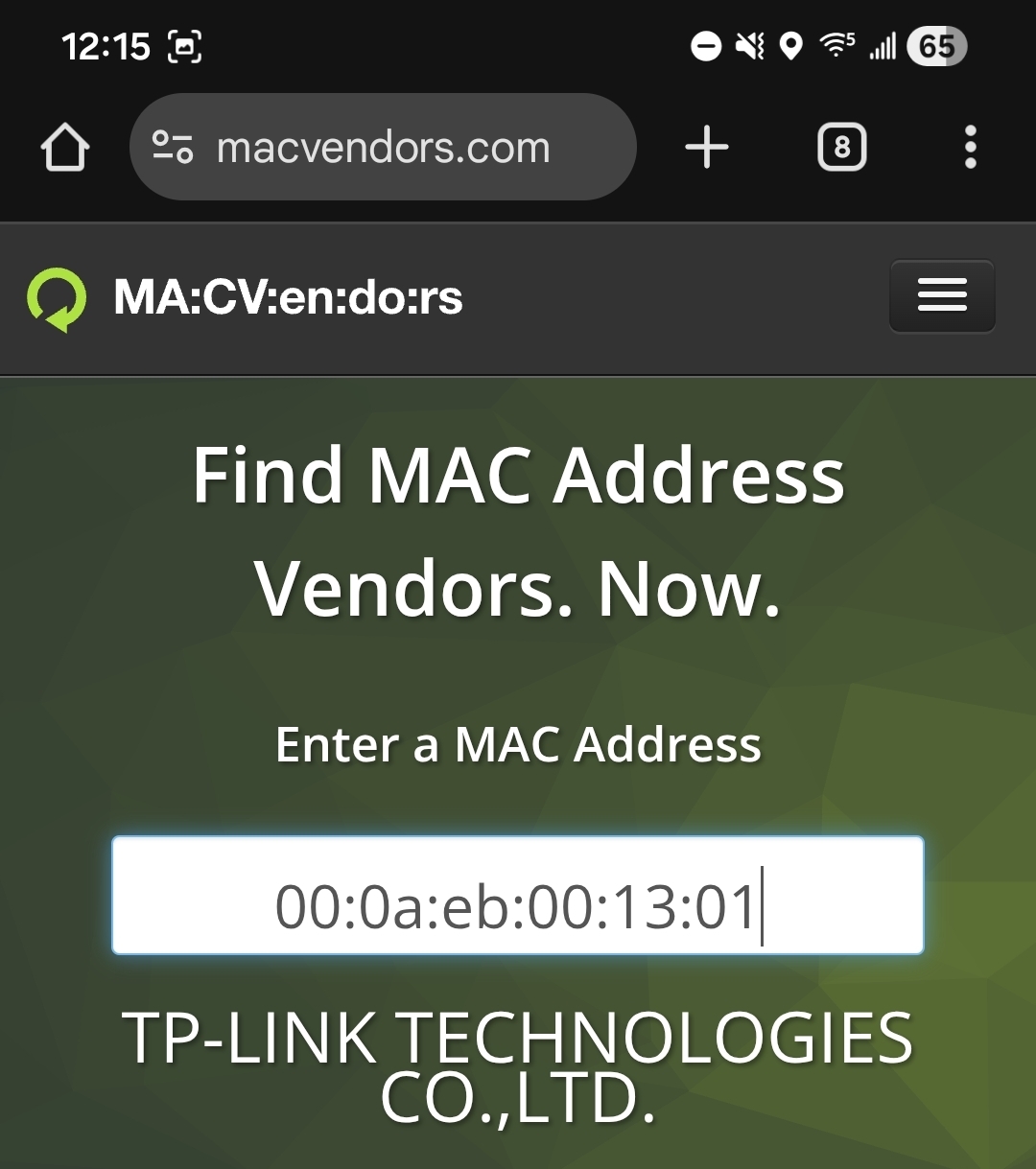
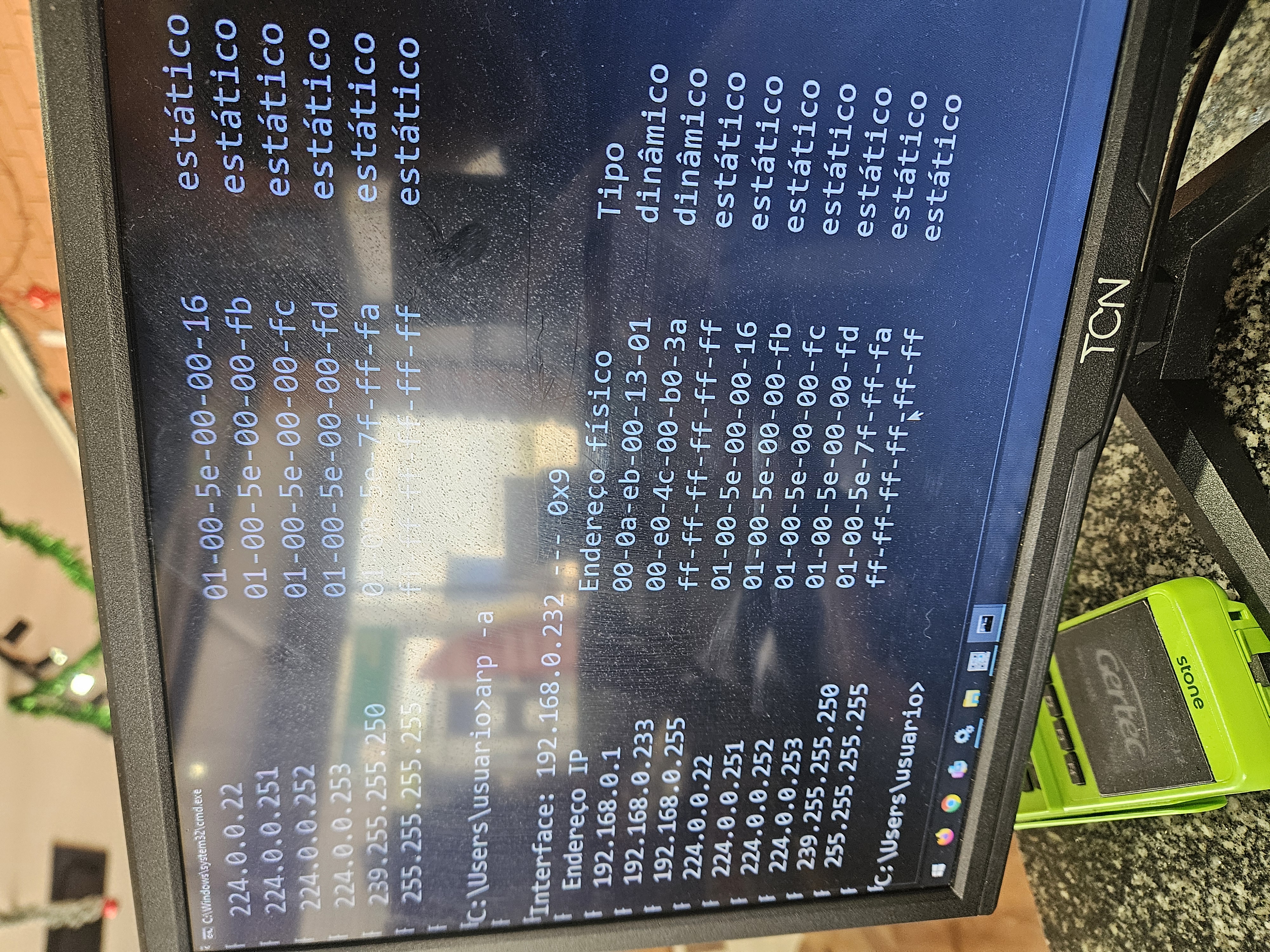
@EliasSoares, the first ping attempt was with the laptop disconnected? If not I'm truly stumped. Usually, people need help because they can't ping their switch. Still might be worth looking at arp -a to get the mac for the 192.168.0.1 address. There are mac/oui decoders online that might match it to the vendor, curious if it's a TP-Link OUI. I hate unsolved problems, even if it's not mine!
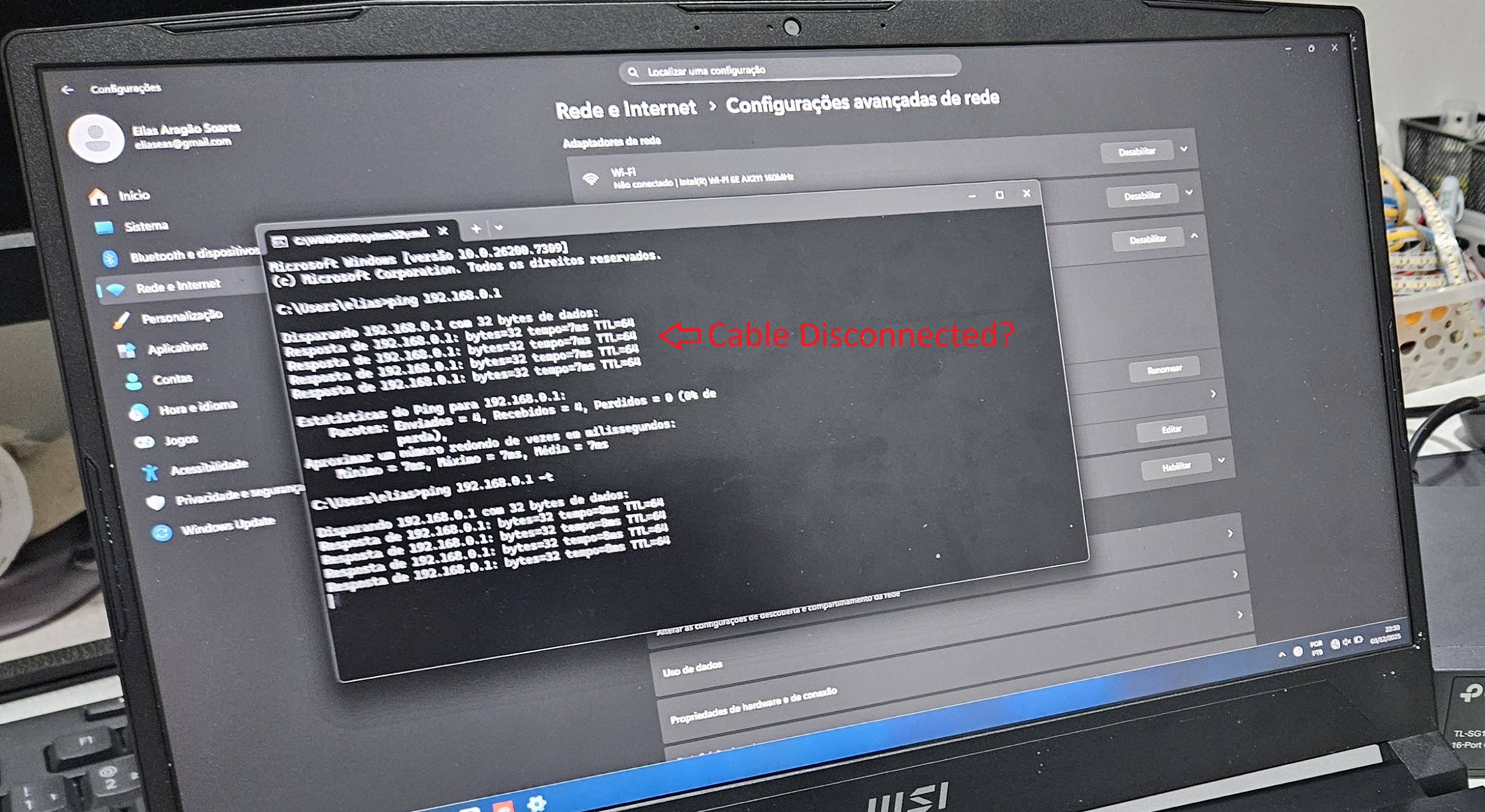
- Copy Link
- Report Inappropriate Content
@D-C no. Both pings was with the cable connected, just forgot to add the -t flag so i restarted it.
Today morning i took a photo of arp, and yes, its a tplink vendor id.
I'm almost convinced that for some reason it shares hardware with some managed switch, and have some wrong firmware or firmware bug.
Also I'm not alone: https://community.tp-link.com/en/business/forum/topic/825058?replyId=1641962
- Copy Link
- Report Inappropriate Content
@EliasSoares, I'm out of ideas. I hope you can get a replacement. Maybe one of the moderators has a fresh idea. Assuming it's locked to the one IP, you should be able to change the router/gateway IP or network to something else so things will work with the existing switch. Good luck!
- Copy Link
- Report Inappropriate Content


You might consider changing the router’s IP from 192.168.0.1 to another address to see if that resolves the issue with some devices being unable to get online. In addition, I recommend contacting Technical Support to RMA a new switch.
- Copy Link
- Report Inappropriate Content
Information
Helpful: 0
Views: 1732
Replies: 15
Voters 0
No one has voted for it yet.