
Which Topology will work best for a wired/wireless backhaul
 This thread has been locked for further replies. You can start a new thread to share your ideas or ask questions.
Hello,
I'm looking to buy a XE75 3-Pack to get decent internet at my attic.
I don't have the option to lay a cable to my attic but I do have the option to lay a cable to my middle floor.
Also I don't have space next to my stairs so all the wifi signals have to go through 1 layer of concrete floor.
The goal here is to get the best possible signal in Room 4
This setup is possible by doing a daisy chain setup with a ethernet/wifi hybrid. This should be the standard option but I was worried that the speed in room 4 would suffer because this setup has 3 nodes from router to computer
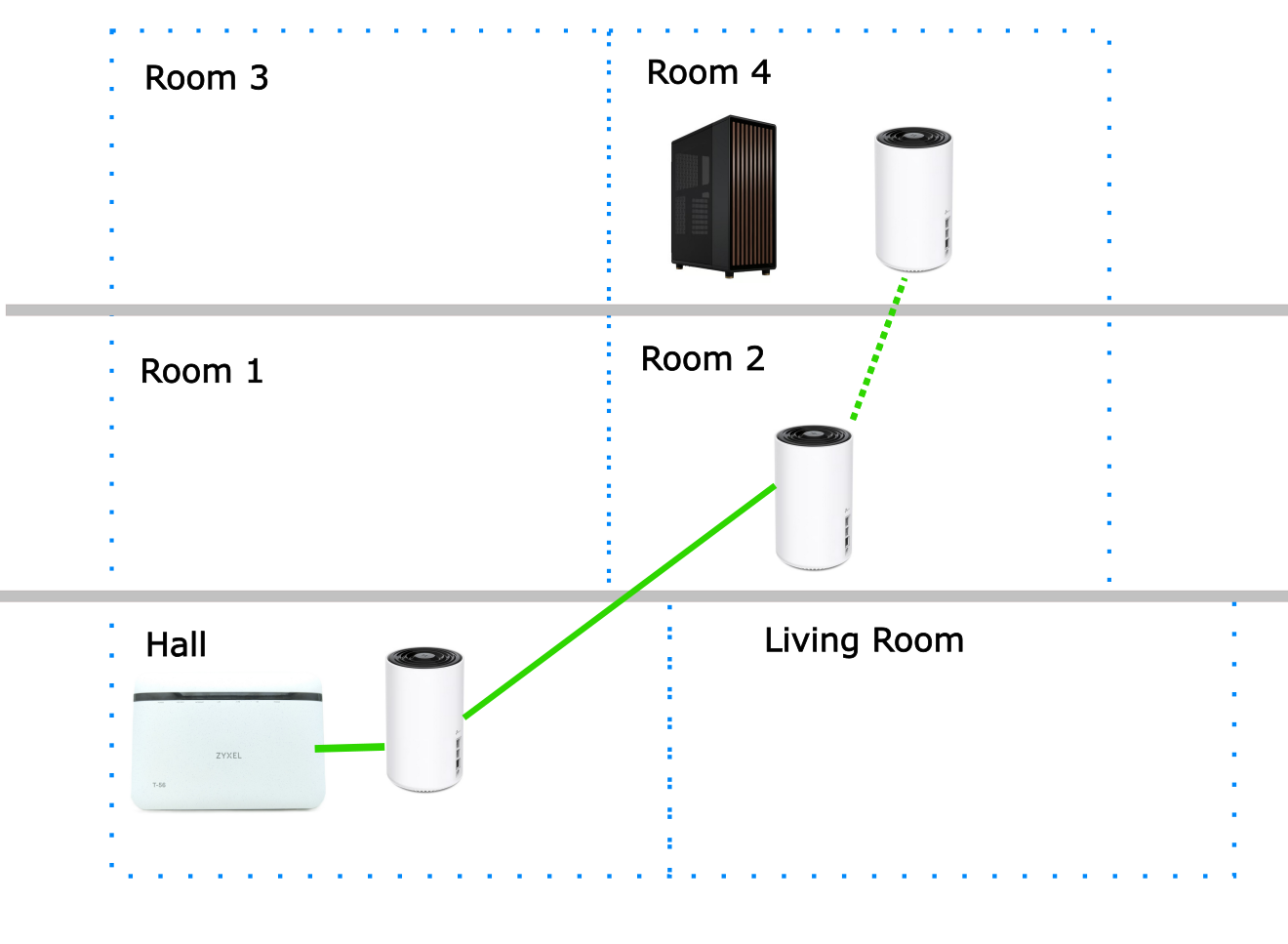
Maybe these setups are possible as well? Could only having 2 nodes between the router and the computer make the configuration better for room 4?
The extra unit in the living room would be a bonus but not mandatory.
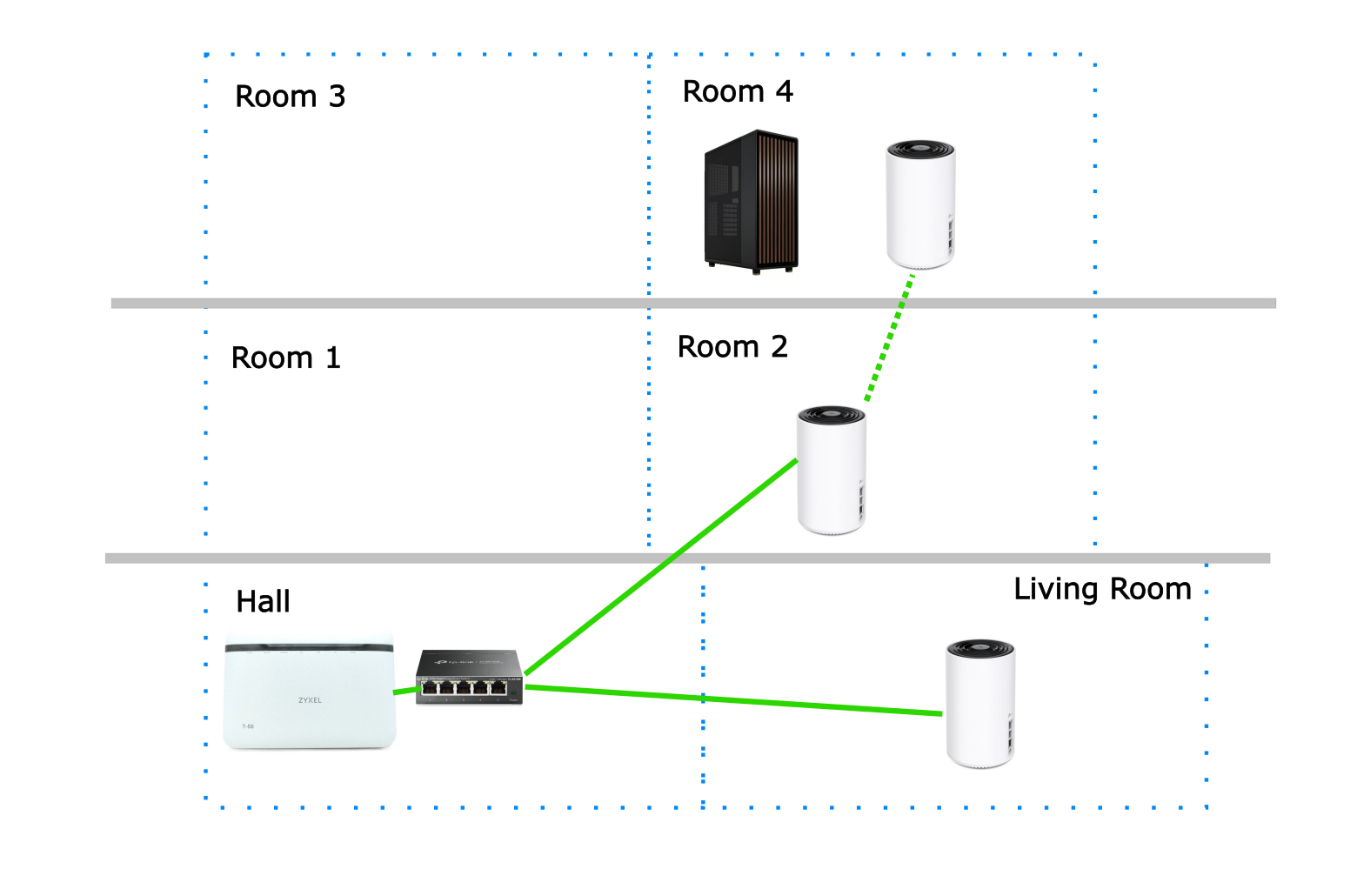
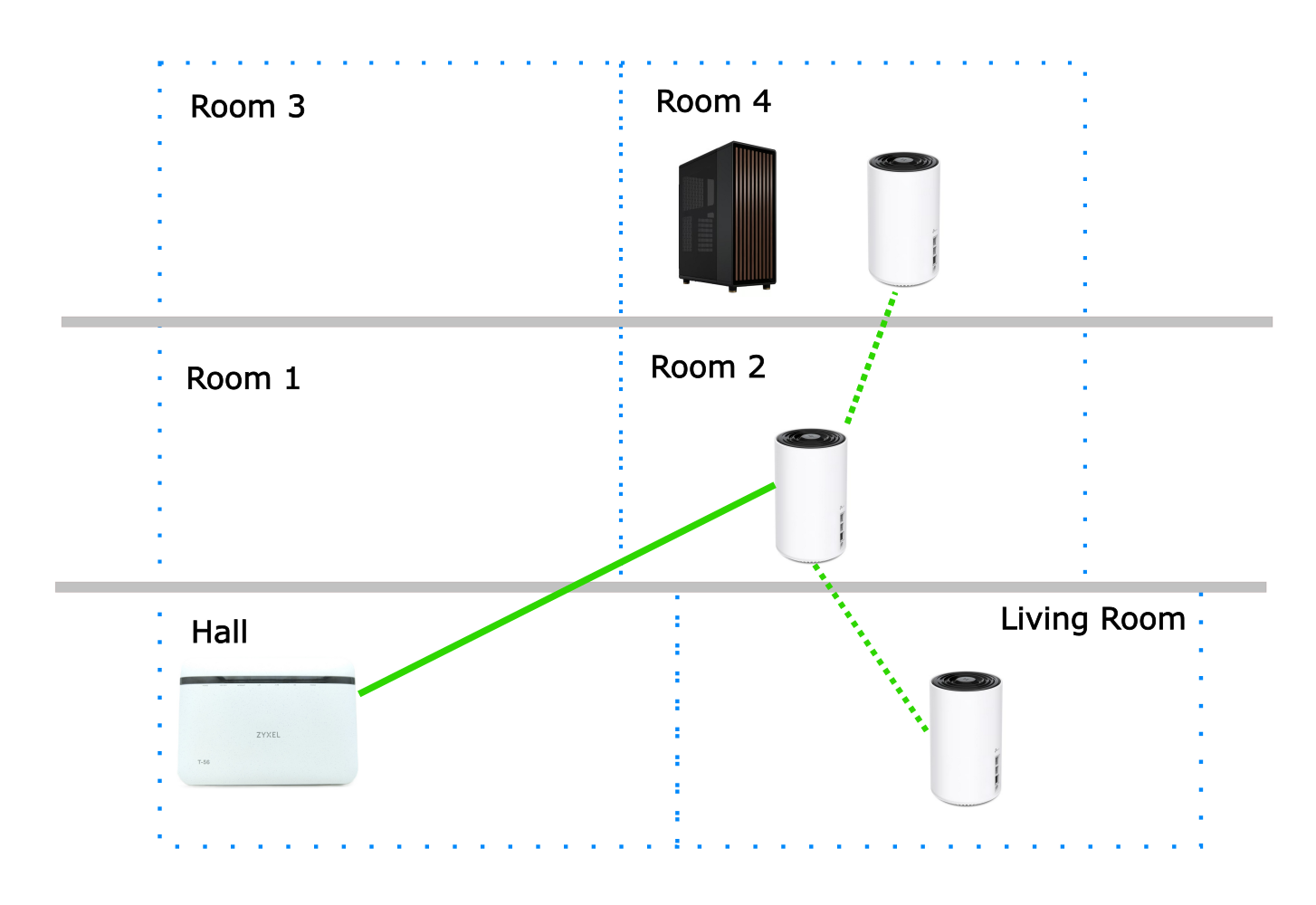
What is the best setup for room 4 here?
I hope someone can help me thanks!

