Network bridge still visible as client in Omada after deletion in TrueNAS

Network bridge still visible as client in Omada after deletion in TrueNAS

Network bridge still visible as client in Omada after deletion in TrueNAS
a week ago

Almost two months ago I created a network bridge (br0) in TrueNAS (that is on IP address 10.0.0.50) to test it with some virtual machines I had installed there. The bridge had a MAC address 0E-AC-CC-XX-XX-XX.


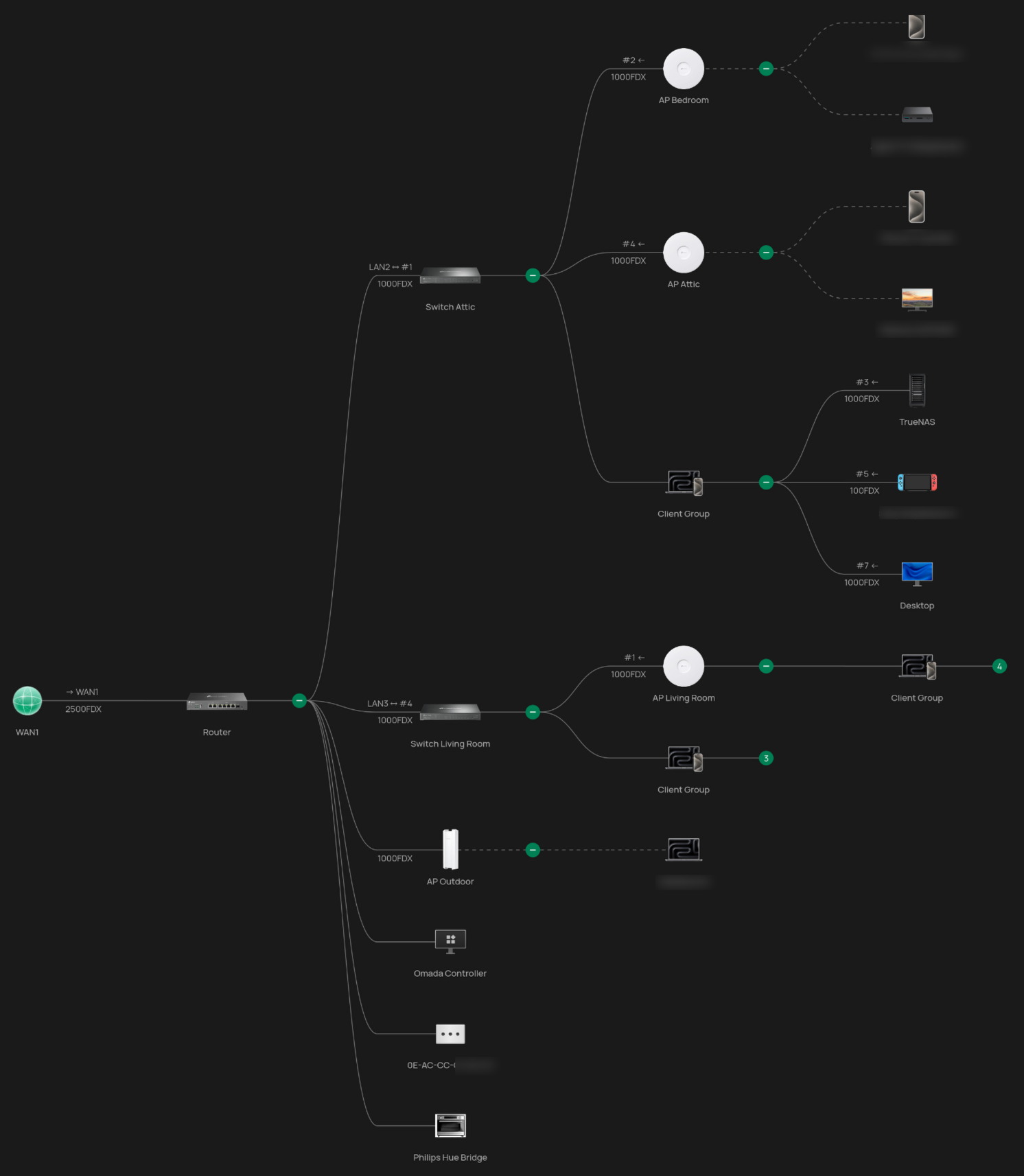
Then after deletion of the VMs and deletion of the bridge the bridge still shows up in Clients until right now in Omada, with the same IP address as the TrueNAS server (10.0.0.50). It also reports to have a direct connection with the Router in the column AP/PORT, what's also very strange, because my TrueNAS server is connected to a switch. Omada is also reporting that: Switch Attic Port 3.


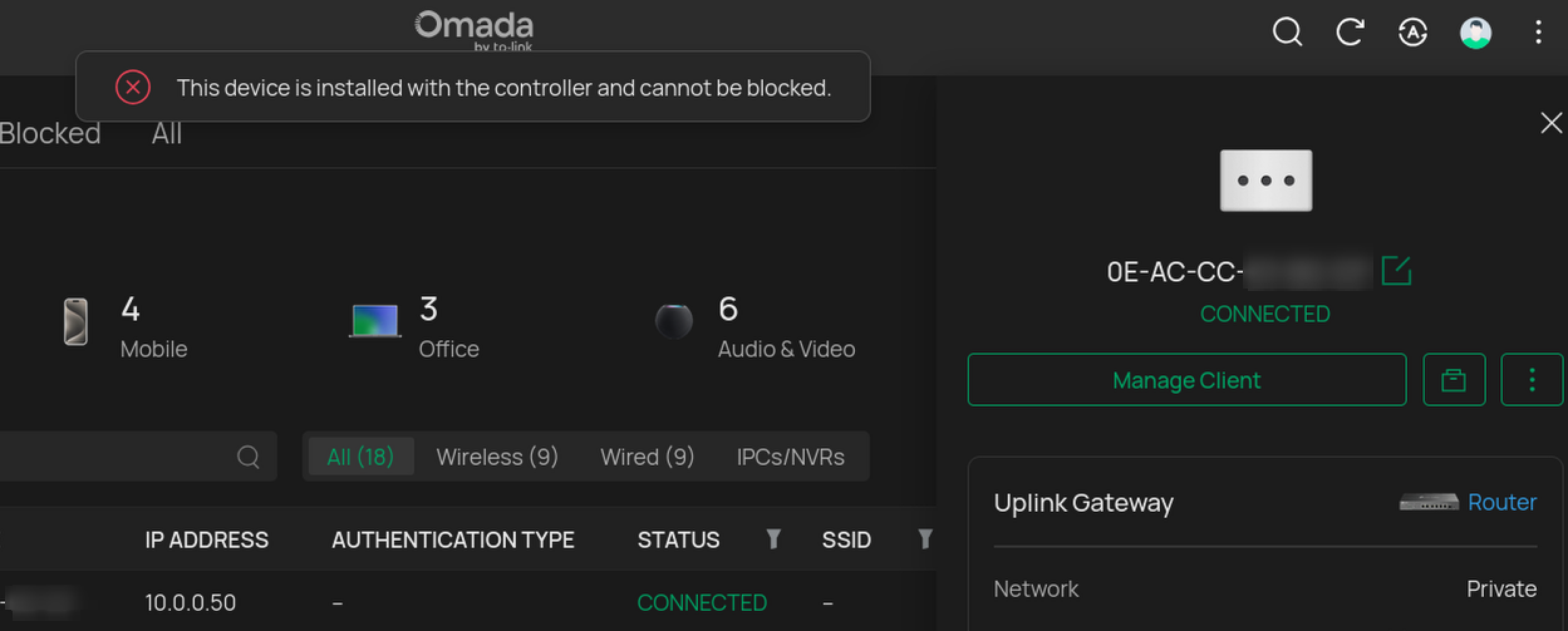
I cannot delete the 'ghost' client at all, if I forget it, it pops up a second later and if I want to block it, I get the message: "This device is installed with the controller and cannot be blocked."


When I restart the TrueNAS server, nothing happens with the ghost client, and it shows an uptime of 39 days so far, pretty much the same time I started to create the network bridge in TrueNAS. I run the Omada Controller (version 6.0.0.25 Stable) on a Raspberry Pi 4B. It also happened on a previous Omada version and restarting all devices (router/switches/APs and Raspberry Pi with Omada itself) did not help.


Is this a bug or something? How can I delete this?


Other hardware (all integrated in Omada):

Router: ER707-M2

Switches (x2): SG2008P

APs (x3): EAP650

 

  0      
  0      
#1
Options
2 Reply
Re:Network bridge still visible as client in Omada after deletion in TrueNAS
a week ago

Hi  @Saekerhett 


Thanks for posting here.


To understand the situation better, please share with us the following info:

1. The topology of your network;

2. The screenshot of the mentioned error message "This device is installed with the controller and cannot be blocked."

3. It also reports to have a direct connection with the Router in the column AP/PORT, what's also very strange, because my TrueNAS server is connected to a switch. Omada is also reporting that: Switch Attic Port 3.

>>>Please share a screenshot of the client page so we can better understand it.


4.  It also happened on a previous Omada version and restarting all devices (router/switches/APs and Raspberry Pi with Omada itself) did not help.

>>>Do you mean this ghost client exists for several Omada versions? Do you remember the previous Omada version number?

  0  
  0  
#2
Options
Re:Network bridge still visible as client in Omada after deletion in TrueNAS
a week ago - last edited a week ago

  @Vincent-TP 


My topology (I blurred some of the non important clients):


Topology Topology


Screenshot of error message:


Screenshot of said clients:


And this also happened on the previous version, that was  omada_v6.0.0.24_linux_x64_20251027202535.deb

Thanks for replying btw!


  0  
  0  
#3
Options