
Voucher Time Remaining
This repeated request has been merged into the main thread Hotspot Expiration Reminder . Please vote on the main thread.
Voucher Time Remaining

Hi guys,
I’d like to ask for some clarification regarding voucher behavior.
I created a 1-hour voucher and tested it using my phone. The device successfully connected to the Wi-Fi and accepted the voucher code. However, when I disconnected from the Wi-Fi, the voucher time continued running even though the device was no longer connected.
I’ve already tried adjusting different Timing and Duration Type settings, but the behavior remains the same.
Is this an expected limitation of the device/system, or is there a specific configuration that allows the voucher timer to pause when the user disconnects?
Thank you in advance for your help.
- Copy Link
- Subscribe
- Bookmark
- Report Inappropriate Content


Hi @Carlo14
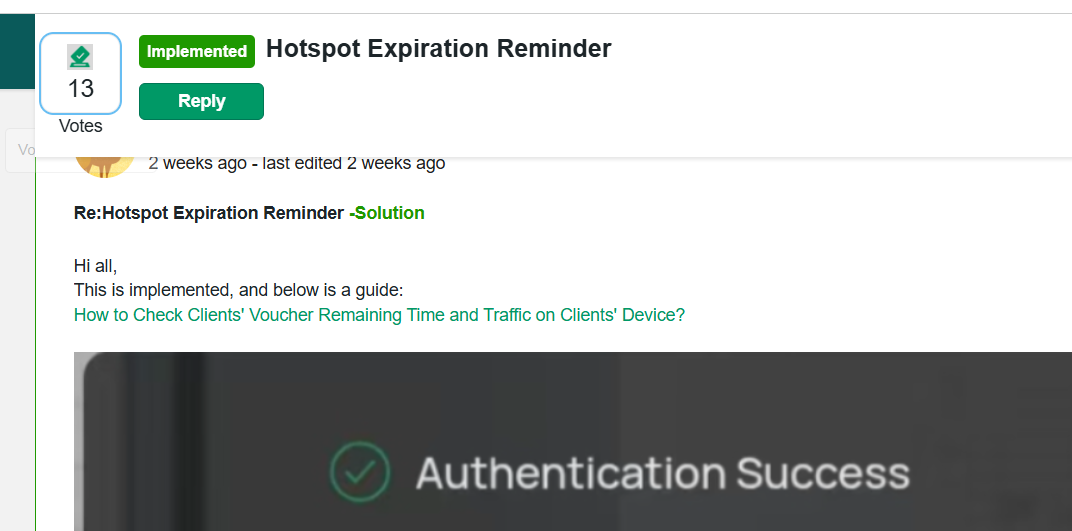
It's implemented. For more details, please check below:
https://community.tp-link.com/en/business/forum/topic/657808?replyId=1692788
- Copy Link
- Report Inappropriate Content
Hi @Carlo14
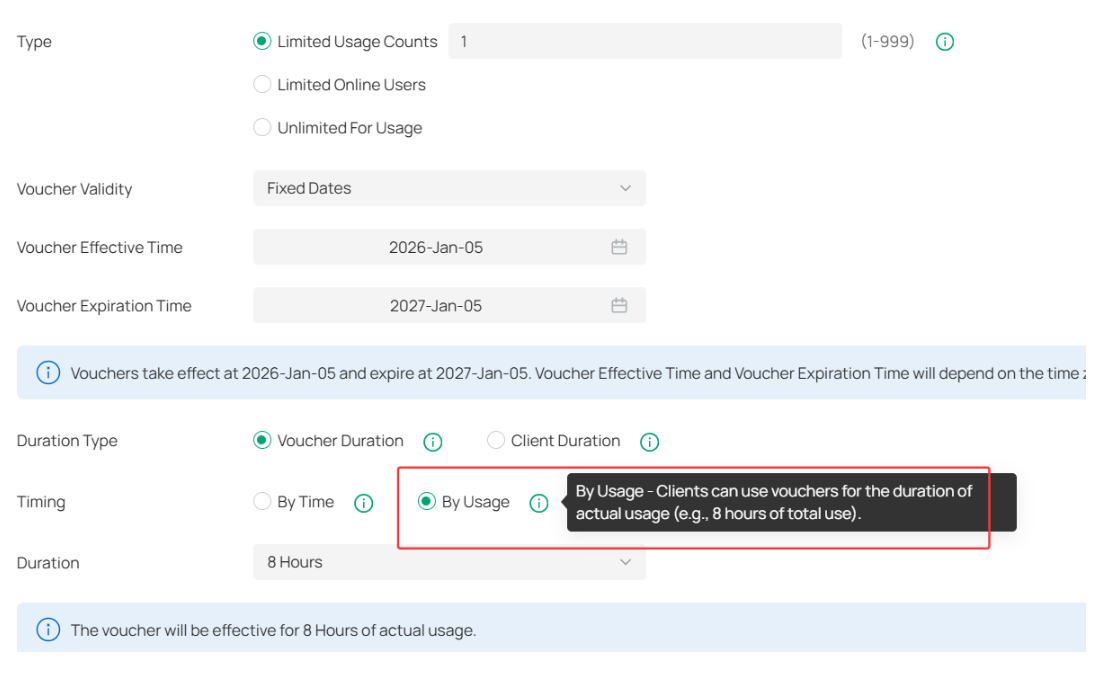
Thanks for posting here. This is already supported.
Choose the Timing type as By Usage, it will work as expected:
- Copy Link
- Report Inappropriate Content
Hi Sir,
Thank your for reply i really appreciated. how about the Duration Type, i still choose the Voucher Duration or Client Duration Thank you!
- Copy Link
- Report Inappropriate Content
I tested and followed your instructions based on the screenshots you provided, but the issue still persists.
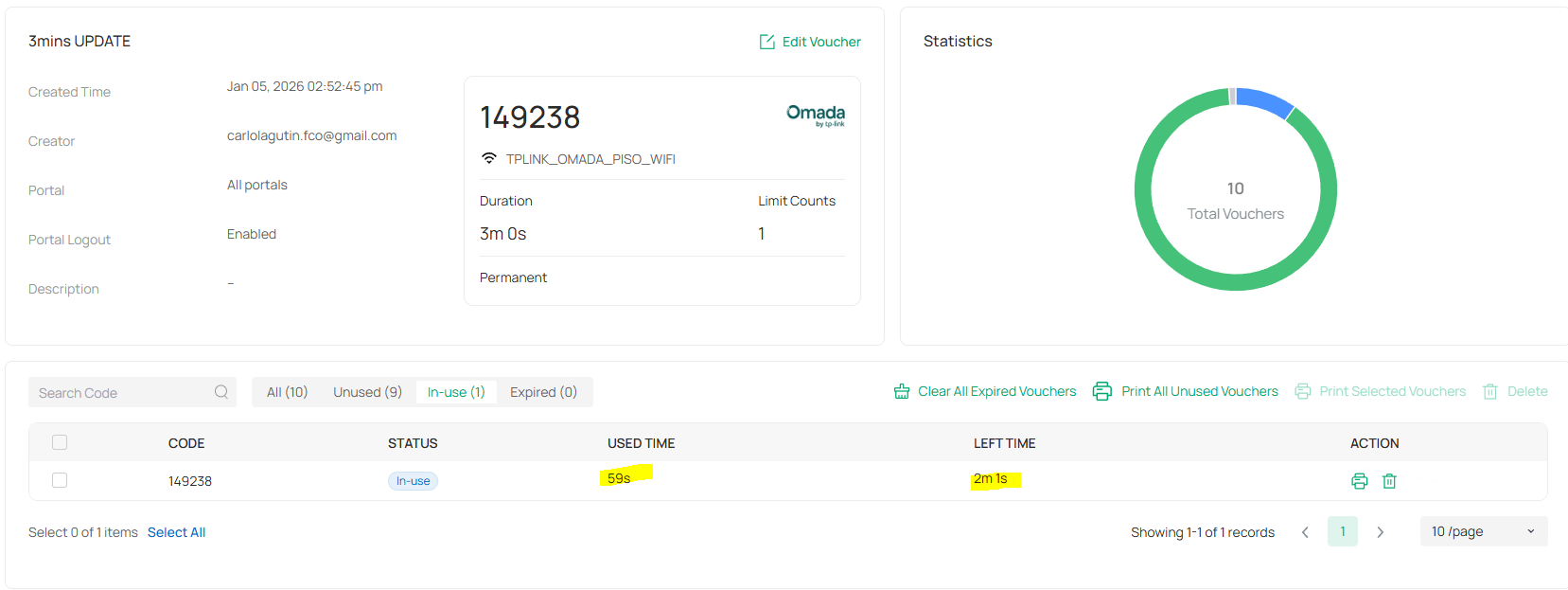
When I connect to the WiFi and then immediately disconnect, the voucher timer continues to run in the background. For testing, I used a voucher with a validity of 3 minutes. After waiting for 3 minutes and attempting to reconnect to the WiFi, I am unable to connect because, according to the dashboard, the voucher time continued running even though the user was already disconnected, and the voucher is now marked as expired.
It appears that the voucher countdown does not pause or stop when the client disconnects from the WiFi.
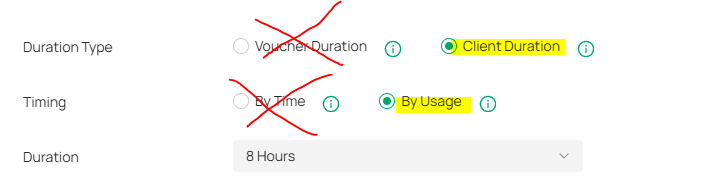
However, I noticed that when I select Client Duration instead of Voucher Duration under the Duration Type, the pause functionality works correctly. The voucher timer pauses when the user disconnects and resumes upon reconnection.
The limitation is that users must be aware of their remaining time, as TP-Link does not provide a client-side monitoring feature to check the remaining usage time.
this settings the pause time will work.
- Copy Link
- Report Inappropriate Content
Hi @Carlo14
Thanks for the reply.
The Voucher Duration Type should take effect.
For very short durations, there might be some margin of error, as after disconnecting from Wi-Fi, the controller takes some time to recognize the client as offline—typically around 5 minutes. Therefore, for a very short duration, such as 3 minutes, if a disconnection occurs in the middle, this scenario can happen.
It is recommended that you set it to 10 minutes or longer and test again.
The limitation is that users must be aware of their remaining time, as TP-Link does not provide a client-side monitoring feature to check the remaining usage time.
>>>Thanks for the feedback. This is under developing.
- Copy Link
- Report Inappropriate Content
- Copy Link
- Report Inappropriate Content
May we ask if the feature for monitoring the remaining time is still under development? Could you please provide us with its current status and any available updates?
- Copy Link
- Report Inappropriate Content
Hi @Carlo14
It's implemented. For more details, please check below:
https://community.tp-link.com/en/business/forum/topic/657808?replyId=1692788
- Copy Link
- Report Inappropriate Content
Information
Helpful: 1
Views: 866
Replies: 7
Voters 1
