No WIFI signal.

No WIFI signal.

No WIFI signal.
No WIFI signal.
Tuesday
Model: Archer C2300  
Hardware Version: V1
Firmware Version: Archer C2300(US)_V1_2.2.1 Build 20250925

Hello, 

I am currently facing WIFI challenges from the router. There is no WIFI signal from the router.  The wifi led status shows WIFI on, but no SSID is broadcast from the router.

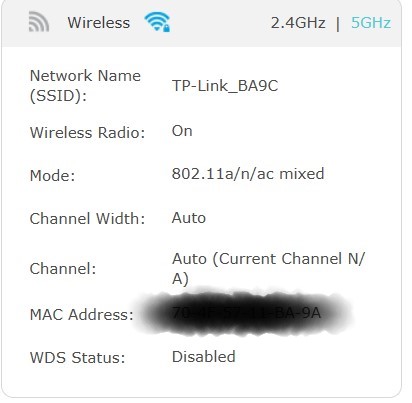
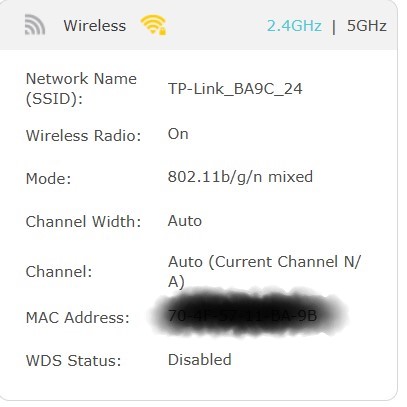
When I go to the router status tab, I see that both the 2.4G and 5G band is showing channel: N/A.
Inside the advanced tab:

There is no option to change wifi channel and mode for 2.4 GHz, and it is set to auto. There is no option available in the dropdown to select channel, andthe  mode field is disabled. The 5Ghz settings cannot be seen as this is disabled. 
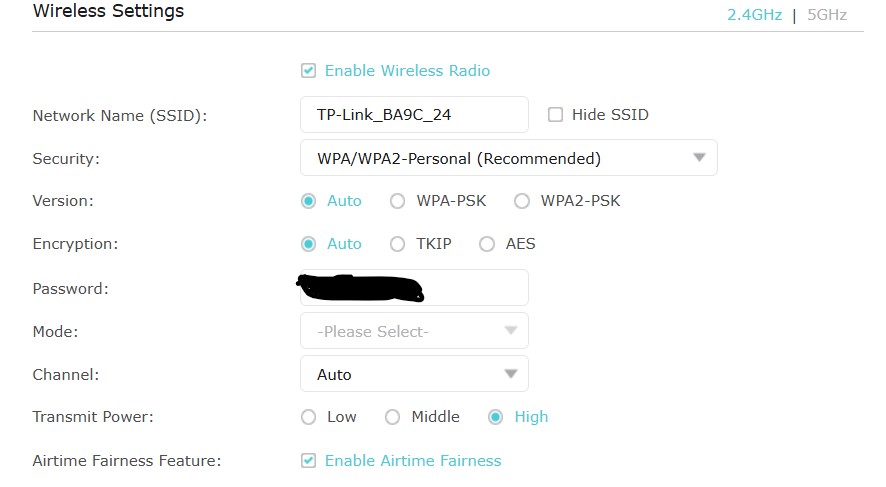
 

The 5Ghz band is disabled, and the settings are greyed out and no option to enable the 5 Ghz band. 

I am also seeing this message  "5Ghz band is unavailable due to restrictions in your country",, which is kind of strange, as I was using the 5GHz band before this issue.
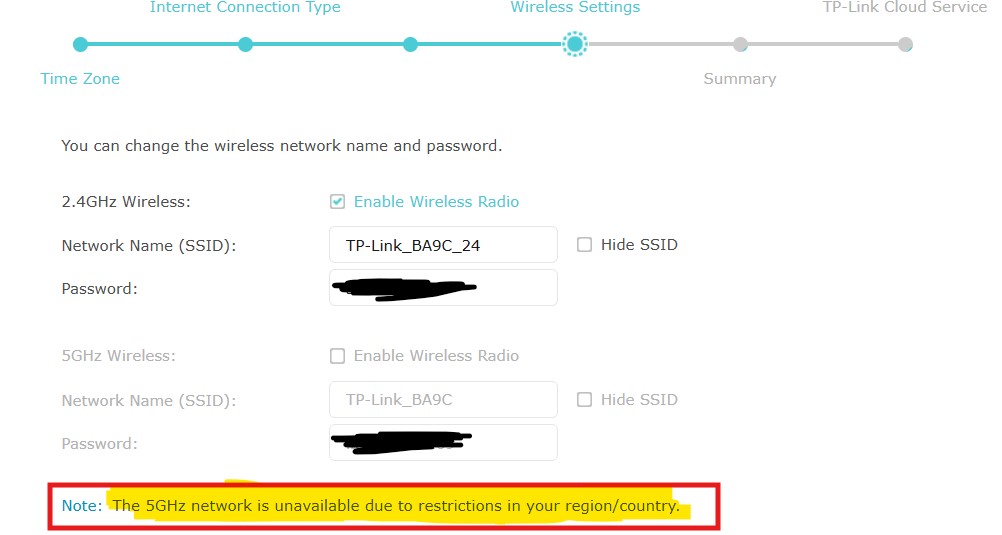
 

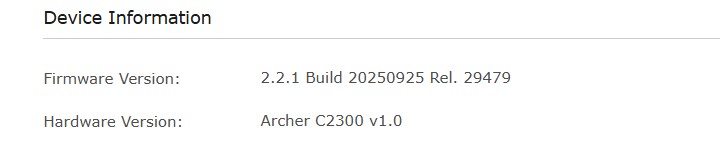
The router details and firmware details are available below.


The Router and Firmware details are available below
The WIFI issue started when I enabled the Smart Connect option. Since then, there has been no wifi signal from the router.

I have factory reset the router numerous times and have also upgraded/downgraded the router firmware; however, the issues seem to be persistent every time.

Has anyone encountered this before and successfully resolved it?


Regards

pra4abt

  0      
  0      
#1
Options
6 Reply
Re:No WIFI signal.
Tuesday

  @pra4abt 


When you enable Smart Connect feature you can't select a specific wireless channel.

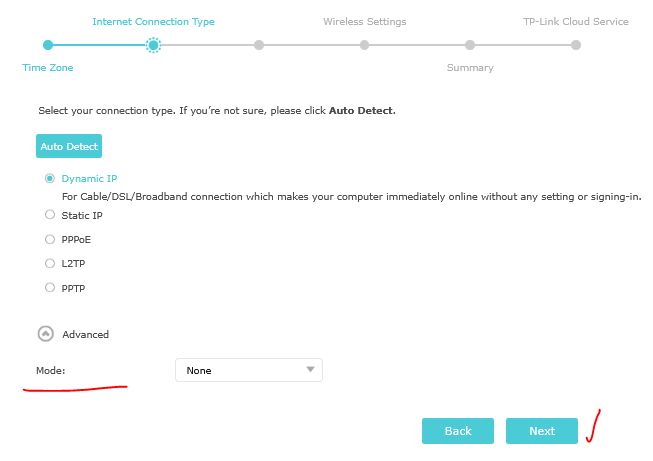
My advise - reset the router to its factory defaults. Start the Quick setup without enabling the Smart Connect feature.

When you select the country choose None:


Best wireless settings would be:

If this was helpful click on the arrow pointing upward to make it blue. If this solves your issue, click the star to make it blue and mark the post as a "Recommended Solution".
  1  
  1  
#2
Options
Re:No WIFI signal.
Tuesday

  @terziyski 

Thanks for the quick reply.

 Smart Connect is disabled on my router.

i will give this a try and post the outcome.

  0  
  0  
#3
Options
Re:No WIFI signal.
11 hours ago
I tried performing a hard reset of the router however, it looks like the reset itself is not working as expected. I could not see any visual indication confirming the same. I did perform the factory reset, though using the webUI, but with that there is no change in the behavior even after keeping the mode as None. I searched in ChatGPT about this issue, and I was prompted that this behaviour could be because the NVRAM region is locked. The router does not provide an option to change the region. The DFS scanning is causing the problem looks like, not sure though.
  0  
  0  
#4
Options
Re:No WIFI signal.
7 hours ago

  @pra4abt 


To reset the router you must use a paperclip or a toothpick pressed against the Reset hole.

When the route is powered on lightly press and hold the reset button (you should hear/feel a click) for about 10 seconds.

Upon successful reset the Power LED binks.

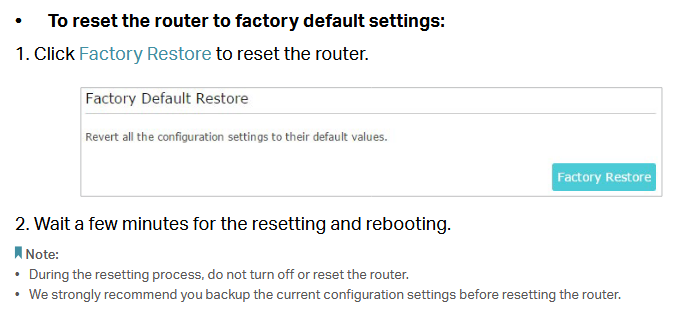
Alternatively you can reset to factory setting via the router WebGUI:

Go to Advanced > System Tools > Backup & Restore.

If this was helpful click on the arrow pointing upward to make it blue. If this solves your issue, click the star to make it blue and mark the post as a "Recommended Solution".
  0  
  0  
#5
Options
Re:No WIFI signal.
6 hours ago - last edited 6 hours ago

  @terziyski 


To reset the router you must use a paperclip or a toothpick pressed against the Reset hole. ==> done

When the route is powered on lightly press and hold the reset button (you should hear/feel a click) for about 10 seconds. ==> done

Upon successful reset the Power LED binks. ==> no LED blink and no device restart.

Alternatively, you can reset to factory settings via the router's WebGUI: ==> Factory defaults sets the default SSID, password, and other settings, but the 5GHz wireless radio is still disabled and off.


  0  
  0  
#6
Options
Re:No WIFI signal.
5 hours ago

  @pra4abt 


In this case you probably experiencing a hardware issue - the best approach would be to contact you local support for further assistance.

If this was helpful click on the arrow pointing upward to make it blue. If this solves your issue, click the star to make it blue and mark the post as a "Recommended Solution".
  0  
  0  
#7
Options