
WR940N V6 firmware upgrade error 18005

Hi all,
Like the poster in this thread below, I am unable to update the firmware in this router.
https://community.tp-link.com/en/home/forum/topic/207510
I have tried the following, in date order, starting with the oldest first: -
TL-WR940N(EU)_V6_200316
TL-WR940N(EU)_V6_211111
TL-WR940N(EU)_V6_3.20.1 Build 220801
All three updates state " For TL-WR940N(EU) V6"
The hardware in the router is Hardware Version: WR940N v6 00000000
The current firmware is 3.18.1 Build 171214 Rel.37530n
All three fail with the same message: -
Error code: 18005
Upgrade unsuccessfully because the version of the upgraded file was incorrect. Please check the file name.
Has anyone suceeded in updating the firmware in this scenario?
Many thanks...
- Copy Link
- Subscribe
- Bookmark
- Report Inappropriate Content

- Copy Link
- Report Inappropriate Content
Make sure that your WR940N is with an (EU) FW region:
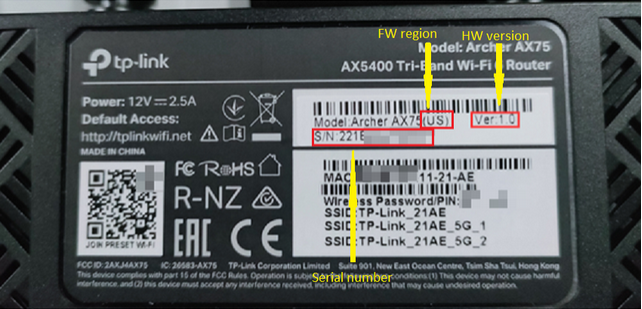
Also make sure that you've unzipped the FW file and then you're using the .bin extension file when upgrading.
- Copy Link
- Report Inappropriate Content
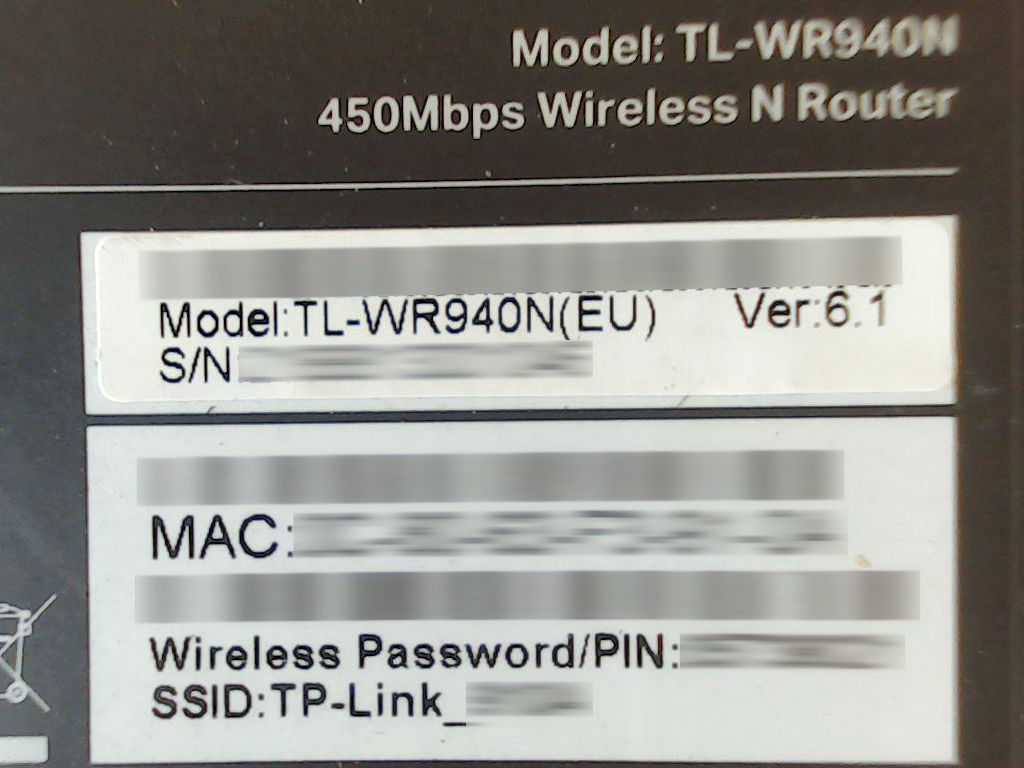
This is the router...
The zip files were decompressed and the .bin file selected for the update process.
- Copy Link
- Report Inappropriate Content
Your FW release is a rather old one and most probably you need to update with an intermediate release first.
Try to update to this version first TL-WR940N(EU)_V6_180119 and then to a more recent one ( TL-WR940N(EU)_V6_200316 )
- Copy Link
- Report Inappropriate Content
OK, so I have managed to update the firmware.
Although I did not try the solution from terziyski, I think that he is correct and that the firmware in my router was 'too old'...
My solution was to use the 'Recover / Revert to Stock Firmware' option.
I renamed the firmware file wr940nv6_eu_3_20_1_up_boot(220801).bin to wr940nv6_tp_recovery.bin and then used tftpd32 to upload the file while the router was in recovery mode.
Many thanks to everyone who replied 
- Copy Link
- Report Inappropriate Content
- Copy Link
- Report Inappropriate Content
- Copy Link
- Report Inappropriate Content
Information
Helpful: 0
Views: 1500
Replies: 6
Voters 0
No one has voted for it yet.