Ring doorbell won't connect to AX1800 wifi 2.4GHz

In my Ring system, I have two version 2 Ring doorbells (v2 connects only via 2.4GHz). I've used these successfully with a Zyxcel C3000Z router (used along with CenturyLink and Quantum 1Gbps fiber connection), and the front doorbell occasionally had issues with live video. The back doorbell was always fully connected.
With this wifi/router, I'm unable to connect either doorbell. The back doorbell is about 10 feet from the AX1800, and I've oriented it so that the antennae are perpendicular a line between the router and the doorbell. In its wifi strength icon, the Ring app shows 3 rings (outer ring off). My phone (Samsung android A14) shows 4 rings, but I think that's based on th e 5GHz signal strength.
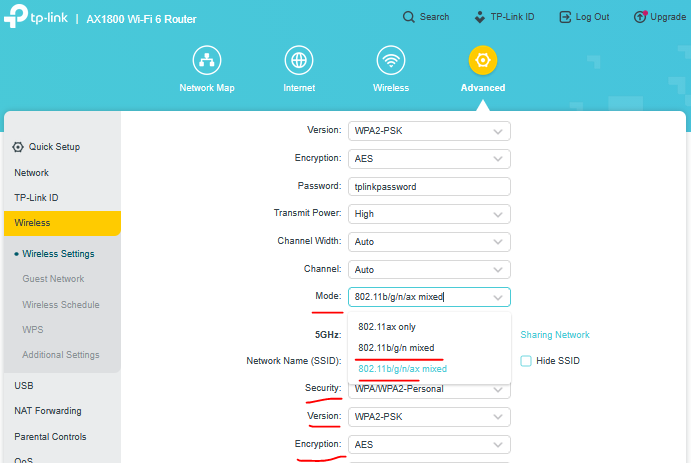
I've tried connecting using each of these variables in the Advanced/Wireless menu without luck:
- Smart connect on or off (web reports problems with Ring doorbell when smart-connect is on)
- With smart connect off, tried channel 6 only with 2.4 GHz (web reports channels 1, 6, and 11 sometimes fix the problem)
- With smart connect off, and 2.4 GHz channel setting of "auto", tried channel width with of 40 Mhz only (web reports problems with 20/40)
- With smart connect off, and 2.4 GHz channel setting of "auto", and channel width of 20/40 Mhz, and 5 GHz disabled
Thanks, in advance, for any help ...