
Troubleshooting SG3210XHP-M2 Ports Appear to Go Offline when Connected to SX3008F via DAC LAG
Troubleshooting SG3210XHP-M2 Ports Appear to Go Offline when Connected to SX3008F via DAC LAG

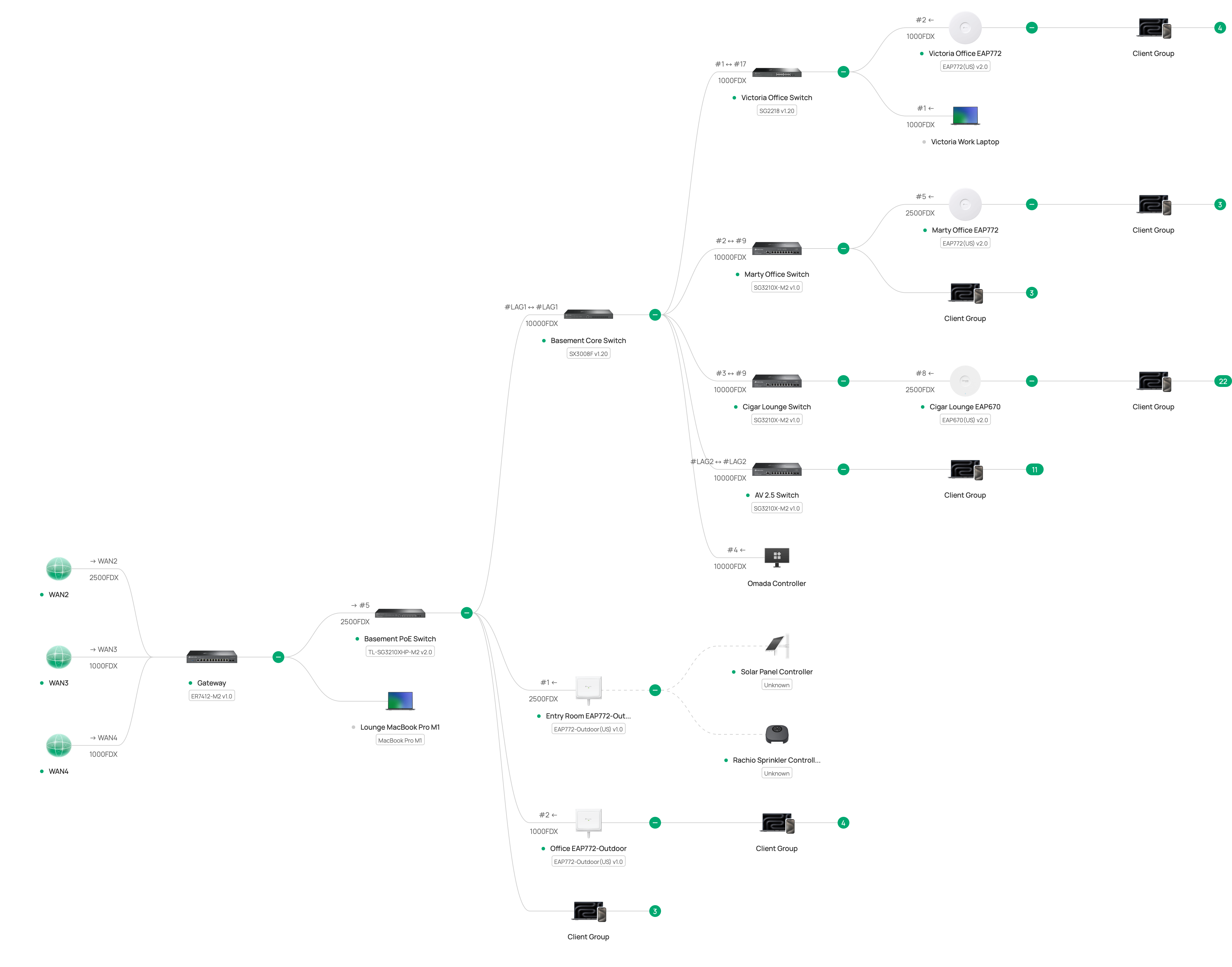
I have attached a topology and photograph below but the topology is a bit misleading. The problem started a week ago when I started using VLANs. Let me explain.
Before, the basic topology was as below, and worked well for several months.
PRIOR WORKING LAYOUT
3x ISPs <=1gb and 2.5 gb copper=> ER7412-M2 <=2.5gb copper=> SG3210X-M2 <=2x 10gb OS2 LAG=> SX3008F <=2x 10gb DAC LAG=> SG3210XHP-M2
Because I wanted to move the gateway to a rack away from the ISP modems, I created VLANs for the WANs: WAN1, WAN2, WAN3 and feed the gateway, which is now near the SG3210XHP-M2.
CURRENT PHYSICAL LAYOUT
3x ISPs <=1gb and 2.5 gb copper WAN1 WAN2 WAN3=> SG3210X-M2 <=2x 10gb OS2 LAG=> SX3008F <=2x 10gb DAC LAG=> SG3210XHP-M2 <=1gb and 2.5gb copper WAN1 WAN2 WAN3 Default=> ER7412-M2
THE PROBLEM
After configuring the VLANs and relocating the gateway, everything worked well for several days and then everything appeared to go offline. The APs stopped working and the controller reported offline. I restarted devices until things started working again. Two days ago it happened again. At that time, I noticed that the SG3210XHP-M2 showed activity on all ports but the SX3008F showed no blinking lights for the LAG ports. I restarted the SX3210-M2, SX3008F, and the SG3210XHP-M2: the network came back. Today it happened again during work hours (which was very uncool). Again the SG3210XHP-M2 showed activity on all ports but the SX3008F showed no blinking lights for the LAG ports. I resatarted the SG3210XHP-M2 and the issue was resolved. I can find nothing in any of the logs. For now, I have unplugged one of the DACs between the SX3008F and the SG3210XHP-M2 in case this is LAG-related.
How can I troubleshoot this?
CURRENT TOPOLOGY
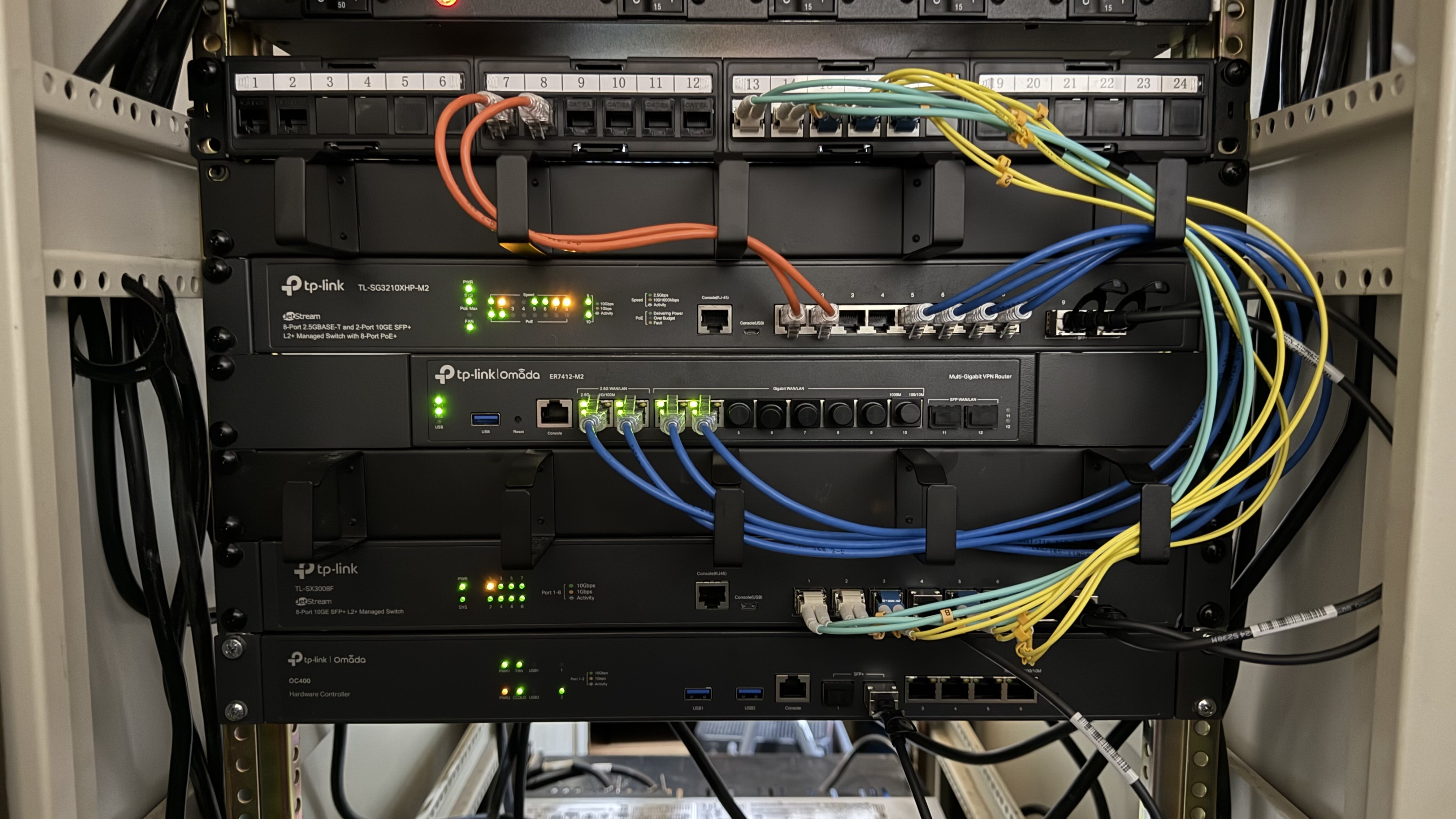
PHOTOGRAPH OF CURRENT LAYOUT
- Copy Link
- Subscribe
- Bookmark
- Report Inappropriate Content
Currently, it appears that the switch’s network itself is unaffected; the issue is only with the communication between the controller.
That's what I am seeing as well: all of the RJ45 ports appear to work while the SFP+ ports do not appear to work.
May I ask whether the OC400 is connected directly to this switch or via the patch panel? It’s not very clear from the picture.
The OC400 is connected via DAC to the SX3008F, which is connected to everything else. Below I list the the use for the remainging ports of the SX3008F.
If possible, I recommend bypassing the patch panel. I even suspect that previous issues might have been due to it passing through this patch panel (just speculation, no conclusion yet).
The patch panel is only used for external connections to the rack:
- 2x POE Access Points (the orange copper connections)
- 2x OM3 runs to other rooms
- 1x dual OS2 LAG run to another rack
- 1x OS2 run to outbuilding
- Copy Link
- Report Inappropriate Content
- Copy Link
- Report Inappropriate Content
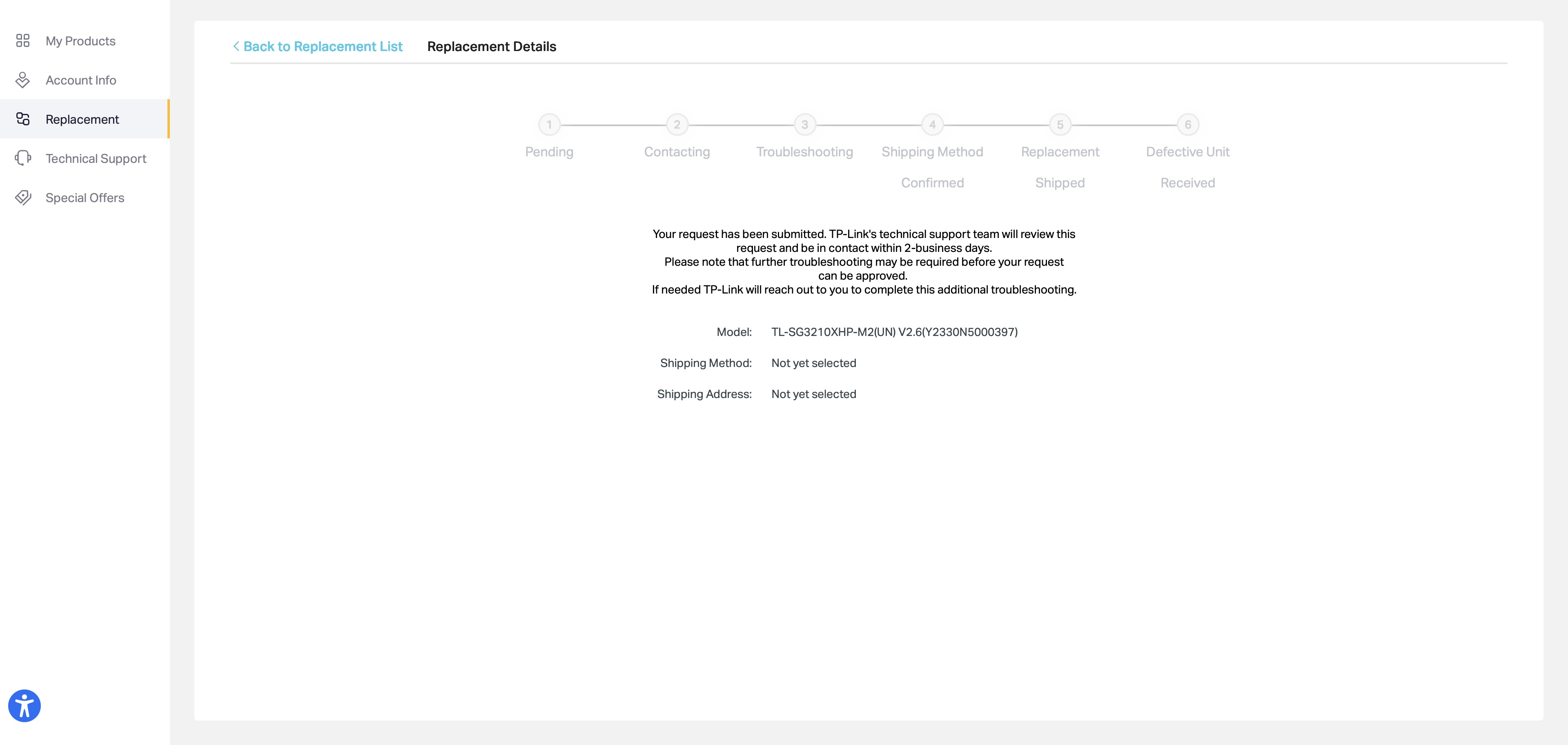
@Vincent-TP Quick Question: how long does it typically take to get through an RMA process? I see that the RMA request that I opened a week ago tomorrow still has not progressed. Is there more I should be doing? Many thanks.
- Copy Link
- Report Inappropriate Content


Hi @Dr_Marty
Is it because you have not selected a shipping method or a shipping address?
Unfortunately, I am not familiar with the RMA progress. For further questions about the RMA, you may contact the support team.
I also found this FAQ, which may help:
TP-Link RMA Shipping Methods and Advanced RMA Fees Explained
Dr_Marty wrote
@Vincent-TP Quick Question: how long does it typically take to get through an RMA process? I see that the RMA request that I opened a week ago tomorrow still has not progressed. Is there more I should be doing? Many thanks.
- Copy Link
- Report Inappropriate Content
@Vincent-TP Let me follow up. I received the replacement on Friday. I reboot the existing device and it operated for less than an hour before falling into the bad state: SFP+ ports not responding and not responding to the controller. I installed the replacement three days ago and it is has been rock solid since.
- Copy Link
- Report Inappropriate Content
Hi @Dr_Marty
Thank you so much for your update.
So it's a hardware defect on the switch. Happy to know the system is operating stably now.
Dr_Marty wrote
@Vincent-TP Let me follow up. I received the replacement on Friday. I reboot the existing device and it operated for less than an hour before falling into the bad state: SFP+ ports not responding and not responding to the controller. I installed the replacement three days ago and it is has been rock solid since.
- Copy Link
- Report Inappropriate Content
Information
Helpful: 0
Views: 664
Replies: 16
Voters 0
No one has voted for it yet.