Need original US V2 firmware for Archer C64 to fix Transmit Power / Range issue

Need original US V2 firmware for Archer C64 to fix Transmit Power / Range issue

Need original US V2 firmware for Archer C64 to fix Transmit Power / Range issue
3 weeks ago
Model: Archer C64  
Hardware Version: V2
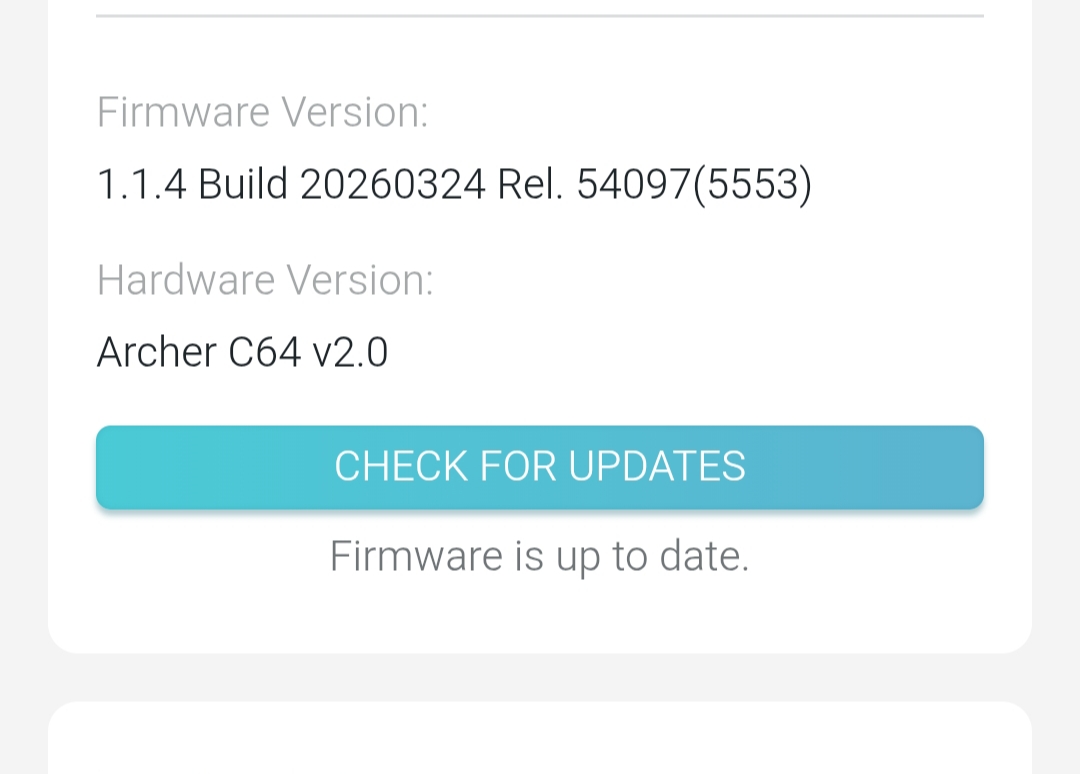
Firmware Version: 1.1.4 Build 20260324 Rel. 54097(5553)

Hello TP-Link Support Team and Community,


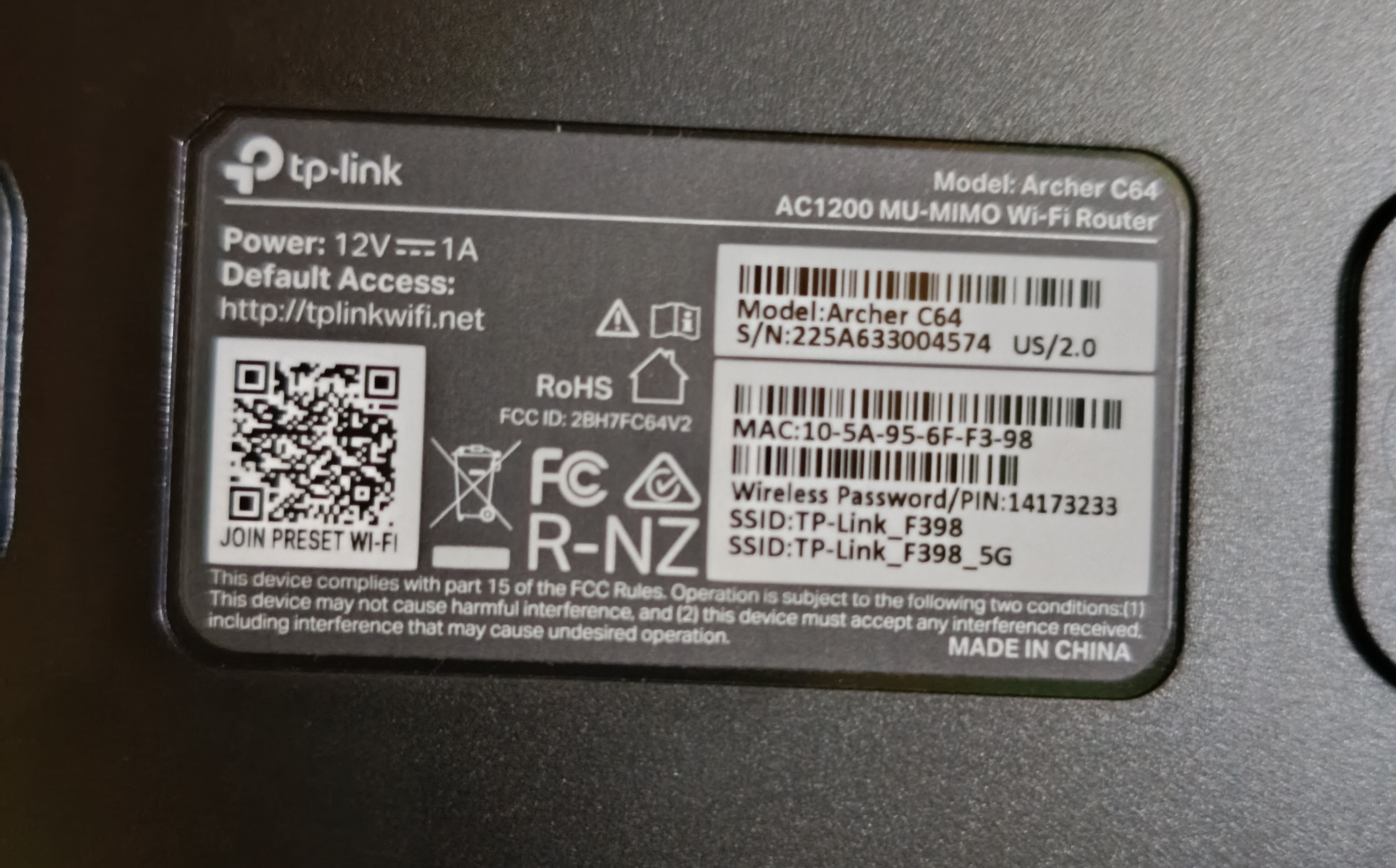
I am using a TP-Link Archer C64 hardware version V2. It is an original US version router (the sticker on the bottom clearly states US/2.0). 


Recently, I accidentally flashed a South Asian / Global firmware version (1.1.4 Build 20260324 Rel. 54097(5553)) onto my router. Since then, the Wi-Fi transmission power seems to be software-locked to CE regulations, and my Wi-Fi range/coverage has decreased drastically. 


Unfortunately, I cannot find the specific standalone "US V2" firmware file on the official US download center or the global site to roll back to the original FCC limits. The region settings are also locked in my current firmware menu.


Could you please provide me with the original stock US V2 firmware or a recovery/beta link so I can re-flash my router and restore its original high transmit power and range? 


Thank you!
  0      
0
#1
Options
5 Reply
Re:Need original US V2 firmware for Archer C64 to fix Transmit Power / Range issue
3 weeks ago

  @Rofik999 


From where did you download this South Asian / Global firmware version (1.1.4 Build 20260324 Rel. 54097(5553)) ?

If this was helpful click on the arrow pointing upward to make it blue. If this solves your issue, click the star to make it blue as a "Recommended Solution". BTC:149wubkkfoLmNDjDbiTxx4ZU8mpcMA5CJt
  0  
0
#2
Options
Re:Need original US V2 firmware for Archer C64 to fix Transmit Power / Range issue
3 weeks ago

  @terziyski I didn't download it manually.

The router automatically detected this update via the TP-Link Tether App.

Now my Wi-Fi range has decreased significantly.

Can you help me with the original US V2 firmware link?

  0  
0
#3
Options
Re:Need original US V2 firmware for Archer C64 to fix Transmit Power / Range issue
3 weeks ago - last edited 2 weeks ago

  @Rofik999 


So actually, you've made a cloud update. This is a pretty much new FW release and it hasn't been uploaded to the regional support portals yet.

Eventually, it will be published soon and they probably will publish some older FW releases for C64 v2 as well, so you can obtain one.

You mentioned that the Wi-Fi transmission power seems to be software-locked to CE regulations, but actually this comes from the new FW release.

CE regulation limits or  FCC limits are stored in a different device memory and got nothing to do with the FW file itself or the FW update process.

You can see how the C64 v2 FW releases are evolving in time on the global support portal - here.

If you don't want to wait the regional website to be updated, you may try to downgrade the C64 FW to Archer C64(EU)_V2_1.1.2 Build 20251212

If this was helpful click on the arrow pointing upward to make it blue. If this solves your issue, click the star to make it blue as a "Recommended Solution". BTC:149wubkkfoLmNDjDbiTxx4ZU8mpcMA5CJt
  0  
0
#4
Options
Re:Need original US V2 firmware for Archer C64 to fix Transmit Power / Range issue
2 weeks ago

  @terziyski Thank you for the detailed explanation and the solution. However, my router is the Archer C64 V2 (US) version, whereas the downgrade link you provided is for the EU version.Can I safely flash this EU firmware onto my US hardware without bricking it? If not, could you please provide the stable downgrade firmware link or a solution specifically for the US V2 region to fix this transmit power/range issue? Thanks!

  1  
1
#5
Options
Re:Need original US V2 firmware for Archer C64 to fix Transmit Power / Range issue
2 weeks ago - last edited a week ago

  @Rofik999 


The FW for C64(US) v2 is nowhere to be found at the moment. As I posted, eventually it will be published on the relevant regional support portals in time.

You've made a cloud update, which is probably the only distribution channel available at the moment.

I am certain that the US and EU FW releases are quite identical as they are for HW v1.

So if you try to update with an EU v2 FW release, you will most probably succeed. According to the EU FW release notes this should be possible.

If for some reason, your router doesn't like the EU FW release, the update procedure will stop with an error message - nothing to worry about.

If this was helpful click on the arrow pointing upward to make it blue. If this solves your issue, click the star to make it blue as a "Recommended Solution". BTC:149wubkkfoLmNDjDbiTxx4ZU8mpcMA5CJt
  0  
0
#6
Options