Omada Controller doesn't show Internet Throughput on Dashboard

Omada Controller doesn't show Internet Throughput on Dashboard

Omada Controller doesn't show Internet Throughput on Dashboard
23 hours ago - last edited 2 hours ago

Hi,

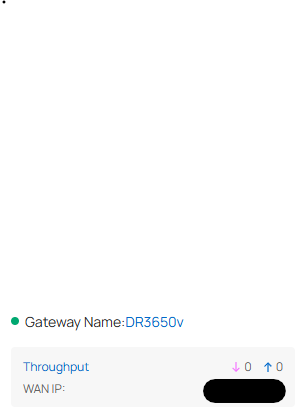
I have the problem, that my internet connection throughput isn't shown the controller dashboard.

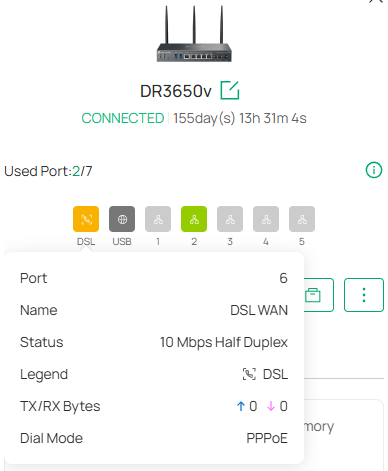
Also on the port information of the device the values are zero.


Maybe I forgot a setting in the device or something.


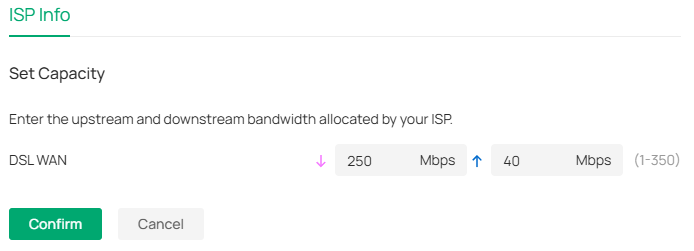
I set the capacity manually to 250/50mbit (I have an VDSL 250mbit connection).


regards,

Christian
 

  0      
0
#1
Options
1 Accepted Solution
Re:Omada Controller doesn't show Internet Throughput on Dashboard-Solution
21 hours ago - last edited 2 hours ago

Hi  @ChBo 


Thanks for reaching out to TP-Link Business Forums.


Currently, Omada controller does not support displaying DSL WAN Download/Upload speed.

This is a known issue and it would be fixed in the future version.

However, there is no ETA yet.

I would move your post to the Controller thread, as this request is already ongoing.

Recommended Solution
  0  
0
#2
Options
1 Reply
Re:Omada Controller doesn't show Internet Throughput on Dashboard-Solution
21 hours ago - last edited 2 hours ago

Hi  @ChBo 


Thanks for reaching out to TP-Link Business Forums.


Currently, Omada controller does not support displaying DSL WAN Download/Upload speed.

This is a known issue and it would be fixed in the future version.

However, there is no ETA yet.

I would move your post to the Controller thread, as this request is already ongoing.

Recommended Solution
  0  
0
#2
Options