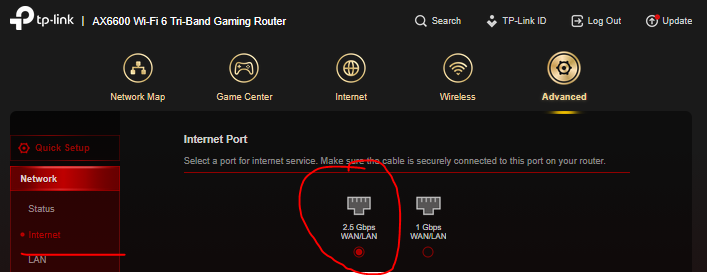
2.5gb LAN Question

I have had my TP-Link AX6600 Tri Band GX90 for a couple of years now and am very happy with it so far. The network card in my windows 11 desktop is 2.5G capable. At present I am running my desktop PC, my wife's PC and two 4K televisions all wired from the router with Cat 6A ethernet cables. Recently I upgraded my Zen broadband connection from 1G to 1.6G.
On installation I found I was only getting a max of 945Mbps download and 116Mbps upload speeds with the new 1.6GB connection. This bottleneck turned out to be because the GX90 only has one 2.5G LAN connection and apparently it needs two ie 1 x 2.5G input and 1 x 2.5G output to work correctly. I of course could use the Zen provided box instead which has the relevant two x 2.5G but the the other wired connections would need to be via Wi-Fi and I don't intend to do that as I believe the GX90 is a better router for my purposes and to be honest I am otherwise happy enough with the maxed out 1G connection.
Today I was reading about 2.5G switches and wondered if the TP-Link 5 port 2.5g Multi Gigabit TL-SG105-M2 could possibly be a solution, so my question is would that work or not. Thanks a lot in advance for any ideas or solutions to this.