
PING ISSUE

Hello.
In the earlier omada version i could have in the front overview page the isp ping graph, a lot of issues could be tracked if it was a problem from isp or not in multiple wans,
now i dont find this option anywhere.
the issue is i could have a history of pings and now this option is missing for troubleshooting.
client says 2 days ago when he was home he had issues and now everything seems ok remotelly but i dont find this option to go back and see like before.
- Copy Link
- Subscribe
- Bookmark
- Report Inappropriate Content

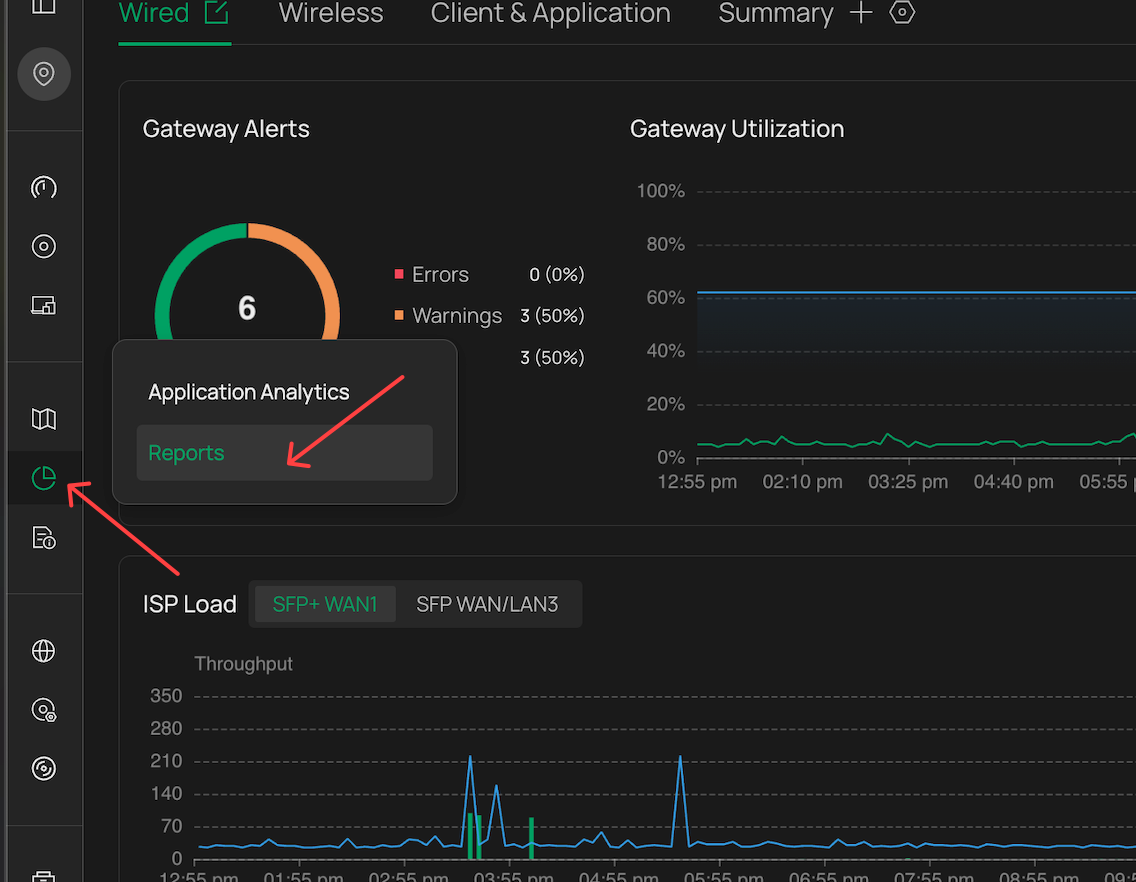
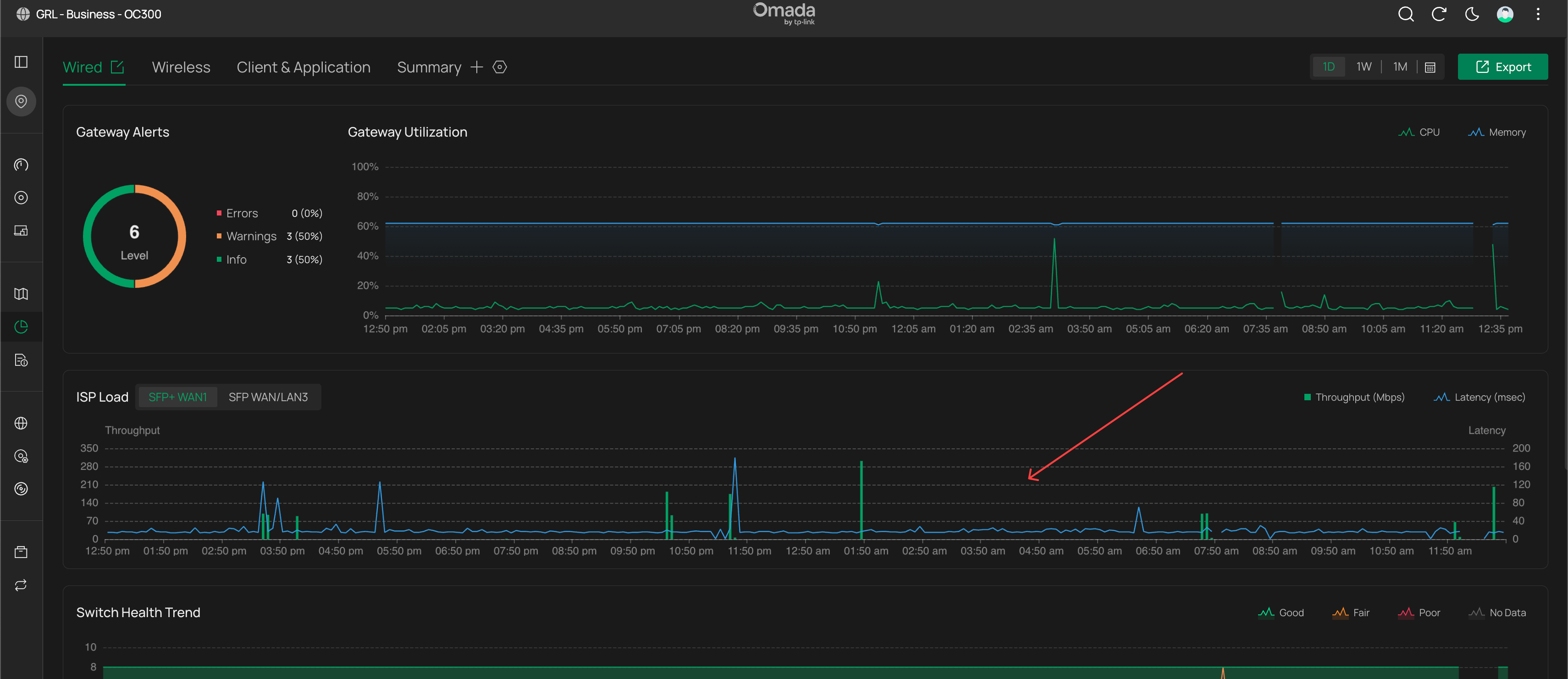
- Copy Link
- Report Inappropriate Content
- Copy Link
- Report Inappropriate Content
@GRL hello,
its not in the reports.
the only option available there are
Client Connection Trend
Traffic
- Copy Link
- Report Inappropriate Content
- Copy Link
- Report Inappropriate Content
@GRL why i dont have this isp option? Can it be due to insufficient permissions? Im the admin of my client...
- Copy Link
- Report Inappropriate Content


Hi @akapal
Thanks for posting here.
Please click this button, and check if you enabled ISP Load option:
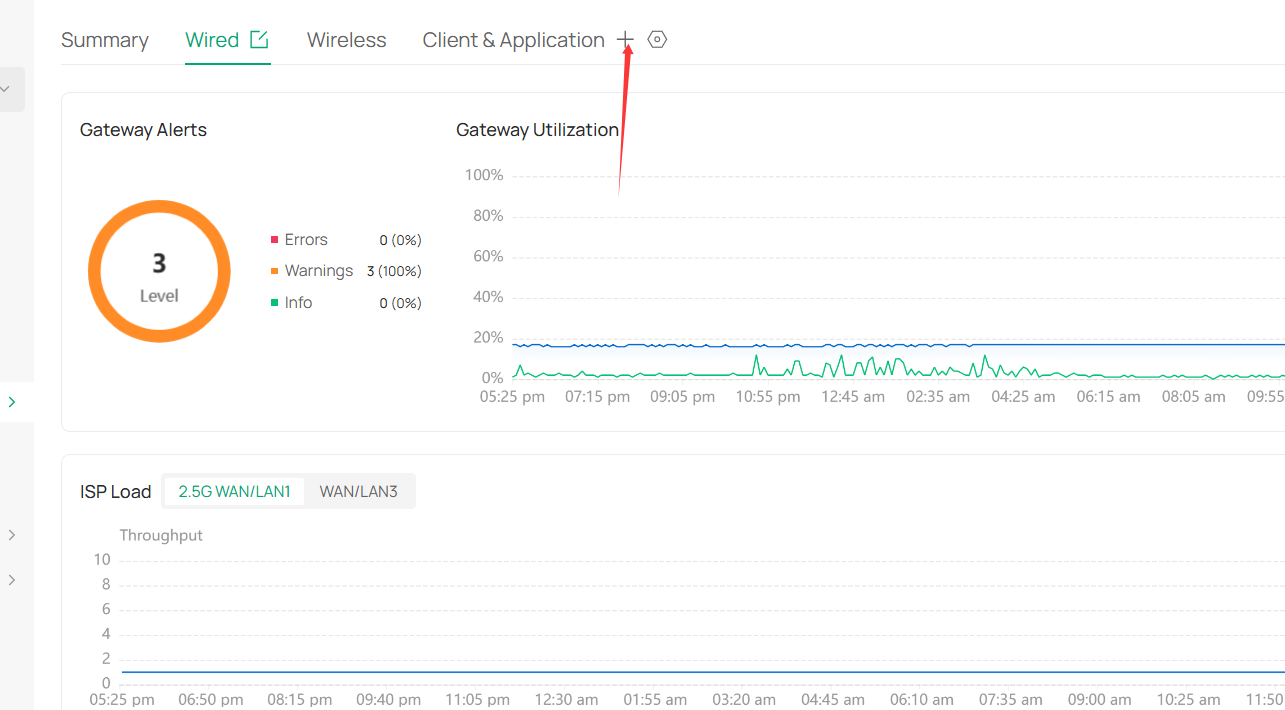
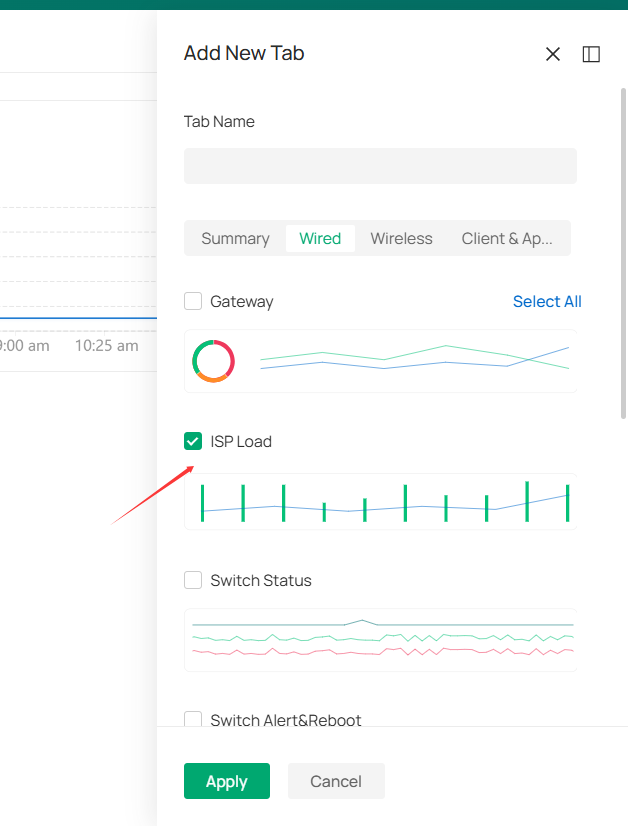
- Copy Link
- Report Inappropriate Content
Information
Helpful: 0
Views: 392
Replies: 5
Voters 0
No one has voted for it yet.