
OC200 Controller will NOT find EAP245 v3.6/3.8!

OC200 Controller will NOT find EAP245 v3.6/3.8!

OC200 Controller will NOT find EAP245 v3.6/3.8!
3 weeks ago - last edited 2 weeks ago
Model: OC200  
Hardware Version: V1
Firmware Version: 1.39.6

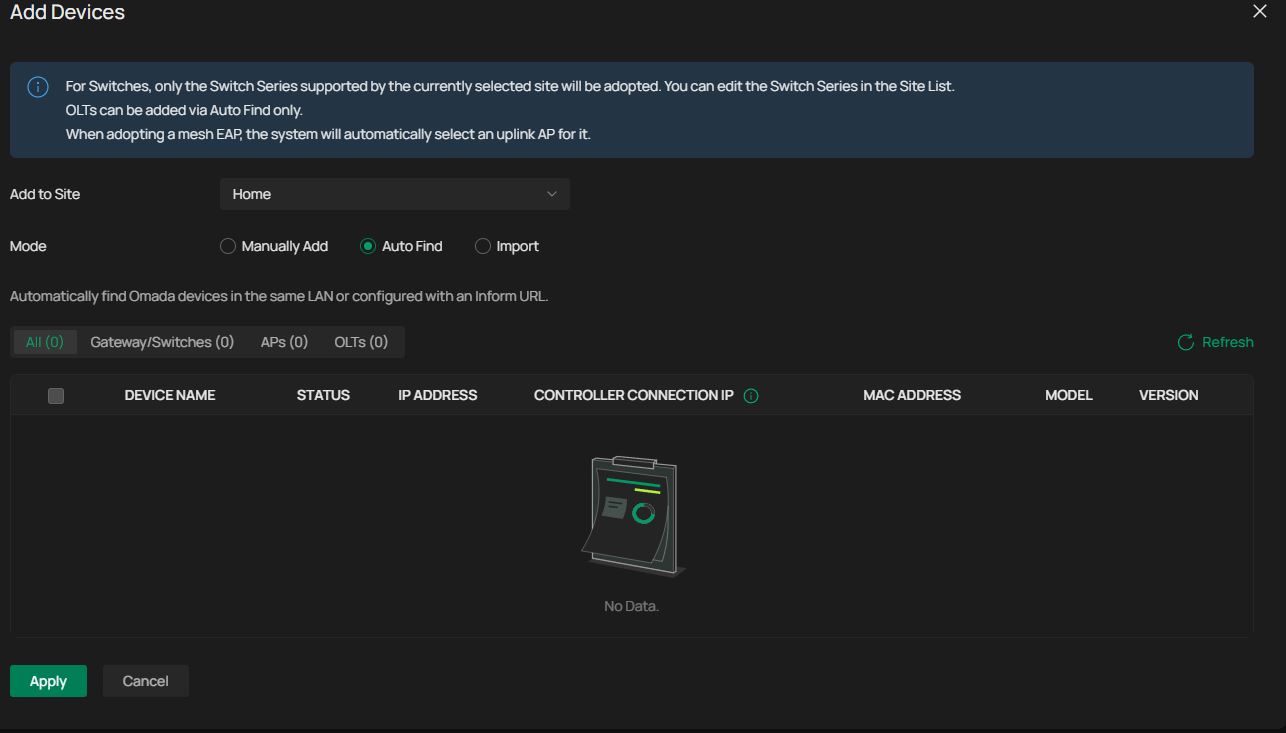
Factory Reset All devices and did firmware updates.  Can login to each device individually and they are all on the same network connected to an unmanaged POE switch.  I want to adopt (3) EAP645's but it will not find any devices to add.  I can scan my network and see the EAP's are assigned an IP Address and are all pingable but for some reason controller can't find them even though everything else can!  Doesn't make sense to me.   Any ideas?Add Device
  0      
  0      
#1
Options
3 Reply
Re:OC200 Controller will NOT find EAP245 v3.6/3.8!
2 weeks ago

Hi  @Thinkster 

May I know the model number of your switch as well as your network topology?

You may refer to the guide below for some advice:

How to discover Omada devices via Software Controller and Hardware Controller

Best Regards! >> Omada EAP Firmware Trial Available Here << >> Get the Latest Omada SDN Controller Releases Here << *Try filtering posts on each forum by Label of [Early Access]*
  0  
  0  
#2
Options
Re:OC200 Controller will NOT find EAP245 v3.6/3.8!
2 weeks ago

  @Hank21 The Network Switch is a Speco Tech P16S18.   My Non-POE port goes to an Araknis router and the EAP245's and OC200 are all connected to the unmanaged POE ports on this switch so all the devices should be able to "see" each other.   I remember when I factroy reset the OC200 and did the initial setup, it asked me something about Layer 2, Layer 3 or Easy setup or something to that effect.  Does that setting make a big difference in ability to detect devices like the AP's?


  0  
  0  
#3
Options
Re:OC200 Controller will NOT find EAP245 v3.6/3.8!
a week ago

Hi  @Thinkster 

To help assist and streamline the identification of the behavior, we recommend sending an email to forumsupport.usa@tp-link.com with the following information:

Subject: [Forum Escalation][ID 860192] 
Forum Nickname: 
Thread URL:  
Model&Version: 
Description: 
Any Other Relevant Information (Logs, Config Files, Images, etc.): 

Once sent, a ticket will be created in our support system, and a member of the team will follow up to gather more information or troubleshoot a cause.

Best Regards! >> Omada EAP Firmware Trial Available Here << >> Get the Latest Omada SDN Controller Releases Here << *Try filtering posts on each forum by Label of [Early Access]*
  0  
  0  
#4
Options