
Future Time Machine Support on TP-Link Routers (macOS 27 Compatibility)

Hi there,
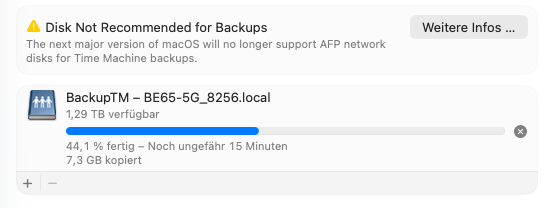
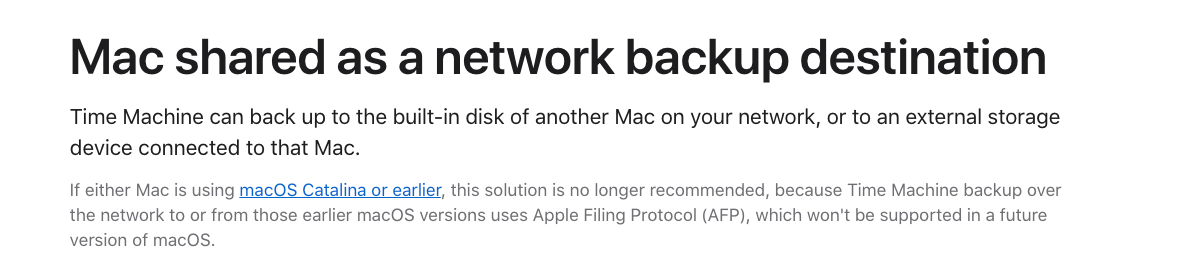
I just noticed that with the latest macOS 26 Tahoe beta, Apple has announced that AFP network volumes will no longer be supported for Time Machine backups starting with macOS 27.
Since I primarily use my Deco BE65 for Time Machine backups, I wanted to ask if there are any plans to support this functionality in the future – for example, by improving SMB support for Time Machine.
Currently, no TP-Link routers support the APFS file format required for Time Machine disks, and formats like exFAT or NTFS aren’t compatible with Time Machine over SMB either. So simply switching to SMB doesn’t work unless the router is explicitly designed to support Time Machine via SMB with a compatible backend (e.g., sparsebundle support and proper service advertisement).
Or maybe I’m just missing something – I haven’t found any additional Time Machine-specific settings in the Deco app besides the simple on/off toggle.
I’ve attached some screenshots from the current beta for context.
Thanks in advance and best regards!
- Copy Link
- Subscribe
- Bookmark
- Report Inappropriate Content
Today I received an e-mail from Spectrum that the recent Russian hackers may have breached some TP-Link routers,
so says the FBI
Spectrum further claimed that some TP-Link router are susceptible to hacking and that it is very advisable to update the firmware
and change your password.
I have had my AX55 router up and working now since May of 2025 and still not one firmware update of any kind.
Does TP-Link monitor these posts ? I assume they are aware of this ongoing post and the furture and now present problem
Now would be a great time for an firmware update and even solve the possible hacking concern.
- Copy Link
- Report Inappropriate Content
Information
Helpful: 31
Views: 24847
Replies: 61
Voters 31


















