
6GHz MLO not working with Ubuntu 22.04 WiFi7 Qualcomm Chipset
 This thread has been locked for further replies. You can start a new thread to share your ideas or ask questions.
6GHz MLO not working with Ubuntu 22.04 WiFi7 Qualcomm Chipset, please find the Device Details below
Network controller [0280]: Qualcomm Device [17cb:1107] (rev 01)
Operating System: Ubuntu 22.04.1 LTS
Kernel: Linux 5.15.24+
Note: Multi link association not happening and only 6GHz Single link association happening
- Copy Link
- Subscribe
- Bookmark
- Report Inappropriate Content
Hi,
Linux kernel 5.15 was originally released on 31 October 2021. I highly doubt any operating system of that time supported Wi-Fi 7 MLO. Even Windows 11 only gained proper support for MLO with version 24H2, which was released less than a year ago.
I can't say exactly which kernel version you would need (apparently Wi-Fi 7 support was incorporated into the Linux kernel in stages, over the course of several versions), but perhaps what you could do is to prepare a DVD or thumb drive with that latest Ubuntu version 25.04, run it in "Try" mode (without installing it) and then check if MLO is working.
- Copy Link
- Report Inappropriate Content

woozle wrote
Hi,
Linux kernel 5.15 was originally released on 31 October 2021. I highly doubt any operating system of that time supported Wi-Fi 7 MLO. Even Windows 11 only gained proper support for MLO with version 24H2, which was released less than a year ago.
I can't say exactly which kernel version you would need (apparently Wi-Fi 7 support was incorporated into the Linux kernel in stages, over the course of several versions), but perhaps what you could do is to prepare a DVD or thumb drive with that latest Ubuntu version 25.04, run it in "Try" mode (without installing it) and then check if MLO is working.
@woozle yeah, that's an old kernel, and I think it's up to Qualcomm to post the driver updates upstream, not TP Link.
The driver changes might have been back ported by the Ubuntu kernel development folks but I doubt that will be a priority for them and the kernel being older could present some difficulties as well. Also not something TP Link is responsible for or has control over.
- Copy Link
- Report Inappropriate Content
Hi,
@raven-au and @woozle
Thank you for the quick response.
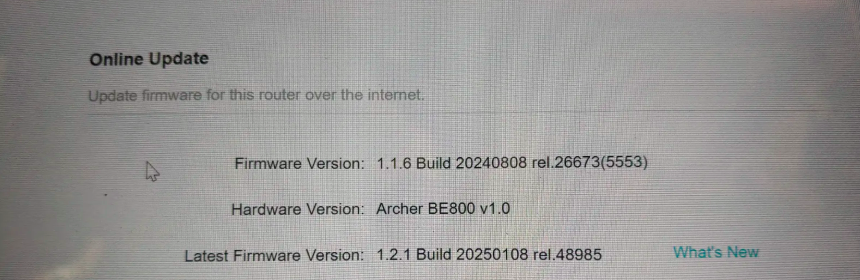
Confirmed that MLO is working fine with the following firmware version on the same client:
Firmware Version: 1.1.6 Build 20240808 rel.26673(5553)
Hardware Version: Archer BE800 v1.0
Could you please assist downgrading the Access Point from the current firmware version (1.2.4 Build 20250414 rel.18315(5553)) to 1.1.6 Build 20240808 rel.26673(5553) ? This would be greatly helpful, as MLO testing is currently completely blocked due to this.
 Looking forward to your support.
- Copy Link
- Report Inappropriate Content
- Copy Link
- Report Inappropriate Content
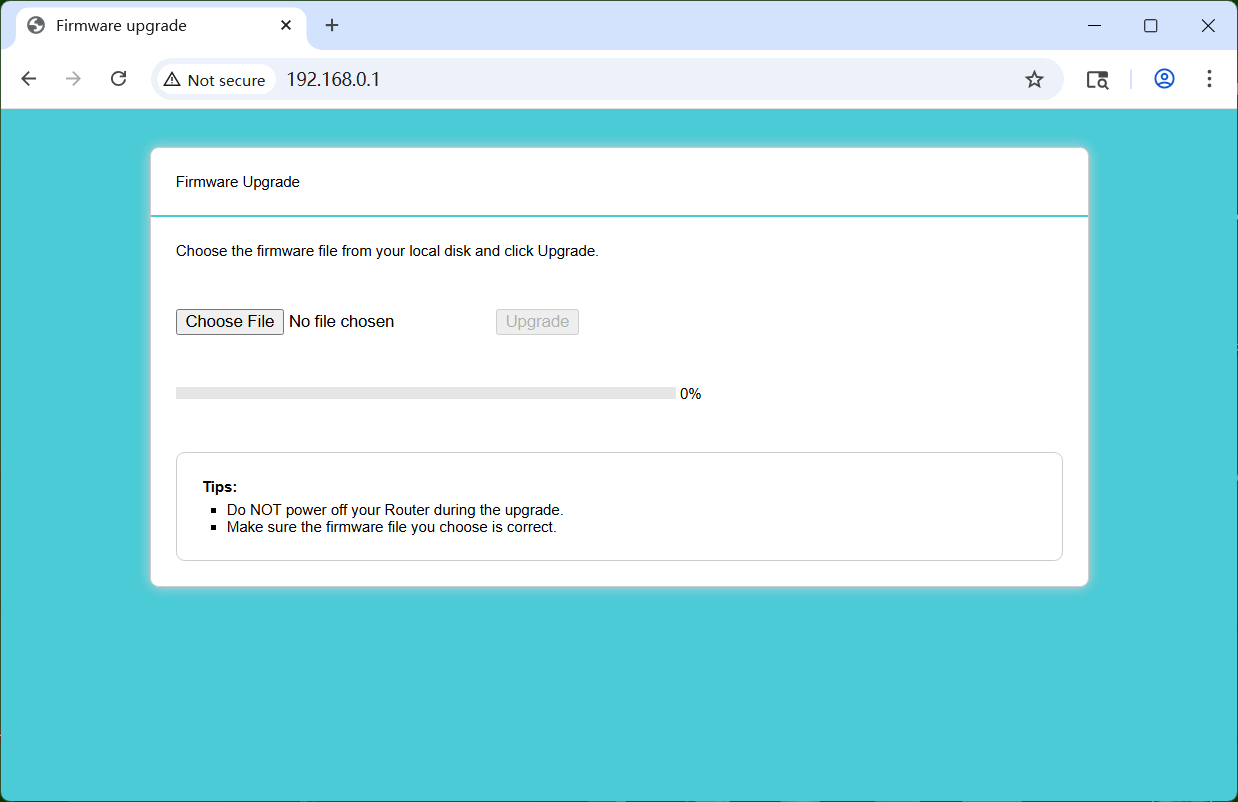
In the past users have managed to downgrade to an older firmware version by using the router's built-in recovery feature. https://www.tp-link.com/en/support/faq/1482/ (Method 2)
I haven't actually tried to downgrade using this method myself on a recent router model where the feature is now named "Firmware Upgrade" instead of "Rescue Mode". So I can't tell you whether this is still the same as the "Rescue Mode" or indeed just for an "Upgrade".
- Copy Link
- Report Inappropriate Content
Information
Helpful: 0
Views: 2190
Replies: 5
Voters 0
No one has voted for it yet.