
EAP225 Wireless Clientes Loose Connection
 This thread has been locked for further replies. You can start a new thread to share your ideas or ask questions.
EAP225 Wireless Clientes Loose Connection
This thread has been locked for further replies. You can start a new thread to share your ideas or ask questions.
Hi,
I have 2 wireless AP setup at my home, one of the is an EAP225 and the other is the EAP225-Outdoor, iv been having issues lately with my Wifi, because sometimes my clients loose all connection, i have about 37 WiFi clients on my network, computers, tablets, IoT devices, cellphones, etc.
Iv notice when it happens that when i try to ping something from for example my cellphone, i cant ping anything, not the Wifi ap, or the router or anything on the internet, only way to fix it is by turning off the WiFi or reconnecting from my Wifi network, but this is getting annoying to the point that im thinking about dropping tplink for good cause i have found no solution to the problem.
Iv already try changing channels on the Wifi ap's, use wlan optimization, reducing the number of vlan's and ssid's, i use to have 7, now i only have 3, 1 of them is setup to 5ghz only and the other 2 are configured for both 2.4 and 5ghz.
One of my vlan's is dedicated to the IoT devices, one is for my main Wifi and one is for guests.
This forum is my last resort, i don't know what else to do, i was also considering to upgrade my network into EAP772-Outdoor and EAP772, but im a bit scared to spend that kind of money and keep the problems iv been having without a solution. With that said my entire company network is built on tplink, and i have 6 EAP225 over there, i use to experience a problem like that b4, but what i did was also reduce the number of ssid's and vlan's and that solve the issue, but i havent been able to solve it at home, so any suggestions would be appreciated.
Edit: i forgot to mention my controller is running on a docker container in linux, version is 5.15.24.19 which is the latest at the moment of writing this post
- Copy Link
- Subscribe
- Bookmark
- Report Inappropriate Content
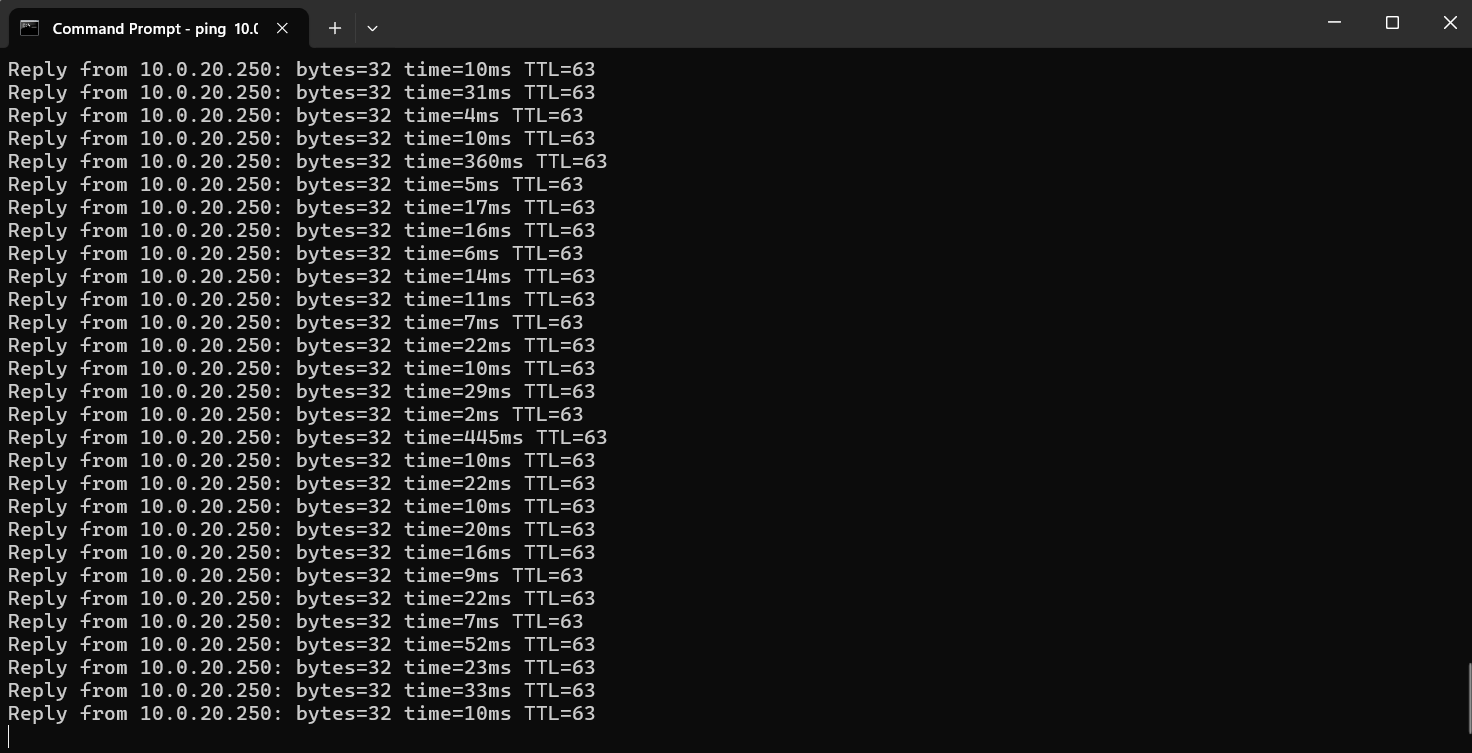
@Vincent-TP I actually decided to run a test on the tapo device, i reset it to default and this time i connect it to a different vlan/ssid on my wireless network, so far i haven't had a single instability problem, ping runs without any interruption as u can see on the following screenshot
I have all u mention on ur post disable except the 802.11r feature, BUT on my IoT vlan/ssid i do have all that disable and all the settings as they recommended in the post u mention, idk whats going on with this, maybe its because the IoT ssid is hidden? idk, its the only thing diferent on that ssid, ill keep testing and see if i get any errors again
- Copy Link
- Report Inappropriate Content

Hi @Javito
Thanks for the reply. Hiding the SSID should not affect.
Anything new comes up, don't hesitate to let us know.
- Copy Link
- Report Inappropriate Content
@Vincent-TP I ran the tests with the device outside my controller and apparently i didn't had any disconnections or at least none that i notice, i did however started to have issues again after i added it to the controller, i dont know why, i recorded a video on my cellphone the moment i experience one of the disconnections, i was pinging my eap225, in the video u can see me connected to the wifi, then my cellphone since it detected no connection it got automatically disconnected from the wifi, when it came back then everything started working again, which is what i mention before, that when that happens if i disconnect the device from the wifi and connect it again, everything works fine.
I checked the logs and there was nothing unusual about it, it got disconnected, then connected to AP2 which was the EAP225-Outdoor, so i ran a test moving from one side of my appartment to the other, so it would be force to roam between the AP's, the logs shows the roaming but i also didn't loose any connection when that happened, so its a strange thing :-(
I wont be able to run further tests because i just purchase an EAP772 and an EAP772-Outdoor and installed them 2 days ago, so far i havent ran into any issues with the wifi, hope it stays like that
I reply to you on a diferent post because im having issues to use the 6ghz band on the EAP772-Outdoor, im unable to activate it
Heres the link of the video Ping
- Copy Link
- Report Inappropriate Content

Hi @Javito
Thanks for the info.
Please refer to the following article to see if there’s still room for optimizing wireless performance.
Interference Detection on Omada 6.X and above
How to optimize wireless performance of EAP products
If the problem persists, I suggest contacting support or the retailer to check the warranty coverage.
- Copy Link
- Report Inappropriate Content
Oh theres so much interference on the 2.4 and 5ghz bands, only one that shows no one is the 6ghz lol, attached the results

- Copy Link
- Report Inappropriate Content
Information
Helpful: 0
Views: 1051
Replies: 15
Voters 0
No one has voted for it yet.