
Problems after firmware upgrade

After updating the cameras, they stopped notifying the app, also now the range of detection is very limited and doesn't detect human and vehicules like before (if it does). I tried to downgrade de firmware to 2.0.1 on VIGI Security Manager and web, but i couldn't.
I tried several times reconfigure the cameras, but nothing changes the problems continue.
- Copy Link
- Subscribe
- Bookmark
- Report Inappropriate Content


Firmware 2.0.1 is built on Iteration 1.4.
This release can detect persons and vehicles at both normal and steep angles, but accuracy is lower for large-angle targets and false positives still occur at normal angles.
Starting with Iteration 1.5, two separate models—one for normal mode and one for corridor mode—were introduced to improve precision, handling the 0° and 90° cases independently.
Firmware 2.2.0 is based on Iteration 1.7.
Users must either physically rotate the IPC to upright or enable “Corridor Mode” on the front end so that the live view presents a normal-angle image.
- Copy Link
- Report Inappropriate Content
@Ethan-TP
I was about to reply that. I enabled corridor mode (rotation 90°) and now seems to work correctly.
Maybe enabling ROI can help too, right?
- Copy Link
- Report Inappropriate Content
Thank you for your post.
1. We upgraded a C230I mini from 2.0.1 to 2.2.0 and triggered human- and vehicle-shape events; alarms were generated normally and the APP received the notifications.
2. At this stage we suspect that, after the upgrade, objects in the captured scene are no longer being detected. Could you please help us collect the following details so we can narrow down the issue?
1) Exact camera mounting position: height, tilt angle, and a description of the monitored scene.
2) Event-configuration settings: are you using the Smart Event “Human” and “Vehicle” toggles, or is standard motion detection (or another smart event) enabled with the “human/vehicle enhancement” box checked?
3) If “detection range has become limited” means the effective detection distance has shortened, please provide a rough before-vs-after diagram showing how far the camera could detect previously versus how far it can detect after the new firmware.
4) When you say “it no longer detects people and vehicles like before (even when it does detect),” do you mean the camera still detects but the APP no longer pushes messages? Do other alarm actions still work (e.g., audible alarm)? Actual recorded video from the camera would be even better.
- Copy Link
- Report Inappropriate Content
@Ethan-TP
1)
Heigh: 2.5m from ground
Tilt angle: 35° aprox.
2) The events that i have acitve on the configuration are the Smart eventes (Human and Vehicle) and tampering. And the cameras are conected to a PoE NVR. The NVR is linked to the app, not the IPC (thing that i tried and has the same problem).
I bring you a example:
Before upgrade: https://youtu.be/eIIdD9MamN8
After upgrade: https://youtube.com/shorts/nhGBruR5GqA
- Copy Link
- Report Inappropriate Content
Firmware 2.0.1 is built on Iteration 1.4.
This release can detect persons and vehicles at both normal and steep angles, but accuracy is lower for large-angle targets and false positives still occur at normal angles.
Starting with Iteration 1.5, two separate models—one for normal mode and one for corridor mode—were introduced to improve precision, handling the 0° and 90° cases independently.
Firmware 2.2.0 is based on Iteration 1.7.
Users must either physically rotate the IPC to upright or enable “Corridor Mode” on the front end so that the live view presents a normal-angle image.
- Copy Link
- Report Inappropriate Content
@Ethan-TP
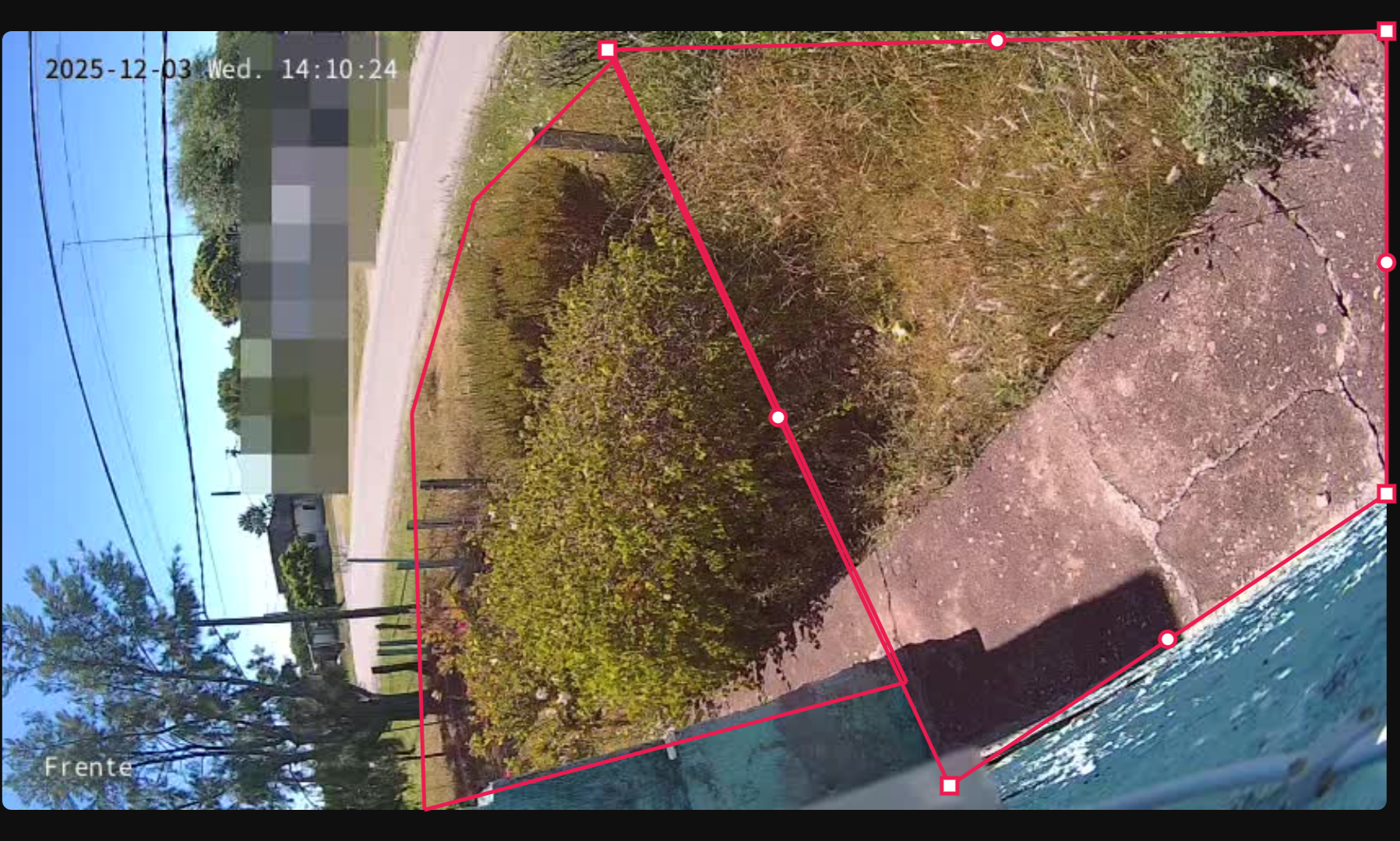
Now the camera is positioned at 90 degrees and still have problems to detect correctly, you have to stay under the camera to be detected. If i install the camera Upright i lost a lot of area.
There is some way to downgrade the firmware?
I bought this cameras because the AI, Smart Events, now just works correctly for 24/7 recording, for this purpose I could have installed just analog cameras.
- Copy Link
- Report Inappropriate Content
Have you tried switching to Corridor Mode? You could leave the mounting angle unchanged and simply enable Corridor Mode to see if that helps.
- Copy Link
- Report Inappropriate Content
@Ethan-TP
I was about to reply that. I enabled corridor mode (rotation 90°) and now seems to work correctly.
Maybe enabling ROI can help too, right?
- Copy Link
- Report Inappropriate Content
- Copy Link
- Report Inappropriate Content
Information
Helpful: 0
Views: 521
Replies: 7
Voters 0
No one has voted for it yet.