
Wireguard on Omada Controller + Windows PC OK but can't ping LAN through Wireguard tunnel
Wireguard on Omada Controller + Windows PC OK but can't ping LAN through Wireguard tunnel

Hello
I have setup the Wireguard


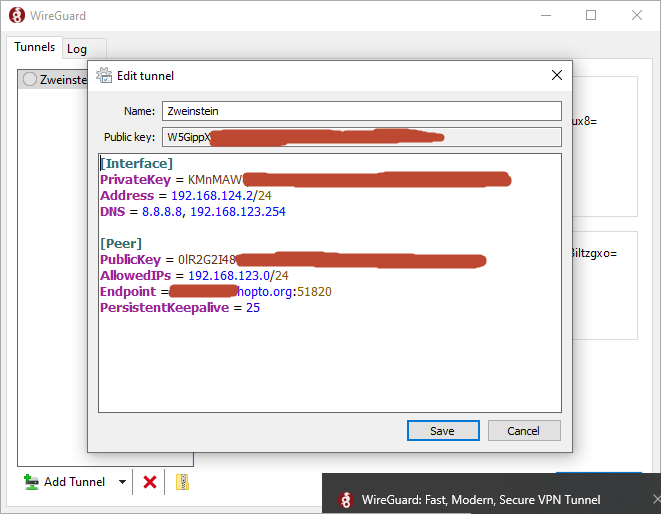
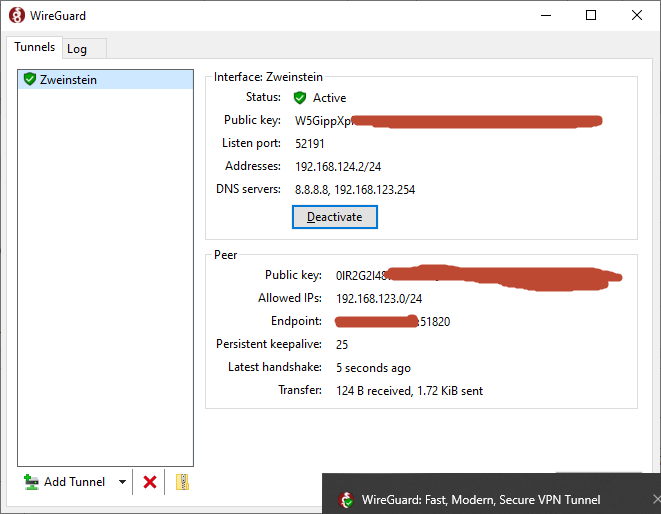
I have set this up using the guide https://community.tp-link.com/en/business/forum/topic/619652
But after I have activate the tunnel whick works fine I tried to ping the router for example 192.168.123.254 or even other devices in the network 192.168.123.xx and get no respons. What am I doing wrong or what am I forgetting to do?
It must be something I forget I think but I've tried so many things and searched so many tips and tricks on the internet but I can't get it working. The tunnel is active but it stops there. Something with the listen port 52191 on the interface but I configured port 51820 on the Wireguard ?
- Copy Link
- Subscribe
- Bookmark
- Report Inappropriate Content

it looks correct, so if you don't have any port forward to wireguard then it should work, you have to remember that even if everything is wrong in the configuration file wireguard will connect. there is no control on whether you are connected or not. but look in the omada console if you are connected. you will find this under vpn status
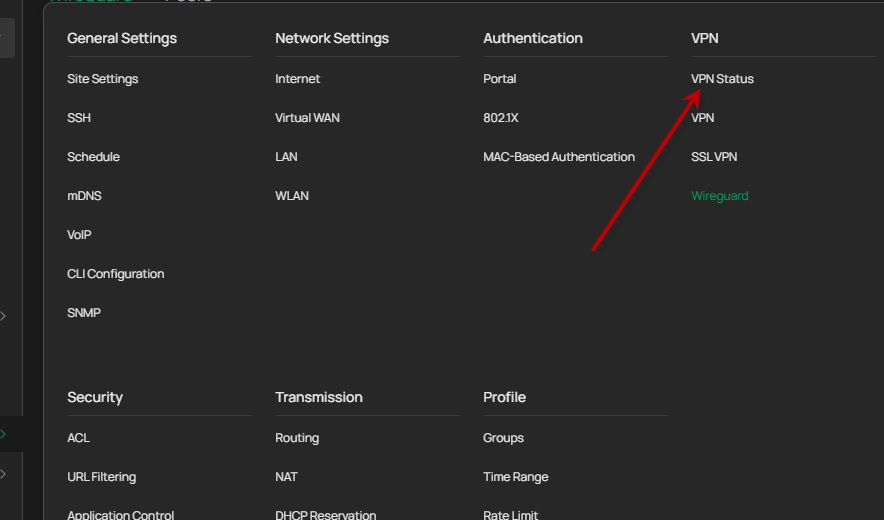
Look at the LAST HANDSHAKE date and time, if there is nothing there then you have not been able to connect.
I have also seen in some cases that Address = with /24 can cause problems, try with /32 like this Address = 192.168.124.2/32
- Copy Link
- Report Inappropriate Content
MR.S wrote
Change wireguard server ip to 192.168.124.1 if you dont have this ip, in peer section on server sett peer ip to 192.168.124.2/32
and client file is like that.
If I want to make a new wireguard connection on another pc do I have to create also a new Wireguard on the Omada and a new peer with different listen ports or can I use the same?
- Copy Link
- Report Inappropriate Content
it looks correct, so if you don't have any port forward to wireguard then it should work, you have to remember that even if everything is wrong in the configuration file wireguard will connect. there is no control on whether you are connected or not. but look in the omada console if you are connected. you will find this under vpn status
Look at the LAST HANDSHAKE date and time, if there is nothing there then you have not been able to connect.
I have also seen in some cases that Address = with /24 can cause problems, try with /32 like this Address = 192.168.124.2/32
- Copy Link
- Report Inappropriate Content

- Copy Link
- Report Inappropriate Content
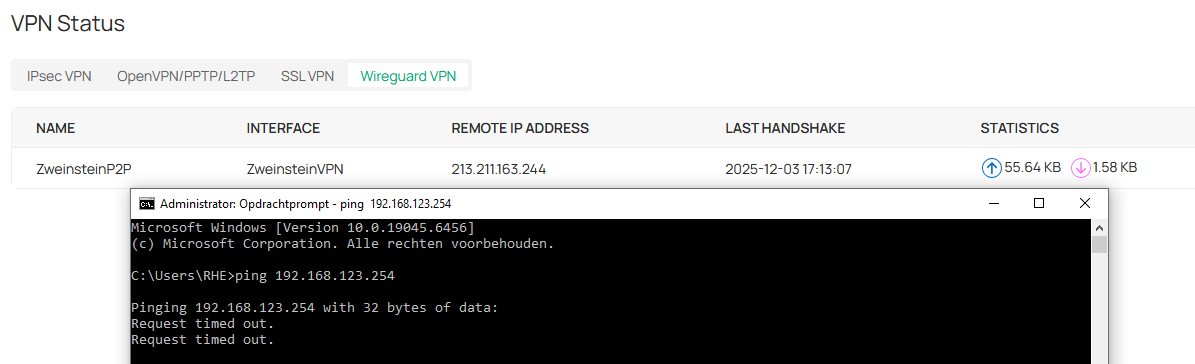
I have changed allowed IP to 192.168.124.2/32
I would like to connect the whole LAN 192.168.123.xxx if possible
- Copy Link
- Report Inappropriate Content
Rytec wrote
yes but you don't set peer configuration on the server but on peer configuration on the client, and there you have set AllowedIPs = 192.168.123.0/24 and that is correct. because you should have access to this network from the client
- Copy Link
- Report Inappropriate Content
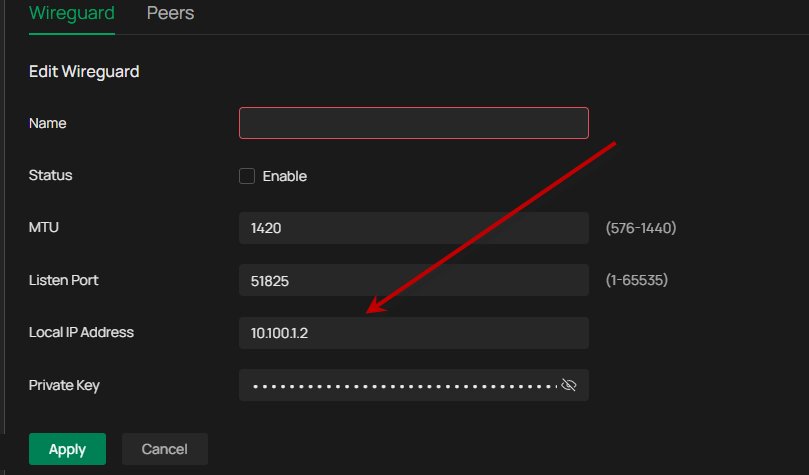
- Copy Link
- Report Inappropriate Content
Change wireguard server ip to 192.168.124.1 if you dont have this ip, in peer section on server sett peer ip to 192.168.124.2/32
and client file is like that.
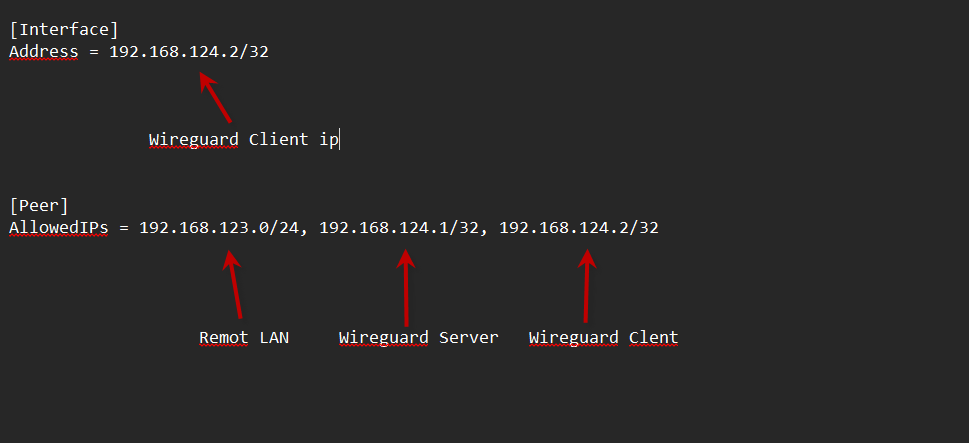
- Copy Link
- Report Inappropriate Content
MR.S wrote
Change wireguard server ip to 192.168.124.1 if you dont have this ip, in peer section on server sett peer ip to 192.168.124.2/32
and client file is like that.
If I want to make a new wireguard connection on another pc do I have to create also a new Wireguard on the Omada and a new peer with different listen ports or can I use the same?
- Copy Link
- Report Inappropriate Content
no, on server, create a new peer only and reuse wireguard, you have to have new public key on peer and reuse public key in wireguard server. and you need a new ip 192.168.124.3/32 to the new per.
- Copy Link
- Report Inappropriate Content
MR.S wrote
Rytec wrote
yes but you don't set peer configuration on the server but on peer configuration on the client, and there you have set AllowedIPs = 192.168.123.0/24 and that is correct. because you should have access to this network from the client
It's weird that you can allow on the client peer configuration side which network you want to have access to, I would assume you restrict this on server peer configuration side.
- Copy Link
- Report Inappropriate Content
yes you can say that, but that's Wireguard, very little you can do on the server, you can't use ACL on the router to restrict something in Wireguard either, if you're going to use ACL to restrict something on your LAN then you have to use switch ACL, it works.
- Copy Link
- Report Inappropriate Content
Information
Helpful: 0
Views: 1713
Replies: 14
Voters 0
No one has voted for it yet.