
Wireguard on Omada Controller + Windows PC OK but can't ping LAN through Wireguard tunnel
Wireguard on Omada Controller + Windows PC OK but can't ping LAN through Wireguard tunnel

Hello
I have setup the Wireguard


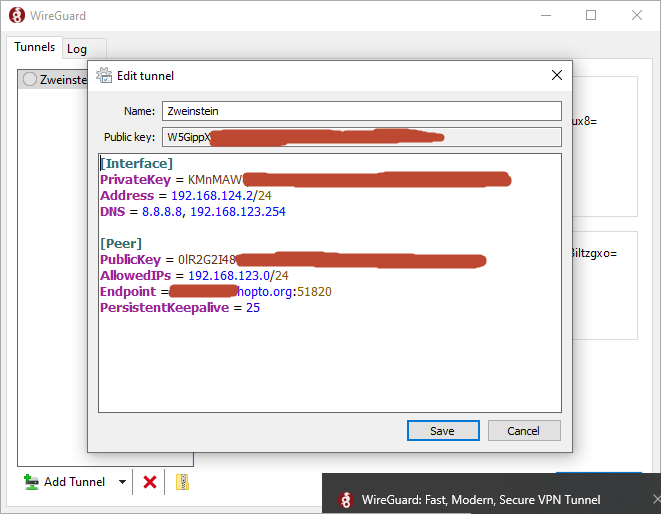
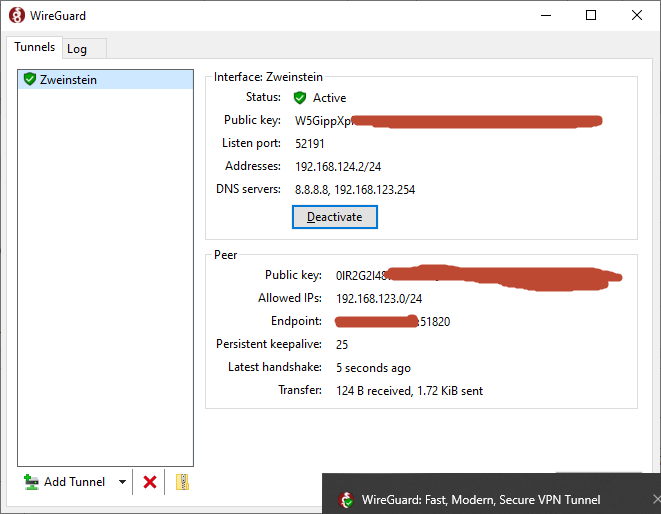
I have set this up using the guide https://community.tp-link.com/en/business/forum/topic/619652
But after I have activate the tunnel whick works fine I tried to ping the router for example 192.168.123.254 or even other devices in the network 192.168.123.xx and get no respons. What am I doing wrong or what am I forgetting to do?
It must be something I forget I think but I've tried so many things and searched so many tips and tricks on the internet but I can't get it working. The tunnel is active but it stops there. Something with the listen port 52191 on the interface but I configured port 51820 on the Wireguard ?
- Copy Link
- Subscribe
- Bookmark
- Report Inappropriate Content

but actually both are server and client in the wireguard world. like if you want to reach another wireguard network from the router you have to add this to the peer config on the router, the same way you do in your client file. her is an example of a wireguard client on an omada router
Here I have entered which remote network the router should have,

- Copy Link
- Report Inappropriate Content
Good morning
Thanks again for your help, I have it working like this now :
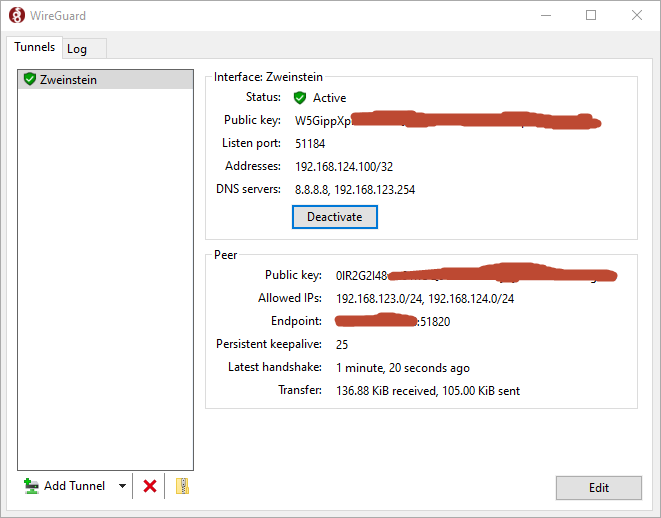
I give the clients an ip from 192.168.124.100 until xxx
this gives me a nicer overview of the clients, the peers on the server side I give an ip starting from 192.168.124.1 until .99
But now I give the clients access to the complete ip subnet 192.168.123 and 192.168.124
I'm going to test how I have to configure the client to give only acces to one IP address 192.168.123.x
What address of the range 192.168.124 do I have to add too in the allowed IP's ? The ip of the Wireguard server 192.168.124.1 or also that from the peer 192.168.124.x ?
- Copy Link
- Report Inappropriate Content
If you want the client to only reach one IP, add 192.168.123.10/32, for example, to only have access to 192.168.123.10.
- Copy Link
- Report Inappropriate Content
Is it recommended to add a VLAN in the Omada network config for this new IP range which I use for Wireguard?
And which address do I use as DNS server?
I also have an own domain name, should I somewhere put this in the Omada configuration?
- Copy Link
- Report Inappropriate Content
Information
Helpful: 0
Views: 1704
Replies: 14
Voters 0
No one has voted for it yet.