
Problem with DHCP over VLAN and WiFi
Problem with DHCP over VLAN and WiFi

I have come across a problem with DHCP on my Omada system, when the DHCP Server Service is provided by External Equipment. A diagram of the scenario is shown here
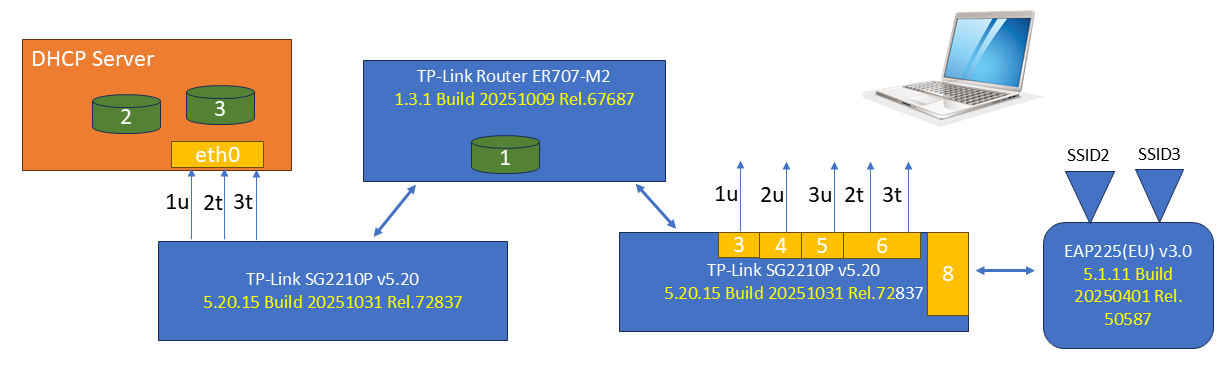
The Omada system handles the DHCP duties for the default subnet (VLAN 1), while a seperate DHCP server (from pfSense here but other Linux variants have also been tested) provides the IP address pools for VLANS 2 and 3. Each VLAN is configured with Legal DHCP Server address set to the eth0.2 or eth0.3 of the DHCP Server
If the computer connect to ports 3, 4 or 5 of the switch, it gets an IP address.
If the computer connects to port 6 and sets the VLAN tag to 2 or 3, it gets an IP address for the corresponding subnet.
If the computer connects to either SSID2 or SSID3 on the access point, no IP address is provided. Some further analysis is provided.
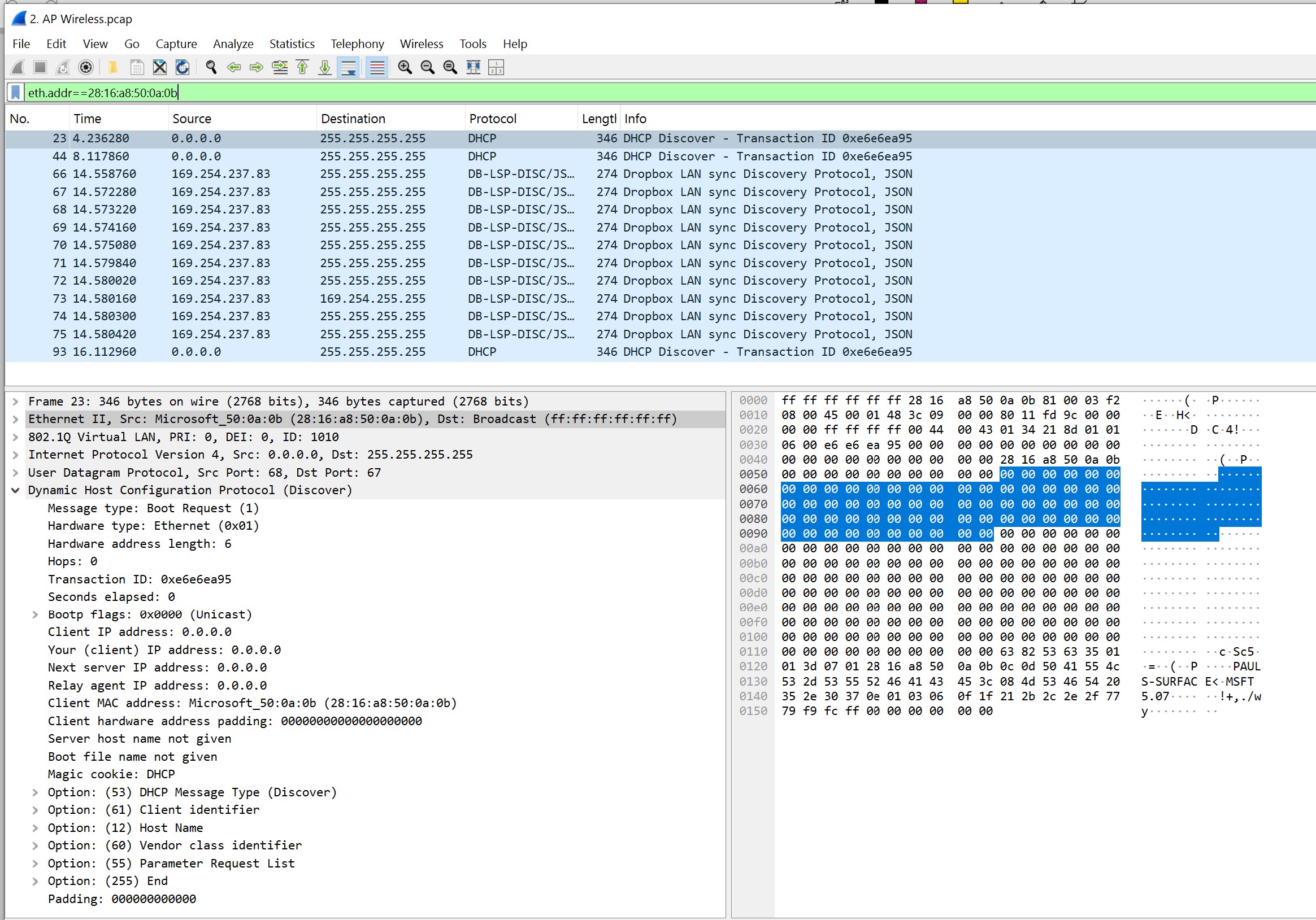
- With SSID connection, using the packet tracing function on the EAP, we see the DHCPDISCOVER being received from the computer, but no DHCPOFFER - somewhere the offer is lost.
EAP Wireless side
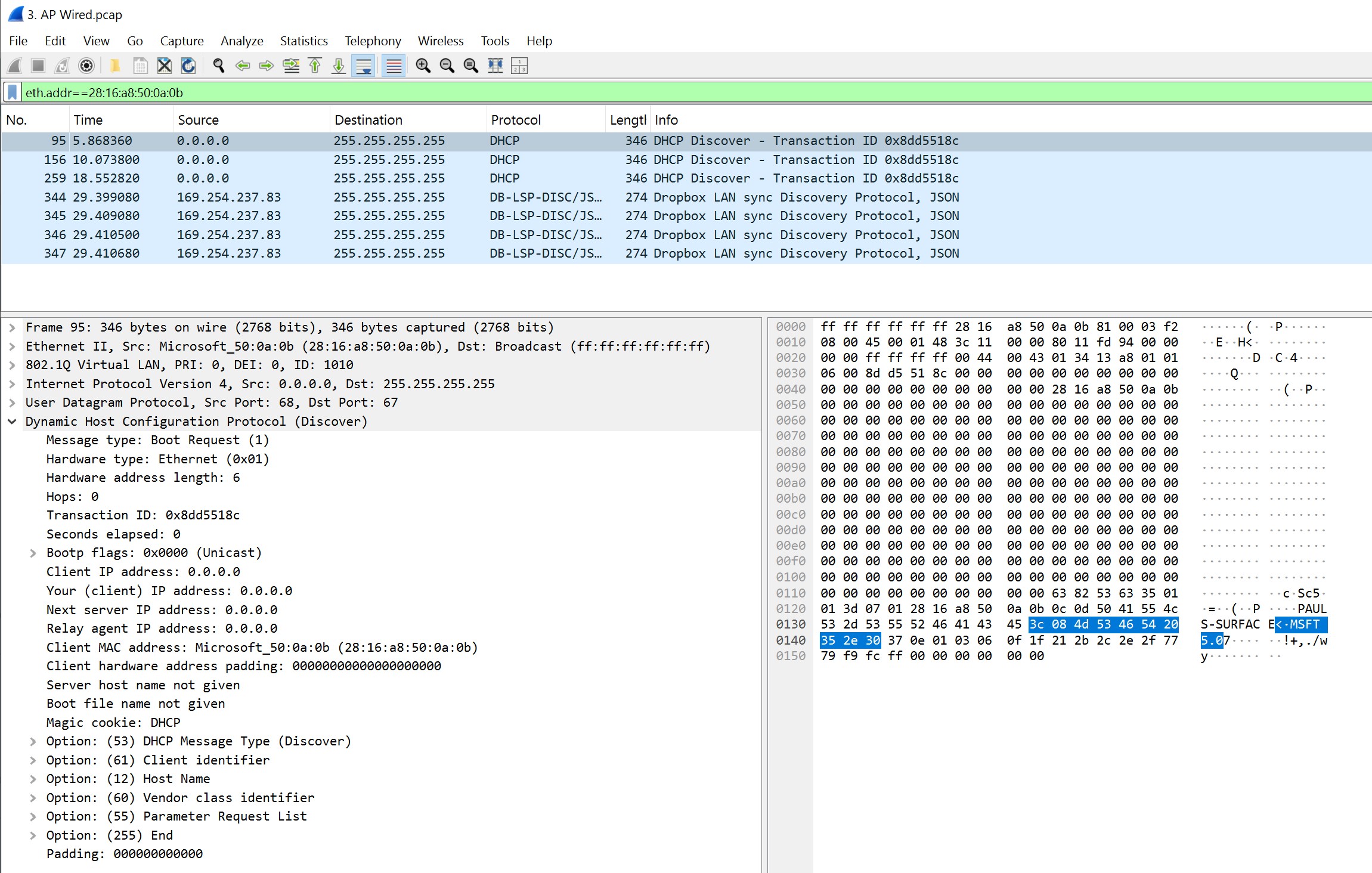
EAP Wired side
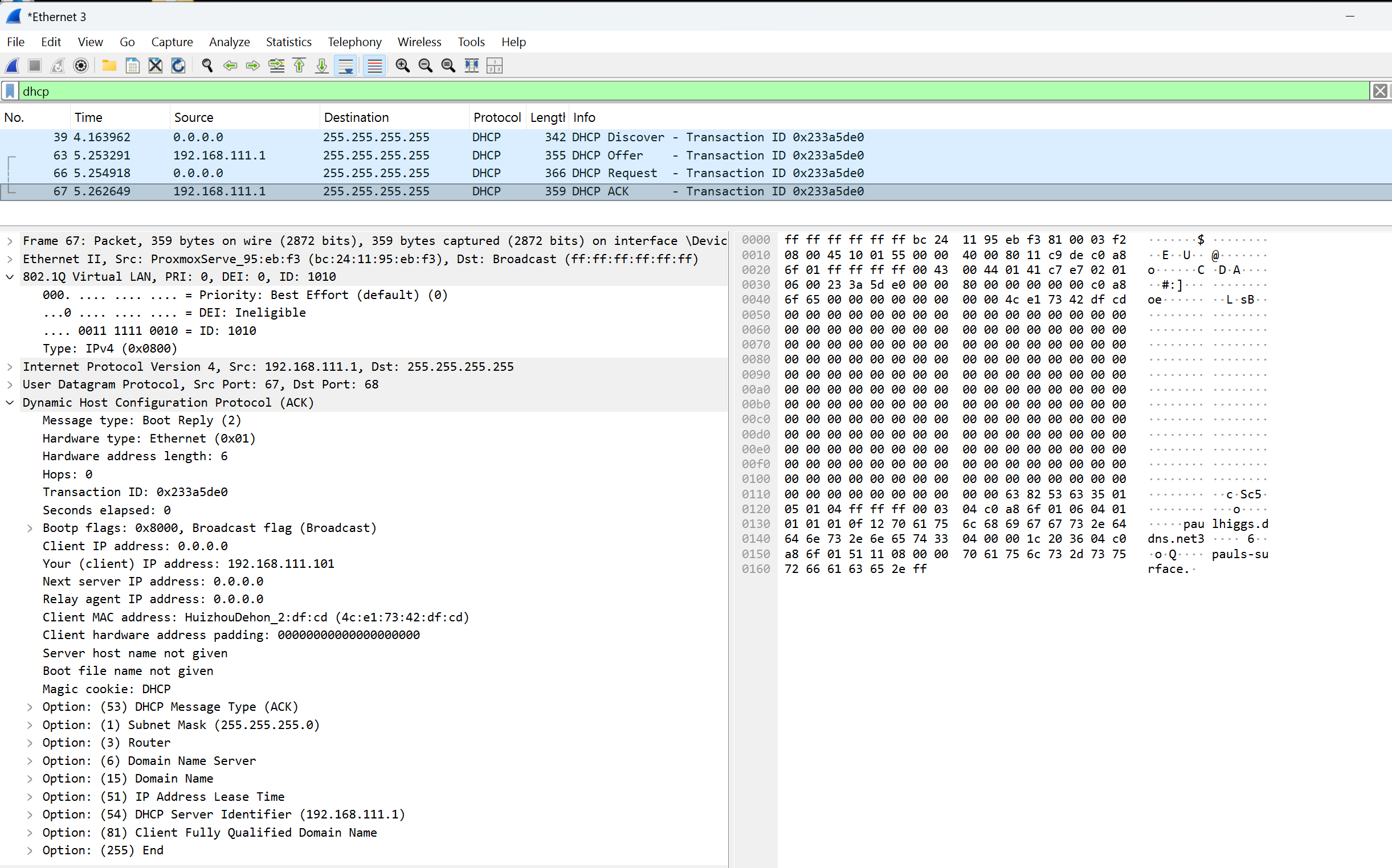
2. When connected to the the Tagged Ethernet switch port we see all the right things (VLANID 1010)
Does anyone know why DHCP over WiFi is failing when the DHCP Server is on a VLAN, but DHCP over Ethernet to the same DHCP Server is OK??
- Copy Link
- Subscribe
- Bookmark
- Report Inappropriate Content

Did you also swap the EnGenius AP with the eap225 to isolate the issue to the AP? If so maybe try a factory rest on the AP.
- Copy Link
- Report Inappropriate Content
@D-C I did not provision the 201 VLAN in any of the Omada devices.
I guess next step will be to define VLAN 201 in Omada but only allow it in the switch that pfSense connects to then try also with the switch that is on the other side of the TP Link router.
I would rather not 'factory reset' everything as these VLAN IDs have never been provisioned before, but perhaps that is a good way to go - New Year, New Configuration
- Copy Link
- Report Inappropriate Content
@Paul_Higgs, you could factory reset the AP and set it up in stand alone mode to test.
- Copy Link
- Report Inappropriate Content
@Paul_Higgs I will give that a try over the weekend however, as previously noted, I believe the problem is more with the TP-Link switches or router than the AP as
a) a third party AP connected to the existing switch does not work and
b) captures from the Omada management system show the DHCP DISCOVER packet on the wired side of the AP, but no packet is seen on the VLAN at pfSense.
- Copy Link
- Report Inappropriate Content
@Paul_Higgs, in post #9 you said "NOK with TP-Link EAP, but OK with Engenuis AP" so I'm getting a little confused reading "a".
Paul_Higgs wrote
@Paul_Higgs I will give that a try over the weekend however, as previously noted, I believe the problem is more with the TP-Link switches or router than the AP as
a) a third party AP connected to the existing switch does not work and
b) captures from the Omada management system show the DHCP DISCOVER packet on the wired side of the AP, but no packet is seen on the VLAN at pfSense.
- Copy Link
- Report Inappropriate Content
Information
Helpful: 0
Views: 1495
Replies: 15
Voters 0
No one has voted for it yet.