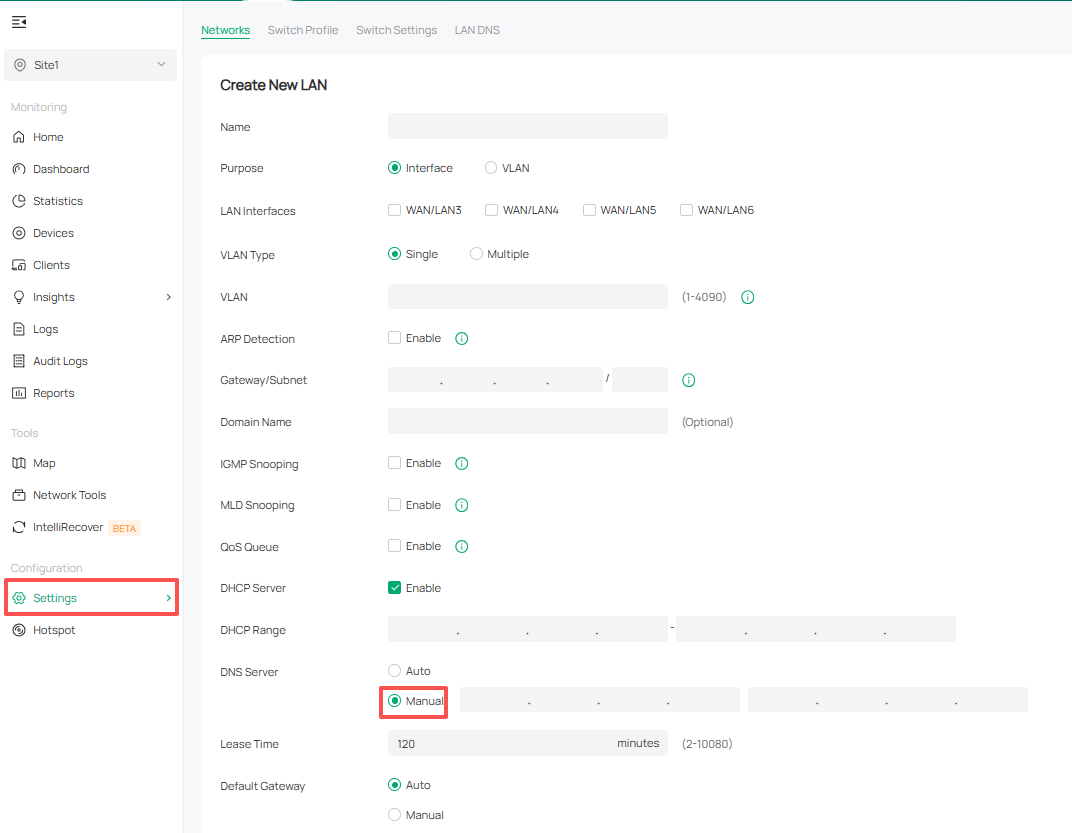
Advertise DNS server IP address via dnsmasq (DHCP option 6)
 This thread has been locked for further replies. You can start a new thread to share your ideas or ask questions.
Advertise DNS server IP address via dnsmasq (DHCP option 6)
Tags:
#DNS
#DHCP Service
Hello,
Per Pi-hole documentation for router assets about "How do I configure my devices to use Pi-hole as their DNS server?"
is it possible to use the 2nd method on OMADA ecosystems (I know already option 1 is possible with OMADA).
2. Advertise Pi-hole's IP address via dnsmasq in the router (if supported)
-
Per-host tracking on Pi-hole
-
The ability to resolve hostnames on the LAN
-
Ad blocking/network monitoring provided by Pi-hole
On the router, use a custom dnsmasq config entry to advertise the IP of the Pi-hole box
The syntax is: dhcp-option=6,IP_of_Pi-hole.
This is simply doing what the method 1 above is obscuring (setting DHCP option 6)
If yes, how to configure that with OMADA web interface?
Thanks for your guidance,
1 Accepted Solution