Vlan activate issue on TL-ER7212PC v2 (3 in 1) VPN Router

Hellor Guys,
Previously, in our office, we were using a Ubiquiti EdgeRouter together with a Cisco SG500-28 switch.
VLAN 10 (Wireless) was created on the router and extended to the Cisco switch using Trunk mode, and it worked correctly.
Recently, the Ubiquiti EdgeRouter failed, so we replaced it with a TP-Link TL-ER7212PC v2.
On the TL-ER7212PC v2, I have:
-
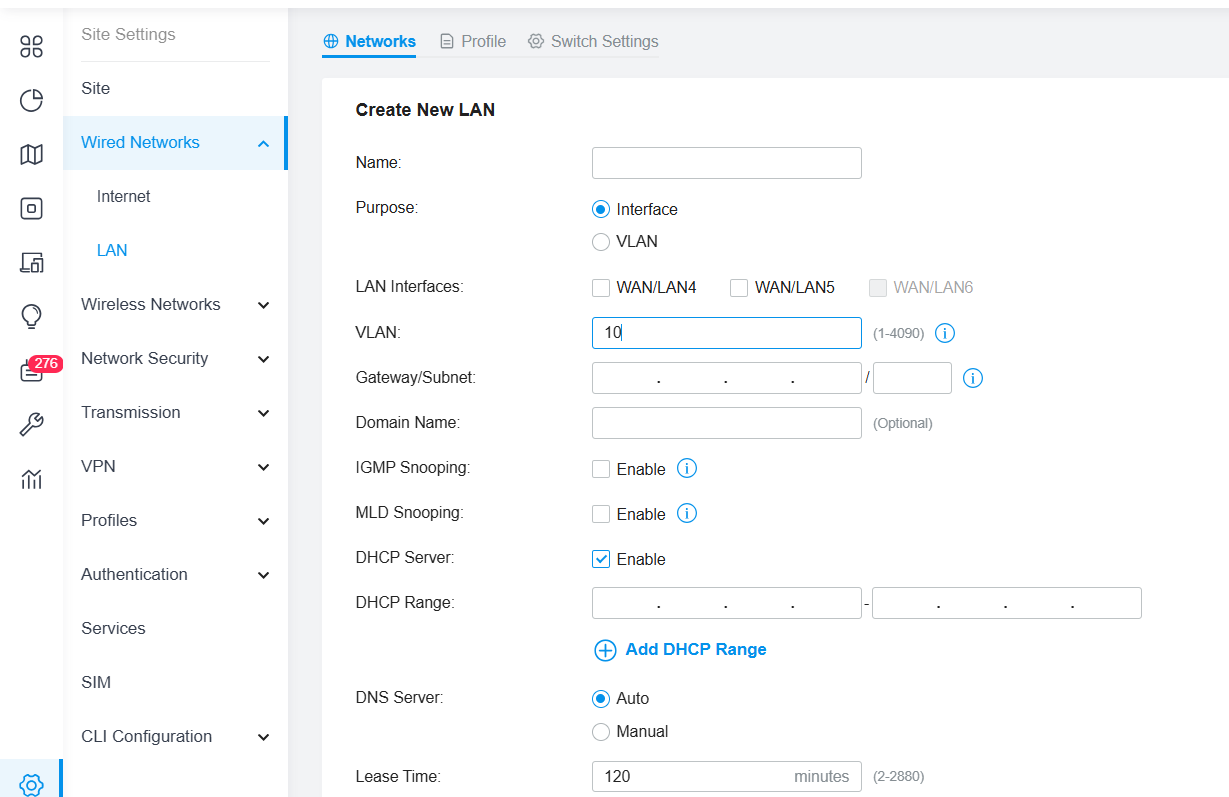
Created VLAN 10 (Wireless) under Network settings
-
Created a Port Profile with the following configuration:
-
Native VLAN: 1
-
Tagged VLAN: 10
-
Untagged VLAN: 1
-
According to TP-Link documentation, the router should appear under Switch Setting > Device List, where the created Port Profile can then be assigned to the desired port.
However, the TL-ER7212PC router does not appear in the Switch Setting > Device List, so I am unable to assign the Port Profile to any port.
Could you please advise:
-
What I may be doing wrong
-
Whether any additional configuration is required
-
Or if this is a known limitation/behavior of the TL-ER7212PC v2
Notes: Currently, my network is connected to the Internet via Untagged Native Vlan 1 (192.168.0.0/24).
Thank you in advance for your support.