
ER8411 UI webpage accessible from internet and NAT port 443 not working
ER8411 UI webpage accessible from internet and NAT port 443 not working

I have an ER8411 where the UI is accessible from the internet, without setting up a NAT or an ACL.
The web page shows that the ER8411 is managed by an Omada controller.
In Omada controller settings - services you can uncheck 2 boxes, so that the device local http and/or https is disabled.
Unfortunately that doesn't disable the ER8411 web interface both internal and external.
I also setup NAT for 443 to point to internal host, but the ER8411 page is shown. When I setup NAT not with port 80 or 443 it works.
So my questions;
How can I disable the UI on ER8411 (both internal and external)?
How can I setup NAT using port 443 to internal host?
Kind regards,
Erik
- Copy Link
- Subscribe
- Bookmark
- Report Inappropriate Content
Identified the issue, but not sure how to fix it at the ER8411.
I'm using Cloudflare for my domain name. I use the proxy settings on A, AAAA and CNAME records.
When I switch of the proxy setting on a record, I suceesfully can do NAT with port 443 on the ER8411, with the proxy setting enabled I get the UI from the ER8411.
Any thoughts what setting to change on the ER8411, so I can continue using the proxied records?
- Copy Link
- Report Inappropriate Content

You cannot access the router's management from the internet unless you have actively opened it up. However, if you try to access the router's management port from the LAN, you will be able to access it. So try testing from the internet, not from the same LAN that the router is connected to.
There is also no problem with port forwarding to 80 or 443, you do it this way.
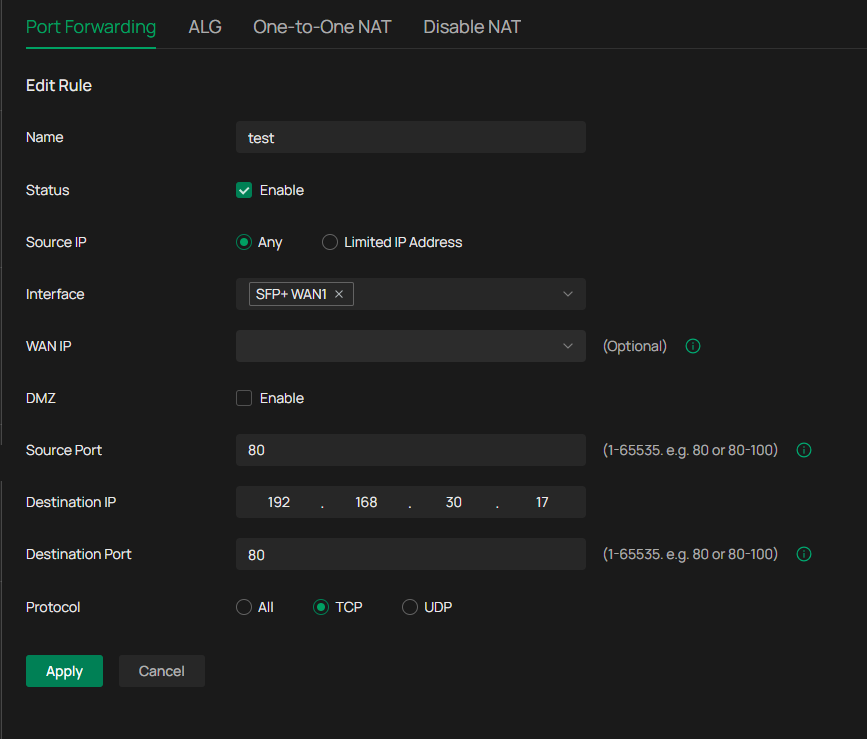
- Copy Link
- Report Inappropriate Content
Hi @MR.S
Thanks for your quick reply.
Below link I copied from my iPhone connecting to my external IP address via data of my phone, with no vpn, no WiFi and no NAT setup on the gateway.
https://82dot64dotxdotx/webpages/login.html ,so accessible from the internet.
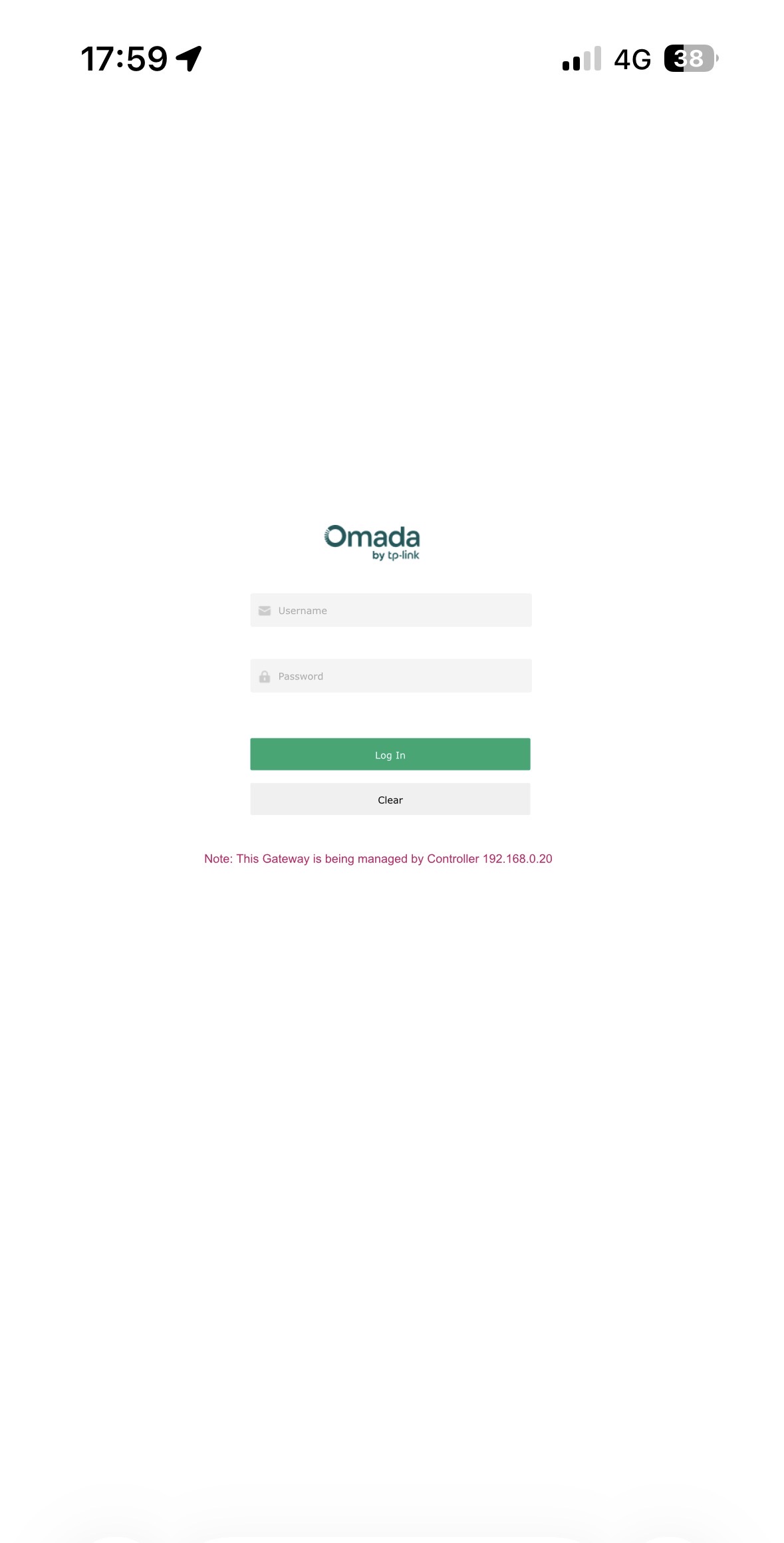
I setup the NAT exactly as decribed in your reply, I used port 443 and used internal IP 192.168.0.11.
But I only get the above page, not the internal host at 192.168.0.11
kind regards
Erik
- Copy Link
- Report Inappropriate Content
- Copy Link
- Report Inappropriate Content
- Copy Link
- Report Inappropriate Content
you must be doing something wrong when testing, everything is blocked from wan to lan if you haven't opened up any rules, port forwarding to 80 and 443 should also work without problems. so without knowing anything more about your solution it will be difficult to help any more.
the only thing I can think of is if you create acl or disable NAT, then you will be able to access the management interface via WAN
- Copy Link
- Report Inappropriate Content
I did some more testing, ending up with the same 'problem'. UI of the gateway shown on remote device (iPhone with wifi disabled, no vpn, using data connection, cleared cache). I connected to the external IP address, then once with external domain (ddns.net) and also with a domain name I also use on the internal network (split dns).
Unfortunately, all with the same results, showing the UI of the ER8411.
NAT is disabled and have no ACL’s setup.
Thanks
Erik
- Copy Link
- Report Inappropriate Content
If you have disabled NAT, you will have access to the management interface. When NAT is enabled, you really only have one router. You must block WAN/IN, otherwise your entire network is accessible from the internet.
- Copy Link
- Report Inappropriate Content
Still stuck, but some progress.
Used LAN DNS on ER8411, moved DNS to my Synology.
I use proxy DNS ER8411 to redirect DNS queries for non local addresses. using DOT Cloudflare.
As mentioned before, I use split DNS, so internal and external domain are the same.
I can now connect remotely to internal host (with NAT port 443) via external IP address (82.64.x.x) or remote domain name (*.ddns.net), but not with split dns hostname. I still shows the UI of the ER8411. So looks like ER8411 having a problem with the split dns, or something is not setup correctly.
Any help appreciated.
- Copy Link
- Report Inappropriate Content
Identified the issue, but not sure how to fix it at the ER8411.
I'm using Cloudflare for my domain name. I use the proxy settings on A, AAAA and CNAME records.
When I switch of the proxy setting on a record, I suceesfully can do NAT with port 443 on the ER8411, with the proxy setting enabled I get the UI from the ER8411.
Any thoughts what setting to change on the ER8411, so I can continue using the proxied records?
- Copy Link
- Report Inappropriate Content
- Copy Link
- Report Inappropriate Content
Information
Helpful: 0
Views: 722
Replies: 11
Voters 0
No one has voted for it yet.