
Configuring LAN-DNS
Configuring LAN-DNS

Hello all,
Sorry, but I don't understand how to configure LAN-DNS by using ER81411 und OC300:
What I want is...
I have a local domain. For example it is "example.local"
And I have some clients, for example called
"Cam1" (IP: 192.168.0.100),
"Cam2" (IP: 192.168.0.101),
"phone" (IP: 192.168.0.102),
"pvr" (IP: 192.168.0.103),
...
"mail" (IP: 192.168.0.20)
"drive" (IP: 192.168.0.20)
"www" (IP: 192.168.0.20) - same IP-Address
I have access to all of these clients by IP-Address.
Now I want to have access to them by name.
For example: Cam1.example.local
If I understand correct, I have to do this manually by entering all the names in "network->LAN->LAN-DNS->new-> type IP"???
If so, what exactly do I have to enter in the fields?
But can't I use "Client-Name" (entered in client-configuaration) and a global "example.local"? In the way, that the gateway first looks if Client-Name.example.local is existing, and if not, then forwarding the address. If this is possible, how does this work, and what do I have to enter where?
Regard,
GuWen
- Copy Link
- Subscribe
- Bookmark
- Report Inappropriate Content

Here is an example:
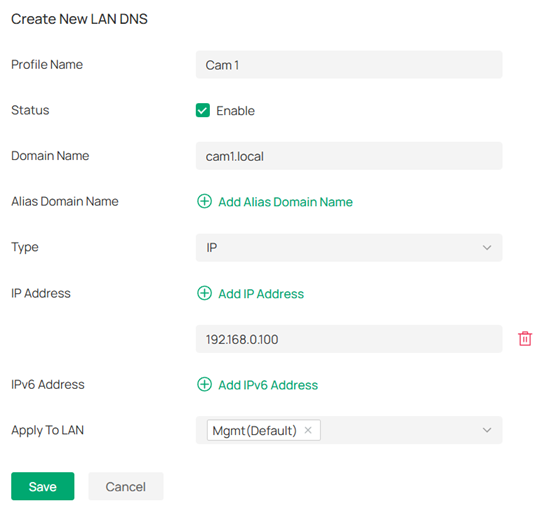
In the Apply to LAN field, select the VLANs that will use the LAN DNS entry. The first time you access the entry with your browser, you might have to use "http://cam1.local". The next time you can just enter "cam1.local".
- Copy Link
- Report Inappropriate Content
Here is an example:
In the Apply to LAN field, select the VLANs that will use the LAN DNS entry. The first time you access the entry with your browser, you might have to use "http://cam1.local". The next time you can just enter "cam1.local".
- Copy Link
- Report Inappropriate Content
OK. Thanks, jra11500, for your fast answer.
That means it is necessary to do an separate entry for all devices and I can't use the "client-name" from device-configuration. That's quite complicate.
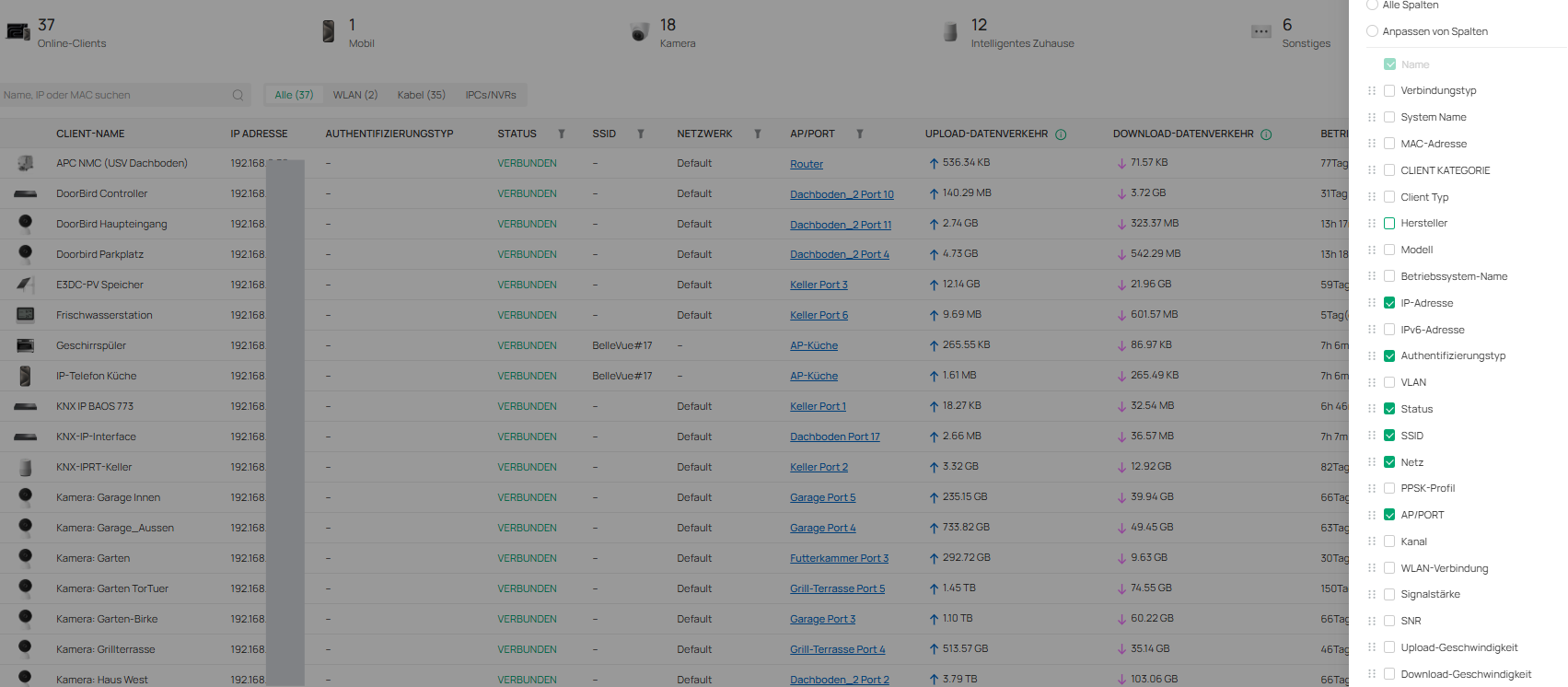
And it is possible to have a link between client-name and LAN-DNS name, just like "Camera No 1 <--> Cam1"?
If I see correct I can't ad a column in the device list for example.
- Copy Link
- Report Inappropriate Content
GuWen wrote
OK. Thanks, jra11500, for your fast answer.
That means it is necessary to do an separate entry for all devices and I can't use the "client-name" from device-configuration. That's quite complicate.
And it is possible to have a link between client-name and LAN-DNS name, just like "Camera No 1 <--> Cam1"?
If I see correct I can't ad a column in the device list for example.
I believe you will have to manually enter each entry as there is no way to import. The LAN DNS links that you mention are not possible (for now) and I would suggest you submit a feature request for these features if you feel that they are important.
- Copy Link
- Report Inappropriate Content
- Copy Link
- Report Inappropriate Content
- Copy Link
- Report Inappropriate Content

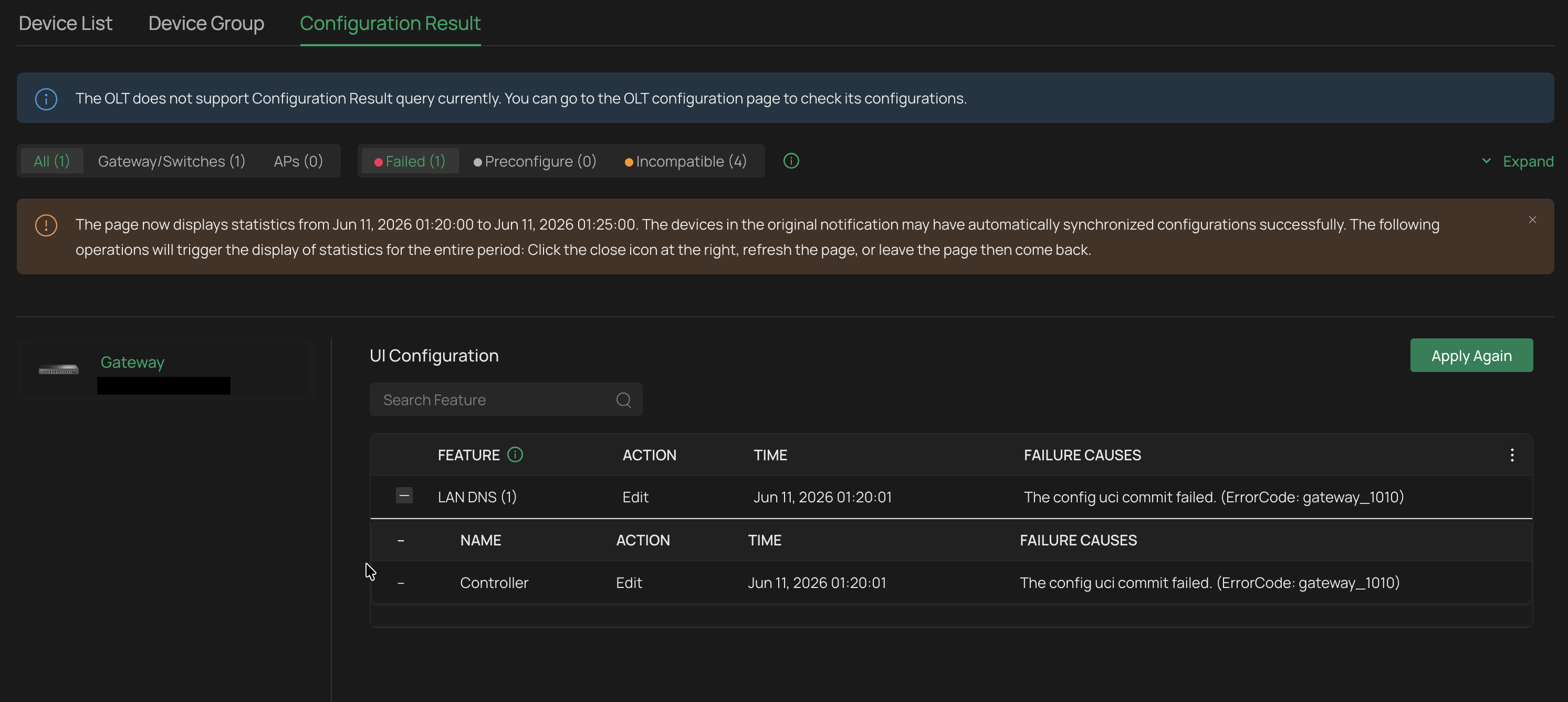
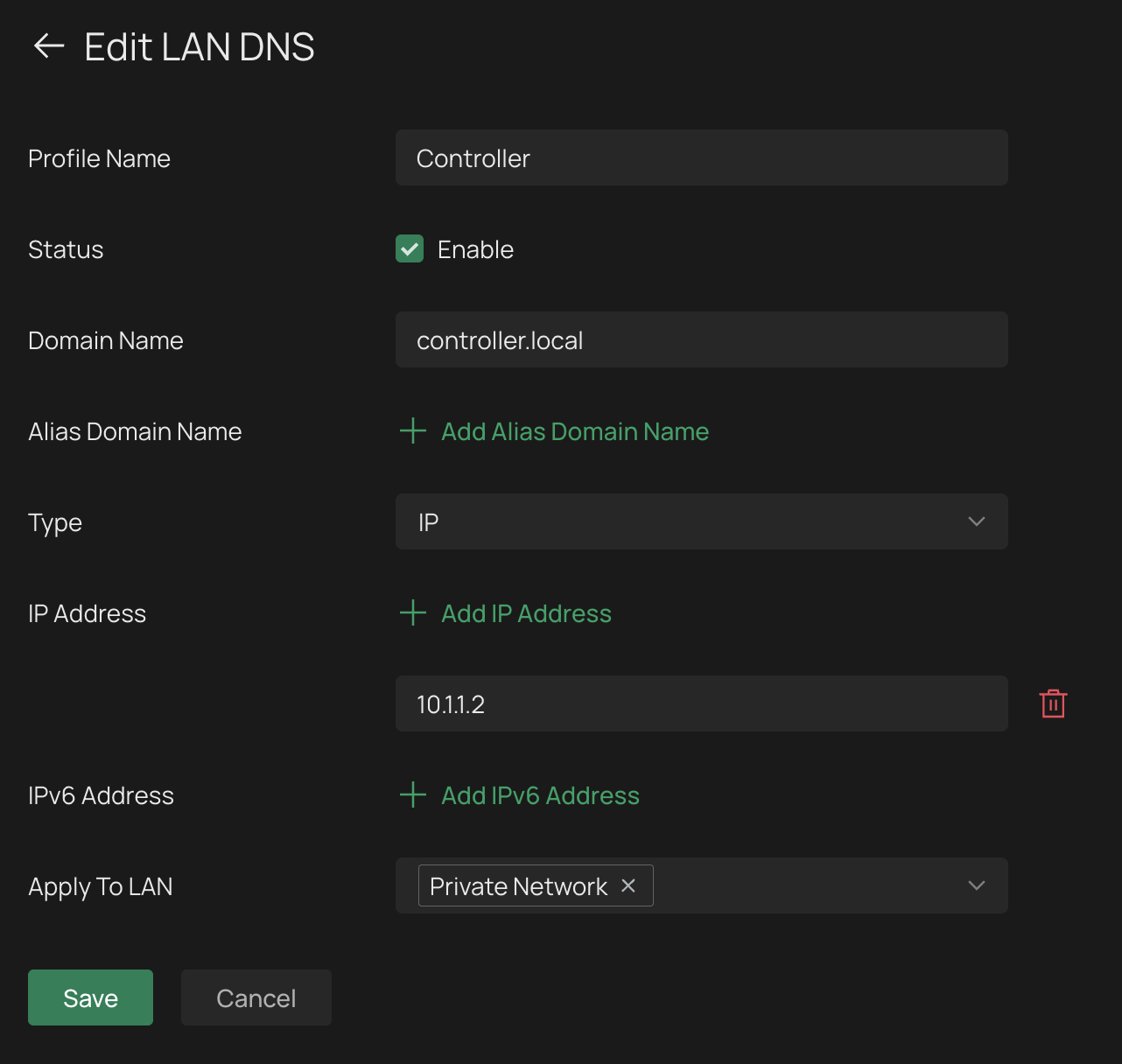
@jra11500 Unfortunaltely, I can't follow your guide with any success. Every time I get ER7412-M2 v1.20 configuration error: The config uci commit failed. (ErrorCode: gateway_1010). Any idea what can go wrong?
- Copy Link
- Report Inappropriate Content
The LAN DNS entry looks OK to me. I have read that, in some cases, using the .local domain may conflict with mDNS (Bonjour/Apple) traffic. If you are using mDNS, then you might try an alternative domain (such as .home). Otherwise, one of the Tp-Link moderators can probably explain the possible reason(s) for the error.
- Copy Link
- Report Inappropriate Content
@jra11500 I've found the root cause of the issue: network name cannot use separators other than underscores (here: „Private Network” is invalid because uses space separator).
This is a UX bug. VLAN GUI shloudn't allow you to enter invalid network name. Putting aside the fact that spaces should be valid characters anyway (which is strange that they are not).
Plus, another UX bug is that config error description should say that explicitly (real cause) instead of some ambigiuous ErrorCode: gateway_1010 that says nothing.
- Copy Link
- Report Inappropriate Content

Thanks for the tip on network names. I never ran into that problem as all my VLANs use one word names.
- Copy Link
- Report Inappropriate Content

Hi @jra11500,
.local TLD is still widely used - even I use it. it is however dedicated since 2013 to mDNS (a.k.a Bonjour) as defined in RFC6762 and can lead to some collision troubles when using Apple devices.
.home TLD was rejected by ICANN.
the correct replacement for .local is .internal (or (.)home(.)arpa, which I personally found quite weird) even it is still only in IETF draft state.
on the other hand, you may use anything as TLD as long as it stays only on your local network.....
- Copy Link
- Report Inappropriate Content
Information
Helpful: 0
Views: 4454
Replies: 11
Voters 0
No one has voted for it yet.