
ER811 WAN Configuration with Multiple Static IP Addresses and Virtual Server Port Forwarding

ER811 WAN Configuration with Multiple Static IP Addresses and Virtual Server Port Forwarding

ER811 WAN Configuration with Multiple Static IP Addresses and Virtual Server Port Forwarding
Monday - last edited Tuesday
Model: ER8411  
Hardware Version: V1
Firmware Version: 1.3.3 Build 20250930 Rel.12025

I recently bought my ER811 and am working on configuring it for the first time. My small business network has 5 static IPv4 addresses from Verizon; Verizon tells me that IPv6 addresses are still unavailable. My network has a number of small devices using DHCP, and two physical servers that require use of a static IPv4 address for accessibility to and from the public Internet.


I've configured the WAN-SFP+ port to use the first static IPv4 address from my block. I added the remaining 4 addresses to this same WAN port as WAN aliases. The remaining ports are configured as LAN ports.


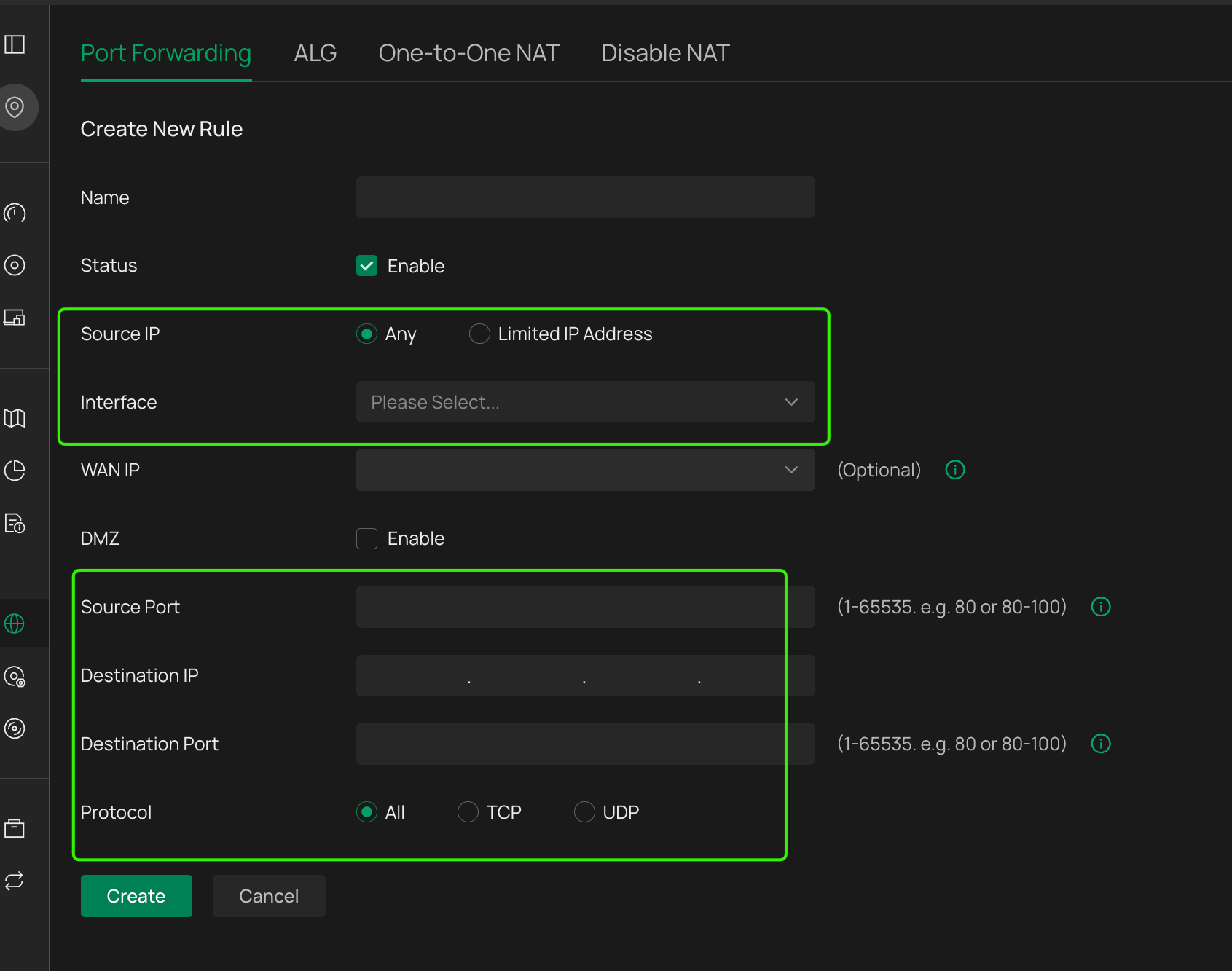
I've configured multiple virtual servers for the ports I need to have forwarded to the two servers. For example, I configured one virtual server to forward tcp/80 from the first WAN alias address to the static private address for the first server. I configured a second virtual server to forward tcp/80 from the second WAN alias address to the static private address for the second server. I repeated this process for the other ports I need to forward, including SMTP, SSH, HTTPS, etc.


The "number of small devices using DHCP" are all connected to a NETGEAR GS116 switch. I'll have that switch connected to one of the ER811's LAN ports. I'll have the two servers each connected to an ER811 LAN port. For now, I've done all of the ER811 configuration in standalone mode because I want to minimize downtime when I replace my old router with this setup.


Will this setup work? Can I expect my devices that use DHCP to access the Internet using the first static IPv4 address from my assigned block, the first server using the second address, and the second server using the third address?

  0      
  0      
#1
Options
1 Accepted Solution
Re:ER811 WAN Configuration with Multiple Static IP Addresses and Virtual Server Port Forwarding-Solution
Tuesday - last edited Tuesday

  @SAH62 


IP Aliases only work on WAN Inward direction.  The return data from the server would be on your usual WAN IP address, not an alias.  Policy routing cannot be applied to a WAN alias.  Policy routing is what you need to use to associate ALL traffic of an Internal P or whole vlan to a WAN port, so you would need to set up another WAN port specifically with one of your public IPs

Recommended Solution
  0  
  0  
#6
Options
9 Reply
Re:ER811 WAN Configuration with Multiple Static IP Addresses and Virtual Server Port Forwarding
Monday

  @SAH62 


No, Alias IP are really only useful for incoming connectiosn for servers hosted LAN side accessible from WAN, as an example.


To make internal LANs (or IP ranges) use seperate public IPs, you need to use policy routing, and that will only work if you have multiple WAN connections.


I have a similar setup using Virgin Media in the UK - ISP provides 5 IPs, the first of which is my "Gateway".  I have multiple uplinks to the ISP modem from my ER8411 on different configured WAN ports, each set with one of my public IPs, then i policy route internal networks to the different WANs.

  0  
  0  
#2
Options
Re:ER811 WAN Configuration with Multiple Static IP Addresses and Virtual Server Port Forwarding
Monday
I took a quick look at the policy routing options, and I don't think it does what I need. I use a non-standard port for SSH, for example, and I don't see any way to modify the port numbers. I'd also rather not use service type ALL because I only want the router to forward a specific set of ports. I want the router to block the ports that I don't want forwarded. I also didn't see a way to forward ports that aren't listed, like IMAP (tcp/143) or secure IMAP (tcp/993). Am I still missing something here?
  0  
  0  
#3
Options
Re:ER811 WAN Configuration with Multiple Static IP Addresses and Virtual Server Port Forwarding
Tuesday - last edited Tuesday

  @SAH62 

NAT port forwarding can forward any port and protocol options you need on any configured WAN

  0  
  0  
#4
Options
Re:ER811 WAN Configuration with Multiple Static IP Addresses and Virtual Server Port Forwarding
Tuesday

  @GRL yes, thanks. That's exaclty what I'm doing as I described in my first post.


So if I'm creating the virtual hosts for port forwarding correctly, and associating each virtual host with one of the WAN IP aliases, why won't my setup work?

  0  
  0  
#5
Options
Re:ER811 WAN Configuration with Multiple Static IP Addresses and Virtual Server Port Forwarding-Solution
Tuesday - last edited Tuesday

  @SAH62 


IP Aliases only work on WAN Inward direction.  The return data from the server would be on your usual WAN IP address, not an alias.  Policy routing cannot be applied to a WAN alias.  Policy routing is what you need to use to associate ALL traffic of an Internal P or whole vlan to a WAN port, so you would need to set up another WAN port specifically with one of your public IPs

Recommended Solution
  0  
  0  
#6
Options
Re:ER811 WAN Configuration with Multiple Static IP Addresses and Virtual Server Port Forwarding
Tuesday

  @GRL thank you, now I understand. I'll look at the configuration options and report back when I get this up and running.

  0  
  0  
#7
Options
Re:ER811 WAN Configuration with Multiple Static IP Addresses and Virtual Server Port Forwarding
Wednesday

@GRL I've made some changes to my configuration after reading up on policy routing.


I've configured the WAN-SFP+ port to use the first static IPv4 address from my block. I've configured the 4 adjacent physical ports to use the remaining 4 static IPv4 addresses from my block. I ensured that load balancing is enabled.


I've removed the NAT virtual server port forwarding rules described above. I added new service types using the Preferences configuration UI (Preferences->Service Type) to add the ports I need that weren't already there. I created two IP Groups (Preferences->IP Group->IP Address), with one for each of my physical servers.


I then created a set of policy routing rules, with one rule for each of the service types I need to forward, for each of my physical servers. The Service Type for each rule is set to the service I need tro forward, like FTP. The Source Type and Destination Type are set to the IP Group for one of the servers. The WAN is set to the WAN port that I've assigned for that particular server.


Will this work?

  0  
  0  
#8
Options
Re:ER811 WAN Configuration with Multiple Static IP Addresses and Virtual Server Port Forwarding
23 hours ago

  @SAH62 


Yes, it’ll mostly work — just one thing to know.

All outbound traffic (DHCP devices and both servers) will use your primary WAN IP by default.

Your WAN alias IPs will work fine for incoming traffic via port forwarding.

But if you want:

Server 1 to go out using Static IP #2

Server 2 to go out using Static IP #3

You’ll need to set up 1:1 NAT or specific outbound NAT rules.

Inbound = fine.
Outbound per-server IP = needs extra config.

https://speedport-ips.de/
  0  
  0  
#9
Options
Re:ER811 WAN Configuration with Multiple Static IP Addresses and Virtual Server Port Forwarding
4 hours ago

  @herman12 thanks, @GRL shared the same advice. I've made changes to use policy routing instead, but I haven't had a chance to test the configuration to confirm that it works.

  0  
  0  
#10
Options

