Connection on EAP653

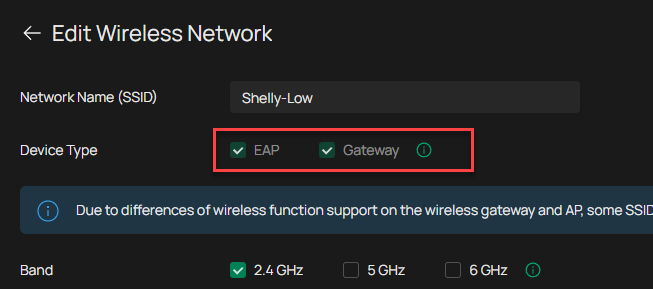
Ich habe 4 TP-EAP653 in meinem Netzwerk angeschlossen. In meinem PC-Raum ( IP192.168.178.15) wo ich meine Shelly Geräte anlerne und konfiguriere funktionieren die Shelly perfekt.
Nachdem ich das Shelly Gerät zum Beispiel in der Garage mit einem EAP653 ( IP192.168.178.23) installieren will wird es nicht mehr in meinem Netzwerk erkannt.
Ich habe es auch versucht in diesem Bereich das Shelly Gerät wieder anzulernen, wird leider nicht erkannt.
Ich benutze Omada auf OC200 mit Gateway TP-ER605 v2.20 mehrere Switches TP-SG2016P hintereinander.
Welche versteckten Einstellungen habe ich vermasselt. Ich habe in jedem Gerät die Optionen mit MAC und IP deaktiviert.
Ist irgendwas mit der WLAMOptimazion verstellt worden?
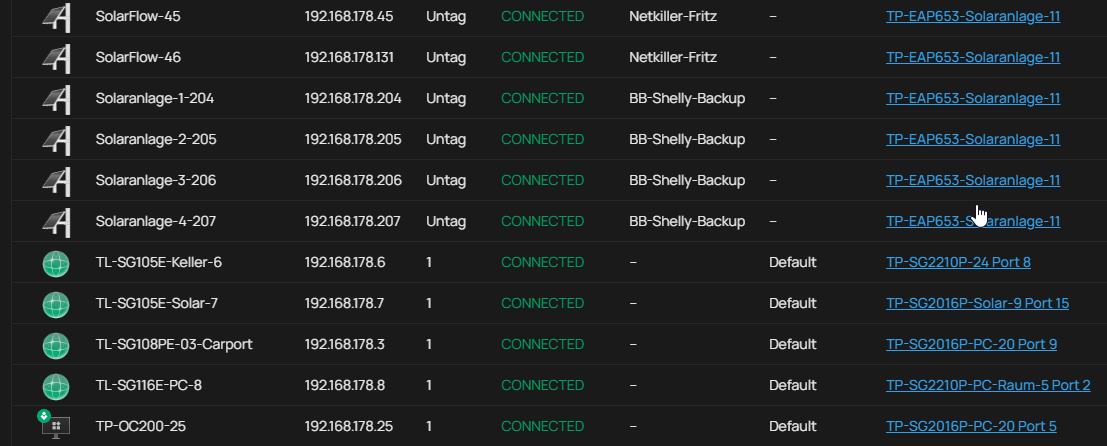
In meiner Fritzbox werden die einzelnen IP als "Online" angezeigt, im Omada sind viele Geräte "DISCONNECTED".
Ich hoffe, dass jemand einen Lösungsansatz für mich hat.
LG Wolfgang
English:
I have four TP-EAP653 devices connected to my network. In my computer room (IP192.168.178.15), where I pair and configure my Shelly devices, they work perfectly.
However, after trying to install a Shelly device in the garage, for example, using an EAP653 (IP192.168.178.23), it is no longer recognized on my network. I also tried pairing the Shelly device again in this area, but it is still not recognized.
I am using Omada on an OC200 with a TP-ER605 v2.20 gateway and several TP-SG2016P switches connected in series. What hidden settings have I messed up? I have disabled the MAC and IP address options on each device. Could something have been changed in the WLAN optimization settings? My Fritz!Box shows all the individual IP addresses as "Online," but Omada shows many devices as "DISCONNECTED." I hope someone has a solution for me.
Best regards, Wolfgang