
Omada controller is not updating the ER7206 router.

Omada controller cannot locate new firmware version for ER7206. And I saw that the current version doesn't even exist on the Omada Brazil website. My router's current firmware is 2.2.3.

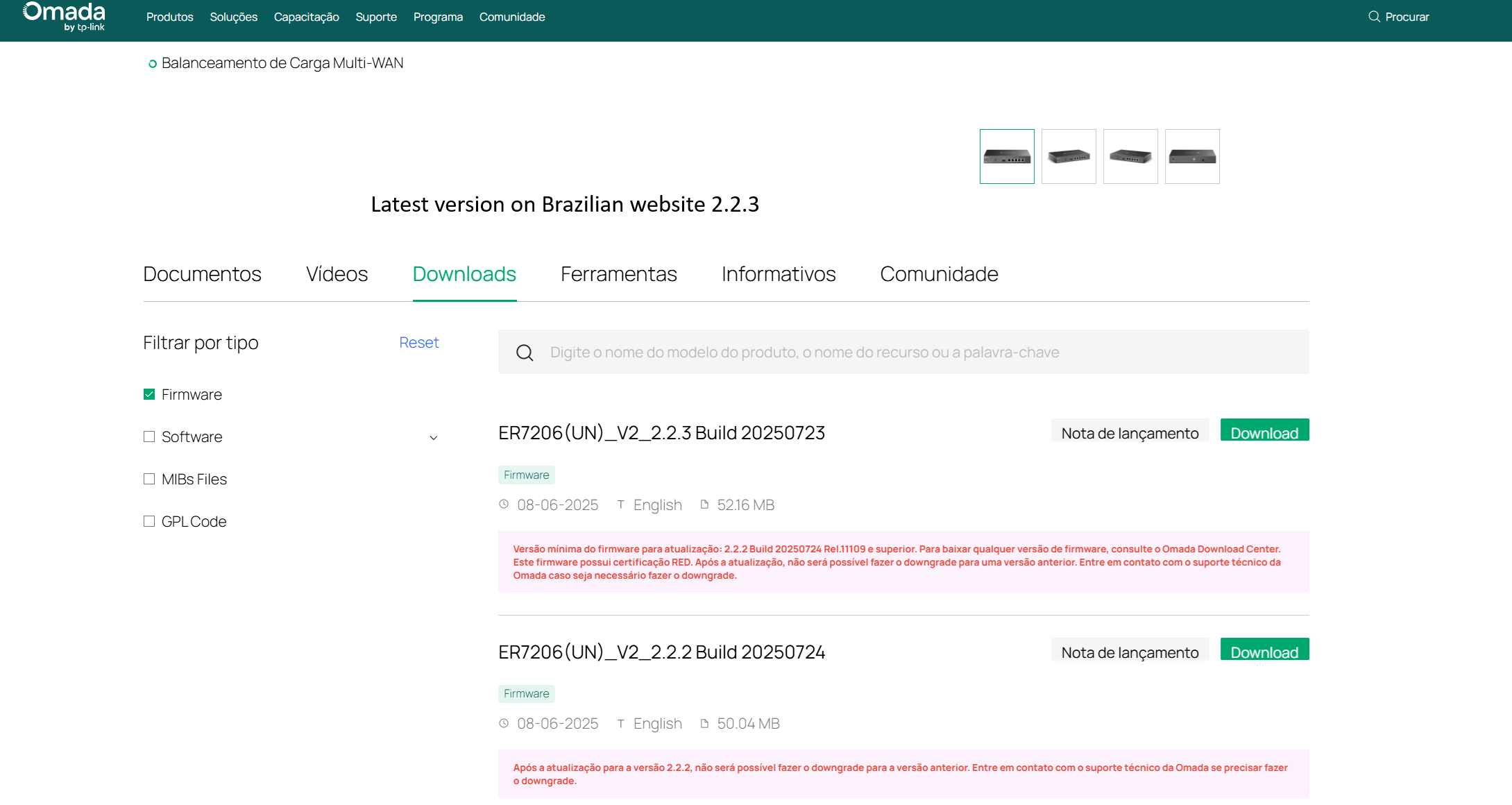
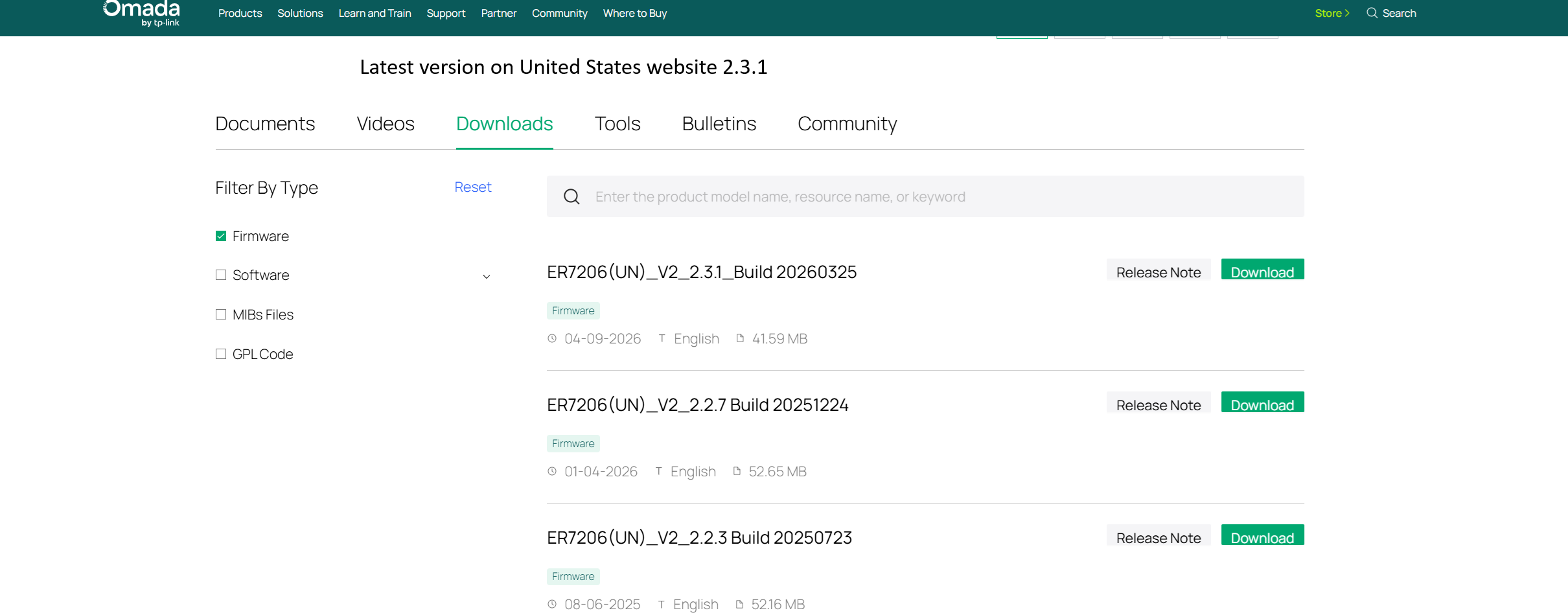
I tried updating manually, but it shows an error and doesn't update. This problem occurs in both the ER7206 V2 and V2.2.
- Copy Link
- Subscribe
- Bookmark
- Report Inappropriate Content


Hi, @Bug_do_Ti
Thank you very much for your patience waiting for our reply.
The v2.3.1 firmware for ER7206 V2.20 has been pushed via our cloud. Regarding the issue you mentioned that the firmware is not available on the Brazilian official website, this is likely because the website maintenance team has not uploaded the new version yet. We will report this issue to the relevant personnel for follow-up. Thanks for the feedback.
Meanwhile, please kindly check the following troubleshooting steps:
1.Please navigate to Global View > Firmware in your Controller and check if the v2.3.1 firmware can be detected
2.Please check if any network restrictions have been configured on your frontend gateway or firewall.
For the issue that you cannot complete the manual local upgrade, please refer to the following checks:
1.Did you perform the firmware update after logging into the Controller via cloud access? If so, please try logging into the Controller locally via the IP address of your OC200, then perform the manual firmware upgrade.
2.Could you please share your current network topology with us? Is your OC200 located within the LAN side of the ER7206?
3.Normally, when you perform a manual firmware upgrade while logged into the Controller via cloud, the firmware file needs to be uploaded to the Controller first before the upgrade can proceed. Could you please confirm if the failure occurred during the step of uploading the firmware to the Controller?
- Copy Link
- Report Inappropriate Content
Hi,@Bug_do_Ti
Thank you for posting on our business forum.
If you would like to access the latest official information and updates, please navigate to the en site of our official website here:https://www.tp-link.com/en/
The update timeliness of information on other regional sites may vary depending on location.
For firmware information specific to the ER7206, you can access it via this link:ER7206 | Omada Gigabit VPN Router | Omada Network Support
Regarding the update failure issue you mentioned, please first confirm that your ER7206 is hardware version V2. We kindly recommend you upgrade to firmware version 2.2.7 first, and then proceed to upgrade to the latest official version afterward.
If the update still fails after following the steps above, could you please provide a screenshot of the displayed error message? This will help us conduct a more accurate analysis of your issue.
Thank you very much for your cooperation.
- Copy Link
- Report Inappropriate Content
@Jeremy_12 Thank you very much for your reply, as always TP-LINK support is kind and active in the forum.
First detail, why can't the Omada Controller find the latest firmware for the ER7206 V2.20?
Shouldn't this be automatic?
Why do I have to do it manually?
I already made a post here that Omada in Brazil is not updating some EAPS, as per the LINK below.
https://community.tp-link.com/en/business/forum/topic/859290
Will this be recurring, will Omada always have failures when updating its equipment, forcing us to do it manually?
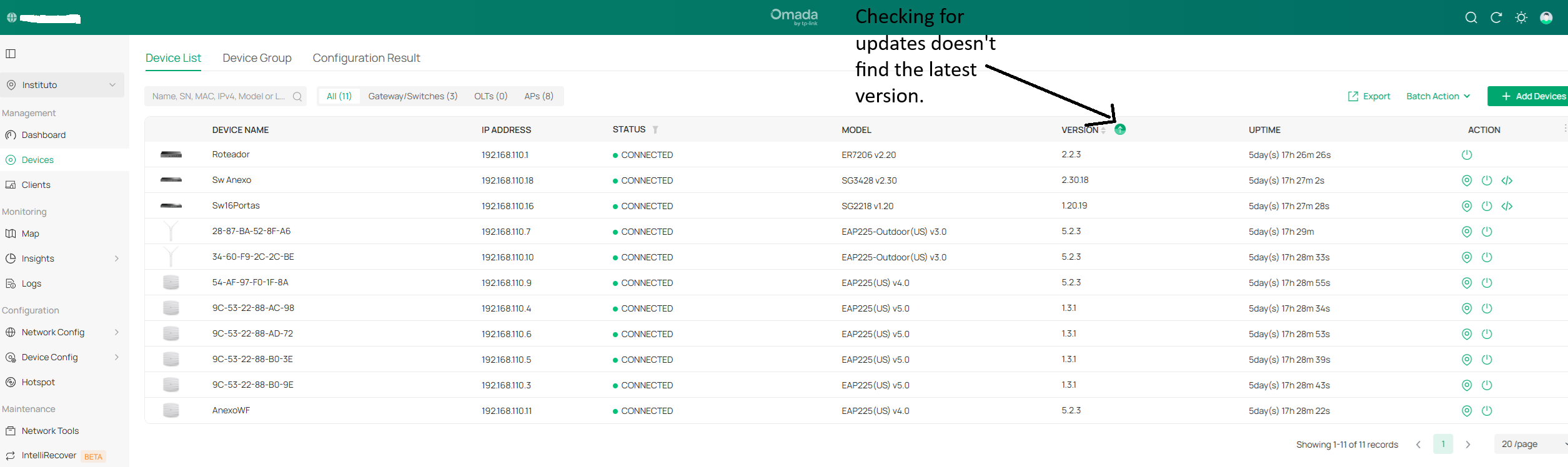
But I tried to do it manually, here are the screenshots.
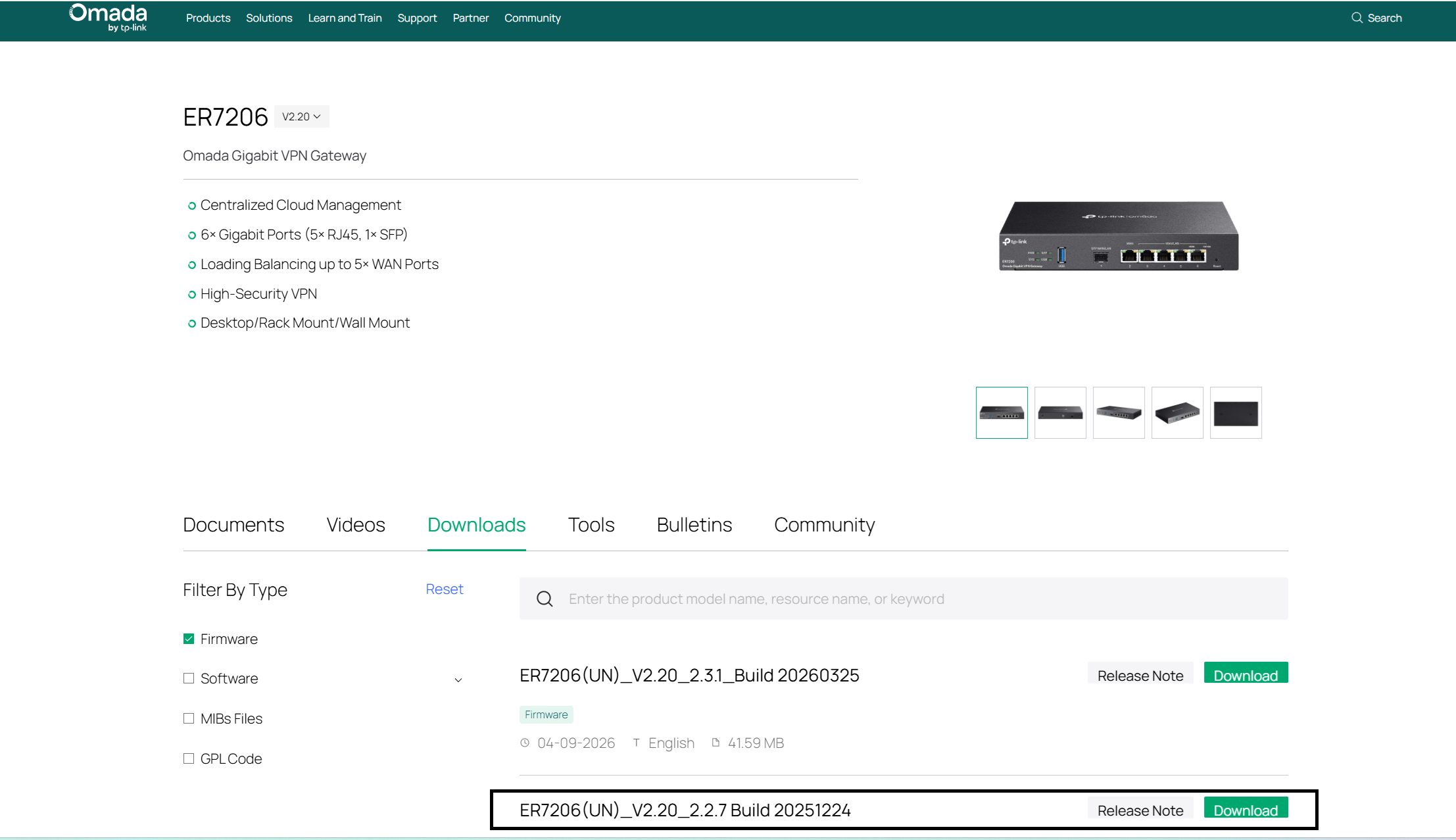 I downloaded it.

Performing the manual update
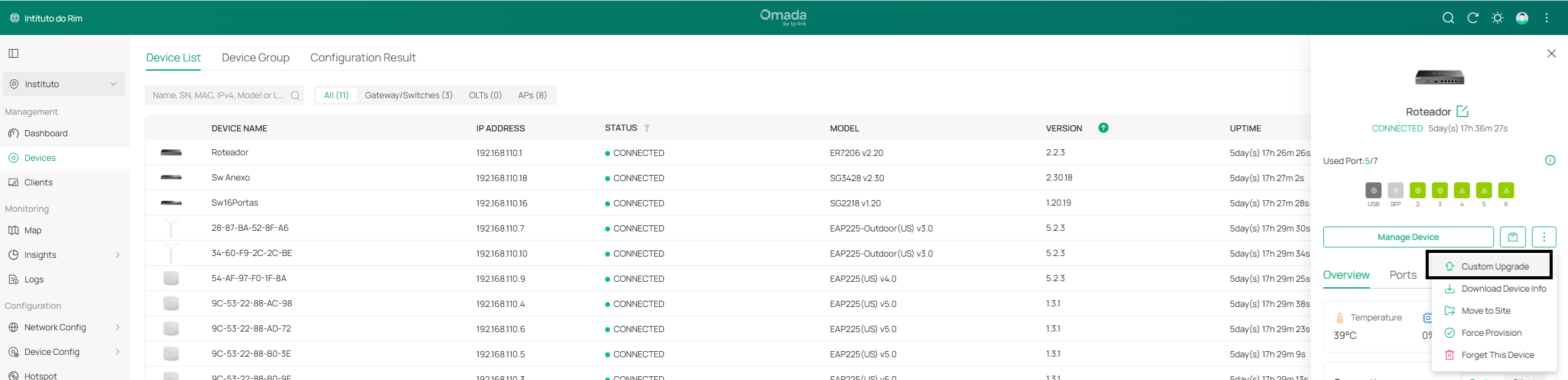
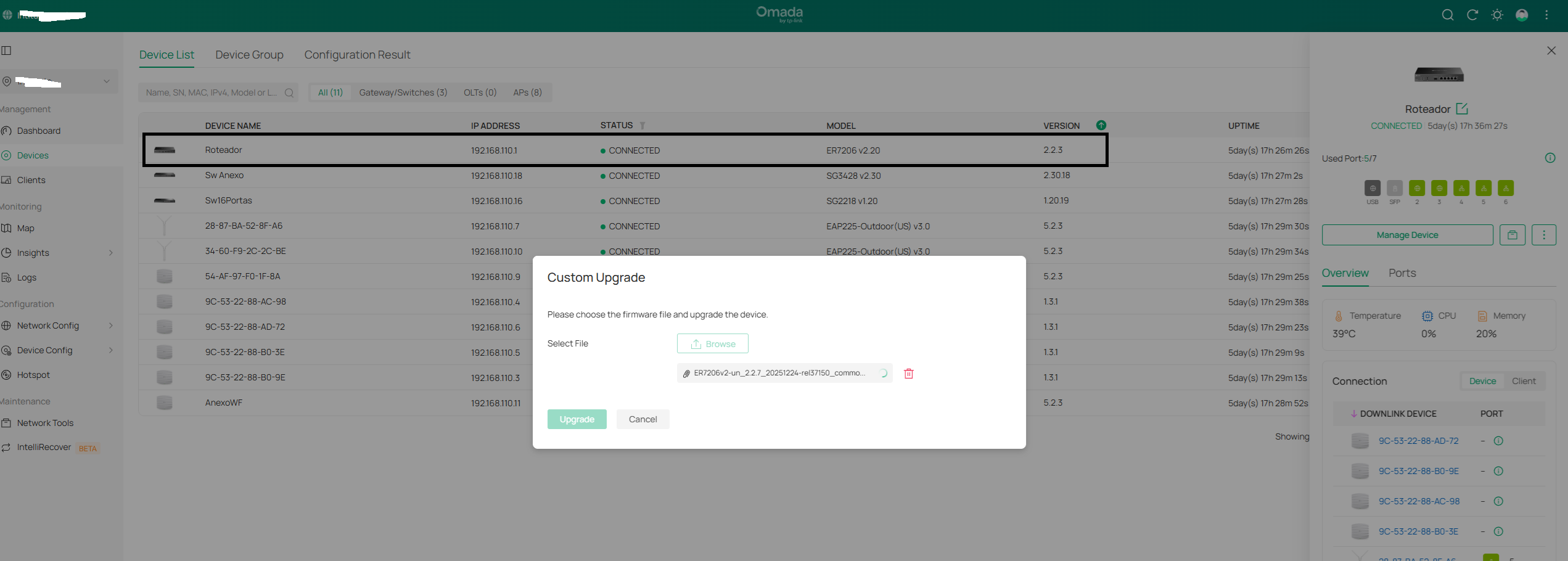
When I upload the downloaded file from the TP-LINK website, for both the ER7206 V2 and V2.20, the file doesn't load; it gets stuck in an infinite loop (the loading circle keeps spinning), preventing me from pressing the UPGRADE button.
I used a later firmware version than the one installed, which is 2.2.7.
- Copy Link
- Report Inappropriate Content
Hi, @Bug_do_Ti
Thank you very much for your patience waiting for our reply.
The v2.3.1 firmware for ER7206 V2.20 has been pushed via our cloud. Regarding the issue you mentioned that the firmware is not available on the Brazilian official website, this is likely because the website maintenance team has not uploaded the new version yet. We will report this issue to the relevant personnel for follow-up. Thanks for the feedback.
Meanwhile, please kindly check the following troubleshooting steps:
1.Please navigate to Global View > Firmware in your Controller and check if the v2.3.1 firmware can be detected
2.Please check if any network restrictions have been configured on your frontend gateway or firewall.
For the issue that you cannot complete the manual local upgrade, please refer to the following checks:
1.Did you perform the firmware update after logging into the Controller via cloud access? If so, please try logging into the Controller locally via the IP address of your OC200, then perform the manual firmware upgrade.
2.Could you please share your current network topology with us? Is your OC200 located within the LAN side of the ER7206?
3.Normally, when you perform a manual firmware upgrade while logged into the Controller via cloud, the firmware file needs to be uploaded to the Controller first before the upgrade can proceed. Could you please confirm if the failure occurred during the step of uploading the firmware to the Controller?
- Copy Link
- Report Inappropriate Content
Information
Helpful: 0
Views: 325
Replies: 3
Voters 0
No one has voted for it yet.