
ER605 - ACL's not working [SOLVED]

ER605 - ACL's not working [SOLVED]

ER605 - ACL's not working [SOLVED]
Yesterday - last edited Yesterday
Tags: #ACL
Model: ER605 (TL-R605)  
Hardware Version: V2
Firmware Version: 2.3.2 Build 20251029 Rel.12727

Hello,


I am new to networking. My setup is like this:


ISP Modem > ER605 > SG2218P > SG108E (this is where I am connected)


Vlans are: 50, 68, 69, 99, 101, 102. SG108E is at my office and my PC is on PORT 2 untagged for VLAN 99. My NAS is on PORT 4 untagged for VLAN 50.


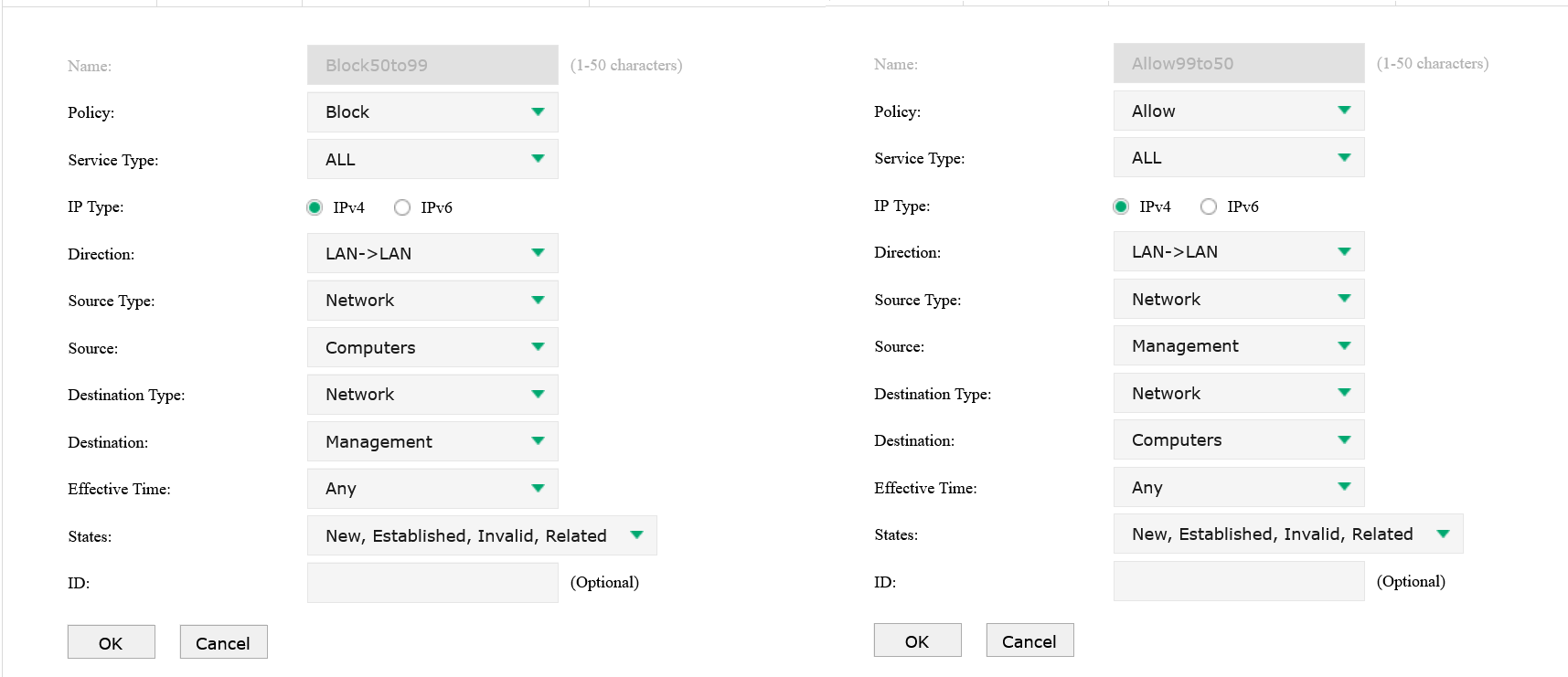
My router came in with firmware "Build 20220106". BEFORE I upgrade it to "Build 20240718" my ACL rule seemed to work. Unless there was some kind of a cache thing. I was on port 5 at first that is again for VLAN 50. I deleted the rule, upgraded and remake it. But now, it doesn't work. I google, it said I should make an opposite rule for DENY 50 to 99. I did it. Nothing!


Any ideas? Please guys. Pitch anything.
 

  0      
  0      
#1
Options
1 Accepted Solution
Re:ER605 - ACL's not working-Solution
Yesterday - last edited Yesterday

It seems like the problem was with the deny rule. Or at least that's what chatgpt said since no one is replying in here ever. I've changed the deny rule to state NEW only and it works. Do I know why and how? No I don't.


SOLVED.

Recommended Solution
  1  
  1  
#2
Options
1 Reply
Re:ER605 - ACL's not working-Solution
Yesterday - last edited Yesterday

It seems like the problem was with the deny rule. Or at least that's what chatgpt said since no one is replying in here ever. I've changed the deny rule to state NEW only and it works. Do I know why and how? No I don't.


SOLVED.

Recommended Solution
  1  
  1  
#2
Options
