
DDNS on Archer C1900

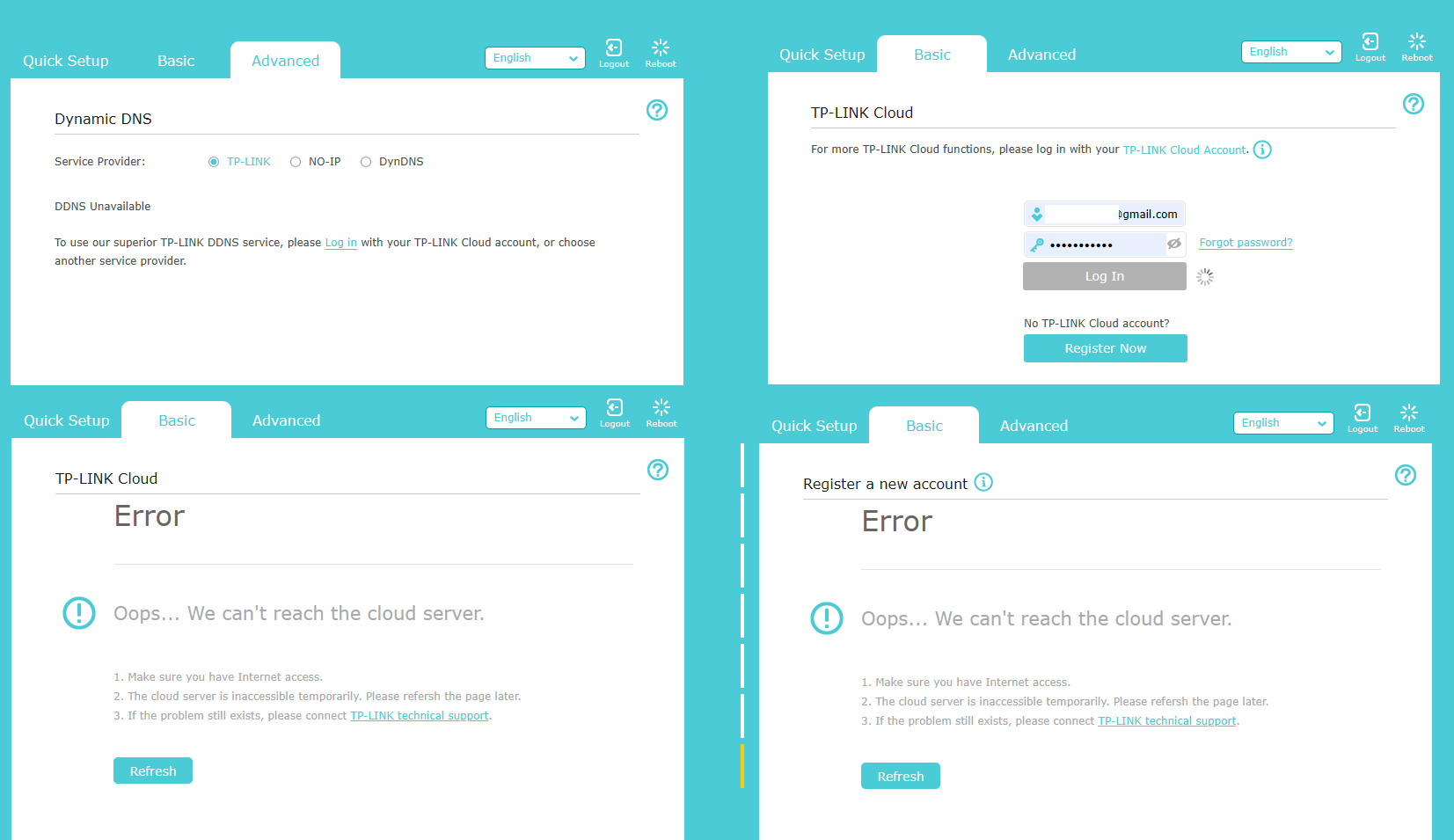
Suddenly DDNS stopped working, the domain name is resolving but settings are not available
- Copy Link
- Subscribe
- Bookmark
- Report Inappropriate Content


Hello @xhunter ,
Since the domain name is resolving properly, it may be with accessing the router's management interface rather than the DDNS functionality itself. Please try the following troubleshooting steps to regain access to your router settings:
1. Refresh the webpage • You may need to log in again if your previous session has expired.
2. Use incognito mode or a different browser • Try accessing the router's web interface using a private/incognito window or a different browser altogether.
3. Reboot the router • Power cycle your router by unplugging it, waiting 10 seconds, and plugging it back in.
4. Update firmware • Once you can access the interface, go to Advanced > System > Firmware Update to ensure your router's firmware is up-to-date.
Note: When accessing your router's management interface using its LAN IP address (such as 192.168.0.1), the browser may automatically redirect to tplinkwifi.net • this is normal behavior. If you're using custom DNS servers or encrypted DNS, tplinkwifi.net might not work, so try using the LAN IP address directly instead.
- Copy Link
- Report Inappropriate Content
Information
Helpful: 0
Views: 80
Replies: 1
Voters 0
No one has voted for it yet.